Samsung Galaxy S26 Ultra Complete Guide: Specs, Camera, Battery, Repairability & Buying Advice
The Galaxy S26 Ultra targets buyers who want a large display and an extensive camera system. This guide separates Samsung’s published hardware information from our buying analysis, with particular attention to screen protection, charging equipment and the cost of keeping a premium phone working.
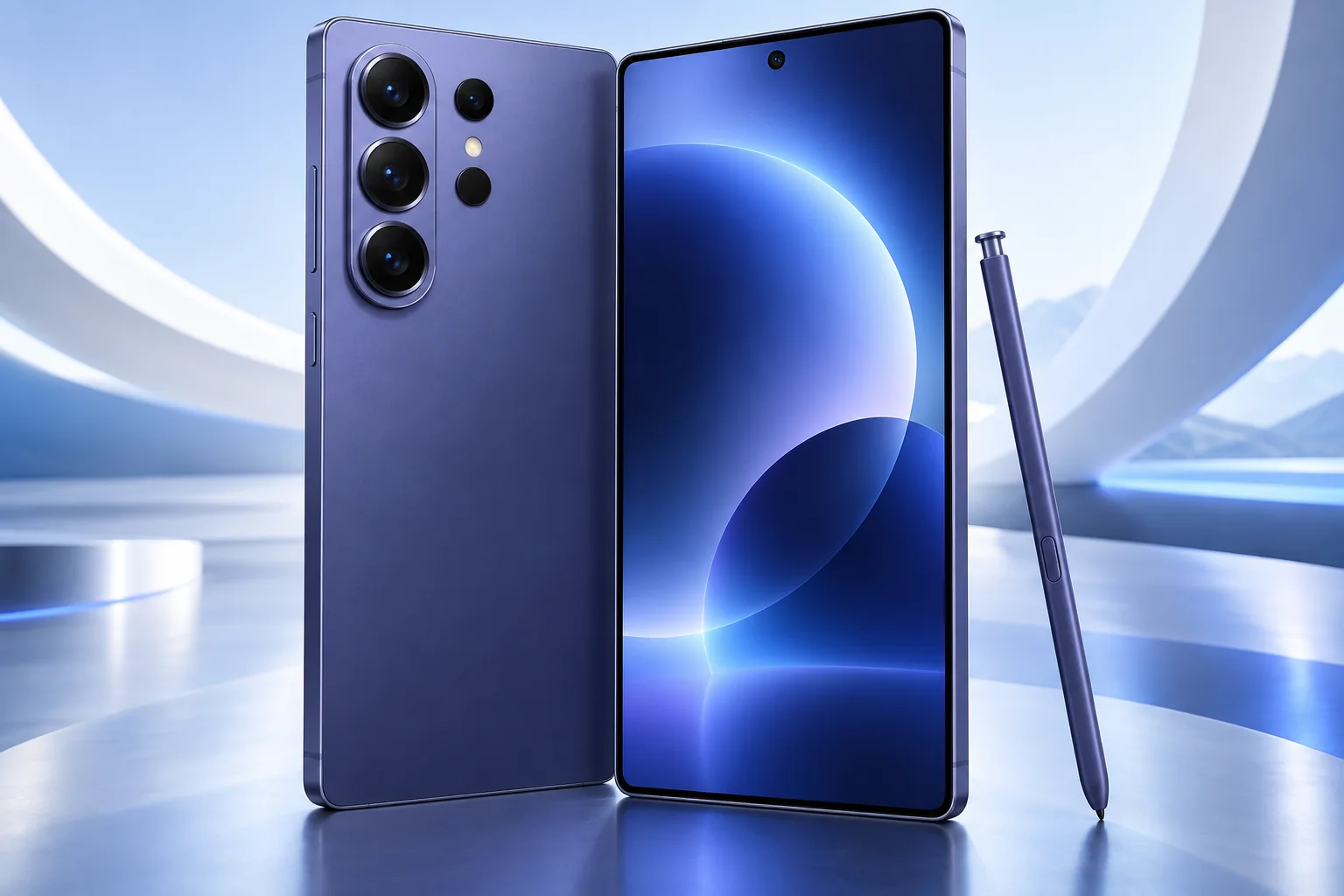
ϟ Quick Expert Summary
Consider the Ultra when its screen, camera framing options and integrated privacy feature serve a clear purpose in your routine. A premium model is not automatically the right value for basic communication. Compare the complete purchase cost with the smaller S26 and with keeping a current phone after a focused repair.
Source-based editorial assessment; no hands-on testing or technician case history is claimed.
✓ Best For
- Large-screen productivity
- Several camera focal lengths
- Users who value screen privacy controls
× Not Ideal For
- Small-phone preferences
- Lowest-cost everyday use
- Upgrades without a specific need
Large display
6.9-inch QHD+
Camera options
3x and 5x telephotos
Privacy Display
Built-in viewing control
Battery
5,000mAh typical
Know the device.
Choose with confidence.
Camera, battery and repair considerations.
① Key Specifications
| Display | 6.9-inch QHD+ AMOLED; 1–120Hz |
|---|---|
| Processor | Snapdragon 8 Elite Gen 5 for Galaxy |
| Rear cameras | 200MP main; 50MP ultra wide; 50MP 5x; 10MP 3x |
| Front camera | 12MP |
| Storage | 256GB / 512GB / 1TB; regional availability varies |
| Battery | 5,000mAh typical |
| Weight | 214g; region may vary |
| Resistance | IP68 |
| Launch software | Android 16; One UI 8.5 |
Manufacturer technical specifications
Manufacturer battery and charging tests are not FixUpPhone measurements or guarantees of your daily result.
② FixUpPhone Expert Analysis
The following is ownership and buying analysis based on the cited sources.
Decide whether the Ultra format helps
A larger canvas can suit detailed documents, maps and editing, but the same size can make one-handed use less comfortable. Try the phone with the case you expect to use. If your work is mostly messaging and calls, a smaller model may remove weight and cost without removing the capabilities you actually depend on.
Separate optical lenses from processing
Compare sample scenes at the camera’s physical focal lengths before judging very high zoom settings. Crop-based and digitally processed results are different from a dedicated lens. Test moving people and indoor light as well as static outdoor detail. We have not performed an original camera shootout, so the guide does not rank its photos against rivals by unsupported scores.
Privacy needs more than a display setting
A viewing-angle control may be useful on public transport or at a shared desk, but it is not a replacement for device locking or careful handling of confidential material. Try it with the content and orientation you normally use. Consider whether its practical benefit is worth the price difference to you rather than buying purely from a feature name.
Charging is a system, not a box number
Check the charging protocol, cable and adapter together. An adapter’s maximum wattage does not guarantee that the phone will draw that power throughout a session. Temperature, battery level and simultaneous use affect results. Before replacing a working charger, compare its observed performance with your actual schedule and read the manufacturer’s compatibility requirements.
Repair planning belongs in the purchase decision
A premium screen or multi-camera system makes it especially useful to understand repair coverage before damage happens. Ask a provider to distinguish cosmetic glass damage from display, touch or camera faults. Obtain an itemized assessment and written terms. We do not assign an unsupported repairability score or claim that a particular component is inexpensive to replace.
Treat AI output as assistance
Check the language, region, account and connection requirements of any feature you intend to rely on. Review generated edits and summaries before sharing or acting on them. A newer processor alone does not guarantee that every advertised workflow is available in every setting, and our guide does not substitute marketing demonstrations for measured performance.
③ Pros & Cons
✓ Reasons to consider
- Large adaptive display
- Multiple dedicated camera views
- Integrated privacy-display option
- Current-generation premium platform
× Trade-offs
- Large form factor
- Premium purchase and damage exposure
- Accessory compatibility needs checking
- AI availability and outputs need review
Ready to Buy? Check Latest Prices
Use Samsung’s current listing to compare storage, unlocked terms and the complete cash price. Include any charger, case or protection plan you actually intend to buy. Trade-in or installment advertising should not be treated as an unconditional price available to every customer.
Check available models and purchase terms
No affiliate links are used. Prices and stock can change; a current offer is not implied. Additional approved retailers can be added later.
④ Repairability & Common Repair Needs
Display and privacy function
Describe both visual and touch symptoms, and ask whether a proposed replacement supports the model’s display functions. Do not assume any similarly sized panel is equivalent.
Camera or charging faults
Document which camera view or charging setup fails. Test known-working accessories where safe; a diagnosis should identify the affected component before parts are ordered.
Data and service preparation
Back up data and confirm the repair provider’s access requirements. Ask about parts availability and testing before arranging an in-store or mail-in assessment.
Manufacturer service guidance · Request a repair assessment
These are diagnostic considerations, not a claim of model-wide defects. No repair price, parts grade, turnaround or warranty is guaranteed. Stop charging a visibly damaged or bulging battery; ask for safe handling advice and do not send it through ordinary mail.
Already Have This Device and Need a Repair?
Tell us what happened and choose a local store or a mail-in enquiry.
- Screen or touch concerns
- Battery and charging issues
- Back glass or camera damage
- Liquid-exposure assessment
Background: generated service illustration.
Mail-In Repair Service
Start with the repair request form and choose Mail-In Repair. The team needs to review your device and issue before providing shipping instructions and a repair quote.
Start Mail-In Repair →Request workflow only. Do not ship until the team confirms instructions. The form saves requests; email notifications and appointment scheduling are not yet enabled.
Prefer to visit? Find a repair location →How It Works
- BookSubmit your device and issue for review.
- ShipWait for confirmed packing and shipping instructions.
- Diagnose / RepairReview the assessment and approve the quoted work.
- ReturnAgree the return arrangements with the team.
⑤ Should You Buy It?
Buy S26 Ultra when the large screen and camera choices solve needs you can name and its complete cost fits your budget. If an existing premium phone works well, compare the benefit of upgrading against a battery or damage repair first. Choosing a smaller or older model can be a sound decision when the Ultra’s advantages would go unused.
For an open-box or used offer, inspect the entire screen, camera covers and frame, check the exact model and carrier status, and verify legitimate account removal and activation. Review the seller’s return deadline and repair paperwork rather than assuming a nearly new phone has no service history.
Request a trade-in assessment →⑥ Alternatives & Comparison
Smaller body and simpler ownership choice.
Explore option →Compare a previous Ultra’s condition and price.
Explore option →A different camera and software approach.
Explore option →⑦ Accessories We Recommend
Choose the Samsung Galaxy S26 Ultra variation; confirm camera and button access before ordering.
Check case clearance and installation instructions. Protection is not a drop guarantee.
Verify its charging protocol, cable and safety information, not just the wattage printed on the box.
Review the exact model variation and confirmed product specifications in the shop.
⑧ Frequently Asked Questions
Is every zoom setting an optical lens?
No. Distinguish dedicated optical focal lengths from crop-based or digital processing when comparing camera claims.
Will any high-wattage charger reach the advertised rate?
No. The supported protocol, cable, battery state and temperature also matter. Check Samsung’s requirements for the exact model.
Does Privacy Display replace a screen lock?
No. Viewing-angle control and access control address different risks; keep normal device security measures enabled.
Can I get an exact repair price here?
No. Request an assessment of the specific device, symptoms and required parts before relying on a price or turnaround.
Should I upgrade from a working Ultra?
Only if the improvements matter to your actual use and justify the full cost. A serviceable current device may remain the better value.
Sources & Editorial Notes
Prepared by FixUpPhone Editorial. Documentation checked September 17, 2026. Manufacturer specifications and test claims are separated from editorial analysis. No FixUpPhone physical testing, measured benchmarks or technician case history is claimed. The featured artwork is an original generated illustration, not a manufacturer photograph. No affiliate links or guaranteed service prices are included.
For corrections or device help, contact FixUpPhone.