iPhone 15 Complete Guide: Specs, Battery Life, Common Problems & Buying Advice
The standard iPhone 15 offers USB-C, a 48MP main camera and a relatively manageable body. It is a different purchase from an iPhone 15 Pro: consider the features you actually need and the condition of the unit before paying more for a familiar name.
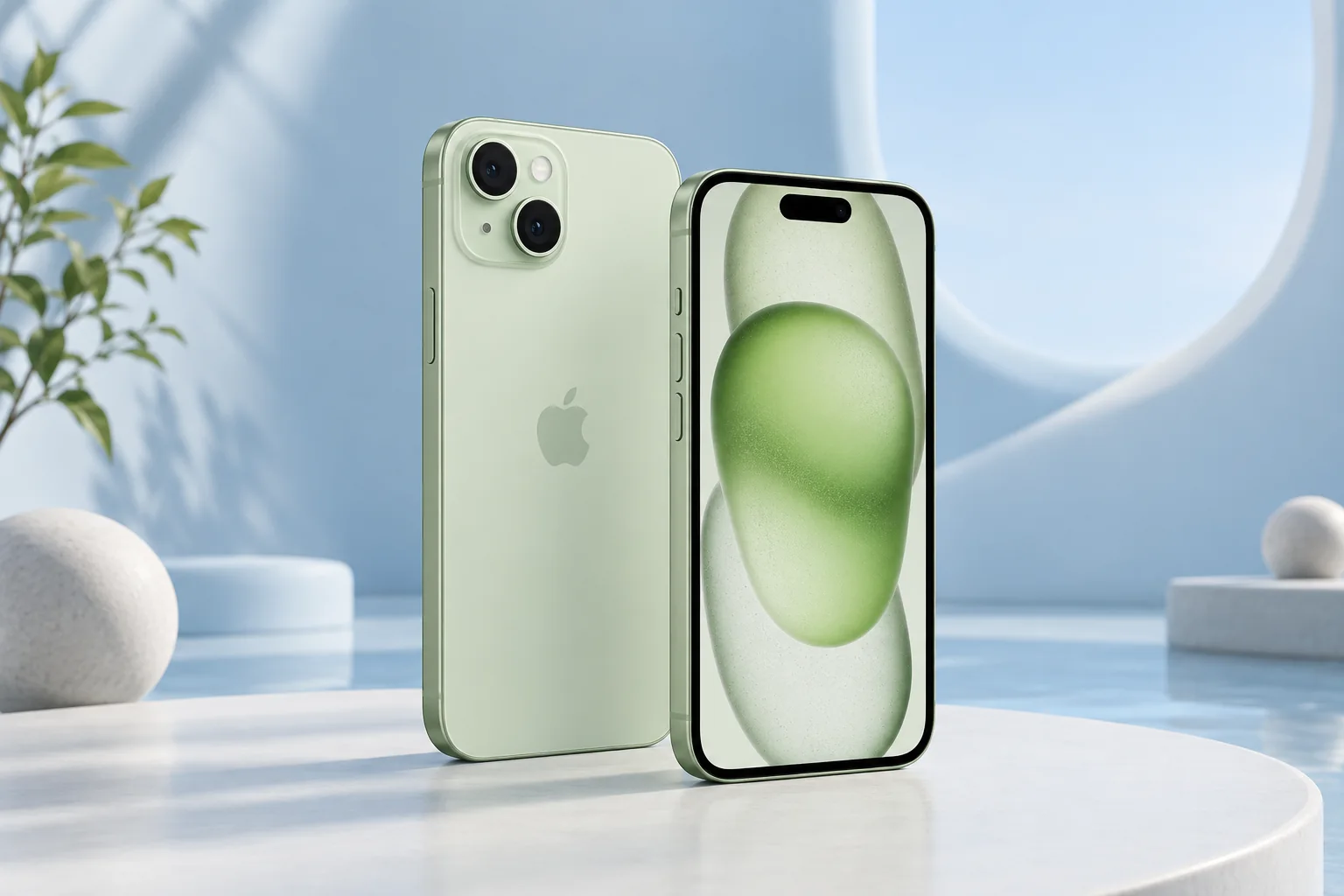
ϟ Quick Expert Summary
The iPhone 15 can suit everyday communication, navigation and casual photography when its condition and price are right. It does not share every Pro feature, and the 2x camera option is not a separate telephoto lens. Existing owners should evaluate battery or charging complaints before deciding a whole-phone upgrade is necessary.
Source-based editorial assessment; no hands-on testing or technician case history is claimed.
✓ Best For
- Everyday iPhone use
- Buyers seeking USB-C without Pro hardware
- People prioritizing manageable size
× Not Ideal For
- Dedicated telephoto requirements
- ProMotion priorities
- Buyers expecting every newer software feature
Everyday size
6.1-inch OLED
Main camera
48MP capture system
USB-C
USB 2 data
Light body
171g listed weight
Know the device.
Choose with confidence.
Camera, battery and repair considerations.
① Key Specifications
| Display | 6.1-inch Super Retina XDR OLED; Dynamic Island |
|---|---|
| Chip | A16 Bionic |
| Storage | 128GB / 256GB / 512GB |
| Rear cameras | 48MP main + 12MP ultra wide |
| 2x framing | Enabled by the main camera sensor; not a separate telephoto |
| Front camera | 12MP TrueDepth |
| Weight | 171g |
| Connection | USB-C; USB 2 data |
| Build | Aluminum; color-infused glass back |
| Resistance | IP68 laboratory rating |
Manufacturer technical specifications
Manufacturer battery and charging tests are not FixUpPhone measurements or guarantees of your daily result.
② FixUpPhone Expert Analysis
The following is ownership and buying analysis based on the cited sources.
A standard phone can be the better fit
If most of your time is spent calling, messaging, using maps and taking family photos, judge the 15 on those tasks. Paying for an older Pro is sensible only if its additional features matter to you and its condition is comparable. Seller support and a healthy device can be more valuable than a longer specification list.
Understand the camera arrangement
The main and ultra-wide cameras provide different perspectives. The 2x option uses the main sensor rather than a third physical camera, so it should not be confused with the 15 Pro’s telephoto. Test people, close subjects and distant signs in normal light. This guide does not present original image tests or claim professional results from hardware specifications alone.
Check feature compatibility before purchase
A phone can receive operating-system updates without receiving every feature available on newer hardware. If one software capability is essential, verify its current device and language requirements directly with Apple. Do not assume that the word iPhone or a shared generation number means the standard and Pro models support identical capabilities.
Battery life depends on age and routine
A used unit’s battery information and actual behavior matter more than a seller repeating a launch-era endurance claim. Look at the apps consuming power, reception conditions and recent setup activity. Persistent poor runtime can justify assessment, but an individual symptom does not establish a fault in every iPhone 15. Ask for a diagnosis before purchasing parts.
USB-C is convenient but has limits
The standard 15 uses USB 2 for data, unlike the faster USB capability of the 15 Pro. A more expensive cable cannot upgrade the phone’s data interface. For charging, inspect the cable and adapter, and compare behavior with known-working equipment. If you transfer large video files routinely, consider how much this difference affects your workflow.
Buying used requires an inspection window
Check touch, buttons, cameras, microphones, speakers and Face ID. Confirm storage and carrier compatibility, and inspect Parts and Service History where available. Make sure the device can be legitimately activated without the prior owner’s account. A clear return policy gives you time to identify intermittent issues that a quick handover might miss.
③ Pros & Cons
✓ Reasons to consider
- Manageable standard-model body
- USB-C convenience
- Main and ultra-wide camera options
- Multiple storage configurations
× Trade-offs
- No separate telephoto camera
- No ProMotion feature
- USB 2 data interface
- Older battery condition can change the value
Ready to Buy? Check Latest Prices
Compare current offers by storage, condition and returns, and include any needed battery or display work. The manufacturer store is supplied for checking current purchase options; no available iPhone 15 stock or fixed price is promised.
Check available models and purchase terms
No affiliate links are used. Prices and stock can change; a current offer is not implied. Additional approved retailers can be added later.
④ Repairability & Common Repair Needs
Battery complaints
Share the battery-usage screen and a description of daily runtime. An estimate should follow assessment rather than an assumption that every short-runtime complaint needs the same repair.
Charging trouble
Test a known-working compatible adapter and cable. Stop using visibly damaged accessories, and avoid metal tools in the connector.
Glass and camera concerns
Inspect the front, rear and camera covers separately. Describe whether the issue affects touch or picture quality, and ask what is included in the proposed service.
Manufacturer service guidance · Request a repair assessment
These are diagnostic considerations, not a claim of model-wide defects. No repair price, parts grade, turnaround or warranty is guaranteed. Stop charging a visibly damaged or bulging battery; ask for safe handling advice and do not send it through ordinary mail.
Already Have This Device and Need a Repair?
Tell us what happened and choose a local store or a mail-in enquiry.
- Screen or touch concerns
- Battery and charging issues
- Back glass or camera damage
- Liquid-exposure assessment
Background: generated service illustration.
Mail-In Repair Service
Start with the repair request form and choose Mail-In Repair. The team needs to review your device and issue before providing shipping instructions and a repair quote.
Start Mail-In Repair →Request workflow only. Do not ship until the team confirms instructions. The form saves requests; email notifications and appointment scheduling are not yet enabled.
Prefer to visit? Find a repair location →How It Works
- BookSubmit your device and issue for review.
- ShipWait for confirmed packing and shipping instructions.
- Diagnose / RepairReview the assessment and approve the quoted work.
- ReturnAgree the return arrangements with the team.
⑤ Should You Buy It?
Choose iPhone 15 when its standard-model features meet your needs and a trustworthy offer makes sense against newer options. Keep an existing one when it remains reliable, supported for the apps you need and economically repairable. Choose a Pro or newer model for a verified requirement, not merely for a label.
Before paying, confirm legitimate activation, carrier compatibility, storage and the return deadline. Record the condition at handover and back up your own data before any trade-in. If the device is visibly damaged or unusually hot, seek safe service advice rather than continuing repeated charging tests.
Request a trade-in assessment →⑥ Alternatives & Comparison
Compare a newer standard model.
Explore option →Consider ProMotion and a dedicated telephoto.
Explore option →Check whether newer standard features justify the cost.
Explore option →⑦ Accessories We Recommend
Choose the iPhone 15 variation; confirm camera and button access before ordering.
Check case clearance and installation instructions. Protection is not a drop guarantee.
Verify its charging protocol, cable and safety information, not just the wattage printed on the box.
Review the exact model variation and confirmed product specifications in the shop.
⑧ Frequently Asked Questions
Does iPhone 15 have a separate 2x telephoto camera?
No. Its 2x option is enabled by the main camera sensor. The rear system has main and ultra-wide cameras.
Does it transfer data as fast as the 15 Pro?
No. Apple lists USB 2 for iPhone 15 and USB 3 capability for iPhone 15 Pro when the rest of the connection supports it.
Should battery wear rule out buying one?
Not always. Add an actual service estimate to the purchase cost and compare the result with a better-condition alternative.
Are all software features shared with Pro models?
No. Check the exact feature’s current Apple compatibility requirements before relying on it.
Can I request mail-in repair?
Use Book Repair and select Mail-In Repair. Wait for the repair team’s assessment and shipping instructions; a request is not a confirmed appointment or permission to ship.
Sources & Editorial Notes
Prepared by FixUpPhone Editorial. Documentation checked September 17, 2026. Manufacturer specifications and test claims are separated from editorial analysis. No FixUpPhone physical testing, measured benchmarks or technician case history is claimed. The featured artwork is an original generated illustration, not a manufacturer photograph. No affiliate links or guaranteed service prices are included.
- iPhone 15 specifications
- Manufacturer service guidance
- Apple Parts and Service History
- Apple Repair Assistant
- Apple temperature guidance
For corrections or device help, contact FixUpPhone.