iPhone 16 Complete Guide: Specs, Features, Repairability & Is It Worth Buying?
A standard iPhone can be the right purchase when reliability and everyday use matter more than professional camera tools. This iPhone 16 guide explains what to check before buying, how to compare it with newer choices and when repairing an existing phone is the better first step.
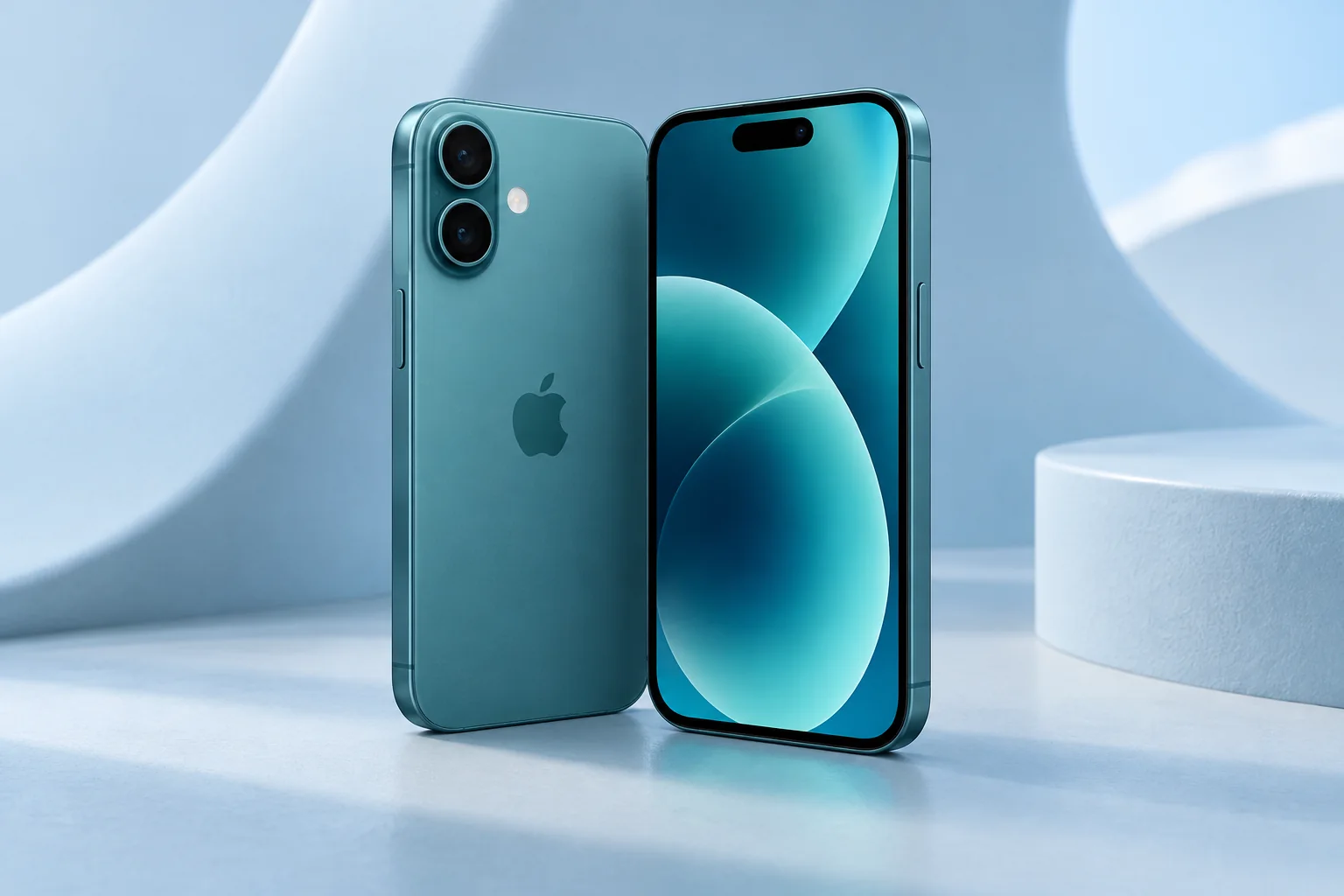
ϟ Quick Expert Summary
The 16 is most attractive at a total cost that reflects its age and condition. It can suit communication, everyday photos and routine apps without making you pay for camera tools you will not use. Do not confuse a standard model with a Pro or let an attractive color distract from battery, storage and seller checks.
Source-based editorial assessment; no hands-on testing or technician case history is claimed.
✓ Best For
- Everyday communication and photos
- Buyers comparing standard-model value
- Owners considering repair instead of upgrade
× Not Ideal For
- People requiring a dedicated telephoto lens
- Buyers who need Pro display features
- Anyone unable to verify used-device condition
A18
Apple chip
6.1-inch OLED
Everyday size
Dual Cameras
Main and ultra wide
USB-C
Charging and data
Know the device.
Choose with confidence.
Camera, battery and repair considerations.
① Key Specifications
| Introduced | 2024 |
|---|---|
| Display | 6.1-inch OLED |
| Chip | A18 |
| Storage | 128GB / 256GB / 512GB |
| Rear cameras | 48MP main + 12MP ultra wide |
| Zoom note | 2x option from main sensor; no separate telephoto |
| Front camera | 12MP TrueDepth |
| Weight | 170g |
| USB-C | USB 2 data speeds |
| Build | Aluminum design; glass front and back |
| Resistance | IP68 laboratory rating |
Manufacturer technical specifications
Manufacturer battery and charging tests are not FixUpPhone measurements or guarantees of your daily result.
② FixUpPhone Expert Analysis
The following is ownership and buying analysis based on the cited sources.
Choose by routine rather than hierarchy
Write down the tasks your current phone fails to do. If those are calls, messages, navigation and ordinary photographs, a standard model may be enough. If the only problem is wear or damage, compare a repair quote. Buying a higher tier without a specific need often shifts money away from storage, protection or a more trustworthy seller.
Display expectations
Compare the screen in person with any alternative you are considering. The standard 16 should not inherit the Pro’s display claims by association. Try scrolling and your normal font size. Someone sensitive to display smoothness may weigh that differently from a person who mostly reads static messages.
Camera framing
The dual-camera arrangement offers different views, but it is not a substitute for a separate long telephoto lens. Before purchase, try the kinds of subjects you take most often: a room, a person and something farther away. On a used unit, inspect the camera glass and test focus rather than accepting a single sample photo as proof everything works.
Battery and charger checks
Battery wear and power faults are different problems. Review battery condition, note whether the phone runs down while idle and test the connection with reliable accessories. An expensive adapter is not a remedy for an intermittent port. If you already own a 16, diagnose the complaint before assuming a newer model is necessary.
Storage and performance
The smallest storage option may be enough for a disciplined media workflow but uncomfortable for someone keeping many videos offline. Check current used space and leave room for updates. When an app is slow, investigate that app and available storage before making a general claim about the phone’s processor. We have not published FixUpPhone benchmark results for this model.
Build, heat and liquid exposure
Inspect the frame and glass without a case covering them. Avoid deliberate liquid exposure despite the original lab rating. Warmth during setup or demanding applications can be normal; persistent temperature warnings or unexplained shutdowns need investigation. Document the conditions so a repair provider has something more useful than a general description of getting hot.
③ Pros & Cons
✓ Reasons to consider
- Balanced everyday feature set
- Two useful rear viewpoints
- Manageable standard-model dimensions
- USB-C accessory convenience
× Trade-offs
- No dedicated telephoto camera
- Pro display functions should not be assumed
- Entry storage may need careful management
- Used battery and repair history affect value
Ready to Buy? Check Latest Prices
Check the full price for the same storage, not a monthly payment tied to a trade-in or long contract. A used iPhone 16 should be compared with the cost of any needed service. Ask who handles returns and whether the phone can activate on your carrier. Use the manufacturer store to compare current choices, not as a guarantee of this model’s inventory.
Check available models and purchase terms
No affiliate links are used. Prices and stock can change; a current offer is not implied. Additional approved retailers can be added later.
④ Repairability & Common Repair Needs
Screen and controls
Report dead touch areas, glass cracks and control problems separately. Tell the repairer whether an impact preceded them. Replacing glass or a display should follow inspection of the frame and the rest of the device.
Charging and sound
A charging or microphone complaint can have several causes. Describe whether it occurs with different cables, in calls or in recorded video. A repeatable example helps diagnosis; it does not establish that the whole iPhone 16 range has a common defect.
Records and calibration
Review Parts & Service History before a used purchase and ask about any warning. A repair quote should explain the proposed part and relevant calibration or functional checks. Keep a backup and clarify data-handling expectations before leaving the device.
Manufacturer service guidance · Request a repair assessment
These are diagnostic considerations, not a claim of model-wide defects. No repair price, parts grade, turnaround or warranty is guaranteed. Stop charging a visibly damaged or bulging battery; ask for safe handling advice and do not send it through ordinary mail.
Already Have This Device and Need a Repair?
Tell us what happened and choose a local store or a mail-in enquiry.
- Screen or touch concerns
- Battery and charging issues
- Back glass or camera damage
- Liquid-exposure assessment
Background: generated service illustration.
Mail-In Repair Service
Start with the repair request form and choose Mail-In Repair. The team needs to review your device and issue before providing shipping instructions and a repair quote.
Start Mail-In Repair →Request workflow only. Do not ship until the team confirms instructions. The form saves requests; email notifications and appointment scheduling are not yet enabled.
Prefer to visit? Find a repair location →How It Works
- BookSubmit your device and issue for review.
- ShipWait for confirmed packing and shipping instructions.
- Diagnose / RepairReview the assessment and approve the quoted work.
- ReturnAgree the return arrangements with the team.
⑤ Should You Buy It?
It is worth considering when the verified condition and full price make sense beside current alternatives. Skip it if the specific camera or display capability you want is absent. Existing owners whose phone otherwise works should consider a targeted assessment before replacement.
Confirm that the previous owner removes account restrictions and that you can activate the phone. During the return period, test cameras, Face ID, sound, mobile data and charging. Keep seller terms in writing and inspect the device outside any case supplied with it.
Request a trade-in assessment →⑥ Alternatives & Comparison
Compare a later standard iPhone.
Explore option →Evaluate whether Pro functions matter to you.
Explore option →Compare an older standard choice by condition.
Explore option →⑦ Accessories We Recommend
Choose the iPhone 16 variation; confirm camera and button access before ordering.
Check case clearance and installation instructions. Protection is not a drop guarantee.
Verify its charging protocol, cable and safety information, not just the wattage printed on the box.
Review the exact model variation and confirmed product specifications in the shop.
⑧ Frequently Asked Questions
Is iPhone 16 the same as 16 Pro?
No. Compare the display, cameras and other specifications separately. A shared generation name does not make the hardware identical.
Does it have a telephoto lens?
The listed rear cameras are main and ultra wide. The 2x option is enabled by the main sensor, not a separate telephoto camera.
Should I buy the lowest storage option?
Only after checking your needs. Offline video, large apps and working space can matter more than the initial saving.
Does a parts warning mean the phone cannot work?
Not necessarily. Ask what was replaced and why the message appears; different warnings have different explanations. Test the relevant functions and seek a qualified assessment.
Can a repair make more sense than an upgrade?
Yes, when a specific fault can be addressed and the rest of the device still meets your needs. Compare a written quote with the complete replacement cost.
Sources & Editorial Notes
Prepared by FixUpPhone Editorial. Documentation checked September 17, 2026. Manufacturer specifications and test claims are separated from editorial analysis. No FixUpPhone physical testing, measured benchmarks or technician case history is claimed. The featured artwork is an original generated illustration, not a manufacturer photograph. No affiliate links or guaranteed service prices are included.
- iPhone 16 specifications
- Manufacturer service guidance
- Apple Parts and Service History
- Apple Repair Assistant
- Apple temperature guidance
For corrections or device help, contact FixUpPhone.