Samsung Galaxy S26 Ultra vs Galaxy S25 Ultra: Should You Upgrade?
An S25 Ultra owner already has a large display, integrated S Pen and a versatile camera system. The S26 Ultra should earn an upgrade through a specific improvement you need, not simply a newer flagship name.
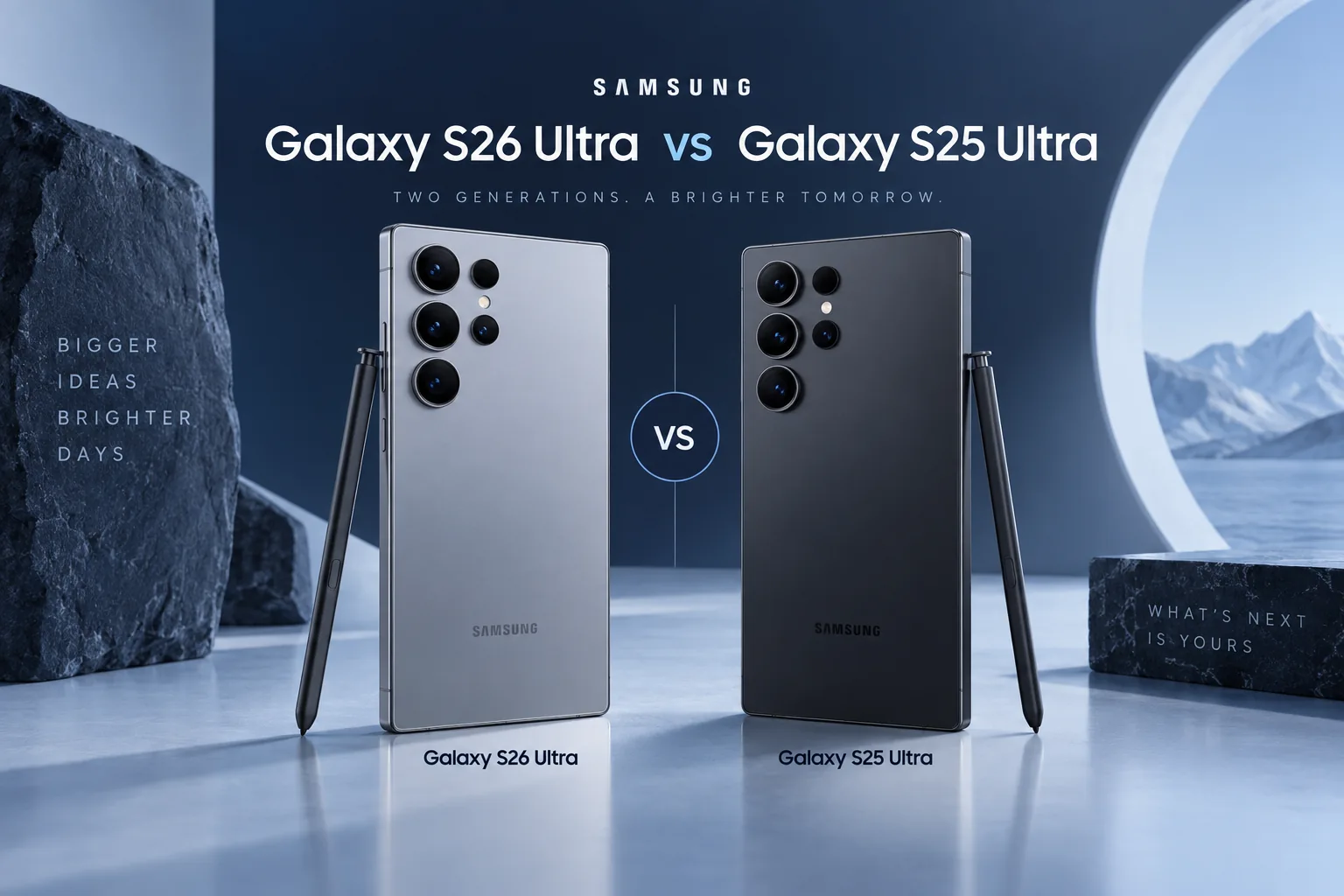
Quick Verdict
Keep a healthy S25 Ultra unless a verified S26 feature addresses a repeated limitation. New buyers should compare complete offers and the exact regional specification rather than assuming the newer model is automatically better value.
How we compare →
Key Differences at a Glance
| Feature | Samsung Galaxy S26 Ultra | Samsung Galaxy S25 Ultra | What matters |
|---|---|---|---|
| Display | 6.9-inch QHD+ AMOLED, 1–120Hz | 6.9-inch QHD+ AMOLED, 1–120Hz | Size and handling |
| Processor | Snapdragon 8 Elite Gen 5 for Galaxy | Snapdragon 8 Elite for Galaxy | App and workload needs |
| Rear cameras | 200MP main, 50MP ultra wide; 3x and 5x telephotos | 200MP main, 50MP ultra wide; 3x and 5x telephotos | Capture requirements |
| Battery context | 5,000mAh typical; not a runtime measure | 5,000mAh typical | Claims, not our tests |
| Connector / data | USB-C | USB-C | Cable and workflow |
| Construction | Conventional slab with S Pen | Titanium frame; integrated S Pen | Protection and handling |
Battery and performance claims are manufacturer figures, not FixUpPhone measurements. Current selling prices may differ from launch prices.
Detailed Comparison
Design & Display
Both occupy the 6.9-inch Ultra class. Try grip, pocketing and S Pen use with a case. A new finish or body refinement does not establish improved drop resistance without testing.
Samsung Galaxy S26 Ultra
- 6.9-inch QHD+ AMOLED, 1–120Hz
- Conventional slab with S Pen
Samsung Galaxy S25 Ultra
- 6.9-inch QHD+ AMOLED, 1–120Hz
- Titanium frame; integrated S Pen
Handling & ownership considerations
The S26 Ultra’s Privacy Display is a more specific upgrade reason than buying another 6.9-inch screen. If you read sensitive work messages on public transport, try its viewing-angle behavior. Samsung cautions that visibility still depends on angle and brightness; it is not a guarantee that nobody nearby can see the content.
Performance
Snapdragon 8 Elite Gen 5 for Galaxy succeeds 8 Elite for Galaxy. That is a platform change, not a measured speed percentage. Compare sustained tests for your games or editing apps if performance is the upgrade reason.
An S25 Ultra already has a flagship processor. Identify whether a game, export or multitasking session actually interrupts your work before replacing it. A quoted manufacturer improvement does not tell you how much time your own application will save, especially when the limiting factor is a network connection.
Camera Comparison
Both list a 200MP main, 50MP ultra-wide and separate 3x and 5x telephotos. Similar headline specifications do not prove identical processing, but they also do not support a dramatic camera claim. Inspect controlled samples at the focal lengths you use.
S26 Ultra changes the main-camera aperture to f/1.4 and its 5x aperture to f/2.9. Those are more informative differences than repeating the same megapixel counts. They warrant examining low-light samples, but this article has not captured matched images and cannot turn aperture into a measured image-quality score.
Battery Life & Charging
Both specify 5,000mAh typical capacity. Capacity is not runtime, and a used S25 battery may have different wear. Check charging requirements and relevant endurance tests rather than inferring a winner from the generation.
Samsung specifies 60W wired charging for S26 Ultra and 45W for S25 Ultra with compatible equipment. That does not mean every charger with a sufficiently high label supplies the required protocol. Add a suitable adapter and cable only when your existing equipment cannot support the mode you want.
Software & Features
Check which Galaxy AI features are device-specific and which arrive through updates. Region, language, account and connectivity requirements can matter. Verify Samsung’s current security scope for the exact model.
Samsung’s current security scope lists both in the monthly-update group, checked September 18, 2026; delivery can vary by carrier and region. A software feature reaching the older phone is not a hardware upgrade, and Privacy Display cannot be added merely by installing an update.
Repairability & Ownership
A charging, display or battery complaint on S25 Ultra deserves a diagnosis. Compare an itemized repair quote with the net upgrade cost after a confirmed trade-in. Back up data before either process.
Pen users should distinguish handwriting from remote control. Samsung lists both S25 Ultra and S26 Ultra pens without Bluetooth remote functions. Neither is an upgrade route for somebody expecting the included pen to restore Air Actions. Check the feature you actually use before trading in an older Ultra.
Explore FixUp repair services or request an assessment before deciding.
Price & Value
Carrier credits may be spread over a commitment period. Compare total payments, storage and lock status. A paid-off S25 Ultra can remain the better financial fit even if the S26 has newer hardware.
For an existing owner, calculate the total upgrade after a confirmed device-condition assessment, not a maximum advertised trade-in credit. A new buyer can weigh Privacy Display and charging changes against a sound S25 Ultra offer. The sensible choice can differ between these two purchasing situations.
Official links may show current alternatives instead of older inventory. No live-price or used-stock feed is connected. Confirm exact model, storage, condition, region and return terms before ordering.
Pros & Cons: Samsung Galaxy S26 Ultra
Reasons to consider
- Privacy Display option
- Current Ultra feature set
Trade-offs
- Upgrade expense
- No measured camera win claimed
Pros & Cons: Samsung Galaxy S25 Ultra
Reasons to consider
- Versatile camera focal lengths
- Integrated S Pen
Trade-offs
- Older platform
- Battery condition affects used value
Who Should Choose Samsung Galaxy S26 Ultra?
- Choose S26 Ultra for a verified feature or workload improvement that matters regularly.
- Privacy Display option
- Current Ultra feature set
Who Should Choose Samsung Galaxy S25 Ultra?
- Keep S25 Ultra if its cameras, S Pen and endurance already fit your routine.
- Versatile camera focal lengths
- Integrated S Pen
Ready to Buy?
Compare the exact model, storage, condition, return terms and complete price before ordering.
View Buying OptionsNo affiliate tracking links are currently used. Retailer stock and prices are not guaranteed.
Already Own One?
Describe the issue before deciding to replace your phone. Request mail-in or local repair help from FixUp.
Start Mail-In RepairSelect the mail-in optionMail-In Repair: How It Works
Device and issue2. Arrange shipping
Wait for instructions3. Assessment
Approve a quote4. Return
Agree return details
A request is not a confirmed appointment or prepaid shipping label. Confirm service eligibility, parts, cost, turnaround and return arrangements before shipping. Do not mail a swollen or damaged battery; contact the team for safe handling guidance.
Frequently Asked Questions
Which phone fits my needs?
Choose S26 Ultra for a verified feature or workload improvement that matters regularly. Keep S25 Ultra if its cameras, S Pen and endurance already fit your routine.
What camera difference should I check?
Both list a 200MP main, 50MP ultra-wide and separate 3x and 5x telephotos. Similar headline specifications do not prove identical processing, but they also do not support a dramatic camera claim. Inspect controlled samples at the focal lengths you use.
What software or feature limitation matters?
Samsung’s current security scope lists both in the monthly-update group, checked September 18, 2026; delivery can vary by carrier and region. A software feature reaching the older phone is not a hardware upgrade, and Privacy Display cannot be added merely by installing an update.
Should I repair my current phone first?
A charging, display or battery complaint on S25 Ultra deserves a diagnosis. Compare an itemized repair quote with the net upgrade cost after a confirmed trade-in. Back up data before either process.
Are these hands-on scores or live affiliate deals?
No. This is source-based editorial analysis with original illustrative artwork. We have not measured these phones and do not publish numerical review scores. Current links are official manufacturer links without affiliate tracking; stock and prices must be checked at the destination.
Sources & Editorial Method
Documentation checked September 18, 2026. We compare published features and explain ownership trade-offs; no physical testing, measured benchmark, technician case history or numerical review rating is claimed. Images are original illustrations. Buying recommendations are editorial judgments, not guarantees of price, stock or repair outcome.
- Samsung Galaxy S26 Ultra specifications
- Samsung Galaxy S25 Ultra specifications
- Samsung: current security-update scope
- Samsung: pen compatibility and remote-function limits
Questions or corrections? Contact FixUpPhone.