Motorola Razr 2025 Overheating: Common Causes, Safe Fixes & Prevention
A warm Razr 2025 is not automatically a faulty one. Its 30W TurboPower charging, long 4K recordings, gaming and weak-signal 5G all generate heat by design. Overheating is different: heat at idle, charging that pauses itself, shutdowns — and above all a phone too hot to hold, a lifting screen or a chemical smell. Motorola publishes no operating-temperature range for this phone and no temperature sensor appears in its published sensor list, so this guide works from behaviour and warning signs: the safe way to cool it, the causes ladder, and the repair routes if hardware is to blame — Motorola US publishes no repair price for this model, so diagnosis comes before any figure.
ϟ Quick Expert Summary
Start with safety, not settings. If the phone is hot: stop charging, take the case off, move it to a cool, shaded room, close the camera and heavy apps, lower the brightness, and let it cool at room temperature — never in a fridge or freezer, and never under cold water, because shock cooling pulls condensation inside and Motorola states this phone is not waterproof; its IP48 rating is not a cooling method. Warmth during TurboPower charging, setup, gaming or weak-signal 5G is normal and settles on its own. Heat that returns at idle, paused charging, shutdowns, or any swelling, lifting screen or chemical smell is not: stop using and charging the phone and get it assessed in person — never put a hot or swollen phone in the mail.
Source-based editorial guidance, not a price quote, repair report, test result or case history.
✓ Usually Normal Warmth
- Warmth while 30W TurboPower fast charging
- Warmth during setup, a restore or a system update
- Heat while gaming, filming 4K video or navigating in the car
- Warmth on weak-signal 5G
× Warning Signs — Stop and Get Help
- A temperature warning on screen, or charging that pauses or is refused
- The phone shuts down unexpectedly or stays hot at idle in a cool room
- The screen or a panel is lifting or bulging, or the display has discoloured
- Heat you cannot hold comfortably, or a chemical smell — do not charge it
30W
TurboPower wired charging cap
15W
Qi wireless charging
1 year
Motorola standard warranty
Quote
FixUp diagnosis priced after assessment
Cool it safely.
Then find the cause.
Normal warmth, real warnings and battery danger — separated.
① Key Specifications
| Chip | MediaTek Dimensity 7400X |
|---|---|
| Inner display | 6.9-inch FHD+ pOLED, 2640×1080, up to 120Hz, 3,000-nit peak brightness |
| Cover display | 3.6-inch pOLED, 1056×1066, up to 90Hz, 1,700-nit peak, behind Gorilla Glass Victus |
| Inner display surface | Flexible plastic-fronted panel with a factory-fitted Motorola screen protector — never remove it |
| Battery | 4,500 mAh (single published figure); endurance rating of at least 1,000 cycles; not user-removable |
| Battery-life claims | Motorola’s own wording only: “up to 24 hours” and “more than a full day”; up to 12 hours of use from about 15 minutes of TurboPower charging |
| Wired charging | 30W TurboPower capable (requires a Motorola TurboPower 33W-or-higher charger, sold separately; no charger in the US box) |
| Wireless charging | 15W Qi; no built-in alignment magnets |
| Build | 6000-series aluminum frame; titanium-reinforced hinge (Motorola’s wording); polymer and leather-finish back panels |
| Water and dust resistance | IP48 laboratory rating when new — not dust-tight, and Motorola states the phone is not waterproof |
| Weight | 188 g; 171.30 mm tall open, 88.08 mm closed |
| US price and release | $699.99 at launch; on sale May 15, 2025; around $550 at major US retailers as of October 2026 |
Motorola Support US — motorola razr 2025 specifications
Motorola publishes no operating-temperature range for this model, and no temperature sensor appears in its published sensor list — which is why this guide judges heat by behaviour and warning signs rather than by a number.
② FixUpPhone Expert Analysis
Practical safety and troubleshooting analysis based on Motorola’s published specifications, repair routes and coverage terms, plus FixUpPhone’s published service information.
First: the safe way to cool a hot Razr
Unplug the charger — charging adds heat, and a hot phone should not be charged. Remove the case, which traps warmth against the body. Move the phone to a cool, shaded room and set it down on a hard surface, open or closed as it sits — do not force the fold either way. Close the camera and heavy apps, and lower the inner screen’s brightness. Once it has cooled a little, restart it, then let it cool fully before judging it. Do not put it in a fridge or freezer: the sudden swing stresses materials and pulls condensation inside the phone. Never run cold water over it either — Motorola states plainly that this phone is not waterproof, and its IP48 rating describes limited lab-tested resistance, not a cooling method. Shock cooling turns a warning into a repair.
What normal warmth actually looks like on this phone
Heat is a by-product of work, and a flip phone has less body to spread it through than a large slab. TurboPower charging is the commonest source: Motorola’s own claim is up to 12 hours of use from about 15 minutes of charge, and pushing energy in that fast warms the body, most noticeably early in the session. Setup, restores and system updates index photos and files for hours. Gaming and long 4K recordings load the Dimensity 7400X, and the big inner display at full brightness in sunlight works hard too. Weak-signal 5G makes the radios strain. Warmth that tracks the task and cools when it ends is behaviour, not damage.
The warning signs that change the conversation
The phone protects itself as it heats: it can slow down, pause or refuse charging, show a temperature warning, or shut down. Treat that as the phone reporting a real problem, not an inconvenience to dismiss. The serious pattern is heat without work — hot at idle in a cool room, hot in a pocket, hot every morning — especially with shutdowns, a battery percentage falling in jumps, or charging that regularly pauses. The red line is physical: a screen or panel that is lifting or bulging means the battery may be swelling — on a foldable, a lifting inner screen is doubly serious, because the flexible display sits over the same internals. Stop using the phone, do not charge it, do not press the swelling down, and never put it in the mail — take it to a store in person, or call ahead for handling advice.
The causes ladder, in the order to check them
Work from the outside in. Environment first: direct sun, a hot car, a heavy case, or charging on bedding or in a pocket defeats the phone’s cooling. Workload next: a setup, an update, a long 4K recording or a game can explain one hot day. Then a stuck process or app: if the phone stays hot with the screen off, something is running that should not be; a restart clears most of these, and the battery screen in Settings names the top power users. One foldable-specific relief belongs here: for light tasks — notifications, music controls, quick replies — use the 3.6-inch cover display and leave the big 120Hz inner panel dark. Poor signal follows: a phone straining for 5G in a weak-coverage building runs warm all day. Then charging gear: a damaged cable or a poor-quality adapter can waste energy as heat at the connector; Motorola’s footnote calls for a TurboPower 33W-or-higher charger to reach the 30W cap, and a higher-wattage charger does not raise it. The deeper causes are battery condition and liquid or corrosion history, where an earlier spill degrades the charging path. Only the last two need a workshop.
The software fork: heat that started with an update or an app
If the heat pattern is new, ask what changed. A phone that ran cool for months and turned hot the day an app was installed, or the night an update landed, is telling a software story first. Restart the phone and give it a day of normal use — updates keep indexing and optimising in the background for hours after they install, and that work is warm by nature. Check for a further system update, and remove or restrict the newly installed app that the battery screen names as a top power user. If the heat survives a restart, the removal of the suspect app, and a full cool-down at idle, the fork ends: the cause is below the software, and the routes below apply.
When the cause is hardware, diagnosis decides the bill
Heat itself has no part price — and for this model there is no published price list to quote from at all. Motorola US publishes no per-part or per-repair price for the Razr 2025: out-of-warranty cost appears only inside its process, as an estimate during the online submission, or as a quote after a carry-in centre has triaged the phone. Motorola’s mail-in route adds a reality of its own: for most out-of-warranty cases it does not repair the phone but sends a like-new replacement instead, at a model-dependent cost that is not published. A degraded battery — the usual hardware suspect behind heat — is a service job, not a user swap: the cell is sealed in, Motorola publishes no battery price, and iFixit sells no batteries for this model (its catalogue is adhesives only), so there is no genuine DIY battery route. FixUpPhone quotes after assessing the phone, because heat faults can implicate the battery, the charging path or the board.
Warranty and protection plans, honestly framed
Motorola’s US standard warranty runs one year from purchase and covers defects in materials and workmanship; within it, Motorola says most repairs will not cost anything. Cover is therefore purchase-date-dependent: the phone went on sale in the US on May 15, 2025, so launch buyers’ first year closed around May 2026, while anyone who bought new in the last twelve months is inside their own window — a genuine heat defect in that window is Motorola’s to fix. Physical and liquid damage sit outside the standard warranty: Motorola states that liquid damage is not covered and, in its words, cannot be repaired through its service. The paid route is Moto Care. Accident Protection carries range-wide “from” prices — from $9.99 a month or from $99.99 for a fixed period — with claim deductibles of $26 to $99 depending on the device; the Extended Service Plan, covering mechanical breakdown, starts from $29.99 a year with deductibles of $5 to $99 depending on the device. None of those figures is a Razr 2025 price — this model’s own plan price and deductible are not published — and enrolment timing is tight: Motorola’s pages carry two windows, so treat 30 days from purchase as the deadline. Repairs made under Motorola’s warranty are covered for the balance of the original warranty period; no separate repair day-count is published for the US.
Questions to ask before you approve
- What did the diagnosis find — environment, an app, the battery, the charging path, or the board?
- Is there any swelling, corrosion or liquid history I should know about?
- What exactly is included in the quote — parts, labour, seals, tax?
- What warranty covers the part and labour?
- Am I still inside my own twelve-month Motorola warranty, or covered by a Moto Care plan?
- Is the factory inner-screen protector intact and undisturbed?
③ Pros & Cons: Troubleshooting First vs Booking Straight In
✓ Reasons to Troubleshoot First
- Most heat is environmental or workload-based and costs nothing to fix
- The safe-cooling steps protect the battery while you find the cause
- Noting when it gets hot makes any later diagnosis faster
- A restart clears a stuck process — the most common software cause
× Reasons to Book In Immediately
- Swelling, a lifting screen or panel, or a chemical smell — safety first, in person
- Daily heat at idle after a restart points below the software
- Temperature warnings and shutdowns mean the protection system is already firing
- Bought within the last twelve months? A genuine defect is Motorola’s to fix free
Overheating With a Hardware Cause? Check the Published Prices
Troubleshooting is free. If diagnosis lands on hardware, these are the routes — and the honest headline is that Motorola US publishes no repair price for this model, so the table below is each route’s published cost structure: what is covered, what exists only as a range, and what is quoted after inspection.
| Your route | Published price | What it means |
|---|---|---|
| Safe cooling and the causes ladder | Free | Environment, workload, a stuck app, weak signal and charging gear explain most heat — work the ladder before pricing any repair. |
| Motorola — defect under warranty | Covered | One year from your purchase date; Motorola says most in-warranty repairs cost nothing. Launch buyers’ year closed around May 2026. Accidental or liquid damage is not a defect. |
| Moto Care Accident Protection | From $9.99/mo or $99.99 | Range-wide “from” prices across eligible devices, not a Razr 2025 price. Every claim also carries a deductible of $26–$99 depending on the device — this model’s own figure is not published. Treat 30 days from purchase as the enrolment deadline. |
| Moto Care Extended Service Plan | From $29.99/year | Mechanical-breakdown cover, again a range-wide “from” price; deductibles run $5–$99 depending on the device. Purchasable while the phone is in warranty. |
| Motorola — mail-in, out of warranty | No published price | Published turnaround is 3–5 business days after receipt, but in most out-of-warranty cases Motorola sends a like-new replacement instead of repairing, at a model-dependent cost shown only during submission. Motorola erases all data on receipt — back up first. |
| Motorola — carry-in centre | Quote after triage | The centre inspects the phone and quotes based on the issue; you get your original device back. Motorola calls this usually the less expensive repair option. |
| FixUpPhone — heat diagnosis | Quote after assessment | No fixed price is published for heat faults, because the cause decides the job. The finding and confirmed quote come first; work proceeds only after you approve it. Never mail a hot or swollen phone — bring it in. |
Check Motorola’s US repair routes, warranty and Moto Care terms
Request a diagnosis and an assessed quote for your exact phone
Motorola routes and Moto Care ranges checked October 16, 2026 against Motorola’s US support and Moto Care pages. Moto Care prices are range-wide “from” figures, not this model’s price. Prices and terms can change. None of Motorola’s figures is a FixUpPhone price.
④ Repairability & Common Repair Needs
Battery condition is the usual hardware story
When heat is a hardware fault, the battery is the first suspect — heat plus fast drain is a battery-health conversation, not a mystery. A degraded cell works harder to deliver the same power and produces more heat doing it, which is why the two symptoms so often arrive together. The battery is sealed in and not user-removable, and Motorola publishes no battery price — replacement is an assessed service job.
The charging path can run hot too
A phone that heats specifically at the connector while charging may have port damage or corrosion raising resistance in the path: a loose fit, charging only at an angle, or heat at the plug belongs in a diagnosis, not in forced charging sessions. Check the cable and charger first.
Document the pattern before you book
Note when it gets hot — charging, gaming, idle, in the car — whether a case was on, and whether the phone was open or folded. Two lines turn a vague “it gets hot” into a fast, accurate diagnosis, whichever route you choose.
Motorola Razr 2025 charging port repair cost · Motorola repair options
Possible causes and service considerations only — not claims of a model-wide defect, a measured result or a failure rate. Safety red line: if the battery is swollen, the phone is unusually hot, or you smell anything chemical, stop using and charging it and get in-person help — do not ship it by mail. Before closing the phone, check nothing — cards, coins, keys, grit — is trapped between the screens.
Razr 2025 Running Hot?
Tell FixUpPhone when it heats up and what you were doing — that pattern is the fastest route to the cause.
- Hot while charging, hot at idle, or hot only in the car
- Temperature warning, or charging that pauses or is refused
- Heat with fast battery drain or unexpected shutdowns
- Heat at the connector or a cable that fits poorly
- Any swelling, lifting screen or chemical smell — come in, do not mail
An online booking is a request; the team confirms the next step with you.
Mail-In Repair Service
Start with the repair request form and choose Mail-In Repair. You pay inbound shipping; FixUpPhone pays the return. Do not send the device until the receiving store and shipping instructions are confirmed. One exception, stated plainly: never mail a phone that is hot, swollen or smells chemical — a battery in that condition must be handled in person, not put in the post.
Start Mail-In Repair →Back up first where the phone’s condition allows, flag any liquid, heat or battery damage in your request, and include your heat notes.
Prefer to visit? Find a repair location →Visit a FixUpPhone Store
Lynwood, CA — store details · 3100 E Imperial Hwy, Store M1002, Lynwood, CA 90262 · Every day 11 AM–8 PM · (805) 857-4225
Santa Barbara, CA — store details · 619 A State St, Santa Barbara, CA 93101 · Mon–Fri 11 AM–8 PM; Sat 10 AM–8 PM; Sun 12 PM–7 PM · (805) 857-4226
Las Vegas, NV — store details · 875 S Grand Central Pkwy, Unit TT32, Las Vegas, NV 89106 · Mon–Sat 10 AM–8 PM; Sun 10 AM–7 PM · (818) 482-3605
Questions? Email support@fixupphone.com.
How It Works
- BookSubmit the model, store or mail-in choice, and your heat notes.
- DiagnoseThe team separates software and environmental causes from battery, charging-path and board faults.
- ApproveReview the finding and quote before authorising work.
- RepairThe general timeframe is 1–7 days, plus shipping for mail-in.
- Collect or ReturnCollect in store or receive the return; repairs include a 3-month warranty.
⑤ Should You Repair It — or Keep Troubleshooting?
Use the pattern, not the panic. Heat that tracks a task and cools afterwards is behaviour, not damage. Heat that survives the safe-cooling steps and a restart has earned a diagnosis. Heat with any physical sign — swelling, a lifting screen or panel, a smell — gets in-person help the same day, uncharged and unmailed.
| Pattern | Right move | Why |
|---|---|---|
| Warm while charging, gaming or filming; cools after | Nothing — normal behaviour | Heat follows work and ends with it, especially on 30W TurboPower charging. |
| Hot day traced to sun, car or case | Change the environment | Prevention beats repair: shade, a hard surface, case off while charging. |
| Hot at idle; fixed by a restart | Watch it; check the battery screen | A stuck process is the likely cause. If it returns, note which app leads the battery list. |
| Hot daily, with drain, pauses or shutdowns | Book a diagnosis | Protection systems are firing repeatedly — battery or hardware needs testing. |
| Swelling, lifting screen or panel, chemical smell | Stop. Do not charge. In-person help | A possible battery failure is a safety issue, not a troubleshooting step. Never mail it. |
If diagnosis finds battery damage alongside other faults, judge the combined total, not each line alone, against the phone’s value — around $550 new at major US retailers as of October 2026, down from the $699.99 launch price. The repair-or-replace framework covers that maths.
Request a trade-in assessment →⑥ Alternatives & Comparison
Heat and fast drain usually share a cause. The battery guide covers the routes, the worth-it test and the swelling red line.
Explore option →Heat at the plug while charging points at the port — the port guide covers the diagnosis ladder for this model.
Explore option →Liquid history corrodes the charging path and shows up later as heat. The water damage guide covers first steps and options.
Explore option →⑦ Accessories We Recommend
Heavy insulated cases trap warmth during long charges and gaming. A lighter case — or none while fast charging on a hard surface — sheds heat better. A case changes nothing about the inner screen rule: no third-party protector on the folding display.
The US box has no charger in it. Motorola’s footnote calls for a TurboPower 33W-or-higher charger to reach the 30W cap — higher-wattage chargers do not raise it — and poor charging gear wastes energy as heat at the connector.
Navigation is a common heat scenario, and a sunny dashboard is the worst place for it. A vent mount keeps the phone shaded and in the cabin airflow.
Check the exact product specifications and compatibility before ordering.
⑧ Frequently Asked Questions
Is it normal for my Razr 2025 to get warm while charging?
Yes. The phone charges at up to 30W TurboPower — Motorola’s own claim is up to 12 hours of use from about 15 minutes of charge — and moving charge that fast generates noticeable warmth, especially early on. Warmth that fades as charging slows is normal. A phone too hot to hold comfortably, or charging that pauses itself, is the phone telling you to unplug and let it cool.
How hot is too hot for the Razr 2025?
Motorola publishes no operating-temperature range for this model, and no temperature sensor appears in its published sensor list, so there is no honest number to quote. Judge by the warning signs instead: heat at idle in a cool room, a temperature warning, charging that pauses or is refused, unexpected shutdowns, display discolouration — and, most seriously, any lifting or bulging screen or panel or a chemical smell. Those mean stop, do not charge it, and get in-person help.
Can I put my hot Razr 2025 in the fridge, or run it under water, to cool it down?
No. Rapid cooling risks condensation inside the phone and thermal-shock stress — you can create liquid damage trying to prevent heat damage. Motorola states this phone is not waterproof, and its IP48 rating describes limited lab-tested resistance, not a cooling method. Unplug it, remove the case, and let it cool gradually in a shaded room instead.
Why does my Razr 2025 get hot when I am not using it?
Heat at idle means something is working: a stuck app, a restore or photo library still indexing after an update, or radios straining on a weak signal. Restart, then check the battery screen in Settings for the top power users. For light tasks, use the cover display and leave the big inner panel dark. If idle heat returns daily after a restart, book a diagnosis — the cause is below the software.
What are the signs of a swollen Razr 2025 battery?
Look for the inner screen or a back panel lifting at the edges, a case that fits poorly, or a phone that no longer folds or sits as it did. Add unusual heat or a sweet, chemical smell and the instruction is absolute: stop using it, do not charge it, do not press it down, and take it to a store in person. Never mail a swollen phone.
How much does it cost to fix an overheating Razr 2025?
It depends on the cause: software and environmental causes cost nothing. Motorola US publishes no repair price for this model, so a hardware fix is priced by route — an estimate inside Motorola’s online submission, a carry-in triage quote, a Moto Care claim if you hold a plan, or a FixUpPhone quote after assessment. Inside your own twelve months from purchase, a genuine defect is covered by Motorola’s warranty.
Can an ageing or failing battery make my Razr 2025 overheat?
Yes — heat with fast drain is a classic warning pattern, and the battery replacement guide works through that pairing in full. The battery is sealed in and Motorola publishes no battery price, so replacement is an assessed service job. If the phone is swollen or unusually hot, stop, do not charge it, and get in-person help; never mail it in.
Can I mail my overheating Razr 2025 to FixUpPhone?
Only if it is cool, unswollen and safe to ship: start a request, choose Mail-In Repair, and wait for the store and instructions to be confirmed before posting. You pay inbound shipping and FixUpPhone pays the return. If the phone is hot, swollen, or smells chemical, do not mail it under any circumstances: bring it to a store in person or call ahead.
Sources & Editorial Notes
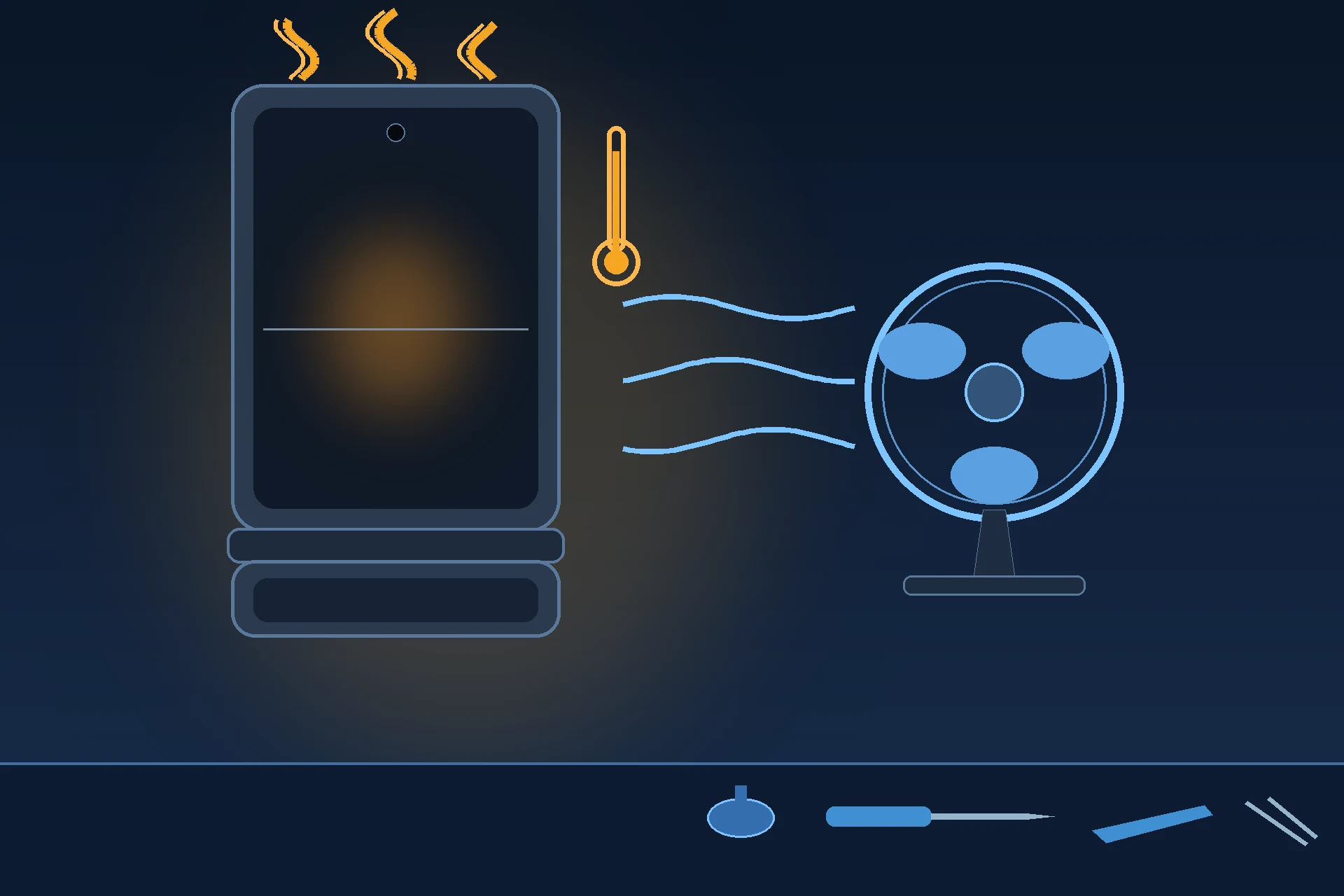
Prepared by FixUpPhone Editorial. Documentation checked October 16, 2026. Motorola specifications, repair routes, warranty terms and Moto Care information are distinguished from FixUpPhone’s assessed repair process. No hands-on repair, technician case history, customer experience, measured test result or fixed FixUpPhone price is claimed for this model, and no Motorola US repair price is quoted because none is published. The featured artwork is an original illustration. Motorola is not affiliated with FixUpPhone; its published terms are included only as a public reference.
- Motorola Support US — Specifications: motorola razr 2025 (both displays, Dimensity 7400X, 4,500 mAh, 30W TurboPower, 15W wireless, IP48, and a sensor list with no temperature sensor)
- Motorola Support US — Repair Options (one-year warranty, mail-in process and 3–5 business-day turnaround, like-new replacement practice, carry-in triage quotes, cracked-screen and liquid-damage positions, Moto Care deductible ranges)
- Motorola US — Moto Care (Accident Protection and Extended Service Plan names, range-wide “from” prices, enrolment windows, claim limits and exclusions)
- GSMArena — Motorola Razr 2025 full phone specifications (plastic-fronted folding panel, 6000-series aluminum frame, finish detail)
- iFixit — Motorola Razr 2025 device page (parts catalogue for this model: adhesives only, no screens or batteries)
- FixUpPhone — Phone Repair Services and Mail-In Phone Repair, checked October 15, 2026
- FixUpPhone — Locations, checked October 15, 2026
For corrections or device help, contact FixUpPhone.