Motorola Razr 2025 Battery Draining Fast: Diagnosis & Practical Fixes
A razr – 2025 that suddenly needs charging by mid-afternoon usually does not have a dead battery — it has a cause. Motorola’s own claims for this phone are “up to 24 hours” and “more than a full day” on a charge, approximate figures for a median mixed-use profile, and most fast drain traces back to an app, weak signal or the big folding screen working hard. A minority of cases are a genuinely failing cell, and those announce themselves differently: percentage jumps, shutdowns with charge still showing, or swelling. This guide works the diagnosis in order, free steps first, and sets out what happens when the battery itself is the problem.
ϟ Quick Expert Summary
Diagnose before you spend. Ask when the drain started: a change that arrived this week — after an update, a new app or a trip into weak coverage — is a software or signal story, and the fix is usually free. A runtime that has faded slowly over months, with shutdowns or a jumping percentage, is the battery itself wearing or failing. Work the ladder in order: read the usage screen, use the small cover screen for quick tasks instead of opening the big display, check signal behaviour, then judge the cell by its behaviour — Motorola publishes no battery-health percentage for this model. One finding skips the whole ladder: swelling. A lifting back panel, new stiffness when folding, or a hot phone at rest means stop and get in-person help, never mail.
Source-based editorial guidance, not a FixUpPhone price quote, hands-on repair report or technician case history.
✓ Work the Free Ladder When
- The drain started suddenly, after an update, a new app or a change of routine
- One app dominates the battery usage screen
- The drain follows weak-signal places or heavy inner-screen days
- The phone still lasts a full day once the cause is removed
× Skip Straight to Assessment When
- The percentage jumps or falls in steps, or the phone dies with charge showing
- Runtime has collapsed steadily compared with when the phone was new
- The back panel is lifting or folding feels newly stiff — swelling, in person only
- The phone is hot at rest or drains fast while doing nothing
4,500 mAh
The only capacity figure Motorola publishes
Up to 24h
Motorola’s own battery-life claim — approximate, median profile
30W
TurboPower wired charging cap
Quote
FixUp price after diagnosis
Find the cause first.
Blame the cell last.
Sudden drain, slow fade and a dying battery — separated.
① Key Specifications
| Battery capacity | 4,500 mAh — the single figure Motorola publishes; no separate rated or minimum figure is published |
|---|---|
| Battery chemistry | Silicon-carbon (Si/C), per GSMArena’s specification database; Motorola’s own US materials do not state a chemistry |
| Endurance rating | At least 1,000 charge cycles (Motorola Support US) |
| Battery-life claims | “Up to 24 hours” and “more than a full day” on a single charge (Motorola; approximate, based on a median mixed-use profile) |
| Wired charging | 30W TurboPower capable; needs a Motorola TurboPower 33W-or-higher charger (sold separately — no charger in the US box) |
| Charge claim | Up to 12 hours of battery life from about 15 minutes of charge (Motorola, lab conditions, battery substantially depleted) |
| Wireless charging | 15W Qi; full speed needs Motorola’s TurboPower 15W Wireless Charging Stand (sold separately) |
| Removability | Sealed in and not user-removable — replacement is a service job |
| Chip | MediaTek Dimensity 7400X |
| Memory | 8GB RAM + 256GB storage; no microSD slot |
| Displays | 6.9-inch FHD+ pOLED folding inner display, up to 120Hz, 3,000-nit peak; 3.6-inch pOLED cover display, up to 90Hz, 1,700-nit peak |
| Build and rating | Gorilla Glass Victus exterior front; nylon-inspired, leather-inspired or acetate back finishes; IP48 |
| US price and release | $699.99 at launch for the single US tier; on sale May 15, 2025; around $550 at major US retailers as of October 2026 |
Motorola Support US — razr 2025 specifications
This is the base motorola razr – 2025. Figures published for the Razr+ 2025 or Razr Ultra 2025 — different chips, batteries and charging speeds — describe different phones and are not used anywhere in this guide.
② FixUpPhone Expert Analysis
Practical battery-diagnosis analysis based on Motorola’s published specifications, warranty terms and service routes, plus FixUpPhone’s published service information.
Start with the pattern: sudden drain or slow fade?
Every fast-drain case splits on one question — when did it start? A drain that arrived suddenly, in a week you can point to, almost always arrived with a cause: a system update still settling, a new app working in the background, a changed routine. A runtime that has faded gradually over many months is a different story: that is a cell ageing, which no setting reverses. Name your pattern before touching anything, because the two stories share no fix.
Read the phone’s own battery usage screen
Android keeps the receipts: the battery usage screen in Settings shows which apps and services consumed the power since the last full charge. Read it before changing anything. One app dominating the list — especially one you barely opened — is the classic sudden-drain signature: update it, restrict its background activity, or remove it and watch a full charge cycle. A list where the screen itself sits on top points at display habits, covered next. Nothing on the list explaining the drain, combined with a phone that also loses charge overnight while idle, points lower down the ladder — signal, or the cell.
The foldable lever: the big inner screen
This phone’s largest power consumer is the one you unfold. The 6.9-inch inner display runs at up to 120Hz with a 3,000-nit peak brightness, and hours of open-phone use — video, feeds, games, bright outdoor reading — draw accordingly. The flip design hands you the counter-move: the 3.6-inch cover screen handles glances, notifications, replies, music and calls while the phone stays closed, and quick tasks done there never light the big panel at all. No honest percentage can be put on the saving — it depends entirely on your mix — but a day split between the two screens is a materially lighter day for the battery than the same day spent fully open. If your drain tracks your heaviest inner-screen days, that correlation is the diagnosis.
Signal hunting: the drain the usage screen understates
A phone in weak coverage works harder to hold its connection, and that effort does not always present neatly as one app’s consumption. Notice whether the drain follows places — a basement office, a rural trip, a commute through dead zones — rather than apps. Hotspot sessions, long calls on a marginal signal and travel days are all heavy draws on any phone. Keep expectations honest: 5G use in poor coverage costs more than a strong, steady connection, and no settings tour fully cancels geography. If the battery behaves at home and collapses at work, the cause is the building, not the battery — carry the charger, not a repair bill.
Charging habits, honestly
Top-ups are this phone’s intended rhythm: Motorola’s claim is up to 12 hours of battery life from about 15 minutes of TurboPower charging, measured in lab conditions from a substantially depleted battery, and it needs a Motorola TurboPower charger of 33W or higher — no charger is included in the US box, and a bigger brick does not raise the 30W cap. Wireless charging runs at up to 15W Qi, with full speed needing Motorola’s own TurboPower 15W stand; the phone has no built-in alignment magnets, so a poorly seated pad can leave it charging slowly or not at all. Heat is the quiet battery killer over months: avoid charging under a pillow, in a hot car or in direct sun, and treat a phone that is warm at rest, doing nothing, as a fault sign rather than a charging question.
No battery-health percentage — judge the cell by its behaviour
Unlike some phones, this model gives you no battery-health readout to consult: Motorola publishes no health percentage for the razr – 2025, so wear is diagnosed by behaviour and, where it matters, by assessment. Context helps: Motorola rates this battery for at least 1,000 charge cycles, so a launch buyer who has charged daily since May 2025 has real cycles behind them — but cycles alone do not convict a cell. Compare the phone with its own past, not with a headline: the published claims of “up to 24 hours” and “more than a full day” are approximate, median-profile figures, not a promise your unit is failing to keep.
Signs the cell itself is dying — and the swelling stop
A failing battery announces itself in a pattern, not a single bad day: the percentage dropping in visible jumps; shutdowns while the gauge still shows charge remaining; runtime clearly collapsed against when the phone was new, with usage unchanged; or a phone that drains fast even idle and cool. Those signs end the software ladder — the next step is the replacement conversation in our Motorola Razr 2025 battery replacement cost guide. One sign outranks all others. Swelling on a folding phone shows as a back panel starting to lift, new resistance when you fold the phone, or pressure marks on the inner screen. If you see any of those — or smell anything sweet and chemical — stop using and charging it normally, do not press the swelling back down, and get it assessed in person, promptly. A swollen battery must never be mailed, to FixUpPhone or to anyone.
Defect, wear, or neither? Who pays when it is the battery
Suppose the ladder ends at the cell. Who pays depends on the calendar and the cause. Motorola’s US warranty runs one year from your purchase and covers defects in material and workmanship — a battery that fails through a defect inside your twelve months is handled free. The same document excludes normal wear and tear, naming batteries as a part expected to deteriorate, so a worn battery is a paid job at any age. The phone went on sale in the US on May 15, 2025: launch buyers’ year ended around May 2026, while a recent buyer is inside theirs — work out your own date. Beyond the warranty, the paid routes — a Moto Care plan if held, a carry-in triage quote that returns your own phone, Motorola’s mail-in (which usually replaces an out-of-warranty phone rather than repairing it, at a cost shown only inside its submission flow), or an assessed independent quote — are set out in the prices table below. Motorola US publishes no repair price for this model, and FixUpPhone publishes no fixed price either. A warranty repair, where one applies, does not restart the clock: cover runs for the balance of the original period.
Questions to ask before you approve a repair
- Did you test the battery, and is the problem the cell, the charging path or software?
- Am I still inside my twelve months from purchase, or covered by a Moto Care plan?
- Is the total final — parts, labour, seals and tax all included?
- Will I get my own phone back, or is this route a replacement device?
- Is a new seal fitted when the phone is closed?
- What warranty covers the part and labour?
- If the problem turns out not to be the battery, what happens to the quote?
③ Pros & Cons: Working the Diagnosis Ladder vs Replacing Straight Away
✓ Reasons to Diagnose First
- Most sudden drain is an app, an update settling or weak signal — free to fix
- The usage screen gives evidence, not guesses, in a few minutes
- Cover-screen habits cut the biggest consumer without changing phones
- A healthy battery replaced by mistake changes nothing
× Reasons Not to Troubleshoot Forever
- Percentage jumps and early shutdowns are hardware behaviour, not settings
- A swollen battery is a safety job — diagnosis stops there
- Inside twelve months of purchase, a defective battery may be a free warranty outcome
- Weeks of limping on a failing cell risks a shutdown at the worst moment
Battery Draining Fast? Check the Published Prices
The diagnosis itself costs nothing, and Motorola publishes no repair price for this model — so the honest table is what each step and route costs, plus the few figures Motorola does publish: its plan starting prices and deductible ranges, which span all eligible devices. No Razr 2025-specific plan price or deductible exists in print.
| Your route | Published price | What it means |
|---|---|---|
| The diagnosis ladder in this guide | $0 | Usage screen, app and signal checks, cover-screen habits and charge-habit changes. Most sudden drain ends here. |
| Motorola — defective battery, in warranty | Covered | A defect in materials or workmanship inside your twelve months from purchase is handled free; the remedy — repair, replacement or refund — is Motorola’s choice. |
| Motorola — battery wear, any age | Not covered | The standard warranty excludes normal wear and tear and names batteries as a part expected to deteriorate. A worn battery is a paid job even inside the year. |
| Moto Care Extended Service Plan | From $29.99/year | Twelve months of mechanical and electrical breakdown cover, purchasable while the phone is in warranty. Range-wide starting price, not this model’s; deductibles run $5–$99 depending on device. |
| Moto Care Accident Protection | From $9.99/mo or $99.99 | Accidental damage from drops, cracks or liquid, plus breakdown cover; up to 3 accidental claims. Range-wide starting prices; deductibles run $26–$99 depending on device; enrol within 30 days of purchase. |
| Motorola — out-of-warranty mail-in | Cost not published | Motorola usually sends a like-new replacement rather than repairing your phone; the cost varies by model and appears only in the submission flow. Published repair time is 3–5 business days, plus transit. |
| Motorola — carry-in centre | Quote after triage | The centre inspects the phone, quotes the job, and returns your original device. Motorola calls this usually the less expensive repair option. |
| FixUpPhone — battery diagnosis and replacement | Quote after assessment | No fixed price is published. The battery is tested first, options are explained, and work proceeds only after you approve the quote. General repair time is 1–7 days; repairs include a 3-month warranty. |
Motorola’s US repair routes, warranty terms and mail-in process
Request a battery test and an assessed quote
Motorola plan prices and deductible ranges checked October 16, 2026, on Motorola’s US pages; “from” prices and ranges cover all eligible devices and can change. None is a FixUpPhone price.
④ Repairability & Common Repair Needs
The usage screen is the evidence
Before anyone opens the phone, gather the record: a screenshot of the battery usage screen, when the drain started, and how runtime compares with when the phone was new. That record is what separates a software drain from a worn cell.
Charging faults can mimic drain
A phone that never truly fills will look like a fast drainer. Slow or stop-start charging can point to the cable, the charger or the port rather than the cell — and this phone needs a Motorola TurboPower 33W-or-higher charger for its full 30W. Test with a known-good cable and a charger meeting the spec; our Razr 2025 charging port guide covers the port side of the story.
No genuine DIY battery channel
Motorola points owners who want to fix it themselves to iFixit for genuine parts — but for this model iFixit’s catalogue contains adhesives only: no batteries, no screens. Marketplace cells are aftermarket parts, not genuine Motorola stock, and opening a sealed folding phone at home also risks the inner display and its factory protector.
Motorola repair options information · Request a FixUpPhone battery assessment
These are possible causes and service considerations, not claims of a model-wide defect. Back up before any repair. On this model, watch for a lifting back panel, new stiffness when folding, or pressure marks on the inner screen: stop charging a swollen, overheating or damaged battery and seek in-person advice first — a swollen battery is never sent through the mail. Flag liquid, heat or battery damage before arranging a mail-in shipment.
Battery Draining Fast on Your Motorola Razr 2025?
Tell FixUpPhone what the phone is doing and choose a store or mail-in.
- Drain that started suddenly, or runtime faded over months
- Unexpected shutdowns or percentage jumps
- Phone warm at rest, or losing charge overnight while idle
- Slow or intermittent charging that never fills the battery
- Swelling, a lifting back panel or a stiff hinge — flag this before anything else
An online booking is a request; the team confirms the next step with you.
Mail-In Repair Service
Start with the repair request form and choose Mail-In Repair. You pay to ship the phone to FixUpPhone; FixUpPhone pays the return shipping. Do not send the device until the receiving store and shipping instructions have been confirmed — and never mail a swollen, hot or damaged battery; that phone comes in person.
Start Mail-In Repair →Back up first where possible. Say when the drain started and what the battery usage screen showed, and flag liquid, heat or battery damage.
Prefer to visit? Find a repair location →Visit a FixUpPhone Store
Lynwood, CA — battery replacement · 3100 E Imperial Hwy, Store M1002, Lynwood, CA 90262 · Every day 11 AM–8 PM · (805) 857-4225
Santa Barbara, CA — battery replacement · 619 A State St, Santa Barbara, CA 93101 · Mon–Fri 11 AM–8 PM; Sat 10 AM–8 PM; Sun 12 PM–7 PM · (805) 857-4226
Las Vegas, NV — battery replacement · 875 S Grand Central Pkwy, Unit TT32, Las Vegas, NV 89106 · Mon–Sat 10 AM–8 PM; Sun 10 AM–7 PM · (818) 482-3605
How It Works
- BookSubmit the model, store or mail-in choice, and symptoms for review.
- AssessThe team tests the battery and checks whether the fault sits elsewhere.
- ApproveReview the findings and confirmed quote before authorising work.
- RepairThe general repair timeframe is 1–7 days, plus shipping time for mail-in.
- Collect or ReturnCollect in store or receive the mail-in return; repairs include a 3-month warranty.
⑤ Should You Replace the Battery?
Only after the ladder says so. Replacement is the right spend when the cell itself has measurably failed — collapsed runtime with usage unchanged, jumping percentages, shutdowns with charge showing — or when swelling makes it a safety job. It buys nothing when the drain is an app, a weak-signal week or heavy inner-screen use, because the new battery inherits the same cause. Before paying anyone, run the calendar: a defect inside your twelve months is Motorola’s to fix free; wear is excluded at any age. A replacement phone is around $550 at major US retailers as of October 2026, down from $699.99 at launch — the figure a combined repair total should be judged against.
| Your situation | Right move | Why |
|---|---|---|
| Drain started this week, after an update or a new app | Work the ladder — usually $0 | Sudden drain has a software cause; find it on the usage screen. |
| Drain follows weak-signal places or travel | Charger habits, not a repair | Signal hunting empties a healthy battery; geography is not a fault. |
| Inside 12 months of purchase, battery defective | Motorola warranty claim | Defects are covered free; wear is not — Motorola will test which one it is. |
| Moto Care plan held, battery failed | Plan claim | Breakdown cover is what the plan is for; a deductible in the published range applies. |
| Out of warranty, battery failed, want to keep this phone | Carry-in triage quote, or FixUpPhone assessment | Both repair and return your own device; Motorola’s mail-in usually does not. |
| Swollen battery | In-person assessment, now | A safety job. Stop charging it normally and never put it in the mail. |
| Battery plus other major damage | Combined written quote | Use the repair-or-replace framework on the total, not on one line. |
So: diagnose in order, claim what the calendar entitles you to, and replace the battery when the evidence — not the frustration — says the cell has failed.
Request a trade-in assessment →⑥ Alternatives & Comparison
When the ladder ends at the cell: routes, the defect-versus-wear fork and when a swap is worth it.
Explore option →A defective battery inside twelve months of purchase is a warranty case; Moto Care breakdown cover may apply after that.
Explore option →The OnePlus 13 battery-draining-fast guide works the same ladder on a phone with a published battery part price.
Explore option →⑦ Accessories We Recommend
No charger comes in the US box, and the phone only reaches its 30W wired speed from a Motorola TurboPower charger of 33W or more — the right top-up tool on a heavy day, and it rules out a weak old adapter in “slow charging” complaints.
Wireless charging runs at up to 15W, and full speed needs Motorola’s own stand. The phone has no built-in alignment magnets, so seating on any pad is worth checking before blaming the battery.
Most charging complaints trace back to a worn cable. Keep a known-good spare so you can rule the cable out before booking a repair.
Check the exact product specifications and compatibility before ordering.
⑧ Frequently Asked Questions
Why is my Motorola Razr 2025 battery draining so fast?
Start with timing. A drain that began suddenly — after an update, a new app or a trip — is usually software or signal: check the battery usage screen in Settings for one app dominating, and notice whether the drain follows weak-coverage places. A slow fade over months, with jumping percentages or early shutdowns, is the battery itself ageing or failing.
How long should a Razr 2025 battery last?
Motorola’s published claims are “up to 24 hours” and “more than a full day” on a single charge — approximate figures based on a median mixed-use profile, not a guarantee for any individual phone or day. Judge your unit against its own past: a clear, sustained collapse from how it behaved when new is the meaningful signal, not a gap against the headline claim.
Can I check the battery health percentage on a Razr 2025?
No — Motorola publishes no battery-health percentage for this model, so there is no readout to consult. Wear is judged by behaviour (runtime against when the phone was new, percentage jumps, shutdowns with charge showing) and, where the answer decides a purchase, by an in-person assessment.
Does the big inner screen really use that much more power?
It is the phone’s largest consumer: a 6.9-inch panel running at up to 120Hz with a 3,000-nit peak brightness draws far more than the 3.6-inch cover screen. Handling quick tasks — notifications, replies, music, calls — on the cover screen keeps the big panel dark, and for most people that is the single biggest no-cost lever on a heavy day. The saving depends on your mix, so no honest figure can be put on it.
Will a factory reset fix fast battery drain?
It is the last software resort, not the first: if the usage screen and app checks find nothing and the drain survives them, a reset can clear a software cause — after a full backup, because it erases the phone. It does nothing for a worn or failing cell, so work the ladder first and reset only when the evidence still points at software.
What are the signs the battery itself is dying?
The percentage dropping in visible jumps; shutdowns while charge still shows; runtime clearly collapsed against when the phone was new with usage unchanged; and drain that continues while the phone sits idle and cool. Most urgent is swelling — a lifting back panel, new stiffness when folding, or pressure marks on the inner screen. That is a safety issue: stop charging normally and have it assessed in person.
Is a dying battery covered by Motorola’s warranty?
It depends on the cause and the calendar. Motorola’s one-year warranty, running from your purchase date, covers defects in material and workmanship — a battery that fails through a defect inside that year is covered free. Normal wear and tear is expressly excluded, and the warranty document names batteries as a part expected to deteriorate, so a worn battery is not covered at any age. Launch buyers’ year ended around May 2026; later buyers are inside their own twelve months.
Can I mail my Razr 2025 to FixUpPhone about a draining battery?
Yes — start a repair request, choose Mail-In Repair, and do not post the phone until the receiving store and instructions are confirmed. You pay inbound shipping; FixUpPhone pays the return. Back up first, say when the drain started and what the usage screen showed, and flag any liquid, heat or battery damage. Never mail a swollen, hot or damaged battery — that phone is assessed in person. General repair time is 1–7 days, plus shipping, and repairs include a 3-month warranty.
Sources & Editorial Notes
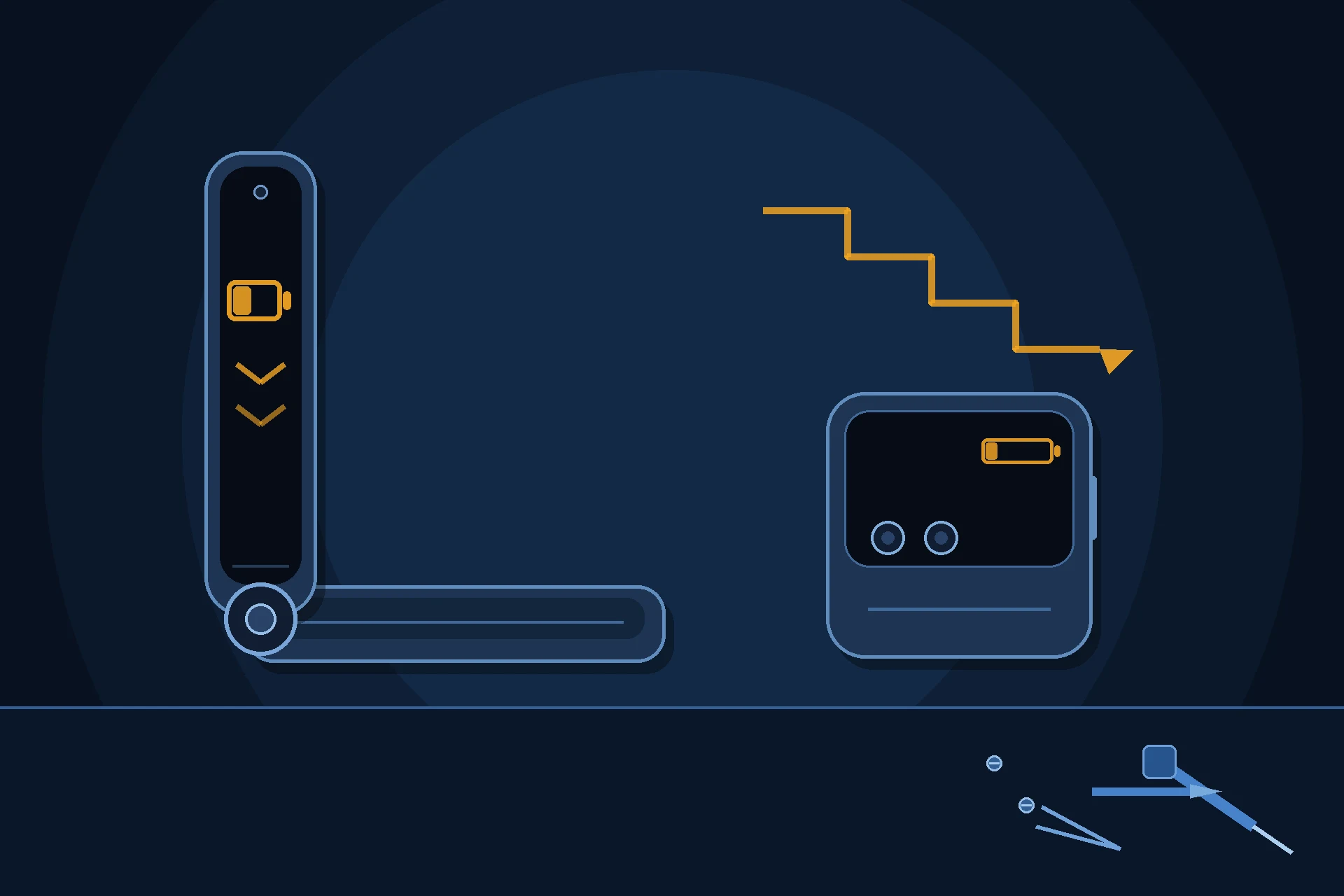
Prepared by FixUpPhone Editorial. Documentation checked October 16, 2026. Motorola specifications, battery-life claims, warranty terms, service routes and plan prices are distinguished from FixUpPhone’s assessed repair process. No hands-on repair, technician case history, customer experience, measured test result or fixed FixUpPhone price is claimed for this model, and no Motorola repair price is quoted because Motorola US publishes none for this model. Motorola publishes no battery-health percentage for this model; endurance is discussed by behaviour, as set out in the guide. The artwork is an original illustration. Motorola is not affiliated with FixUpPhone; its terms and plan figures are included only as a public reference.
- Motorola Support US — Specifications: motorola razr 2025 (4,500 mAh capacity, “up to 24 hours” battery life, endurance rating of at least 1,000 cycles, 30W TurboPower, 15W wireless charging, both displays, IP48)
- Motorola Support US — Repair Options (no published repair prices; one-year warranty; mail-in process and 3–5 business day repair time; carry-in triage quotes; Moto Care deductible ranges)
- Motorola US — Moto Care (plan “from” prices, coverage, enrolment windows and exclusions)
- GSMArena — Motorola Razr 2025 full specifications (silicon-carbon battery chemistry, where Motorola’s table is silent)
- FixUpPhone — Phone Repair Services and Mail-In Phone Repair, checked October 15, 2026
- FixUpPhone — Locations, checked October 15, 2026
For corrections or device help, contact FixUpPhone.