Samsung Galaxy Z Flip 7 Complete Guide: Specs, Battery, Durability & Buying Advice
The Galaxy Z Flip 7 folds for pocketability rather than opening into a tablet-sized workspace. Its cover screen and clamshell shape are the main reasons to consider it, while battery routine, inner-screen care and hinge condition deserve extra attention.
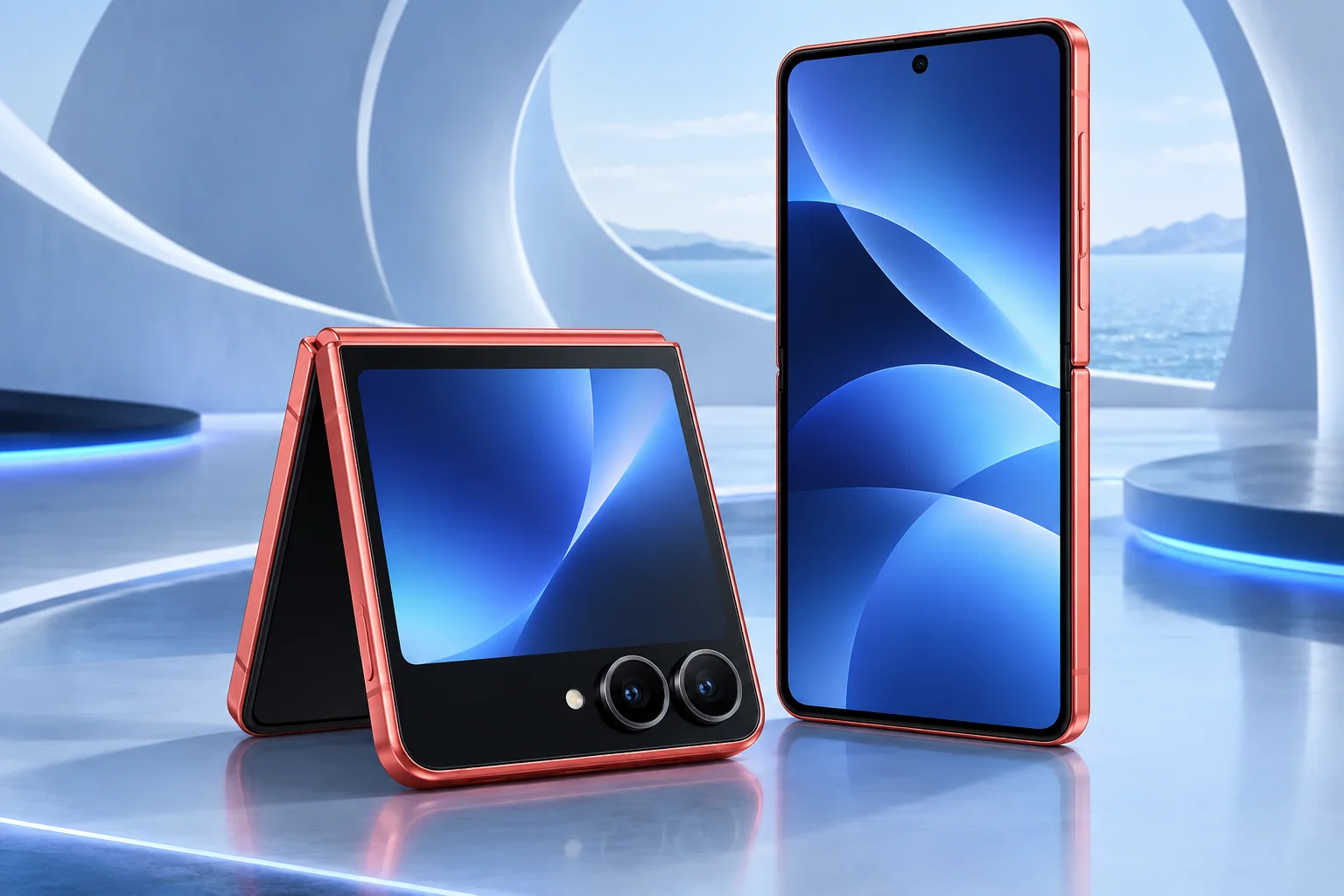
ϟ Quick Expert Summary
Choose Flip 7 when folding the phone smaller and using the cover display would genuinely improve your day. It is not simply a conventional phone with a decorative hinge. Test the tasks you want to perform while closed and consider the practical service implications of a flexible display before buying, especially second-hand.
Source-based editorial assessment; no hands-on testing or technician case history is claimed.
✓ Best For
- Clamshell pocketability
- Short tasks on a cover screen
- People comfortable with foldable care
× Not Ideal For
- Lowest ownership complexity
- Dedicated telephoto requirements
- Rough handling or uncertain used-device condition
Clamshell design
Folds into a compact shape
Cover screen
4.1-inch display
Inner screen
6.9-inch display
Battery
4,300mAh typical
Know the device.
Choose with confidence.
Camera, battery and repair considerations.
① Key Specifications
| Main display | 6.9-inch AMOLED; adaptive 1–120Hz |
|---|---|
| Cover display | 4.1-inch Super AMOLED; 60/120Hz |
| Processor | Exynos 2500 |
| Memory / storage | 12GB RAM; 256GB / 512GB |
| Rear cameras | 50MP main + 12MP ultra wide |
| Front camera | 10MP |
| Battery | 4,300mAh typical dual battery |
| Weight | 188g |
| Resistance | IP48; not dust-tight |
Manufacturer technical specifications
Manufacturer battery and charging tests are not FixUpPhone measurements or guarantees of your daily result.
② FixUpPhone Expert Analysis
The following is ownership and buying analysis based on the cited sources.
Test the closed-phone experience
Try the notifications, camera controls and quick tasks that you expect to use without opening the handset. Check app behavior instead of assuming every application works equally well on a cover screen. If the closed format removes friction from your routine, that is a meaningful advantage; if you constantly unfold it anyway, compare a simpler slab phone.
Pocketability has a thickness trade-off
Folding reduces the phone’s length but creates a thicker package. Test it with an appropriate case in the pocket or bag you actually use. The right choice depends on your clothing, grip and habits. Do not assume that compact when closed means better for everyone or that it will feel like a small rigid phone.
Camera expectations should be realistic
The main and ultra-wide cameras offer useful perspectives, but there is no separate telephoto in this rear setup. Consider whether the folding position and cover-screen framing are more valuable to you than a longer lens on another phone. We do not claim original low-light tests or compare it numerically against camera-focused slab models.
Battery routine matters more than one figure
Think about how often you use navigation, cellular data, video calls and the inner display. Capacity alone cannot predict that workload. If a used Flip has disappointing runtime, inspect battery usage and charging behavior before assuming a particular part is responsible. No controlled FixUpPhone endurance test has been conducted for this guide.
Protect the flexible display correctly
Samsung advises leaving the main screen’s protective layer in place and avoiding adhesive additions to it. The phone is not dust-tight. Keep hard objects and particles away from the folding area, and do not close it over an object. A lifting layer or changed hinge behavior is a reason to request service guidance rather than experiment with a generic protector kit.
Read the repair terms before damage
Ask the seller or provider how hinge and inner-screen issues are assessed, what the return window is and which conditions are excluded from any coverage. A low used price with visible screen trouble is not an easily calculated bargain. Have the fault assessed before assigning it a repair budget; multiple assemblies may be involved.
③ Pros & Cons
✓ Reasons to consider
- Folds shorter for carrying
- Large cover display for suitable tasks
- Distinct camera-framing possibilities
- Full-size inner display when opened
× Trade-offs
- Flexible screen and hinge require care
- No dedicated rear telephoto
- Thicker when folded
- Service uncertainty matters in used offers
Ready to Buy? Check Latest Prices
Compare storage, condition and written coverage terms. Inspect the inner display and hinge separately from exterior cosmetic grading. Check the manufacturer’s current purchase page for options, but verify all conditions on promotions and do not assume a quoted monthly payment is the full price.
Check available models and purchase terms
No affiliate links are used. Prices and stock can change; a current offer is not implied. Additional approved retailers can be added later.
④ Repairability & Common Repair Needs
Screen changes
New lines, black areas or touch problems need assessment. Avoid pressing the screen or removing its protective layer as a troubleshooting step.
Hinge resistance
Do not force an abnormal hinge. Record when the change began and whether the phone was dropped or exposed to debris.
Battery and charging
Describe shutdowns, charging interruptions and runtime changes. Back up if safe and obtain model-specific service and shipping instructions before sending it away.
Manufacturer service guidance · Request a repair assessment
These are diagnostic considerations, not a claim of model-wide defects. No repair price, parts grade, turnaround or warranty is guaranteed. Stop charging a visibly damaged or bulging battery; ask for safe handling advice and do not send it through ordinary mail.
Already Have This Device and Need a Repair?
Tell us what happened and choose a local store or a mail-in enquiry.
- Screen or touch concerns
- Battery and charging issues
- Back glass or camera damage
- Liquid-exposure assessment
Background: generated service illustration.
Mail-In Repair Service
Start with the repair request form and choose Mail-In Repair. The team needs to review your device and issue before providing shipping instructions and a repair quote.
Start Mail-In Repair →Request workflow only. Do not ship until the team confirms instructions. The form saves requests; email notifications and appointment scheduling are not yet enabled.
Prefer to visit? Find a repair location →How It Works
- BookSubmit your device and issue for review.
- ShipWait for confirmed packing and shipping instructions.
- Diagnose / RepairReview the assessment and approve the quoted work.
- ReturnAgree the return arrangements with the team.
⑤ Should You Buy It?
Buy Flip 7 for its clamshell experience when you have tested that experience and accept its care requirements. Prefer a conventional phone if telephoto photography, rough-environment use or simpler repair planning matters more. For current owners, a professional assessment can show whether a focused repair is more sensible than replacement.
Test both screens, opening behavior, calls, cameras and charging without applying force. Verify legitimate account removal and the exact model. Request records for earlier display or hinge work and understand the return route before paying. Walk away from unexplained functional damage rather than relying on a seller’s guessed repair cost.
Request a trade-in assessment →⑥ Alternatives & Comparison
A larger workspace instead of a pocket-first fold.
Explore option →Conventional format and dedicated telephoto.
Explore option →Another conventional Android option.
Explore option →⑦ Accessories We Recommend
Clamshell-specific case
Choose the exact Flip 7 fit and check that opening and closing remain unobstructed.
Inner-screen care
Use Samsung’s guidance for the installed protective layer; avoid generic adhesive film advice meant for rigid screens.
Compatible charger
Choose a verified USB-C charging combination and protect the cable from strain at the port.
Explore FixUp accessories →Confirm the exact compatible variation and listed specifications before ordering.
⑧ Frequently Asked Questions
Is Flip 7 designed like Fold 7?
Both fold, but Flip is a clamshell for shorter carrying dimensions while Fold opens into a larger workspace.
Does it have a telephoto camera?
Samsung lists main and ultra-wide rear cameras, not a separate telephoto lens.
Can I replace the inner film with any screen protector?
No. Follow Samsung’s foldable guidance and seek service advice rather than removing the installed layer or adding generic adhesive protection.
Does IP48 mean dustproof?
No. It is not a dust-tight rating. Keep particles away from the folding mechanism and inner display.
Is a repair request an appointment confirmation?
No. The team must assess the request and confirm service arrangements, parts and any shipping instructions.
Sources & Editorial Notes
Prepared by FixUpPhone Editorial. Documentation checked September 17, 2026. Manufacturer specifications and test claims are separated from editorial analysis. No FixUpPhone physical testing, measured benchmarks or technician case history is claimed. The featured artwork is an original generated illustration, not a manufacturer photograph. No affiliate links or guaranteed service prices are included.
For corrections or device help, contact FixUpPhone.