Samsung Galaxy Z Fold 7 Complete Guide: Specs, Durability, Repairability & Buying Advice
The Galaxy Z Fold 7 is designed around a large inner display that folds into a phone-sized package. That changes both how you use it and how you should evaluate durability, damage and repair costs. This guide focuses on whether the format provides a real benefit for your work.
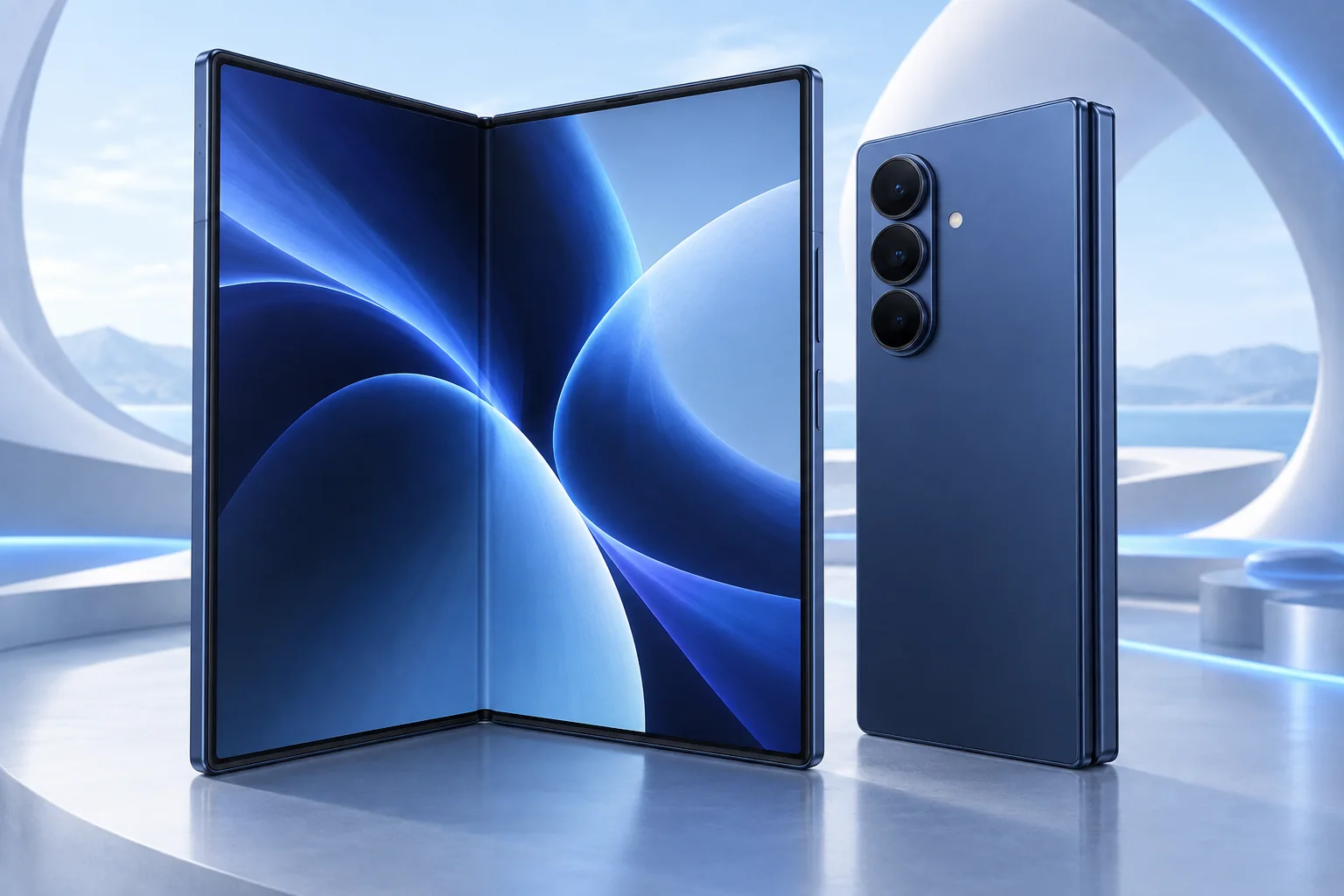
ϟ Quick Expert Summary
The Fold 7 makes the most sense when you regularly use its expanded screen for reading, multitasking or detailed content. It is harder to justify when you would spend almost all your time on the cover screen. Treat the hinge and flexible inner display as essential inspection points, especially on a used device, and understand service options before purchase.
Source-based editorial assessment; no hands-on testing or technician case history is claimed.
✓ Best For
- Large-screen reading on the move
- People who use multiple app windows
- Buyers willing to follow foldable-care guidance
× Not Ideal For
- Rough or dusty use without precautions
- Lowest repair-cost priorities
- Users who rarely need the inner display
Expanding screen
8.0-inch inner display
Cover display
6.5-inch everyday view
Camera system
200MP main camera
Foldable care
Follow model-specific guidance
Know the device.
Choose with confidence.
Camera, battery and repair considerations.
① Key Specifications
| Main display | 8.0-inch AMOLED; adaptive 1–120Hz |
|---|---|
| Cover display | 6.5-inch AMOLED; adaptive 1–120Hz |
| Processor | Snapdragon 8 Elite for Galaxy |
| Rear cameras | 200MP main; 12MP ultra wide; 10MP 3x telephoto |
| Storage | 256GB / 512GB / 1TB; market-dependent |
| Battery | 4,400mAh typical dual battery |
| Weight | 215g |
| Thickness | 8.9mm folded; 4.2mm unfolded, per Samsung measurement |
| Resistance | IP48; not dust-tight |
Manufacturer technical specifications
Manufacturer battery and charging tests are not FixUpPhone measurements or guarantees of your daily result.
② FixUpPhone Expert Analysis
The following is ownership and buying analysis based on the cited sources.
Make the inner display earn its place
Try your actual apps side by side and check whether text, controls and keyboard behavior suit you. A larger canvas does not automatically improve every app. If the format replaces a separate tablet in your routine, that benefit may matter; if you rarely unfold it, compare a conventional phone before paying for complexity you will not use.
Inspect both screens independently
Test touch and image quality on the outer and inner displays, then examine the frame and hinge area under good light. A normal fold line is different from new black spots, spreading lines or areas that no longer respond. Photograph a used device’s condition at handover and ask for previous service records. Do not force a hinge that feels abnormal.
Care differs from an ordinary slab
Samsung’s care guidance warns against removing the main screen’s protective top layer or adding adhesive items to it. The IP48 classification is not a claim of complete dust protection. Keep hard particles away from the inner screen and hinge, and seek service advice if a protective layer lifts. Do not treat generic rigid-phone protector instructions as suitable for the folding screen.
Battery comparison needs a workload
The expanded display invites different use from a compact phone. Hours of document reading, navigation or multitasking should be evaluated as your own workload, not inferred from nominal battery capacity. Review app usage when runtime changes and compare behavior on familiar networks. We have not measured Fold 7 endurance or hinge life, so neither is presented as a FixUpPhone test result.
Service cost deserves attention early
Before buying, ask what the seller’s warranty or return policy actually covers and what happens if a screen or hinge problem appears. A used foldable with an unexplained symptom can be difficult to value without assessment. Request an itemized repair scope rather than assuming only the visible surface needs replacement or that every shop can obtain every assembly.
Camera capability is only one part of value
Test the framing and video functions you use, but do not let a high-resolution camera distract from a compromised hinge or screen. A foldable is bought partly for its form factor. Someone who wants only a premium camera may find a conventional flagship easier to protect and more comfortable to own.
③ Pros & Cons
✓ Reasons to consider
- Large inner screen in a folding format
- Usable separate cover screen
- Multiple camera perspectives
- Can support a distinct reading or multitasking workflow
× Trade-offs
- Flexible screen requires specific care
- Not dust-tight
- Repair scope can be complex
- Format may be unnecessary for basic use
Ready to Buy? Check Latest Prices
Compare the exact storage, regional model, condition and coverage terms. Ask about the inner screen and hinge explicitly rather than relying on a generic cosmetic grade. A current manufacturer listing is provided for reference; no live stock or unconditional promotional price is promised.
Check available models and purchase terms
No affiliate links are used. Prices and stock can change; a current offer is not implied. Additional approved retailers can be added later.
④ Repairability & Common Repair Needs
Inner-screen warning signs
Stop repeatedly folding a device with new lines, dark areas or abnormal resistance. Seek assessment and avoid peeling layers or pressing the affected area.
Hinge and frame damage
Explain whether a drop preceded the symptom and whether opening behavior changed. Do not force the hinge flat or introduce tools or liquids into it.
Before a service request
Back up data if safely possible and request confirmation that the exact model and required work are supported. Agree on shipping instructions before sending a foldable.
Manufacturer service guidance · Request a repair assessment
These are diagnostic considerations, not a claim of model-wide defects. No repair price, parts grade, turnaround or warranty is guaranteed. Stop charging a visibly damaged or bulging battery; ask for safe handling advice and do not send it through ordinary mail.
Already Have This Device and Need a Repair?
Tell us what happened and choose a local store or a mail-in enquiry.
- Screen or touch concerns
- Battery and charging issues
- Back glass or camera damage
- Liquid-exposure assessment
Background: generated service illustration.
Mail-In Repair Service
Start with the repair request form and choose Mail-In Repair. The team needs to review your device and issue before providing shipping instructions and a repair quote.
Start Mail-In Repair →Request workflow only. Do not ship until the team confirms instructions. The form saves requests; email notifications and appointment scheduling are not yet enabled.
Prefer to visit? Find a repair location →How It Works
- BookSubmit your device and issue for review.
- ShipWait for confirmed packing and shipping instructions.
- Diagnose / RepairReview the assessment and approve the quoted work.
- ReturnAgree the return arrangements with the team.
⑤ Should You Buy It?
Choose Fold 7 if its large inner workspace materially improves your routine and you accept the care and service trade-offs. Prefer a conventional phone when reliability in rough environments, simplicity or lower repair uncertainty is more important. A used offer should be evaluated after a thorough screen-and-hinge inspection.
Inspect at multiple opening angles without force, test both displays and verify account removal, calls, cameras and charging. Ask whether any screen layer or assembly has been replaced. If the seller cannot explain an abnormal hinge or screen behavior, obtain professional assessment before committing rather than budgeting for a guessed repair.
Request a trade-in assessment →⑥ Alternatives & Comparison
Large conventional display without a folding hinge.
Explore option →A folding format aimed at pocketability.
Explore option →Consider whether service restores the functions you need.
Explore option →⑦ Accessories We Recommend
Exact-model case
Choose a Fold 7 case that preserves hinge travel and does not press against the inner screen.
Screen-care compatibility
Follow Samsung’s inner-screen guidance. Do not apply a generic protector or remove the installed layer as routine maintenance.
Suitable charging equipment
Check USB-C charging compatibility and cable quality. Accessories do not make the device resistant to every kind of damage.
Explore FixUp accessories →Confirm the exact compatible variation and listed specifications before ordering.
⑧ Frequently Asked Questions
Is Fold 7 dustproof?
No. Its IP48 rating should not be interpreted as complete dust protection. Follow Samsung’s model-specific care advice.
Can I remove the inner protector myself?
Samsung warns against removing the main screen protective layer. Seek the manufacturer’s or a qualified service provider’s advice if it lifts or is damaged.
Is the crease automatically a defect?
A fold line is part of the format. New lines, dark areas, touch failure or changed hinge behavior deserve assessment rather than assumptions.
Does the camera make it better than every slab phone?
No. Camera specifications do not settle image quality or overall suitability. Consider the folding workspace and its trade-offs.
Can FixUpPhone promise a hinge repair?
No specific repair is guaranteed by this guide. Request an assessment and confirmation of parts and service scope for the exact device.
Sources & Editorial Notes
Prepared by FixUpPhone Editorial. Documentation checked September 17, 2026. Manufacturer specifications and test claims are separated from editorial analysis. No FixUpPhone physical testing, measured benchmarks or technician case history is claimed. The featured artwork is an original generated illustration, not a manufacturer photograph. No affiliate links or guaranteed service prices are included.
For corrections or device help, contact FixUpPhone.