Samsung Galaxy S26 Ultra Not Charging: Troubleshooting Checklist & Repair Options
A Galaxy S26 Ultra that will not charge is rarely a dead phone — it is one break in a chain: outlet, adapter, USB-C cable, port, battery, software. This checklist works the chain in order: a safe port clean first, then the cable-and-adapter matrix, a wireless test, a data test, software and settings, and only then the hardware signs. Work the rungs first — Samsung publishes no port or battery price, so repair figures come only after diagnosis.
ϟ Quick Expert Summary
Work the six rungs in order. Clean the port safely first, then swap cable and adapter separately — a fault that follows one cable only is cable-side. Hardware is only what survives every rung: Samsung quotes port and battery faults through its service flow after inspection, while the one-year warranty is still in term for launch buyers until around March 2027.
Source-based editorial guidance, not a FixUpPhone price quote or case history.
✓ Work the Checklist First When
- The plug sits proud or no longer seats fully
- You have only tried one cable, adapter or outlet
- The phone charges wirelessly but not by cable
- Charging starts and stops, or works only at an angle
× Stop and Get Help When
- The phone is hot at the port, swelling, or smells of burning
- A moisture warning keeps returning after the port has dried
- The connector tongue looks damaged, or corrosion shows
- Nothing charges it — cable, wireless or otherwise
6 rungs
The isolation checklist in this guide
60W
Super Fast Charging 3.0, wired
25W
Wireless charging — the wired-path test
Quote
FixUp price after diagnosis
One link at a time.
Find the break.
Clean, cable matrix, wireless, data, software, hardware.
① Key Specifications
| Connector | USB-C |
|---|---|
| USB speed | USB 3.2, with DisplayPort 1.2 video output and Samsung DeX |
| Fast charge (USB-C) | 60W Super Fast Charging 3.0 — up to 75% in around 30 minutes |
| Wireless charging | 25W; 4.5W reverse wireless. No built-in magnets — magnetic alignment needs a magnetic case ring |
| Battery | 5,000 mAh typical capacity (4,855 mAh rated); video playback up to 31 hours |
| Display | 6.9-inch Dynamic AMOLED 2X, QHD+ (3120×1440 per spec databases), 1–120Hz adaptive, Privacy Display, 2,600 nits peak, Always On Display |
| Materials | Armor Aluminum frame; Corning Gorilla Armor 2 front; Corning Gorilla Glass Victus 2 back |
| Chip & storage | Snapdragon 8 Elite Gen 5 for Galaxy; 12GB/256GB, 12GB/512GB or 16GB/1TB; no microSD slot |
| Water and dust resistance | IP68 laboratory rating when new (1.5 m fresh water, up to 30 minutes) |
| US list prices | Launched at $1,299.99 / $1,499.99 / $1,799.99; raised October 2026 to $1,399.99 / $1,599.99 / $1,999.99 — reports attribute the rise to the global memory-component shortage |
| Release date | Announced February 25, 2026; on sale March 11, 2026 (US); Android 16 / One UI 8.5 at launch, 7 years of updates promised |
Samsung — Galaxy S26 Ultra product page
The single USB-C port carries charging, data, accessories and DisplayPort video. Cameras: 200MP main ƒ/1.4, 50MP ultra wide ƒ/1.9, 50MP 5x periscope ƒ/2.9, 10MP 3x ƒ/2.4, 12MP ƒ/2.2 front. Connectivity: Wi-Fi 7, Bluetooth 6.0, UWB. US SIM: nano-SIM tray plus eSIM.
② FixUpPhone Expert Analysis
Practical diagnosis based on Samsung’s published specifications, service information and coverage terms, plus FixUpPhone’s service information.
Before the ladder: name the symptom, and mind the warranty
“Not charging” covers four problems, each pointing elsewhere. Charges slowly: suspect the adapter or cable. Charges only at an angle: suspect lint or worn contacts. Does not charge at all: work the whole ladder. Starts, then stops before full: suspect a setting or the battery. Note the pattern — and the warranty date: on sale March 11, 2026, launch buyers stay inside the one-year warranty until around March 2027, so a no-damage failure is a warranty conversation first.
Rung 1: Clean the port — safely, and first
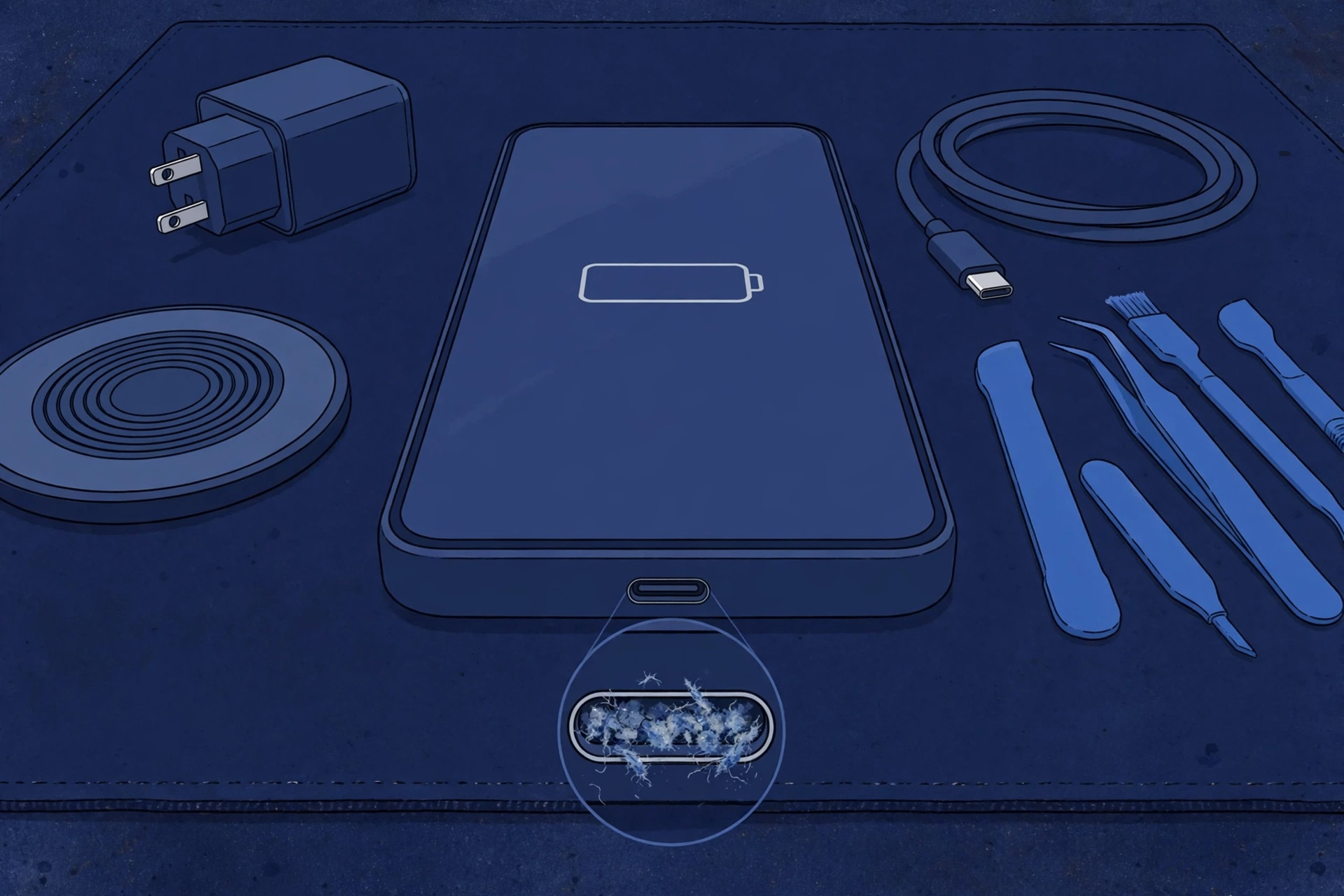
Start inside the port, because the commonest cause costs nothing to fix. Power off and shine a torch in. Pocket lint packs flat against the back wall until the plug sits proud and connects intermittently — charging works only when the cable is held. Tease loose lint out gently with a non-metal tool only, such as a wooden or plastic pick: never metal pins, which can bend or short the contacts on the connector tongue, and never liquids or compressed air. Retest with the case off. If lint is packed hard, or you see corrosion, stop: a professional clean under magnification is safer.
Rung 2: The cable-and-adapter matrix
Test the two ends separately, changing one thing at a time. Swap the cable first, keeping the same adapter and outlet: if one cable fails with every adapter while another works with all of them, the split is cable-side. Then swap the adapter separately, testing from a wall outlet directly. Judge “slow charging” fairly: fast charging here is 60W-class USB-C PD (Super Fast Charging 3.0), so the adapter must be able to deliver that level before slow charging counts as a symptom — a weak adapter is not a fault.
Rung 3: The wireless test
Set the phone on a wireless charger (25W). If it charges wirelessly but not by cable, the battery and main charging system are broadly healthy, the fault narrows to the wired path, and the phone stays usable wirelessly meanwhile. If it will not charge by any method, think beyond the port: battery, charging circuit or software. One caution: no built-in magnets, so alignment is manual — a phone that has slid off-centre can look like a wireless failure.
Rung 4: The data test
The same port carries data, giving you a second window into its contacts. Connect to a computer with a known-good cable. If the phone charges but the computer — or Samsung DeX — does not see it, the power contacts connect while the data-side contacts do not, pointing at worn or dirty contacts, not the battery. The same follows if the connection drops when the cable moves. This port also carries DisplayPort video, so test that too if you use it. Tell whoever diagnoses the phone what you found.
Rung 5: Software and settings
Two settings can look exactly like faults. First, moisture: if the phone says moisture is in the port, wired charging is refused by design. Unplug, let it dry fully, and never override the warning or force a charge — charging a wet port corrodes it. Second, the battery-protection charge limit: owners can cap the maximum charge to protect the battery, so a phone that stops at its set cap is obeying a setting, not failing. Then rule out a glitch: force a restart by holding the Side key and Volume Down together until the phone restarts, install any pending update, and retest.
Rung 6: The hardware signs that end the ladder
What survives every rung is hardware. The port signs: a damaged connector tongue; corrosion; a port left loose after a drop; angle-only charging even after a clean. The danger signs outrank everything: a burning smell or heat at the port means stop charging at once, get in-person help, and never mail a hot phone. The battery-cause possibility runs in parallel — no charging by any method, or a swelling battery: never charge a swollen phone, and never mail one. On price: Samsung publishes no US port or battery price — both are quoted after inspection.
Questions to ask before you approve
- Did the diagnosis work the same rungs — clean, cable matrix, wireless, data test?
- Is the finding a clean, a battery, the port — or the charging path?
- What is included in the quote — parts, labour, seals, tax?
- Will fast charging, data, DeX and video out all be tested afterwards?
- What warranty covers the part and labour?
- Could the warranty or Samsung Care+ cover this instead?
③ Pros & Cons: Working the Checklist vs Paying First
✓ Reasons to Work the Ladder First
- Most rungs cost nothing — lint, a cable and a setting are the commonest finds
- Each test separates one link, so a quote is for the fault actually found
- Wireless charging keeps a wired-path phone usable while you decide
- Local CA/NV stores or mail-in, once hardware is proven
× Reasons to Use Samsung Instead
- Still in the warranty year? A no-damage failure is a defect claim first
- Samsung Care+ active? Accidental damage routes through the plan
- Samsung’s repairs use genuine parts with a 90-day warranty
- Any opening breaks the factory seal, whoever does it
Not Charging? Check the Published Prices
Samsung publishes no charging-only, port-only or battery price for this model, so the honest table is what Samsung does publish, plus the assessed route. Its figures are suggested prices that may vary and exclude tax; Samsung’s own mail-in typically takes 5–7 business days and its repairs carry a 90-day warranty.
| Your route | Published price | What it means |
|---|---|---|
| Samsung — port or battery fault, out of warranty | Quoted after diagnosis | No US price is published for either job. Both are quoted inside a service request after inspection — walk-in or mail-in. |
| Samsung — port or battery failed with no damage, in warranty | Covered | The one-year warranty runs until around March 2027 for launch buyers. Wear, drops and liquid damage are not defects. |
| Samsung Care+ — accidental damage claim | Plan claim | Published claim figures: $29 for a cracked screen or back glass on the standard plan, $0 with Theft and Loss; battery repair is subject to a diagnostic confirming 79% or less capacity; other deductibles are published only as a $99–$199 range. No port claim price is published. |
| Samsung — the one published price: front screen | $289 suggested | The single static US price Samsung publishes for this model ($289, may vary, excluding tax and fees, subject to inspection eligibility) — no equivalent line exists for charging. |
| FixUpPhone — charging diagnosis | Quote after diagnosis | No fixed price is published. The finding — clean, battery or port — is confirmed first; work proceeds only after you approve the quote. |
| DIY cleaning or repair | Proceed with care | Never probe the port with metal — bent or shorted contacts create real damage. Port replacement is a job for experienced repairers. |
Samsung prices and terms checked October 15, 2026 and can change. None of Samsung’s figures is a FixUpPhone price. Samsung service and repair ↗ · Request a FixUpPhone diagnosis →
④ Repairability & Common Repair Needs
Lint first, then port wear
Packed lint is the port’s most common “fault”, and a clean is its cheapest fix. True wear shows differently: a loose fit with every known-good cable, angle-only charging after a clean, data dropping out. That is the repair case: the phone is opened, a new seal should be fitted, and the factory IP68 rating cannot be re-certified.
The accessories wear too
Cables fray internally long before they look damaged, and adapters weaken until a 60W phone looks broken on a charger that cannot feed it. A fresh certified cable and 60W-class adapter are the rational first spend.
The battery is the parallel suspect
A battery that will not accept charge mimics a port fault until the wireless test separates them: both methods failing points away from the port. On a months-old phone it is a warranty or Care+ diagnostic conversation before an independent quote, so ask for the finding in writing.
Samsung service and repair information · Request a FixUpPhone diagnosis
These are possible causes, not claims of a model-wide defect. Back up before any repair. Never charge a phone that smells of burning or is hot at the port. If a moisture warning appears, let the port dry — never override it — and tell the repairer about liquid exposure, heat or battery damage before mail-in shipment.
Samsung Galaxy S26 Ultra Not Charging?
Tell FixUpPhone what the checklist found.
- No charging by cable, but wireless works
- Charging stops unless the cable is held at an angle
- Plug sits proud, or lint is packed in the port
- Charges, but a computer or DeX does not see it
- No charging by any method, or it stops at a set cap
- Moisture warning, corrosion, or past liquid exposure
An online booking is a request; the team confirms the next step with you.
Mail-In Repair Service
Start with the repair request form and choose Mail-In Repair. You pay inbound shipping; FixUpPhone pays the return. Do not send the device until the store and shipping instructions are confirmed.
Start Mail-In Repair →Back up first where possible. Say which cables you tested, whether wireless works, and what the data test showed. Flag liquid damage, overheating or a damaged battery before shipping; never mail a hot or swollen phone.
Prefer to visit? Find a repair location →Visit a FixUpPhone Store
Lynwood, CA — charging port repair · 3100 E Imperial Hwy, Store M1002, Lynwood, CA 90262 · Every day 11 AM–8 PM · (805) 857-4225
Santa Barbara, CA — charging port repair · 619 A State St, Santa Barbara, CA 93101 · Mon–Fri 11 AM–8 PM; Sat 10 AM–8 PM; Sun 12 PM–7 PM · (805) 857-4226
Las Vegas, NV — charging port repair · 875 S Grand Central Pkwy, Unit TT32, Las Vegas, NV 89106 · Mon–Sat 10 AM–8 PM; Sun 10 AM–7 PM · (818) 482-3605
How It Works
- BookSubmit the model, store or mail-in choice, and symptoms.
- DiagnoseThe team works the same ladder: clean, cable matrix, wireless, data, battery.
- ApproveReview the finding and quote before authorising work.
- RepairThe general timeframe is 1–7 days, plus shipping for mail-in.
- Collect or ReturnCollect in store or receive the return; repairs include a 3-month warranty.
⑤ Should You Repair or Replace It?
Follow the checklist to its last rung first. If a cable swap fixes it, the correct spend was a cable; if a clean fixes it, a service, not a part; if a charge cap was set, a settings change. The genuine decisions sit at the end: a no-damage failure goes to Samsung’s warranty route, accidental damage to Care+ if you hold the plan, and only then does an assessed quote enter.
| Diagnosis | Right move | Why |
|---|---|---|
| Worn cable or weak adapter | Replace the accessory | The phone was never faulty. |
| Lint packed in the port | Professional clean | No part required; metal probing risks creating real damage. |
| Moisture warning or a charge cap set | Dry the port / change the setting | The phone behaving as designed, not failing. |
| Port or battery failed, no damage, in warranty | Samsung warranty route | Covered under the one-year warranty. |
| Port damaged, no cover | Assessed independent repair | Compare a port-specific quote with Samsung’s service-flow quote. |
| Charging fault plus other faults | Combined written quote | Use the repair-or-replace framework on the total. |
Replacing the phone over a charging fault is the last resort: the device is months old and every other system is new.
Request a trade-in assessment →⑥ Alternatives & Comparison
25W wireless charging keeps the phone usable while you arrange a diagnosis — a workaround, not a fix.
Explore option →The charging port repair-cost guide goes deeper on port damage and repair routes — this checklist does not duplicate its full cost treatment.
Explore option →Charging and battery symptoms overlap. The battery guide separates a failed cell from a port problem.
Explore option →⑦ Accessories We Recommend
The highest-wear part of the chain. A certified cable rated for the power and USB 3.2 speeds removes the commonest false alarm.
Super Fast Charging 3.0 needs 60W-class USB-C PD power — not the low-watt brick that makes a healthy phone look “slow charging”.
25W wireless charging is also your best diagnostic tool: it separates port faults from battery faults in one test. The case ring supplies the alignment the phone does not build in.
Check specifications and compatibility before ordering.
⑧ Frequently Asked Questions
Why is my Samsung Galaxy S26 Ultra not charging?
Work the ladder in order: safe port clean, cable-and-adapter matrix, wireless test, data test, then restart and settings — moisture warning and charge cap included. Most cases end at lint or an accessory.
How much does it cost to fix a Galaxy S26 Ultra that will not charge?
Samsung publishes no charging, port or battery price: both are quoted inside a service request after inspection, as FixUpPhone quotes after diagnosis. If the fault is lint, a cable or a setting, no repair is needed — and a no-damage failure is still in warranty for launch buyers.
How do I clean the USB-C port safely?
Power off, shine a torch in, and tease loose lint out gently with a non-metal tool such as a wooden or plastic pick. Never metal pins, never liquids. If lint is packed hard against the back wall or you see corrosion, stop and book a professional clean.
My phone charges wirelessly but not by cable. What does that mean?
The battery and main charging system are probably healthy; the fault is in the wired path — cable, adapter or port. It stays usable on a 25W wireless charger meanwhile, but a wireless pass does not clear the port.
My phone charges, but my computer does not see it. Is that the same fault?
A related finding: power contacts connect while data-side contacts do not, or the connection drops when the cable moves. The same port carries DeX and DisplayPort video, so test those too, and tell the repairer — charging, data and video should all be re-tested after port work.
Why does my phone stop charging before it reaches 100%?
Often the battery-protection charge limit: owners can cap the maximum charge to protect the battery, and a phone that stops at its set cap is obeying that setting, not failing. Check for a cap before booking a repair.
What should I do if the phone says moisture is in the port?
Unplug and let the port dry completely. Wired charging is refused by design while moisture is detected — never override the warning, force a charge, insert anything, or use heat. If wired charging does not return once dry, have the contacts inspected for corrosion.
Can I mail my Galaxy S26 Ultra to FixUpPhone for a charging repair?
Yes — start a request, choose Mail-In Repair, and do not post the phone until instructions are confirmed. You pay inbound shipping; FixUpPhone pays the return. Flag liquid damage, overheating or a damaged battery, and never mail a hot or swollen phone.
Sources & Editorial Notes
Prepared by FixUpPhone Editorial. Documentation checked October 15, 2026. Samsung specifications and coverage terms are distinguished from FixUpPhone’s assessed process. No hands-on repair, case history, customer experience, test result or fixed FixUpPhone price is claimed. The featured artwork is an original illustration. Samsung is not affiliated with FixUpPhone.
- Samsung — Galaxy S26 Ultra product page (specifications, materials, charging, S Pen and launch copy)
- Samsung US Support — Cracked screen repair (only static US price — front screen, $289 suggested; no port or battery price; 90-day repair warranty; 5–7 business-day mail-in estimate)
- Samsung US Support — Samsung Care+ ($29 screen and back glass claims, standard plan, $0 with Theft and Loss; battery repair subject to a ≤79% diagnostic; lost/stolen deductibles $99–$199)
- TechRepublic — Galaxy S26 Ultra cheat sheet, updated October 2026 (October 2026 list prices; reports attribute the rise to the global memory-component shortage)
- GSMArena — Samsung Galaxy S26 Ultra full specifications (USB 3.2 with DisplayPort 1.2, QHD+ figure, SIM by region)
- FixUpPhone — Phone Repair Services and Mail-In Phone Repair, checked October 15, 2026
- FixUpPhone — Locations, checked October 15, 2026
For corrections or device help, contact FixUpPhone.