Samsung Galaxy S26 Ultra · Display Review
Samsung Galaxy S26 Ultra Display Review: Brightness, Clarity & Screen Quality
The Galaxy S26 Ultra’s 6.9-inch Dynamic AMOLED 2X panel is bright, sharp and unusually private — but its headline Privacy Display costs real brightness, and its headline 2,600-nit figure is a peak rating, not an everyday one. This desk review separates Samsung’s ratings from independent lab measurements, so you know exactly what the screen does well and where its limits lie.
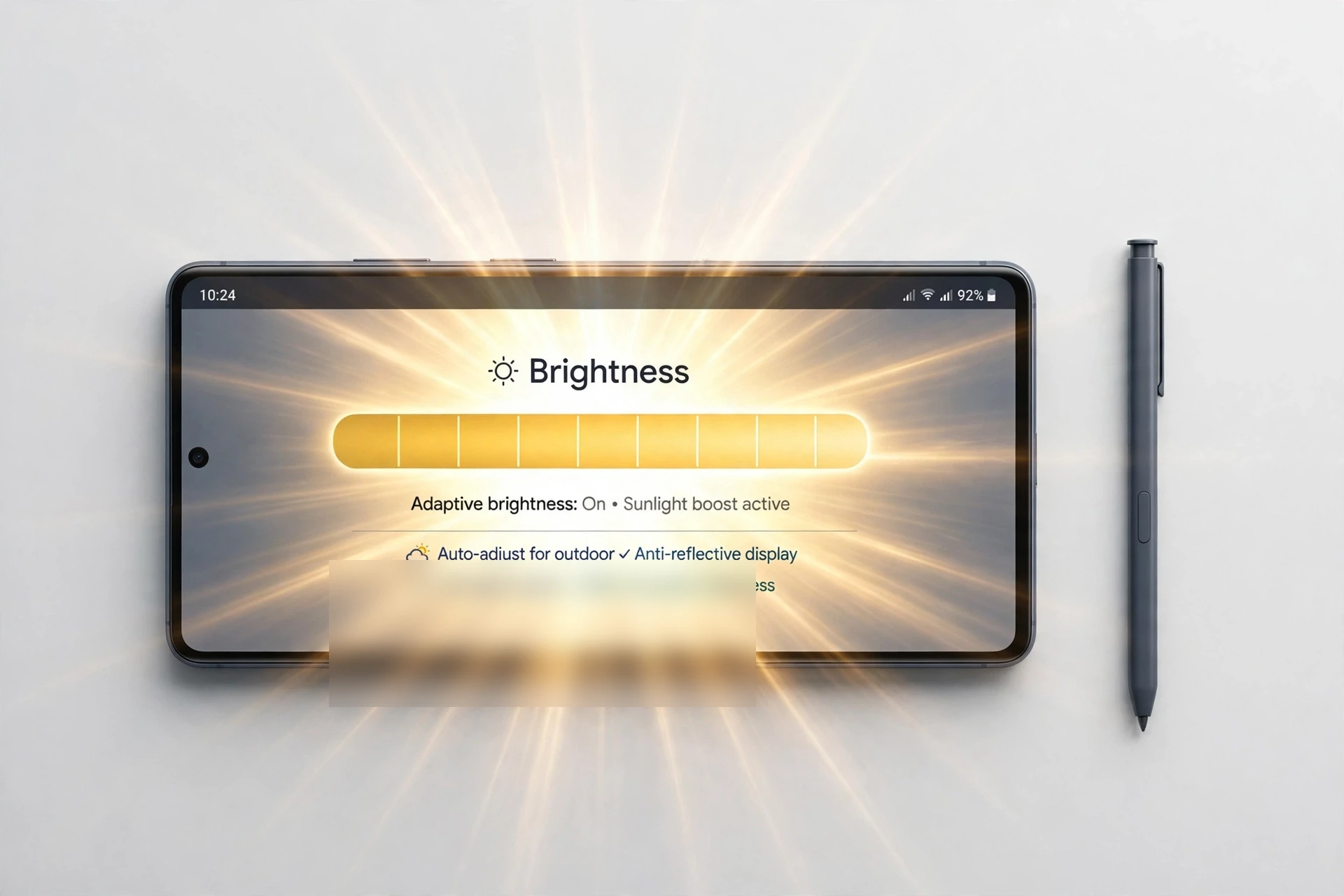
Methodology: a desk review, not a hands-on test
FixUpPhone did not bench-test this phone. This review is a desk review: it compares Samsung’s published specifications with measurements from independent laboratories that tested this exact model, the Galaxy S26 Ultra, and it labels every number by source. Where a figure comes from Samsung, it is called a manufacturer specification or a manufacturer rating. Where it comes from GSMArena’s laboratory review, it is called an attributed third-party lab result. No number from the Galaxy S25 Ultra, the base Galaxy S26 or S26+, or any iPhone is used as a figure for this phone — the S25 Ultra’s panel, in particular, has no Privacy Display, so its measurements cannot stand in for this one.
Sources used: Samsung’s own product pages and Newsroom specification table for the Galaxy S26 Ultra (as recorded in the verified pack checked 15 October 2026, with the independent re-verification addendum of the same date); GSMArena’s Galaxy S26 Ultra laboratory review (lab tests: display, published March 2026); iFixit’s Galaxy S26 Ultra teardown (March 2026) for the repair side of the panel. Repair and list prices were re-checked at write time on 4 November 2026 — see the Repair section and the Sources section for the outcomes.
Quick Expert Summary
Verdict in one line: a bright, sharp, anti-reflective OLED whose lab measurements support Samsung’s everyday brightness claims — with one honest caveat: switching Privacy Display on roughly halves the brightness, so privacy and peak brightness are a trade-off, not a free combination.
- Brightness: Samsung rates the panel at a 2,600-nit peak (manufacturer rating). GSMArena’s lab measured above 700 nits in manual mode with Extra Brightness on, 1,480 nits in auto mode on a 75% white patch, and above 2,800 nits on a 10% patch — all attributed third-party lab results.
- Clarity: 6.9-inch Dynamic AMOLED 2X, QHD+ (manufacturer specification); 3120 × 1440 and about 500 ppi are spec-database figures, not Samsung’s printed numbers.
- Privacy: Privacy Display (Ultra only, manufacturer specification) dims the view from side angles — but GSMArena found maximum brightness halved in every scenario with it switched on.
- The catch: the 2,600-nit figure is a peak rating for small bright areas, not a full-screen figure; and a screen replacement replaces the Privacy Display assembly too, which is part of why the repair is difficult.
- Repairs: Samsung’s suggested front-screen-only repair price is $289 (re-checked 4 November 2026; may vary by region or authorised store, excludes taxes and fees), with eligibility conditions — see the Repair section.
Specifications
All figures in this section are manufacturer specifications from Samsung unless noted.
| Panel | 6.9-inch Dynamic AMOLED 2X (LTPO) |
|---|---|
| Resolution | QHD+; 3120 × 1440 (spec databases — Samsung’s Newsroom table says QHD+ only) |
| Pixel density | About 500 ppi (spec-database derivation, not a Samsung headline figure) |
| Peak brightness | 2,600 nits (manufacturer rating; a 3,000-nit figure in some launch write-ups is not Samsung’s figure for this model) |
| Refresh rate | Up to 120Hz, adaptive 1–120Hz |
| Privacy Display | Built in, Ultra only; pixel-level privacy, scannable to apps, notifications and PIN entry |
| HDR | HDR10+ (GSMArena notes no Dolby Vision certification and an 8-bit panel with FRC) |
| Front glass | Corning Gorilla Armor 2, with DX anti-reflective coating |
| Biometrics in panel | Under-display ultrasonic fingerprint sensor (spec databases); S Pen digitiser in the panel |
| Minimum brightness | Samsung publishes no minimum-brightness figure for this model |
Finding, not a gap in this review: Samsung states no minimum brightness for the Galaxy S26 Ultra. The 1.1-nit figure in the analysis below is GSMArena’s own lab measurement, not a Samsung specification. Likewise, the 3,000-nit peak quoted for some other 2026 flagships does not apply to this phone: its Samsung rating is 2,600 nits, and GSMArena’s small-patch measurement above 2,800 nits is a lab result on a 10% patch, not a restatement of Samsung’s rating.
Analysis: what the labs measured
Brightness in real light
GSMArena’s lab found a panel that is, in its words, as bright as before — meaning as bright as the previous Ultra generation, not a leap beyond it. In manual mode with the Extra Brightness setting on, the panel easily passed 700 nits; in auto mode it reached 1,480 nits on the lab’s standardised 75% white patch; on a 10% patch it went above 2,800 nits, which is the small-area HDR behaviour behind Samsung’s 2,600-nit peak rating. The honest reading is that the 1,480-nit auto figure is the number that matters outdoors, while the 2,600-nit rating and the above-2,800-nit small-patch lab result describe HDR highlights, not a full white screen. GSMArena also notes that around 800 nits on Samsung’s DX anti-reflective screen still gives good outdoor visibility even on a bright sunny day — the anti-reflective coating does real work here, because a less reflective panel needs fewer nits to stay readable.
Clarity and motion
At QHD+ resolution on a 6.9-inch panel, text is crisp at any normal viewing distance; the spec-database density of about 500 ppi is comfortably beyond the point where individual pixels matter. The panel adapts from 1Hz to 120Hz, so scrolling is smooth when you are moving and the refresh rate can drop when the screen is still. There is no resolution penalty in the sources used here for running the panel at its full QHD+ setting, and no lab caveat that sharpness falls off at an angle — the angle story on this phone is about privacy, not sharpness.
Privacy Display: the feature with a price
Privacy Display is the Ultra’s genuinely new display idea: at the pixel level, it dims the view from side angles, and it can be scoped to particular apps, to notifications, or to PIN entry rather than being all-or-nothing. GSMArena’s lab result is the number every buyer should see before deciding how much they want it: with Privacy Display applied, the maximum brightness possible is halved in every scenario. That is a physical consequence of how the effect is produced — pixels are switched off to block side views, so fewer pixels are producing light — and GSMArena confirmed under a digital microscope that pixel density visibly drops when it is active. In practice that means privacy mode is best used where it matters (a PIN, a message preview, a crowded train) and switched off where brightness matters (outdoors, HDR video). It is not a reason to avoid the phone; it is a reason to treat Privacy Display as a mode, not a permanent setting.
Colour and HDR
The panel supports HDR10+ content. GSMArena notes two limits that buyers coming from other flagships should know: the screen does not carry Dolby Vision certification, and it is an 8-bit panel with FRC (frame-rate control) rather than a native 10-bit panel. Neither limit showed up as a brightness problem in the lab’s measurements, and neither changes the everyday verdict — video looks bright and punchy — but a buyer who specifically wants Dolby Vision should know this panel does not offer it. No colour-accuracy lab figure (deltaE or equivalent) for this exact model is quoted in the sources used here, so none is claimed: the colour verdict rests on the panel’s brightness, resolution and anti-reflective behaviour, not on an invented accuracy score.
Night-time use
Samsung publishes no minimum-brightness figure, but GSMArena measured just 1.1 nits at minimum brightness and calls that a commendable number. A 1.1-nit floor is genuinely dim — comfortable for a dark room without blinding the reader — and it pairs with the adaptive 1–120Hz refresh, which can drop to 1Hz on a still screen. No PWM (flicker-frequency) measurement for this exact model is quoted in the sources used here, so flicker-sensitive buyers should test the panel at low brightness in person rather than rely on a figure this review does not have.
Pros & Cons
Pros
- Strong measured brightness — 1,480 nits in auto mode on GSMArena’s 75% patch, above 2,800 nits on a 10% patch (attributed lab results).
- DX anti-reflective coating on Gorilla Armor 2: readability outdoors does not depend on raw nits alone.
- Privacy Display is genuinely useful and Ultra-only — side-angle privacy no other phone in this series offers.
- Sharp QHD+ panel (3120 × 1440, spec databases) with adaptive 1–120Hz refresh.
- Very low measured minimum brightness, 1.1 nits (GSMArena), for comfortable night use.
Cons
- Privacy Display halves maximum brightness in every scenario (GSMArena) — privacy and peak brightness cannot be had together.
- The 2,600-nit rating is a peak figure; full-screen brightness is far lower, as on every OLED.
- No Dolby Vision certification and an 8-bit panel with FRC (GSMArena), not native 10-bit.
- No Samsung-published minimum-brightness figure and no PWM figure in the sources used here.
- A screen replacement replaces the Privacy Display assembly too — and, per iFixit, it is a difficult repair (see Repairability).
Buying: the display checks that matter
If you are buying a used Galaxy S26 Ultra, check the screen in bright light and in a dark room: look for uneven tint, dead pixels, touch dead zones, burn-in, and any flicker at minimum brightness. Switch Privacy Display on and off and confirm the side-angle dimming actually engages — a replaced panel that lacks the Privacy Display assembly will not behave the same way, and that is a repair-history clue worth more than a seller’s assurance. Confirm the under-display fingerprint sensor unlocks reliably, that touch responds across the whole panel including the edges, and that the punch-hole camera area shows no discolouration. Ask whether the screen has ever been replaced: a non-genuine panel can change brightness, colour, touch and privacy behaviour, and a repair history is exactly what the Repair section prices below. Because every unit is still inside Samsung’s 1-year warranty until at least March 2027 (released 11 March 2026), a used unit bought from a retailer may still carry remaining warranty — check the purchase date, but remember the warranty covers defects, not accidental or liquid damage.
Repair angle: a cracked display is the single most common Galaxy S26 Ultra repair, and it is also the repair where Samsung’s published price is clearest: $289 suggested for a front-screen-only repair (re-checked 4 November 2026), or $29 per claim under standard Samsung Care+ and $0 under Care+ with Theft and Loss. If the screen is the reason you are hesitating over a used unit, price the repair before you walk away from the deal — but also check the frame: a bent or broken frame makes the phone ineligible for the front-screen-only tier.
Repairability: display
Screen replacement is the hardest common repair on this model, not a routine one. iFixit’s teardown (March 2026) gave the Galaxy S26 Ultra a provisional repairability score of 5 out of 10, and the display is the reason: the display connector is only accessible from the back panel, so a cracked screen means taking the whole phone apart; the display layers wanted to separate before the whole assembly came free; and the team damaged the Privacy Display screen while reaching the selfie camera, which is glued in aggressively. The battery, by contrast, uses a pull-tab system that comes away cleanly by hand, and the USB-C port is modular — so the phone is not uniformly repair-hostile, but its most-breakable part is its hardest to fix. Samsung’s own repair structure reflects the same reality: the front-screen-only tier ($289 suggested) is eligible only when the frame is not bent or broken, the battery is not swollen and no other hardware failure is found; anything wider routes to the Screen Module tier (screen + bezel/frame + battery), for which Samsung’s table lists no published price (“–”). FixUp offers display repair at all three stores and by mail-in, with 1–7 day turnaround and a 3-month warranty; FixUp does not publish a fixed repair price — you receive a quote after assessment, because the final scope depends on whether the damage is limited to the front screen or needs the module route.
Repair & Mail-In: Galaxy S26 Ultra display
Samsung US publishes only the front-screen tier statically for this model. The $289 figure below was re-checked at write time on 4 November 2026: Samsung’s US Cracked Screen Repair page still lists the Galaxy S26 Ultra at $289 for Screen Repair (front screen only) and “–” for Screen Module Replacement, and current US list prices were confirmed unchanged at $1,399.99 / $1,599.99 / $1,999.99 (256GB / 512GB / 1TB) against TechRepublic’s updated cheat sheet and October 2026 reporting of Samsung’s store. Samsung’s figures are suggested prices, may vary by region or authorised store, and exclude taxes and fees. Reports attribute the October 2026 list-price rise (from launch prices of $1,299.99 / $1,499.99 / $1,799.99) to the global memory-component shortage — that reason is reported, not presented as a confirmed Samsung statement. Samsung publishes no static US price for battery, back glass, rear camera or charging-port repair for this model: those are quoted through Samsung’s service flow after diagnosis. There is no Samsung “other damage” tier price. FixUp’s own pricing is a quote after assessment, never a published fixed price.
| Repair | Samsung US suggested price | With Samsung Care+ |
|---|---|---|
| Front screen only | $289 (re-checked 4 Nov 2026; eligible only if frame not bent/broken, battery not swollen, no other hardware failure) | $29 per claim (standard); $0 (Theft and Loss) |
| Screen Module (screen + bezel/frame + battery) | Not published — Samsung’s table lists “–” | Via Care+ claim terms |
| Back glass | Not published — quoted after diagnosis | $29 per claim (standard); $0 (Theft and Loss) |
| Battery | Not published — quoted after diagnosis | Included, subject to a diagnostic confirming 79% or less capacity |
| Rear camera / charging port | Not published — quoted after diagnosis | Via Care+ accidental-damage / breakdown terms |
At the current $1,399.99 list price for the 256GB model, the $289 front-screen repair is 20.6% of the phone’s list price — the arithmetic that decides whether a cracked-screen used unit is a bargain or a money pit. Samsung’s completed repairs carry a 90-day warranty, and Samsung’s mail-in turnaround estimate is 5–7 business days. No per-model Samsung Care+ monthly price is published by Samsung (a series-level $10 / $15 Theft and Loss statement only); lost/stolen deductibles under Theft and Loss are a $99–$199 range, with no Ultra-specific point figure published. Every unit is inside Samsung’s 1-year warranty until at least March 2027 — the warranty covers defects, not accidental or liquid damage, and IP68 (1.5 m freshwater, 30 minutes, lab conditions) is not permanent and does not make liquid damage warranty-covered.
FixUp stores
- Lynwood: 3100 E Imperial Hwy, Store M1002, Lynwood, CA 90262 — open daily 11 AM–8 PM — (805) 857-4225
- Santa Barbara: 619 A State St, Santa Barbara, CA 93101 — Mon–Fri 11 AM–8 PM, Sat 10 AM–8 PM, Sun 12 PM–7 PM — (805) 857-4226
- Las Vegas: 875 S Grand Central Pkwy, Unit TT32, Las Vegas, NV 89106 — Mon–Sat 10 AM–8 PM, Sun 10 AM–7 PM — (818) 482-3605
Mail-in repair
Mail-in is available for display repair. You pay the inbound postage and FixUp pays the return postage. Back up first, and do not ship your phone before your mail-in instructions are confirmed — confirm instructions before shipping. Never mail a hot or swollen phone — contact support@fixupphone.com first. Repairs take 1–7 days once the phone is received, and carry a 3-month warranty.
What to do first
- Back up the phone before any repair.
- Note any touch dead zones, flicker, discolouration or Privacy Display behaviour — they change the diagnosis.
- Get the quote after assessment before authorising work, and confirm whether the repair is front-screen-only or module-route.
Decision
Buy the Galaxy S26 Ultra for its display if brightness, sharpness, anti-reflective readability and on-demand privacy matter to you. It is a bright, sharp OLED whose lab measurements support Samsung’s everyday claims, and Privacy Display is a real, useful feature no sibling model offers. Do not buy it for its display if you want Dolby Vision, or if you plan to leave Privacy Display on permanently — the brightness halving is a genuine, measured cost, and the panel is at its best with privacy used as a mode. For a used purchase, a flawless, genuine screen — Privacy Display working — is worth paying for; a damaged one is worth pricing first, because the repair is both the most common and, per iFixit, the hardest on this phone. For a trade-in quote on your current phone, bring it to any FixUp store or contact support@fixupphone.com — quotes are given after an in-person assessment of the device’s condition, never sight unseen.
FAQ
How bright is the Galaxy S26 Ultra display, in plain terms?
Samsung rates it at a 2,600-nit peak (manufacturer rating). GSMArena’s lab measured above 700 nits in manual mode with Extra Brightness on, 1,480 nits in auto mode on a 75% white patch, and above 2,800 nits on a 10% patch. The auto-mode figure is the everyday outdoor number; the peak figures describe small bright areas and HDR highlights.
What is Privacy Display, and what does it cost?
Privacy Display is a pixel-level feature, Ultra only, that dims the screen from side angles and can be scoped to apps, notifications or PIN entry. GSMArena found it halves maximum brightness in every scenario when switched on, and that pixel density visibly drops under a microscope. Use it where privacy matters, not permanently.
Does the Galaxy S26 Ultra display support Dolby Vision?
No. GSMArena notes HDR10+ support but no Dolby Vision certification, and an 8-bit panel with FRC rather than native 10-bit. Video still looks bright, but Dolby Vision specifically is not offered.
How dim does the screen go at night?
Samsung publishes no minimum-brightness figure for this model. GSMArena measured 1.1 nits at minimum brightness in its own lab test — a third-party measurement, not a Samsung specification — which is genuinely dim and comfortable for dark rooms.
Is the 2,600-nit figure the full-screen brightness?
No. It is a peak rating for small bright areas. Full-screen brightness is far lower, as on every OLED; GSMArena’s 1,480-nit auto-mode measurement on a 75% patch is the closer guide to everyday outdoor use.
Does a screen replacement keep Privacy Display?
Only if the replacement assembly includes the Privacy Display panel. Ask the repairer explicitly, and test side-angle dimming after the repair — a panel without the feature will not behave the same way, and Samsung’s front-screen-only tier has eligibility conditions (frame, battery, other failures) that decide the repair route.
How much does a Galaxy S26 Ultra screen replacement cost?
Samsung’s suggested front-screen-only price is $289 (re-checked 4 November 2026; may vary by region or authorised store, excludes taxes and fees), or $29 per claim under standard Samsung Care+ and $0 under Care+ with Theft and Loss. Samsung publishes no Screen Module price (“–”). FixUp quotes after assessment, with 1–7 day turnaround and a 3-month warranty.
Is the display good for outdoor use in sunlight?
Yes, for two reasons together: the 1,480-nit auto-mode lab measurement and the DX anti-reflective coating on Gorilla Armor 2, which cuts reflections so fewer nits are needed to stay readable. GSMArena notes around 800 nits on this anti-reflective screen still gives good visibility on a bright sunny day.
Desk review — no hands-on testing by FixUpPhone · Every number labelled by source · Sources dated in the sources section
FixUp repairs: 1–7 days · 3-month warranty · Quote after assessment · Mail-in: you pay inbound, FixUp pays return
Questions? support@fixupphone.com · Lynwood (805) 857-4225 · Santa Barbara (805) 857-4226 · Las Vegas (818) 482-3605
Sources
- Samsung — Galaxy S26 Ultra product pages and Newsroom specification table (6.9-inch Dynamic AMOLED 2X, QHD+, 1–120Hz adaptive, 2,600-nit peak, Privacy Display Ultra only, Gorilla Armor 2 front, DX anti-reflective coating, under-display ultrasonic fingerprint sensor via spec databases), as recorded in the verified pack (checked 15 October 2026) and its independent re-verification addendum (same date; addendum wins on conflicts).
- GSMArena — “Samsung Galaxy S26 Ultra review: Lab tests – display, battery life, charging speed, speakers” (March 2026), read 4 November 2026: manual mode above 700 nits with Extra Brightness on, auto mode 1,480 nits on a 75% white patch, above 2,800 nits on a 10% patch, minimum brightness 1.1 nits, Privacy Display halving maximum brightness in every scenario, HDR10+ without Dolby Vision certification, 8-bit panel with FRC, 1440 × 3120 resolution.
- iFixit — “Samsung’s Galaxy S26 Ultra Has a Brilliant Display with a Brutal Repair” (teardown, March 2026), read 4 November 2026: provisional repairability score 5 out of 10, display connector accessible only from the back panel, display layers separating during removal, Privacy Display screen damaged while reaching the selfie camera, pull-tab battery removal, modular USB-C port.
- Samsung US Support — Cracked Screen Repair page (samsung.com/us/support/cracked-screen-repair/), re-checked 4 November 2026 via current page text: Galaxy S26 Ultra Screen Repair (front screen only) $289, Screen Module Replacement “–”, suggested prices may vary by region or authorised store and exclude taxes and fees, front-screen eligibility conditions, 90-day repair warranty, 5–7 business-day mail-in estimate.
- TechRepublic — “Samsung Galaxy S26 Ultra Cheat Sheet” (updated October 2026), read 4 November 2026: US list prices $1,399.99 / $1,599.99 / $1,999.99 after the 1 October 2026 rise from $1,299.99 / $1,499.99 / $1,799.99 launch prices; rise attributed by reports to the global memory-component shortage, not presented as a confirmed Samsung statement per the addendum.
- Samsung US Support — Samsung Care+ page (checked 15 October 2026, per the verified pack): $29 cracked screen / $29 back glass per claim (standard), $0 / $0 with Theft and Loss, battery repairs subject to a diagnostic confirming 79% or less capacity, lost/stolen deductible $99–$199 range, no per-model Ultra monthly price published by Samsung.