Samsung Galaxy S25 Ultra Water Damage Repair Cost: First Steps & Options
Water damage is the one repair nobody honest can price before the phone is opened — and Samsung publishes no US price for it. The Galaxy S25 Ultra is rated IP68, but that is a laboratory rating on a new phone, it is not permanent, and liquid damage is not covered by the standard warranty. Samsung quotes liquid work inside a service request after inspection; FixUpPhone quotes after assessment. What matters most is the first hour: power off, no charging while wet, no rice.
ϟ Quick Expert Summary
Act first, price second. Power the phone off, leave it off, unplug everything, and do not charge it — wired or wireless — while wet. This phone detects moisture at its USB port and refuses wired charging; that refusal is protection, not a fault, and must never be overridden. Stand it ports-down somewhere dry with gentle airflow, remove the SIM tray and S Pen to dry separately, and skip the rice. Then get it assessed the same day: corrosion starts quickly, a seemingly recovered phone can fail days later, and any quote is provisional until inspected inside.
Source-based editorial guidance, not a FixUpPhone price quote, hands-on repair report or technician case history.
✓ Do This Now
- Power the phone off and leave it off
- Stand it ports-down somewhere dry, with gentle airflow
- Remove the SIM tray and S Pen; dry each separately
- Back up once the phone is dry and stable
- Book an assessment the same day — time beats price
× Do Not Do This
- Charge a wet phone, or override the moisture alert
- Put it in rice, or dry it with heat
- Open it yourself, or press buttons repeatedly to check it
- Assume IP68 means the warranty covers liquid damage
- Wait a week to see if it gets better
IP68
Up to 1.5 metres for 30 minutes, in lab tests
$279
Samsung’s only published US price — screen repair
$29
Care+ screen or back glass, per claim
Quote
FixUp price after assessment
Phone got wet?
Time matters more than price.
Power off, do not charge, and get it assessed.
① Key Specifications
| Water and dust resistance | IP68 — up to 1.5 metres of fresh water for 30 minutes, laboratory conditions, when new |
|---|---|
| Warranty position | Liquid damage is not covered by the standard warranty |
| Construction | Titanium frame; Corning Gorilla Armor 2 front; Corning Gorilla Glass Victus 2 back |
| Display | 6.9-inch Dynamic AMOLED 2X, QHD+ (3120 × 1440 per GSMArena), 1–120Hz adaptive, 2,600 nits peak |
| Size and weight | 218 g; 162.8 × 77.6 × 8.2 mm |
| Chip and storage | Snapdragon 8 Elite for Galaxy; 12GB/256GB, 12GB/512GB, 12GB/1TB; no microSD |
| Battery and charging | 5,000 mAh typical value (4,855 mAh rated); video playback up to 31 hours; 45W wired — up to 65% in around 30 minutes; 15W wireless, Qi2 Ready, no built-in magnets; 4.5W reverse wireless |
| Cameras | 200MP main ƒ/1.7; 50MP ultra-wide ƒ/1.9 with autofocus; 50MP 5x periscope ƒ/3.4; 10MP 3x telephoto ƒ/2.4; 12MP front ƒ/2.2; Laser AF |
| S Pen | Built in; passive — no Bluetooth, no Air Actions, nothing to charge |
| Connector, SIM and wireless | USB-C (USB 3.2, DisplayPort 1.2, DeX); US model: physical nano-SIM tray plus eSIM; Wi-Fi 7; Bluetooth 5.4; UWB |
| US prices | $1,299.99 for 256GB; $1,419.99 for 512GB; $1,659.99 for 1TB — unchanged since launch |
| Release date | Announced January 22, 2025; on sale February 7, 2025 (US); Android 15 / One UI 7 at launch; seven generations of OS upgrades promised |
② FixUpPhone Expert Analysis
Safety and repair-cost analysis based on Samsung’s published guidance and service terms, plus FixUpPhone’s service information.
The first hour: what to do, in order
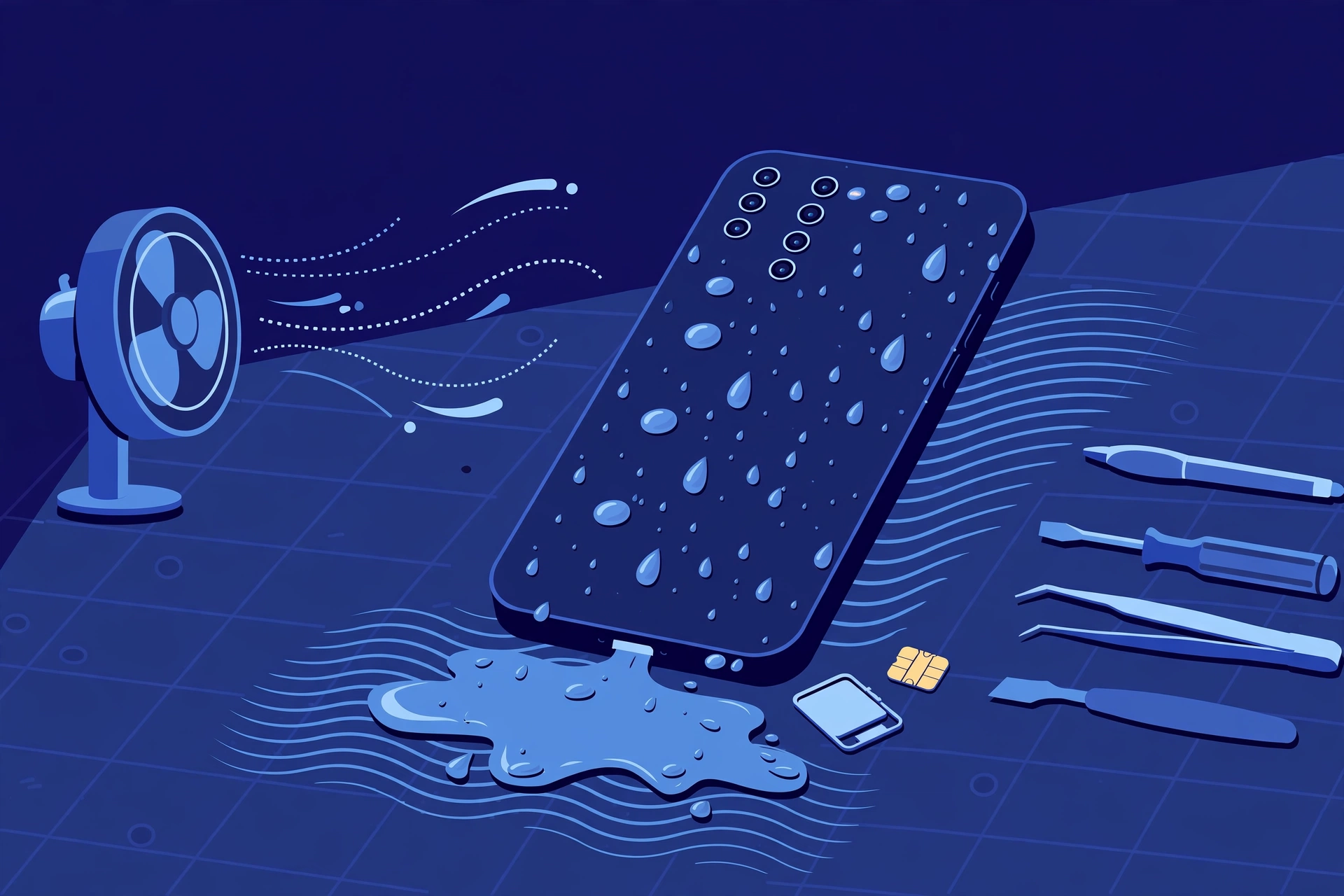
Power the phone off and leave it off. Unplug everything, wipe the outside with a soft cloth, and stand it ports-down somewhere dry with gentle air moving past it — a small fan nearby is enough. This model has a physical nano-SIM tray: remove the tray and SIM and dry them separately. The S Pen can also be removed and dried separately; its silo is one more path for moisture. If the liquid was salt water or chlorinated water, treat it as the more corrosive case and prioritise a same-day assessment. Then be patient: drying takes hours, not minutes.
Why you must not charge it — and what the moisture alert means
This phone detects moisture at its USB port and refuses wired charging while the port is wet. That refusal is protection, not a fault: charging through a wet connector can corrode the contacts and turn a recoverable phone into a board-level repair. Never override the block or keep plugging the cable in to test it, and do not charge wirelessly while wet either — no charging until it is fully dry. A hot or swollen phone is never charged: that points to a damaged battery and needs in-person help.
The rice myth, stated plainly
Putting a wet phone in rice does not repair anything. It does not clean corrosion or dry the board, and rice dust and starch add contamination. The other shortcuts fail too: do not apply heat, and do not open the phone yourself — opening it can spread the liquid further. Honest drying is unglamorous: power off, ports down, gentle air, and patience.
IP68, honestly: a lab rating, not a promise
IP68 here means immersion in up to 1.5 metres of fresh water for up to 30 minutes, in laboratory conditions, on a new phone. Samsung’s caveats travel with the rating: resistance is not permanent, diminishes with wear, and a drop, crack or previous repair can defeat seals that passed when new. It is not a swimming licence, nor a warranty promise. Stated both ways honestly: the phone went on sale on February 7, 2025 with a standard 1-year warranty, so launch buyers are now outside that year, which expired around February 2026 — the warranty runs from your own purchase date, so a later buyer may still be in term. Either way, liquid damage is accidental, not a defect, and the warranty does not pay for it. Accidental damage is what Samsung Care+ covers.
Why time matters: corrosion and delayed failure
The immersion is not what kills most wet phones — the days afterwards are. Corrosion develops while moisture remains inside, which is why “it works today” is not “it is fine”. Watch over the following days for fog under a lens, a muffled speaker, display lines, the moisture alert returning, and random restarts. Each is corrosion announcing itself — book even if the phone seems usable.
What an assessment actually involves — and why data comes first
Nobody honest quotes liquid damage sight-unseen, because water travels. An assessment means opening the phone, cleaning corrosion, then testing board, battery, display and charging path one by one. Outcomes range widely: one phone needs only a clean-and-test; another needs a screen, battery or charging assembly; a third has board-level damage. For a phone that will not power on, data recovery becomes the deciding frame — “can the data be saved?” matters more than the repair total. Samsung publishes no liquid price either: its work is quoted inside a service request after inspection, its mail-in is typically 5 to 7 business days, and its repairs carry a 90-day warranty. Once dry and stable, back up first; if it will not power on, say the data is your priority, without expecting a promise.
Questions to ask before you approve
- Will you inspect the inside before giving me a firm price?
- If the quote changes after cleaning, will you re-confirm first?
- Is my data the priority, and what happens if the repair fails?
- Which parts are damaged, and which are you cleaning, not replacing?
- Would Samsung Care+ handle this more cheaply for me?
③ Pros & Cons: Assessed Independent Repair vs Samsung’s Route
✓ Reasons for a Fast, Assessed Independent Repair
- Speed is the whole game — assessment today limits corrosion
- Priced on the parts your phone actually needs
- Data can be made the priority from the start
- Available locally in CA or NV, or by mail-in
× Reasons to Use Samsung Instead
- Samsung Care+ active? Its cover may be the better route
- An assessed quote can change once corrosion is inspected
- Severely corroded boards may be beyond any repairer
- Nobody can guarantee a wet phone survives
Water Damage Repair Cost? Check the Published Prices
Samsung US publishes no water-damage price — and no price for most other repairs on this model. Its only static US price is the $279 screen price, so the honest table is that line, the Care+ terms, and the assessed routes. Samsung inspects before confirming any fee; suggested prices may vary and exclude taxes and fees.
| Your route | Published price | What it means |
|---|---|---|
| Samsung — liquid damage, no cover | No published price | Samsung quotes liquid work inside a service request after inspection. There is no published fee to compare — a fixed “Samsung price” for it did not come from Samsung. |
| Samsung — liquid damage, with Samsung Care+ | Cover terms apply | Care+ covers accidental damage: screen and back-glass claims are $29 per claim standard, $0 with Theft and Loss, and battery repairs are included subject to a diagnostic confirming 79% or less capacity. Samsung publishes no liquid-damage deductible — its only printed deductible range, $99–$199, covers lost or stolen replacements. |
| Samsung — warranty claim | Not covered | The standard warranty covers defects — liquid damage is accidental, not a defect. Launch buyers are outside the warranty year in any case; it expired around February 2026. |
| Samsung — the one published price: screen repair | $279 | Samsung’s suggested US price for front-screen repair on an eligible phone. A screen price, not a water-damage price — listed only as Samsung’s single static price for this model. |
| FixUpPhone — water damage repair | Quote after assessment | No fixed price is published — damage varies by phone. If cleaning changes the quote, it is re-confirmed first. |
| DIY drying shortcuts | Not a repair | Drying is first aid, not a fix. Rice, heat and opening it yourself do not remove corrosion. |
Check Samsung’s repair terms, published screen price and coverage routes
Request an assessment and confirmed quote for your phone
Samsung prices and terms checked October 15, 2026; they can change. None of Samsung’s figures is a FixUpPhone price. The model’s list prices have not moved since launch.
④ Repairability & Common Repair Needs
Corrosion is the real repair
The visible water leaves; the corrosion stays and spreads. Board-level cleaning and inspection are the core job — a connector testing fine today can fail as corrosion creeps, so book even if the phone seems recovered.
One incident, several possible parts
Liquid follows gravity and capillary paths, so one incident can touch the screen, battery, charging port, speaker and cameras. Each is tested and quoted after inspection — Samsung publishes no US price for any of them.
Seals and the IP68 question
Any repair that opens the phone replaces its seals, and the factory IP68 rating cannot be re-certified afterwards. Treat a repaired phone as less water-resistant than new.
Samsung Care+ — accidental damage cover · Request a FixUpPhone assessment
Possible causes and service considerations, not claims of a model-wide defect. Do not charge a wet phone; tell the repairer what the liquid was and when, and flag it before arranging mail-in. If the phone is hot, lifting or smells chemical, stop — that points to a damaged battery. Get in-person help; never post it.
Has Your Galaxy S25 Ultra Been in Water?
Tell FixUpPhone what happened, choose a store or mail-in — and mention the liquid damage.
- Dropped in water, a sink or a bath
- Moisture alert that will not clear
- Screen lines or fog under a lens
- Muffled speaker, charging faults or restarts after a spill
- Phone will not power on after getting wet
An online booking is a request; the team confirms the next step.
Mail-In Repair Service
Start with the repair request form and choose Mail-In Repair. You pay inbound shipping; FixUpPhone pays the return. Do not send the device until the store and shipping instructions have been confirmed — and flag the liquid exposure, and when it happened, before shipping. Back up first where the phone’s condition allows. Never mail a phone that is still wet: dry it fully first, keep it off, and do not charge it. If it is hot or swollen, do not mail it at all — that needs a store visit.
Start Mail-In Repair →Say what the liquid was, when it happened, and whether it powers on.
Prefer to visit? Find a repair location →Visit a FixUpPhone Store
Lynwood, CA — FixUpPhone store · 3100 E Imperial Hwy, Store M1002, Lynwood, CA 90262 · Every day 11 AM–8 PM · (805) 857-4225
Santa Barbara, CA — FixUpPhone store · 619 A State St, Santa Barbara, CA 93101 · Mon–Fri 11 AM–8 PM; Sat 10 AM–8 PM; Sun 12 PM–7 PM · (805) 857-4226
Las Vegas, NV — FixUpPhone store · 875 S Grand Central Pkwy, Unit TT32, Las Vegas, NV 89106 · Mon–Sat 10 AM–8 PM; Sun 10 AM–7 PM · (818) 482-3605
How It Works
- BookSubmit the model, store or mail-in choice, liquid and timing.
- AssessThe phone is inspected for corrosion before any firm price.
- ApproveReview the findings and quote; changes are re-confirmed first.
- RepairGeneral timeframe 1–7 days, plus shipping for mail-in.
- Collect or ReturnCollect in store or by return; repairs include a 3-month warranty.
⑤ Should You Repair or Replace It?
Assessment today is rarely wrong; decide after inspection. This phone launched at $1,299.99 for 256GB ($1,419.99 / $1,659.99 for 512GB / 1TB) and still lists at those prices, early in a seven-generation update window — so assessed repairs are judged against a high replacement cost.
| Situation | Right move | Why |
|---|---|---|
| It just happened; phone still works | Power off, dry, back up when stable, same-day assessment | The cheapest outcomes happen before corrosion spreads. |
| Moisture alert only | Do not charge; let it dry fully, ports down | The alert may be the whole story. Book if it will not clear. |
| Samsung Care+ is active | Start with a Samsung Care+ claim | Liquid incidents are accidental damage — the cover exists for exactly this. |
| No cover; phone dead or faulty | Assessed independent repair | Compare a parts-based quote with replacement once damage is known. |
| Phone dead and the data matters most | Say data is the priority when booking | Recovery may be possible — never promised. |
| Severe corrosion plus wider damage | Use the repair-or-replace framework on the total | Judge the total via the repair-or-replace guide. |
⑥ Alternatives & Comparison
Samsung’s one published price covers the screen: $279 suggested, on an eligible phone.
Explore option →Fog under a lens is a liquid-history flag; the camera guide covers symptoms and options.
Explore option →If Care+ is active, accidental damage is its job; otherwise Samsung quotes after inspection.
Explore option →⑦ Accessories We Recommend
For days around water, a sealed pouch is prevention that works.
Once the phone is fully dry, 15W wireless charging works without using the USB port. This model is Qi2 Ready with no built-in magnets, so choose a pad that holds alignment, or a magnetic case for snap-on charging.
Water usually gets in after a drop cracks glass or bends the frame; a case guarding corners and edges protects the seals your resistance depends on.
Check the exact product specifications and compatibility before ordering.
⑧ Frequently Asked Questions
How much does Samsung Galaxy S25 Ultra water damage repair cost?
There is no published price — damage differs in every phone, and Samsung publishes no US liquid fee: work is quoted inside a service request after inspection. FixUpPhone quotes after assessment, re-confirming if inspection changes the quote. Samsung’s only static US price is $279 for screen repair — a screen price, not a water-damage price.
Is water damage covered by Samsung’s warranty?
No. Liquid damage is not covered under the standard warranty, even on an IP68 phone. Launch buyers are outside the warranty year in any case — the phone went on sale on February 7, 2025, so that year expired around February 2026; if you bought later, your own year may still run, but a liquid incident is accidental damage, not a defect. That is what Samsung Care+ covers.
My phone is IP68 — how did water get in?
IP68 is a laboratory rating for a new phone: up to 1.5 metres of fresh water for 30 minutes under controlled conditions. Resistance is not permanent, and drops, cracks, prior repairs, pressurised water and steam can defeat seals that passed when new.
Should I put my wet Galaxy S25 Ultra in rice?
No. Rice does not repair anything: it does not remove corrosion or dry the board in a controlled way, and its dust and starch add contamination. Power off instead, stand the phone ports-down somewhere dry with gentle airflow, remove the SIM tray and S Pen to dry separately, and give it time.
Can I charge it just to check whether it still works?
Do not charge a wet phone at all. This phone detects moisture at its USB port and refuses wired charging to protect the connector; that refusal is protection, not a fault, and must never be overridden. Charging through a wet port can corrode the contacts permanently.
What does the moisture-detected alert mean, and when should I worry?
It means the phone found moisture at the USB port and blocked wired charging until the port dries. After drying it may be the whole story. Book if it keeps returning, or if you later see fog under a lens, display lines or restarts — a muffled speaker often clears as it dries.
Can I mail my water-damaged Galaxy S25 Ultra to FixUpPhone?
Yes — start a repair request, choose Mail-In Repair, and flag the liquid exposure and timing before shipping. Do not post it until instructions are confirmed, and never mail it still wet: dry it fully first. You pay inbound shipping; FixUpPhone pays the return. Never mail a hot or swollen phone.
Can my photos and data be recovered?
Sometimes, depending on what the liquid reached. If the phone works after drying, back it up immediately. If it does not power on, data recovery becomes the deciding frame — tell the repairer data is your priority; recovery is never promised.
Sources & Editorial Notes
Prepared by FixUpPhone Editorial. Documentation checked October 15, 2026. Samsung material is distinguished from FixUpPhone’s assessed process. No hands-on repair, case history, customer experience, test result or fixed FixUpPhone price is claimed, and no outcome is guaranteed. The artwork is an original illustration. Samsung is not affiliated with FixUpPhone.
- Samsung — Galaxy S25 Ultra product page (titanium frame, Gorilla Armor 2 front glass, IP68 footnote, battery and charging, S Pen)
- Samsung Global Newsroom — Galaxy S25 series launch, January 22, 2025 (announcement and specification table; Samsung Newsroom UK records US general availability from February 7, 2025)
- GSMArena — Galaxy S25 Ultra specifications (resolution, Gorilla Glass Victus 2 back, USB, SIM by region)
- Samsung US Support — Cracked Screen Repair (only static US price for this model: screen $279 suggested, varies, excludes tax; no published liquid price; 90-day warranty; mail-in 5 to 7 business days)
- Samsung US Support — Samsung Care+ (screen and back glass $29 per claim standard, $0 with Theft and Loss; battery repair subject to a diagnostic confirming 79% or less capacity; lost/stolen deductible published only as a $99–$199 range; no liquid-damage deductible published)
- FixUpPhone — Phone Repair Services and Mail-In Phone Repair, checked October 15, 2026
- FixUpPhone — Locations, checked October 15, 2026
For corrections or device help, contact FixUpPhone.