Motorola Razr 2025 no service fix — Practical Guide, Key Considerations & Next Steps
“No Service” on a Razr 2025 is rarely the phone’s fault first. A carrier outage, a suspended or changed account, a tired SIM or a lost eSIM profile all cut service on a healthy phone — so this guide works the ladder carrier-side first, then the SIM fork, then the test only a flip phone needs: whether the signal changes as the hinge moves. Wi-Fi calling keeps you reachable meanwhile, and the repair routes close it out — for a model with no published Motorola repair price.
ϟ Quick Expert Summary
Work from the network inward. First ask whether the carrier is down or the account has changed — an outage, a suspension, a plan change or a provisioning slip cuts service on a perfect phone, and only the carrier can see or fix it. Then the SIM fork: this phone takes one physical nano-SIM plus an eSIM, so test whichever you use — reseat the card, check the tray is fully home, confirm the eSIM profile is present and active. Then the fold test: open and close the phone slowly and watch the bars, because signal that changes with the hinge angle points at the antenna path, not at settings. Wi-Fi calling on the phone’s Wi-Fi 6E keeps you reachable while you triage. Motorola US publishes no repair price for this model — defects inside your own twelve months are warranty claims; the rest is triage quotes and assessed repairs.
Source-based editorial guidance, not a FixUpPhone price quote, hands-on repair report or technician case history.
✓ Run the Free Ladder When
- Other phones on your carrier lost service too — or your account just changed
- Service vanished after a SIM swap, a plan change or a new eSIM
- Wi-Fi calling works and only cellular is missing
- Bars come and go with no drop or liquid behind them
× Skip Straight to Assessment When
- Signal reliably dies at one fold angle and returns at another
- No Service began with a drop, a bend or something trapped at the fold
- The phone got wet — liquid is never a settings problem
- The phone is hot or swelling, or a screen is lifting — in person, never by mail
1 + eSIM
Dual SIM — one nano-SIM tray plus an eSIM profile
Wi-Fi 6E
Wi-Fi calling keeps you reachable while cellular is down
Fold test
Signal that moves with the hinge angle is a hardware sign
Quote
FixUp price after assessment
No bars?
Start with the carrier.
Network, SIM, fold, damage — the forks, separated.
① Key Specifications
| Cellular | 5G on sub-6 GHz bands (Motorola’s published band list); no satellite connectivity is published for this model |
|---|---|
| SIM | Dual SIM — 1 physical nano-SIM + eSIM; a physical SIM tray is fitted (insert with the phone closed, per Motorola’s quick start guide) |
| Wi-Fi | Wi-Fi 6E — 2.4 GHz, 5 GHz and 6 GHz bands |
| Bluetooth and NFC | Bluetooth 5.4; NFC fitted |
| Chip | MediaTek Dimensity 7400X |
| Displays | Inner 6.9-inch FHD+ pOLED, 2640×1080, up to 120Hz; cover 3.6-inch pOLED, 1056×1066, up to 90Hz |
| Inner display surface | Flexible plastic-fronted panel with a factory-fitted Motorola screen protector — never remove it |
| Battery and charging | 4,500 mAh; 30W TurboPower wired; 15W Qi wireless |
| Build | 6000-series aluminum frame; nylon-inspired, leather-inspired or acetate rear panels — there is no glass back on this model |
| Water and dust resistance | IP48 laboratory rating when new — not dust-tight, and Motorola states the phone is not waterproof |
| Weight | 188 g; 171.30 mm tall open, 88.08 mm closed |
| US price and release | $699.99 at launch; on sale May 15, 2025; around $550 at major US retailers as of October 2026 |
Motorola Support US — motorola razr 2025 specifications
Two facts shape this whole guide: service runs through one physical SIM tray and one eSIM profile, so both can be tested separately — and on a folding phone the signal path flexes with the hinge, which gives you a test no slab phone needs.
② FixUpPhone Expert Analysis
Signal diagnosis and repair-route analysis based on Motorola’s published US specifications, care guidance, repair routes, warranty terms and Moto Care information, plus FixUpPhone’s published service information.
Rung one: rule out the carrier before you touch the phone
Most “No Service” complaints are not phone faults, and the first checks cost nothing. Is anyone else on your carrier down? A local outage cuts every phone on that network at once, and no repair fixes it — check the carrier’s outage information and ask another customer nearby. Then the account, which only your carrier can see: a suspended line, a missed payment hold, a plan change that dropped the line, a number port that has not finished, or a provisioning slip after a SIM or plan change. Each one leaves a healthy phone showing No Service, and each one is resolved on the carrier’s side, not on a bench. Note when it started and what changed that day — a new plan, a new SIM, a new phone number — because that timeline is the diagnosis more often than any part is.
Rung two: Airplane Mode, then a restart — the generic route only
Toggle Airplane Mode on for thirty seconds, then off: that forces the phone to search for the network from scratch and clears a stuck registration. If bars do not return, restart the phone the ordinary way — press and hold the side power button, then choose Restart when the power menu appears. A restart loses no data and re-registers the phone on the network. Motorola publishes no special force-restart or recovery button sequence for this model, so none is printed here: if the phone will not restart normally, that is an assessment, not a guessed combination of buttons.
Rung three: the SIM fork — one physical card, one eSIM profile
This phone carries two separate ways to lose service, so test the one you actually use. If you run the physical nano-SIM: power the phone down, eject the tray with the SIM tool — Motorola’s quick start guide has you insert the card with the phone closed and the external display facing down — and look at the card. A scratched, warped or corroded card, or a tray that does not sit fully home, breaks the connection while the phone reports nothing more specific than No Service. Reseat the card exactly as it came out, push the tray fully in, and never cut a larger SIM down to size — a hand-cut card is a classic tray and contact problem. The swap tests settle it: your card in another phone, and a known-good card in the Razr. If your card fails in both phones, the card is the fault and your carrier replaces it; if a good card also gets No Service here, the fault moves inward. If you run the eSIM instead: confirm the profile is still present and switched on in the SIM settings. A profile deleted during a reset, or never re-provisioned after a phone change, shows exactly this symptom — and re-issuing a profile is a carrier job, so call before you delete anything.
Rung four: the fold fork — signal that moves with the hinge
Here is the test a slab phone cannot give you. Watch the signal indicator while you open the phone slowly from closed to fully open, then back again, a few times. Signal that is present at one angle and dies at another — bars that drop the moment the phone opens flat, or return when it is half-closed — is not a network pattern and not a settings pattern. On a folding phone the antenna path and its connections flex at the hinge with every open and close, so angle-dependent signal points at that path: a connection or antenna run at the bend that makes contact in one position and loses it in another. Frame it honestly: this is a sign to hand to a diagnostician, not proof of a specific failed part, and repeating the fold a hundred times to chase the bars will not improve it. Note the angle where service dies — that detail is diagnostic gold, and it ends the free ladder.
Rung five: the damage forks — drops and liquid
If No Service began with a drop, a hard fold, or something trapped between the screens as the phone closed, treat it as hardware from the start: an antenna or board-level connection can be damaged without a mark on the outside, and Motorola’s care guidance is explicit that cards, coins, keys and grit must never be trapped at the fold. Liquid is the other fork, and this model’s rating needs decoding honestly: IP48 protects against solid objects larger than 1 mm — it is not dust-tight — and its immersion grade was a laboratory test on a new phone; Motorola itself states the phone is not waterproof. Liquid damage is excluded from the standard warranty, and Motorola’s position is that liquid-damaged devices cannot be repaired through its service route at all. A phone whose service died after it got wet does not need another settings reset; it needs the liquid conversation first.
Rung six: software — update first, network reset last
With the carrier, account, SIM and fold all cleared, check for a pending system update and install it: modem and network behaviour is part of the software, and an interrupted or long-deferred update can leave registration broken. The last software step is Android’s reset of the network settings, described generically because menus vary: it returns the mobile, Wi-Fi and Bluetooth settings to their defaults. It does not erase your photos, apps or accounts — but it does clear saved Wi-Fi networks and Bluetooth pairings, which you will need to set up again, and a custom access-point configuration from your carrier goes with them. That cost is why it sits last on the ladder, after the free rungs. If service is still absent after a network reset on a known-good SIM, the software story is exhausted.
Staying reachable meanwhile: Wi-Fi calling
A phone with no cellular service is not a dead phone. The Razr 2025 carries Wi-Fi 6E, and if your carrier supports Wi-Fi calling, switching it on routes your calls and texts over any Wi-Fi network you join — home, office, a café — using your normal number, while the cellular fault waits. It is the interim lifeline that turns an urgent repair into a scheduled one: you stay reachable for the carrier’s own account call, for work, and for the repairer. It is a bridge, not a fix — it does nothing away from Wi-Fi — but it buys you time to run the ladder properly instead of paying for the first guess.
When it is hardware: routes, not a price list
Angle-dependent signal, post-drop or post-liquid onset, or a ladder that ends at a network reset on a known-good SIM all land in the same place: an antenna-path or board-level fault that is diagnosed on a bench, not swapped as a user part — iFixit sells no signal parts for this model, only adhesives. And Motorola US publishes no per-part or per-repair price for this phone, so no official figure exists to quote. The money runs on routes. A signal defect inside your own twelve months is a warranty claim — Motorola’s standard warranty runs one year from purchase, and launch buyers’ year closed around May 2026. Accident damage is covered only under a Moto Care Accident Protection plan, whose prices are range-wide “from” figures — from $9.99 a month or from $99.99 for a fixed period — with deductibles of $26 to $99 depending on the device; this model’s own figures are not published, and enrolment should be treated as closing 30 days after purchase. Out of warranty, Motorola’s mail-in usually sends a like-new replacement at an unpublished cost, while carry-in centres triage and quote to keep your own phone. An independent repair is quoted after assessment — ask what was tested, whether the antenna path or the board is the finding, and what signal testing follows. Post-repair cover from Motorola runs for the balance of your original warranty period; FixUp’s repairs carry a 3-month warranty.
Questions to ask before you approve
- Did the carrier confirm the account, line and provisioning are healthy?
- Which identity failed — the physical nano-SIM, the eSIM profile, or neither?
- Does the signal change with the fold angle — and at which angle?
- When did it start: an outage, a plan change, a drop, liquid, an update?
- Is the finding the antenna path, the board — or still unproven?
- Could my warranty window or Moto Care plan cover this instead?
- What warranty covers the part and labour?
③ Pros & Cons: Work the Carrier-First Ladder vs Book the Assessment
✓ Reasons to Work the Free Ladder First
- Outages, account holds and SIM faults are the commonest causes — and all free
- The SIM swap tests isolate card, profile and phone in minutes
- The fold test gives a flip-phone-only answer no settings menu can
- Wi-Fi calling keeps you reachable, so nothing has to be rushed
× Reasons Not to Keep Troubleshooting Forever
- Angle-dependent signal is hardware — resets will not move it
- A wet phone’s fault deepens while you re-run software steps
- No published button sequence exists — do not go hunting for one online
- An account problem can only be closed by the carrier, not a repairer
No Service? Check the Published Prices
Motorola publishes no US repair price for this model, so the honest table is each route’s published cost structure — what Motorola does and does not put a figure on — plus the assessed route.
| Your route | Published price | What it means |
|---|---|---|
| Free carrier-first ladder | Free — your time | Outage and account checks, Airplane Mode and restart, SIM and eSIM tests, the fold test, update and network reset. Nothing here erases data or touches the inner protector. |
| Motorola — signal defect under warranty | Covered | Service lost through a defect inside your own twelve months is handled under warranty; Motorola says most in-warranty repairs cost nothing. Account faults, accidents and liquid are not defects. |
| Moto Care Accident Protection | From $9.99/mo or $99.99 | Range-wide “from” prices across eligible devices, not a Razr 2025 price. Accident claims also carry a deductible of $26–$99 depending on the device — this model’s own figure is not published. |
| Moto Care Extended Service Plan | From $29.99/yr | Another range-wide “from” price: cover against mechanical breakdown, with deductibles of $5–$99 depending on the device. Relevant when a signal fault is a breakdown rather than damage. |
| Motorola — mail-in, out of warranty | No published price | Published turnaround is 3–5 business days, but in most out-of-warranty cases Motorola sends a like-new replacement instead of repairing, at a cost shown only during submission. Data is erased on receipt — and liquid-damaged phones cannot use this route. |
| Motorola — carry-in centre | Quote after triage | The centre inspects the phone and quotes based on the issue; you get your original device back. Motorola calls this usually the less expensive repair option. |
| FixUpPhone — signal diagnosis and repair | Quote after assessment | No fixed price is published for this model. Whether the antenna path or the board is at fault, and the signal testing included, are confirmed first; work proceeds only after you approve the quote. |
Check Motorola’s US repair routes, warranty and Moto Care terms
Request an assessment and a confirmed quote for your phone
Motorola routes and Moto Care ranges checked October 16, 2026 against Motorola’s US support and Moto Care pages. Moto Care prices are range-wide “from” figures, not this model’s price. Prices and terms can change. None of Motorola’s figures is a FixUpPhone price.
④ Repairability & Common Repair Needs
The signal path flexes with the phone
On a flip phone, the antenna path and its connections work around a hinge that moves thousands of times. Angle-dependent signal loss is that architecture reporting a connection problem — a bench diagnosis with the phone tested open, half-open and closed, not a part you can reseat at home.
The SIM tray is the one user rung
The physical nano-SIM and its tray are the only signal components designed to be handled: reseat them, inspect them, swap-test them. A bent tray, damaged contacts or a missing eSIM profile all sit one level deeper — carrier for the profile, service for the hardware.
There is no parts shelf for this fault
iFixit’s catalogue for this model is adhesives only — no antennas, no boards, no screens or batteries. Signal hardware on this phone is a manufacturer or assessed-repair story, and Motorola publishes no price for any of it, so every honest quote starts with diagnosis.
Motorola razr 2025 specifications · Request a FixUpPhone assessment
These are possible causes and service considerations, not claims of a model-wide defect. Back up before any repair, and never remove the factory inner protector. The phone contains magnets: keep it away from medical devices such as pacemakers and from credit cards and other magnetically encoded media. Never press on, charge or mail a phone with a lifting screen or a hot or swollen battery, and tell the repairer about any liquid exposure before arranging shipment.
Razr 2025 Showing No Service?
Tell FixUpPhone what the ladder showed and choose a local store or a mail-in enquiry.
- No Service everywhere, on a SIM that tests good elsewhere
- Signal that drops when the phone opens flat or closes
- SIM not recognised, or the eSIM profile has vanished
- No service since a drop — or since the phone got wet
- Wi-Fi calling works, but cellular never connects
An online booking is a request; the team confirms the next step with you.
Mail-In Repair Service
Start with the repair request form and choose Mail-In Repair. You pay to ship the phone to FixUpPhone; FixUpPhone pays the return shipping. Do not send the device until the receiving store and shipping instructions have been confirmed.
Start Mail-In Repair →Back up first where possible. Say what the carrier confirmed, which SIM type you run, and whether the signal changes with the fold angle — it speeds up the assessment. Never mail a hot or swollen phone.
Prefer to visit? Find a repair location →Visit a FixUpPhone Store
Lynwood, CA · 3100 E Imperial Hwy, Store M1002, Lynwood, CA 90262 · Every day 11 AM–8 PM · (805) 857-4225
Santa Barbara, CA · 619 A State St, Santa Barbara, CA 93101 · Mon–Fri 11 AM–8 PM; Sat 10 AM–8 PM; Sun 12 PM–7 PM · (805) 857-4226
Las Vegas, NV · 875 S Grand Central Pkwy, Unit TT32, Las Vegas, NV 89106 · Mon–Sat 10 AM–8 PM; Sun 10 AM–7 PM · (818) 482-3605
How It Works
- BookSubmit the model, store or mail-in choice, and symptoms for review.
- AssessThe team tests the signal path open, half-open and closed, and checks the SIM hardware.
- ApproveReview the finding and confirmed quote before authorising work.
- RepairThe general repair timeframe is 1–7 days, plus shipping time for mail-in.
- Collect or ReturnCollect in store or receive the mail-in return; repairs include a 3-month warranty.
⑤ Should You Repair It, or Replace the Phone?
Start from the fork, not the phone shop. If the carrier, the account or the SIM was the fault, the correct cost was nothing. If the signal hardware has failed, set the assessed total against the phone’s value — the Razr 2025 launched at $699.99 and sells new at around $550 as of October 2026. A signal fault on an otherwise sound flip is normally a diagnosis-led repair; replacement enters only when antenna, board and other damage stack toward that figure.
| Diagnosis | Right move | Why |
|---|---|---|
| Outage, account hold or provisioning slip | Carrier resolves it | The phone was never broken; no bench can fix an account. |
| Your SIM fails in another phone too | Replacement SIM or re-issued eSIM from the carrier | The cheapest component in the chain, swapped at the source. |
| Signal changes with the fold angle | Book a signal assessment | The free causes are excluded; the hinge-angle pattern is the finding. |
| No drop, no liquid, inside 12 months of purchase | Motorola warranty route | A defect is covered; do not pay a repairer for it. |
| You hold Moto Care Accident Protection | Claim through the plan first | Accident damage is the plan’s core case; confirm your device’s deductible during the claim. |
| Antenna or board damage plus other faults | Assessed total vs replacement | Use the repair-or-replace framework on the total — a new phone is around $550. |
Keep Wi-Fi calling on while you decide: reachable beats rushed.
Request a trade-in assessment →⑥ Alternatives & Comparison
The official keep-your-phone route: a centre inspects the phone and quotes on the issue.
Explore option →The water-damage route for this model — why a wet phone’s No Service is a different story.
Explore option →The full framework for weighing a repair total against the phone’s value.
Explore option →⑦ Accessories We Recommend
A case with hinge coverage protects the fold hardware a drop reaches first — the same area the signal path depends on. Nothing about a case changes the inner-screen rule: no third-party protector on the folding display.
The SIM fork needs the tool the phone shipped with — keep a spare with the phone, and keep the removed card in a hard case while you swap-test, not loose in a pocket where it warps and scratches.
The US box has no charger in it. The phone charges at up to 30W TurboPower — Motorola’s footnote calls for a TurboPower 33W-or-higher charger to reach it — and a phone mid-diagnosis still needs power while you work the ladder.
Check the exact product specifications and compatibility before ordering.
⑧ Frequently Asked Questions
Why does my Razr 2025 say No Service?
Work the forks in order. Carrier first: an outage, a suspended or changed account, or a provisioning slip cuts service on a healthy phone, and only the carrier can see it. Then identity: a failing physical nano-SIM, a tray not seated fully, or a missing eSIM profile. Then the fold test: signal that changes with the hinge angle points at the antenna path. Drops, liquid and software follow. Most cases close on the first two forks.
How do I tell whether it is my SIM or the phone?
Swap-test. Put your physical nano-SIM in another phone: if it gets No Service there too, the card is the fault and your carrier replaces it. Put a known-good SIM in the Razr: if it also finds no service, the fault is in the phone. On eSIM there is no card to swap — confirm the profile is present and switched on, and have the carrier re-provision it before you conclude anything about hardware.
My signal drops when I open the phone fully. What does that mean?
That pattern is the fold fork, and it is hardware-shaped. On a folding phone the antenna path and its connections flex at the hinge, so signal that holds at one angle and dies at another suggests a connection along that path making and losing contact. It is a sign for a diagnostician — not proof of one named part — and no reset fixes it. Note the angle where the bars die and book an assessment.
Does the Razr 2025 have a satellite fallback when there is no service?
No. Satellite connectivity is not a feature Motorola publishes for this model, so there is no satellite SOS to fall back on when cellular service is gone — another reason the carrier-first ladder and Wi-Fi calling matter. Any listing that shows this phone as satellite-capable is describing a different Razr.
Will resetting the network settings delete my data?
No — a network settings reset returns the mobile, Wi-Fi and Bluetooth settings to their defaults; your photos, apps and accounts are untouched. What you do lose is convenience: saved Wi-Fi networks and Bluetooth pairings are cleared and must be set up again, and a carrier access-point configuration goes with them. That is why the reset sits last on the ladder, after the outage, account, SIM and fold checks.
Can I still make calls and send texts with No Service showing?
Yes, over Wi-Fi. If your carrier supports Wi-Fi calling, switch it on and your calls and texts route over any Wi-Fi network you join, on your normal number — the phone’s Wi-Fi 6E radio is unaffected by the cellular fault. It works only where you have Wi-Fi, so it is a lifeline while you triage, not a repair.
How much does it cost to fix No Service on a Razr 2025?
There is no published figure: Motorola US releases no per-part or per-repair price for this model, and there is no user-swappable signal part. A defect inside your twelve months is a warranty claim; accident damage routes through a Moto Care claim, a carry-in triage quote, Motorola’s mail-in replacement estimate, or an independent quote after assessment. Any exact Motorola signal-repair price quoted for this model is not an official 2025 price.
Can I mail my Razr 2025 to FixUpPhone for a signal fault?
Yes — start a repair request and choose Mail-In Repair, and do not post the phone until the receiving store and instructions are confirmed. You pay inbound shipping and FixUpPhone pays the return. Back up first where possible, tell the team what the carrier confirmed and whether the signal moves with the fold angle, and never mail a phone whose battery is hot, swollen or damaged — that needs in-person help.
Sources & Editorial Notes
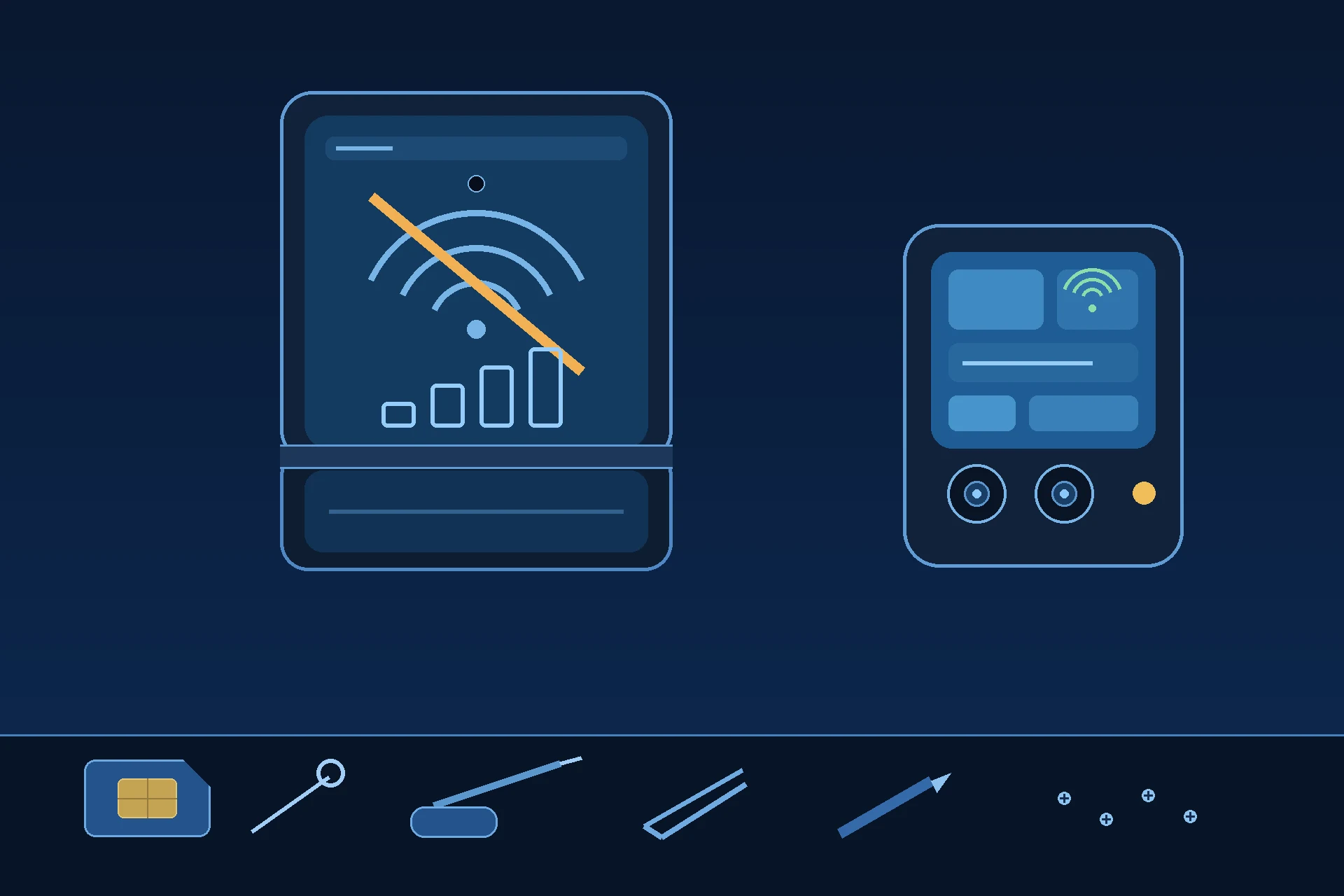
Prepared by FixUpPhone Editorial. Documentation checked October 16, 2026. Motorola specifications, care guidance, repair routes, warranty terms and Moto Care information are distinguished from FixUpPhone’s assessed repair process. No hands-on repair, case history, customer experience, test result or fixed FixUpPhone price is claimed for this model, and no Motorola US repair price is quoted because none is published. The featured artwork is an original illustration. Motorola is not affiliated with FixUpPhone; its published terms are included only as a public reference.
- Motorola Support US — Specifications: motorola razr 2025 (cellular bands, Dual SIM 1 nano-SIM + eSIM, Wi-Fi 6E, Bluetooth 5.4, NFC, both displays, 4,500 mAh, 30W TurboPower, IP48)
- Motorola Support US — Repair Options (one-year warranty, mail-in process and 3–5 business-day turnaround, like-new replacement practice, carry-in triage quotes, liquid-damage position, Moto Care deductible ranges)
- Motorola US — Moto Care (Accident Protection and Extended Service Plan names, range-wide “from” prices, enrolment windows, claim limits and exclusions)
- GSMArena — Motorola Razr 2025 full phone specifications (plastic-fronted folding panel, 6000-series aluminum frame, finish detail)
- iFixit — Motorola Razr 2025 device page (parts catalogue for this model: adhesives only — no antennas, boards, screens or batteries)
- FixUpPhone — Phone Repair Services and Mail-In Phone Repair, checked October 16, 2026
- FixUpPhone — Locations, checked October 16, 2026
For corrections or device help, contact FixUpPhone.