Google Pixel 11 Pro Camera Not Focusing: Causes & Fixes
A Pixel 11 Pro that will not focus is rarely a dead camera. Every camera on this phone focuses actively — the 50MP main, the ultra wide with Macro Focus, the 5x telephoto, and even the 42MP front camera — assisted by multi-zone Laser AF. That is why the commonest causes are unglamorous: grease on the lens glass, or a case or protector edge crowding the laser-assist area so the system hunts. Work the free checks in order, isolate which camera misbehaves, and only then talk repair. Two facts frame the money side: every Pixel 11 Pro is still inside Google’s one-year warranty, and Google publishes no repair price for this model at all — so anything with a Google dollar figure attached is invented.
ϟ Quick Expert Summary
Split the problem before you spend anything. Note which photos are soft — everything, one camera only, close-ups only, or just in low light — because each pattern has a different likely cause. Then work the ladder: clean the lens glass with a dry microfibre cloth, take the case and protector off and retest (an edge intruding near the camera bar can defeat the laser-assist focusing), respect minimum focus distances — close work belongs to the ultra wide’s Macro Focus, not the main camera up close — tap to focus, and test each camera in turn in daylight. If one camera still hunts, clicks or buzzes after a restart and a Safe Mode test, that is a hardware conversation: a defect goes to Google’s warranty, drop damage goes to Pixel Care+ if you hold it, and an independent quote is priced after assessment.
Source-based editorial guidance from Google’s published specifications and coverage terms — not a FixUpPhone price quote, hands-on repair report or technician case history.
✓ Work Through These First
- Clean every lens with a soft, dry microfibre cloth
- Remove the case and screen protector, then retest
- Test main, ultra wide, 5x telephoto and front cameras one at a time
- Retest in bright daylight before judging the hardware
× Do Not Conclude Yet When
- Only close-ups are soft — that is usually technique, not a fault
- Selfies are soft — the front camera autofocuses, so keep testing
- Focus hunts only in dim light — every autofocus system struggles there
- Someone offers a paid “focus calibration” — no such fix is published
ƒ/1.68
50MP main camera, Octa PD autofocus and OIS
Macro
Ultra wide has Quad PD autofocus with Macro Focus
Laser AF
Multi-zone laser autofocus assist is built in
1 Year
Google warranty — every unit is still covered
Soft photos?
Isolate the camera first.
Clean, case off, one camera at a time.
① Key Specifications
| Main camera | 50MP Wide, ƒ/1.68, 82° field of view, Octa PD autofocus, optical image stabilisation |
|---|---|
| Ultra wide camera | 48MP, ƒ/1.7, 123° field of view, Quad PD autofocus with Macro Focus |
| Telephoto camera | 48MP periscope, ƒ/2.8, 5x optical zoom, phase-detection autofocus, optical image stabilisation |
| Front camera | 42MP, ƒ/2.2, 103° field of view, Dual PD autofocus |
| Focus assist | Multi-zone Laser AF |
| Display | 6.3-inch Super Actua LTPO OLED, 1280×2856, 1–120Hz |
| Chip | Google Tensor G6 |
| Battery | 4,850 mAh typical; Google claim of “more than 30 hours” |
| Software | Android 17 at launch; seven years of OS, security and Pixel Drop updates |
| US starting price | $1,099 for 256GB |
| Release date | August 20, 2026 (US) |
| Warranty | 1 year — every unit is inside it until at least August 2027 |
Google Store — Pixel 11 Pro specifications
All four cameras on this phone focus actively, and close-range focusing is deliberately assigned to the ultra wide — a symptom that ignores those two facts is usually a usage pattern, not a defect.
② FixUpPhone Expert Analysis
Diagnosis and coverage analysis based on Google’s published specifications, warranty and Pixel Care+ terms, plus FixUpPhone’s published service information.
First, name the pattern
“Camera not focusing” is four different problems wearing one coat. Every photo soft, on every camera, points at something shared — a smeared lens, software, or the laser-assist system. One camera only points at that camera’s module. Close-ups only is usually distance, not damage. Hunting only in low light is normal autofocus behaviour pushed past its comfort zone. Write down which pattern you have before changing anything — it is also what a repairer will ask you first.
Step one: clean the lens glass properly
A fingerprint is the commonest cause of “broken autofocus” there is. A greasy film scatters light before it reaches the sensor, the contrast the autofocus system measures collapses, and the lens hunts or settles on a soft compromise — often with a hazy glow around bright lights as the giveaway. Wipe each lens in the camera bar, and the front camera, with a clean, dry microfibre cloth. Do not use liquids, sprays or solvents on the lens glass, and do not polish with clothing, which drags grit across the coating. Retest before moving on: if the photos sharpen, the repair was a cloth.
Step two: case and protector off, then retest
This model’s focusing is laser-assisted: the multi-zone Laser AF in the camera bar measures subject distance for the rear cameras. Anything that intrudes into that area — a case lip cut slightly proud, a protector edge lifting near the bar, a magnetic or add-on lens mount overlapping it — can corrupt the distance reading and set the system hunting, exactly as if the hardware had failed. The test costs nothing: remove the case and any camera-area protector or add-on lens completely and take the same photos again. If focus returns, the accessory was the fault; replace it with one whose cutout clears the full camera bar.
Step three: respect minimum focus distance — close-ups belong to the ultra wide
Every lens has a closest distance it can focus at, and the main camera’s is not a macro distance. Push a main camera closer than it can focus and no setting will save the shot: the subject stays soft while the background snaps sharp, which reads as a fault but is physics. On this phone, close work is deliberately handed to the 48MP ultra wide, whose Quad PD autofocus carries Macro Focus — as you move in close, the camera uses that lens for near subjects. There is no separate macro lens on this model; if close-ups fail while the ultra wide handles normal scenes well, that narrower finding is worth reporting exactly as observed.
Step four: tap to focus, lock it, and test each camera in turn
Tap the subject on screen to tell the camera where to focus, and long-press to lock focus and exposure when the subject or the light keeps shifting. Then isolate: take the same test scene at the ultra wide setting, at 1x on the main camera, at 5x on the telephoto, and with the front camera. Note which one misbehaves. The front camera deserves a fair test — its 42MP sensor has Dual PD autofocus, so a soft selfie is a genuine symptom to chase, not a design limit to accept. One camera failing everywhere while the others behave is a module-level finding; all of them failing together sends you back to the shared causes in steps one and two, or on to software.
Step five: give autofocus light to work with
Phase-detection and laser-assisted systems both hunt when the scene is dark, flat and textureless — a plain wall at night defeats any of them. Before judging hardware, repeat the failing test outdoors or in a bright room with a detailed subject. A camera that locks instantly in daylight but wanders in a dim bar is behaving like a camera, not like a broken part. Equally, a camera that hunts in full daylight has told you something real: keep going down the ladder.
Step six: restart, update, and the Safe Mode split
Restart the phone and retest — a stalled camera process is a real and free fix. Then check for Camera app and system updates and install what is offered; focusing behaviour is software-tuned, and this phone is early in its seven years of updates. If the fault survives, restart into Safe Mode, which disables third-party apps: if focus works there, a downloaded app — most often another camera or filter app — is interfering, and removing recent additions is the fix. If it fails in Safe Mode too, software is largely cleared and the fork below is yours.
The hardware fork: when hunting means a repair conversation
Persistent hunting on one camera in good light, clicking or buzzing from the camera area while it tries to focus, or a failure that began the day the phone was dropped points at the autofocus or stabilisation module rather than settings. A faint rattle from the camera bar when the phone is shaken gently can be the stabiliser’s moving parts at rest and is not, alone, proof of damage — noise while focusing is the symptom that counts. From here the route splits on cause, and cause decides who pays. A focus fault with no damage behind it is a malfunction: the phone is inside Google’s one-year warranty, so that claim goes to Google first, and holders of Pixel Care+ should know post-warranty malfunctions carry a $0 deductible under the plan. Focus failure that follows a drop is accidental damage — never a warranty claim — where Pixel Care+ holders claim at the $99 other-damage deductible. The full claim, quote and repair-cost picture for this model’s cameras is in the companion Pixel 11 Pro camera repair cost guide.
Questions to ask before you approve
- Which camera did you find at fault — and did you test all four?
- Is this being treated as a warranty malfunction or as accidental damage?
- If I hold Pixel Care+, is the claim the $0 malfunction or $99 damage route?
- What exactly does the quote cover — module, labour, seals, testing?
- Will every camera, the zoom steps and Macro Focus be retested afterwards?
- What warranty covers the repair, and what happens to the phone’s water resistance?
③ Pros & Cons: Working the Ladder vs Booking a Repair
✓ Reasons the Free Checks Come First
- Grease and case interference are the commonest causes — and cost nothing to fix
- Every camera autofocuses, so per-camera testing pinpoints the fault precisely
- A genuine defect is covered: the phone is inside its one-year warranty
- Pixel Care+ holders face a $0 malfunction or $99 damage deductible, not a bill
× Reasons Not to Delay the Repair Route
- Hunting that survives Safe Mode in daylight is hardware until proven otherwise
- Google publishes no repair price, so there is no figure to “wait for” or compare
- Drop damage is never a warranty claim, whoever you ask
- Any repair that opens the phone ends the factory seal — the IP68 rating cannot be promised afterwards
Camera Not Focusing? Check the Published Prices
Google publishes no static repair price for the Pixel 11 Pro — no screen, battery, camera or any other figure — so the honest table is the coverage routes and their published deductibles, plus the assessed route. Google generates out-of-warranty pricing per model and issue inside its own repair flow. None of the figures below is a FixUpPhone price.
| Your route | Published price | What it means |
|---|---|---|
| Google — focus fault, no damage (a defect) | Covered by warranty | Every Pixel 11 Pro is inside Google’s one-year warranty until at least August 2027. A focusing failure with no accidental damage behind it is a malfunction claim to Google — make it before paying anyone. |
| Pixel Care+ — post-warranty malfunction | $0 deductible | Under Pixel Care+, malfunctions after the warranty period carry a $0 deductible. The plan costs $14.00/month or $259 for two years for this model; enrolment is at purchase or within 60 days. |
| Pixel Care+ — focus failure after a drop | $99 deductible | Accidental damage is claimed at the plan’s $99 other-damage deductible. With Loss & Theft cover ($16.00/month or $299 for two years) the loss/theft deductible is $149, capped at two claims per 12 months. |
| Google — repair with no cover held | No published price | Google does not print an out-of-warranty camera price for this model; the figure is generated inside its repair flow once the model and issue are entered. Anyone quoting you a “Google price” from a list is inventing it. |
| FixUpPhone — camera focus diagnosis and repair | Quote after assessment | No fixed price is published. The faulty camera is identified first, the quote names the module and the work, and nothing proceeds until you approve it. |
| DIY “focus calibration” services | Not a published fix | No calibration procedure for this model is published by Google. A fault that survives cleaning, the case test and Safe Mode needs a diagnosis, not a paid adjustment. |
Check this model’s plan prices, deductibles and enrolment window on Google’s programme page
Request an assessment and a confirmed quote for your exact phone
Google warranty and Pixel Care+ terms checked October 15, 2026. Prices and terms can change. Google’s mail-in repair takes 7–10 business days and Google’s repairs carry a 90-day warranty — those are Google’s terms, not FixUpPhone’s.
④ Repairability & Common Repair Needs
The focus motor and stabiliser are one module
On the main and telephoto cameras, the autofocus drive and the optical stabilisation live in the same camera module. A failed focus actuator is therefore a module diagnosis, not an adjustment — which is why clicking or buzzing while focusing, or hunting that no reset clears, ends at replacement of that camera, and why the per-camera test in step four decides the whole quote.
Laser AF is shared — one obstruction degrades every rear camera
The multi-zone Laser AF serves the rear camera system as a whole. That is a diagnostic gift: all three rear cameras hunting at once rarely means three broken modules — it means the shared assist is obstructed, the lens glass is filmed over, or software is at fault. A single camera failing alone is the opposite signature, and the one that points at hardware.
Record the pattern before you book
Write down which camera fails, at what distance, in what light, and whether the phone was dropped. That note shortens any assessment — in store, with Google, or by mail — and after any repair, retest all four cameras, the zoom steps and Macro Focus before you accept the phone back.
Google — Pixel 11 Pro camera specifications · Request a FixUpPhone assessment
These are possible causes and service considerations, not claims of a model-wide defect. Back up before any repair — photos included. Cracked lens glass is sharp: handle the phone by its frame and do not press on the crack. Never try to heat-dry a fogged lens. Tell the repairer about any liquid exposure, heat or battery damage before arranging mail-in shipment; a hot or swollen phone must never be posted.
Focus Still Failing on Your Pixel 11 Pro?
Tell FixUpPhone which camera is misbehaving and choose a local store or mail-in.
- Photos soft or hazy on one camera only
- Focus hunting or pulsing in good light
- Clicking or buzzing from the camera bar while focusing
- Close-ups never sharp, or Macro Focus not engaging
- Focus failed right after a drop
An online booking is a request; the team confirms the next step with you.
Mail-In Repair Service
Start with the repair request form and choose Mail-In Repair. You pay to ship the phone to FixUpPhone; FixUpPhone pays the return shipping. Do not send the device until the receiving store and shipping instructions have been confirmed. Back up first — including your photos — and flag any liquid, heat or battery damage in your request before shipping; never mail a phone that is hot or swollen.
Start Mail-In Repair →Say which camera fails, at what distances, and whether the phone was dropped — it speeds up the assessment.
Prefer to visit? Find a repair location →Visit a FixUpPhone Store
Lynwood, CA — FixUpPhone store · 3100 E Imperial Hwy, Store M1002 · Every day 11 AM–8 PM · (805) 857-4225
Santa Barbara, CA — FixUpPhone store · 619 A State St · Mon–Fri 11 AM–8 PM; Sat 10 AM–8 PM; Sun 12 PM–7 PM · (805) 857-4226
Las Vegas, NV — FixUpPhone store · 875 S Grand Central Pkwy, Unit TT32 · Mon–Sat 10 AM–8 PM; Sun 10 AM–7 PM · (818) 482-3605
How It Works
- BookSubmit the model, store or mail-in choice, and which camera shows the problem.
- AssessEach camera is tested in turn and the fault is confirmed before any price.
- ApproveReview the finding and the confirmed quote before authorising work.
- RepairThe general repair timeframe is 1–7 days, plus shipping time for mail-in.
- Collect or ReturnCollect in store or receive the mail-in return; repairs include a 3-month warranty.
⑤ Should You Repair It?
The ladder decides. If a cloth or a case swap fixed it, the correct spend was nothing. If one camera still fails in daylight after Safe Mode, the decision is not really repair-or-replace — a phone this new, worth $1,099 and upward when new and inside its warranty year, is repaired; the only question is the route.
| Situation | Right move | Why |
|---|---|---|
| Grease film or case/protector interference | Clean it, or change the accessory | No fault, no repair — the commonest outcome of the ladder. |
| Only close-ups soft on the main camera | Use the ultra wide’s Macro Focus for close work | Minimum focus distance is a design fact, not damage. |
| One camera hunts in daylight, survives Safe Mode, no drop | Google warranty claim first | A malfunction inside the one-year warranty is Google’s to fix. |
| Focus failed after a drop, Pixel Care+ held | Claim at the $99 other-damage deductible | Accidental damage is what the plan exists for. |
| Focus failed after a drop, no plan held | Assessed independent quote, compared with Google’s repair flow | Google publishes no price; an assessed quote is a real figure to judge. |
| Camera fault plus wider damage | Combined written quote | Judge the total with the repair-or-replace framework, not one line at a time. |
⑥ Alternatives & Comparison
The companion guide covers this model’s camera symptoms, claims and quote factors in full.
Explore option →Liquid exposure changes the diagnosis entirely — corrosion, not settings. The water damage guide covers the safe first steps.
Explore option →If the bar, glass and more were hurt in the same fall, a trade-in assessment may beat a combined repair total.
Explore option →⑦ Accessories We Recommend
Laser-assist focusing needs an unobstructed bar. Choose a case whose cutout clears its full width, lenses and sensor area uncovered — and test focus with the case on before you commit to it.
Grease is the number-one false camera fault. A few proper microfibre cloths — one in the case, one in the bag — and a wipe before important shots prevent most “autofocus failures” outright.
Autofocus hunts most in dim scenes, and camera shake finishes the job. A pocket tripod steadies the phone so the focusing system — and the stabilisation — only has one problem to solve.
Check the exact product specifications and compatibility before ordering.
⑧ Frequently Asked Questions
Why is my Google Pixel 11 Pro camera not focusing?
Work from the commonest causes outward: a grease film on the lens glass, a case or protector edge intruding near the camera bar and defeating the laser-assist focusing, shooting closer than the main camera can focus, dim flat light, or a software fault. One camera failing alone, in good light, after a restart and a Safe Mode test is the pattern that points at the camera module itself.
Why are only my close-up photos blurry?
Almost always distance, not damage. Every lens has a minimum focus distance, and the main camera’s is not close. This phone assigns close work to the 48MP ultra wide, whose autofocus carries Macro Focus — let the camera use that lens for near subjects, and judge the main camera at normal distances before suspecting a fault.
Does the Pixel 11 Pro front camera autofocus?
Yes. The 42MP front camera has Dual PD autofocus, so it focuses actively like the rear cameras. Persistently soft selfies are a real symptom: clean the front lens, remove any protector that covers it, test in good light, and treat a failure that survives the software steps as a fault worth reporting.
Can a case or screen protector cause focus problems?
Yes. The rear cameras are laser-assisted by the multi-zone Laser AF in the camera bar, and a case lip, a lifting protector edge or an add-on lens mount that intrudes into that area can corrupt the distance reading and set focus hunting. The test is free: remove the case and camera-area accessories completely and take the same photos again.
Is there a focus calibration I can run — or pay for?
No published calibration procedure exists for this phone, and you should not pay for one. The honest ladder is cleaning, the case test, per-camera testing in daylight, a restart, updates and Safe Mode. A fault that survives all of that is diagnosed as hardware — covered by the warranty or a plan claim — not adjusted away.
Is a camera focus fault covered by Google’s warranty?
If it is a malfunction with no accidental damage behind it, yes — every Pixel 11 Pro is inside Google’s one-year warranty until at least August 2027. Pixel Care+ holders also have a $0 deductible for post-warranty malfunctions. A focus failure that follows a drop is accidental damage instead: never a warranty claim, and a $99 other-damage deductible for Care+ holders.
How much does it cost to fix a Pixel 11 Pro camera that will not focus?
There is no published Google price to quote — Google prints no repair price for this model and generates figures inside its own repair flow. Your real routes are a warranty claim for a defect, a $0 or $99 Pixel Care+ deductible depending on cause, or an assessed independent quote from a repairer, which is confirmed only after the faulty camera is identified.
Can I mail my Pixel 11 Pro to FixUpPhone for a camera assessment?
Yes — start a repair request, choose Mail-In Repair, and do not post the phone until the receiving store and instructions are confirmed. You pay inbound shipping and FixUpPhone pays the return. Back up first, including your photos, and flag any liquid, heat or battery damage in your request; never mail a phone that is hot or swollen.
Sources & Editorial Notes
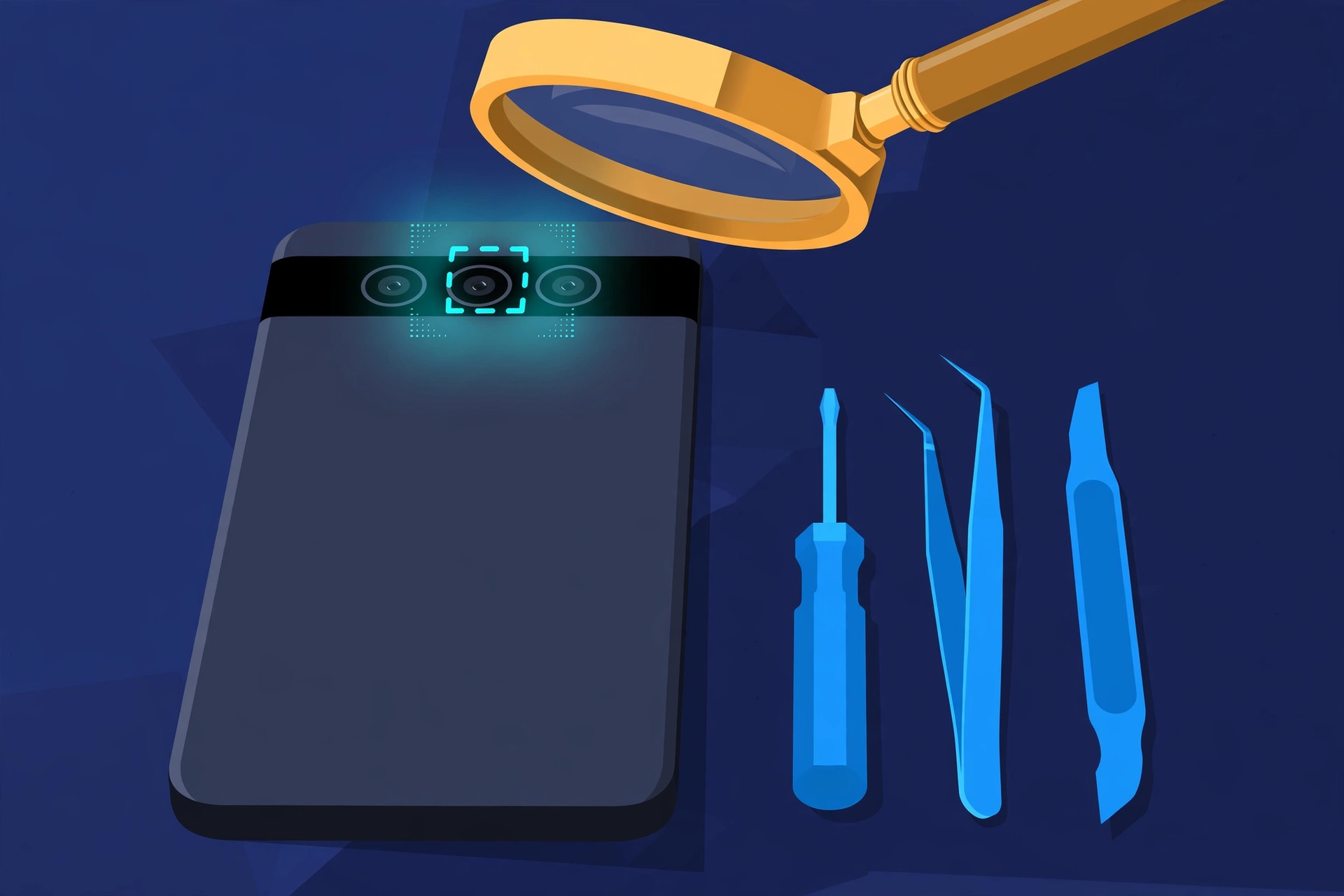
Prepared by FixUpPhone Editorial. Documentation checked October 15, 2026. Google specifications, warranty and Pixel Care+ terms are distinguished from FixUpPhone’s assessed repair process. Google publishes no static repair price for this model, and none is stated here; no hands-on repair, technician case history, customer experience, measured test result or fixed FixUpPhone price is claimed. The featured artwork is an original illustration. Google is not affiliated with FixUpPhone; Google’s terms are included only as a public reference.
- Google Store — Pixel 11 Pro (50MP Wide ƒ/1.68 with Octa PD autofocus; 48MP Ultra Wide ƒ/1.7 with Quad PD autofocus and Macro Focus; 48MP Telephoto ƒ/2.8 with 5x optical zoom; 42MP front camera with Dual PD autofocus; Multi-zone Laser AF; one-year warranty)
- Google Store — Pixel Care+ programme (this model’s plan prices $14.00/month or $259 for two years, $16.00/$299 with Loss & Theft; deductibles $0 screen including back glass, $0 battery below 80%, $0 post-warranty malfunctions, $99 other damage, $149 loss and theft with a two-claim cap per 12 months; enrolment within 60 days)
- Google Blog — Pixel Care+ launch (plan structure and claim terms)
- GSMArena — Google Pixel 11 Pro full specifications (spec-database cross-check; any database-only figure is attributed as such)
- FixUpPhone — Phone Repair Services and Mail-In Phone Repair, checked October 15, 2026
- FixUpPhone — Locations, checked October 15, 2026
For corrections or device help, contact FixUpPhone.