Google Pixel 10 Pro vs Samsung Galaxy S25 Ultra: Complete Comparison
Pixel 10 Pro and S25 Ultra are not the same size class. This comparison pairs a compact Google Pro with a large Samsung pen-equipped flagship, so handling and input style deserve attention before specifications.
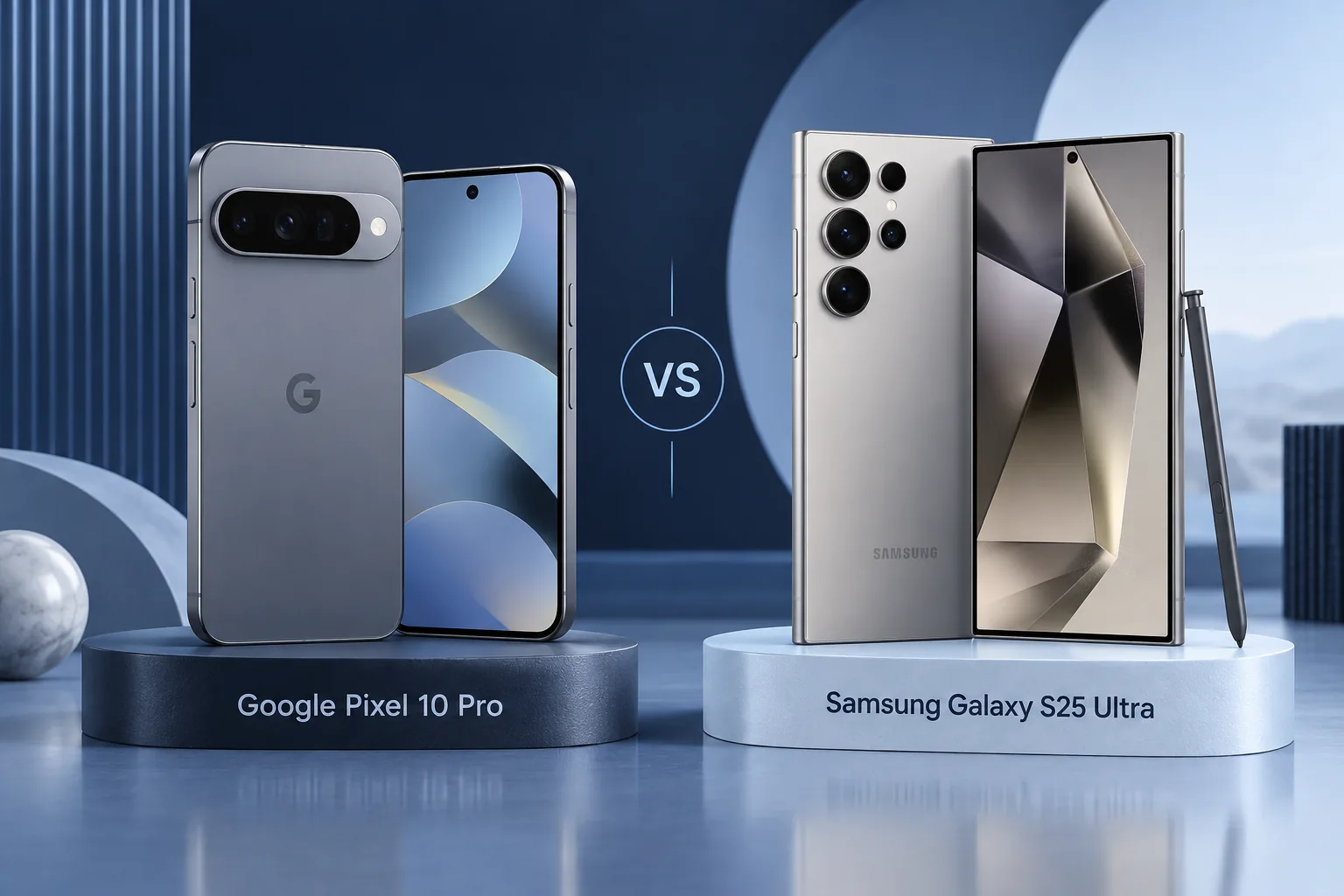
Quick Verdict
Choose Pixel 10 Pro for compact handling and Google’s software approach. Choose S25 Ultra for S Pen work, a larger display and more telephoto focal-length options. Neither is automatically the best Android phone for everyone.
How we compare →
Key Differences at a Glance
| Feature | Google Pixel 10 Pro | Samsung Galaxy S25 Ultra | What matters |
|---|---|---|---|
| Display | 6.3-inch LTPO OLED, 1–120Hz | 6.9-inch QHD+ AMOLED, 1–120Hz | Size and handling |
| Processor | Google Tensor G5 | Snapdragon 8 Elite for Galaxy | App and workload needs |
| Rear cameras | 50MP main, 48MP ultra wide and 48MP 5x telephoto | 200MP main, 50MP ultra wide; 3x and 5x telephotos | Capture requirements |
| Battery context | 4,870mAh typical; Qi2 magnetic charging | 5,000mAh typical | Claims, not our tests |
| Connector / data | USB-C | USB-C | Cable and workflow |
| Construction | Conventional slab; compact Pro size | Titanium frame; integrated S Pen | Protection and handling |
Battery and performance claims are manufacturer figures, not FixUpPhone measurements. Current selling prices may differ from launch prices.
Detailed Comparison
Design & Display
Pixel’s 6.3-inch screen contrasts with the Galaxy’s 6.9-inch. Try one-handed use and pocketing. The Ultra’s extra workspace is valuable only if you are comfortable carrying it.
Google Pixel 10 Pro
- 6.3-inch LTPO OLED, 1–120Hz
- Conventional slab; compact Pro size
Samsung Galaxy S25 Ultra
- 6.9-inch QHD+ AMOLED, 1–120Hz
- Titanium frame; integrated S Pen
Handling & ownership considerations
The Ultra buys significantly more screen area; the compact Pixel buys easier reach for some users. A student carrying a laptop may not need another large screen, while someone annotating documents may. Try your daily tasks before treating either size as objectively better.
Performance
Tensor G5 and Snapdragon 8 Elite for Galaxy have different priorities. Check the games, editing apps and long-running tasks you use. This guide does not invent benchmark results or sustained thermal measurements.
For games or long exports, look for sustained measurements in the same application. For office work, verify file handling and pen support. This article does not translate the processor brand into a benchmark result or declare every Tensor task slower than every Snapdragon task.
Camera Comparison
Pixel offers a 5x telephoto; Galaxy provides separate 3x and 5x options. Compare matched photos and preferred processing rather than ranking the phones by main-camera megapixels alone.
The Galaxy’s separate 3x camera adds a native framing option alongside 5x. The Pixel has its own 5x telephoto and processing approach. A preference for skin tones or moving subjects needs matched examples; a higher main-camera megapixel number is insufficient evidence.
Battery Life & Charging
Pixel lists 4,870mAh and Galaxy 5,000mAh typical capacity, but the larger Galaxy display and other hardware affect consumption. Capacity is not a controlled runtime comparison. Verify magnetic charging and case requirements separately.
A 130mAh nominal capacity difference cannot settle endurance between phones with different screens and platforms. Pixel’s built-in Qi2 arrangement also differs from magnetic cases sold for other phones. Confirm exact phone, case and charger compatibility before buying accessories.
Software & Features
Google and Samsung add different features to Android. Check update commitments from original launch and the current availability of AI tools in your language. The S Pen is a concrete Galaxy advantage if you use handwriting.
Both manufacturers publish long update commitments for these generations, measured from initial availability. Check Samsung’s current scope and Google’s policy directly. AI tools require separate eligibility checks and should not be assumed identical simply because both phones run Android.
Repairability & Ownership
Inspect the Ultra’s pen and every camera when buying used. On either phone, check display, charging and service records. Confirm local support for imported variants before purchase.
The S25 Ultra’s pen writes and supports on-screen tools, but its included pen lacks Bluetooth remote actions. Test handwriting rather than assume a remote shutter should work. For either used phone, inspect display, charging and all lenses during the return window.
Explore FixUp repair services or request an assessment before deciding.
Price & Value
Compare total price, storage, condition and support. A larger phone with a pen can be worth a premium for work, while a compact Pixel may be the better daily companion for someone who rarely uses those tools.
Pick the Pixel when compact Google-centric ownership matters most; pick the Ultra when the extra workspace and pen solve regular work. Paying for a feature that stays unused is not automatically good value, even if the seller advertises a substantial discount.
Official links may show current alternatives instead of older inventory. No live-price or used-stock feed is connected. Confirm exact model, storage, condition, region and return terms before ordering.
Pros & Cons: Google Pixel 10 Pro
Reasons to consider
- Compact Pro size
- Google software workflow
Trade-offs
- No integrated pen
- Less screen area
Pros & Cons: Samsung Galaxy S25 Ultra
Reasons to consider
- Integrated S Pen
- 3x and 5x cameras
Trade-offs
- Large carrying size
- Extra features may be unnecessary
Who Should Choose Google Pixel 10 Pro?
- Choose Pixel 10 Pro for compact Google-centric ownership.
- Compact Pro size
- Google software workflow
Who Should Choose Samsung Galaxy S25 Ultra?
- Choose S25 Ultra for handwriting and a large multi-camera workspace.
- Integrated S Pen
- 3x and 5x cameras
Ready to Buy?
Compare the exact model, storage, condition, return terms and complete price before ordering.
View Buying OptionsNo affiliate tracking links are currently used. Retailer stock and prices are not guaranteed.
Already Own One?
Describe the issue before deciding to replace your phone. Request mail-in or local repair help from FixUp.
Start Mail-In RepairSelect the mail-in optionMail-In Repair: How It Works
Device and issue2. Arrange shipping
Wait for instructions3. Assessment
Approve a quote4. Return
Agree return details
A request is not a confirmed appointment or prepaid shipping label. Confirm service eligibility, parts, cost, turnaround and return arrangements before shipping. Do not mail a swollen or damaged battery; contact the team for safe handling guidance.
Frequently Asked Questions
Which phone fits my needs?
Choose Pixel 10 Pro for compact Google-centric ownership. Choose S25 Ultra for handwriting and a large multi-camera workspace.
What camera difference should I check?
Pixel offers a 5x telephoto; Galaxy provides separate 3x and 5x options. Compare matched photos and preferred processing rather than ranking the phones by main-camera megapixels alone.
What software or feature limitation matters?
Both manufacturers publish long update commitments for these generations, measured from initial availability. Check Samsung’s current scope and Google’s policy directly. AI tools require separate eligibility checks and should not be assumed identical simply because both phones run Android.
Should I repair my current phone first?
Inspect the Ultra’s pen and every camera when buying used. On either phone, check display, charging and service records. Confirm local support for imported variants before purchase.
Are these hands-on scores or live affiliate deals?
No. This is source-based editorial analysis with original illustrative artwork. We have not measured these phones and do not publish numerical review scores. Current links are official manufacturer links without affiliate tracking; stock and prices must be checked at the destination.
Sources & Editorial Method
Documentation checked September 18, 2026. We compare published features and explain ownership trade-offs; no physical testing, measured benchmark, technician case history or numerical review rating is claimed. Images are original illustrations. Buying recommendations are editorial judgments, not guarantees of price, stock or repair outcome.
- Google Pixel 10 Pro specifications
- Samsung Galaxy S25 Ultra specifications
- Samsung: current security-update scope
- Samsung: pen compatibility and remote-function limits
- Google: current Pixel update policy
- Google: Pixel 11 Pro specifications
Questions or corrections? Contact FixUpPhone.