Google Pixel 10 Pro Overheating: Common Causes, Safe Fixes & Prevention
A Google Pixel 10 Pro that runs hot is usually protecting itself, not failing. Under sustained load it slows performance, dims the display, limits or pauses charging, and can shut down — designed behaviour. This guide works the causes in order — safety stops first, then safe cooling, then normal versus fault heat. Here, both charging paths make some warmth expected, wired and wireless; heat at rest, with no workload to explain it, is the signal. And because this phone launched in August 2025, whether a fault is a warranty claim now depends on when you bought it — check your date as you read.
ϟ Quick Expert Summary
Hot now — especially with swelling, a chemical smell or the phone shutting itself down? Stop, unplug it, stop using it, and get in-person help. Never charge a hot phone; never mail a hot or swollen phone. Otherwise: case off, cool gradually in shade. Warmth while charging — wired or wireless — is expected; heat at rest, or heat that follows one app, points elsewhere. And check your purchase date: bought at the August 2025 launch, your warranty year has ended; bought later, you are covered until your own anniversary — a defect may still be Google’s bill, not yours.
Source-based editorial guidance — not a price quote, hands-on repair report or case history.
✓ Usually Normal Warmth
- Warmth during 30W wired or Pixelsnap wireless charging
- Heat while gaming or recording long video
- Warmth during first setup, indexing or after an update
- Warmth while searching on a weak signal
× Warning Signs — Stop and Get Help
- Hot while idle, with no workload to explain it
- Heat with swelling or a chemical smell
- Heat with shutdowns it did not used to do
- Heat in one spot after a drop
30W
USB-C PPS charging — up to 55% in ~30 min
4,870 mAh
Typical capacity — “24+ hours” (Google)
$0
Pixel Care+ battery claims below 80% health
Quote
Google publishes no 10 Pro repair price
Cool it safely.
Then find the cause.
Protection, normal warmth and real danger — separated.
① Key Specifications
| Battery | 4,870 mAh typical (4,707 mAh minimum, per Google); not user-removable |
|---|---|
| Battery life | “24+ hours” (Google’s published claim); up to 100 hours with Extreme Battery Saver (Google) |
| Fast charge (wired) | 30W USB-C PPS — up to 55% in about 30 minutes with a 30W or higher USB-C PPS charger, sold separately (Google’s only published charge-time claim) |
| Wireless charging | Pixelsnap — Qi2-certified magnetic charging up to 15W, with built-in magnets |
| Display | 6.3-inch Super Actua LTPO OLED, 1280×2856 at 495 ppi, Smooth Display 1–120Hz, up to 2,200 nits (HDR) and 3,300 nits peak brightness |
| Fingerprint | Ultrasonic reader, under the display, plus Face Unlock |
| Chip | Google Tensor G5, with Titan M2 security coprocessor |
| Build | Polished-finish aluminum frame (“spacecraft-grade aluminum” in Google’s wording); Gorilla Glass Victus 2 front and silky matte Victus 2 back |
| Cameras | 50MP wide ƒ/1.68 with OIS; 48MP ultra-wide ƒ/1.7 with autofocus and Macro Focus; 48MP telephoto ƒ/2.8, 5x optical; 42MP front ƒ/2.2 with autofocus |
| Memory | 16GB RAM on every tier; 128GB / 256GB / 512GB / 1TB storage; no microSD slot |
| Temperature sensor | Present — an infrared thermometer in the camera bar, working with Google’s Thermometer app to measure external objects and body temperature. It does not read the phone’s own internal temperature |
| Water resistance | IP68 (1.5 m / 30 min, lab conditions); liquid damage is not covered by the warranty |
| Connectivity | USB-C (USB 3.2); Wi-Fi 7 tri-band; Bluetooth 6.0; NFC; UWB; Thread; US model is eSIM-only |
| Software | Android 16 at launch; seven years of OS, security and Pixel Drop updates |
| Size & weight | 152.8 × 72 × 8.6 mm; 207 g |
| US list prices | $999 (128GB) / $1,099 (256GB) / $1,219 (512GB) / $1,449 (1TB) at launch — still sold new by Google at reduced prices |
| Release date | Announced August 20, 2025; on sale in the US August 28, 2025 |
Google Store US — Pixel 10 Pro Technical Specs
Note what is not in this table: Google publishes no operating-temperature range for this model in the specifications checked, so no threshold is quoted anywhere in this guide. The thermometer in the camera bar is real — but it measures objects and bodies, not the phone’s own internals. Judge heat by behaviour, not by an invented number.
② FixUpPhone Expert Analysis
Practical analysis based on Google’s published specifications, service terms and coverage terms, plus FixUpPhone’s published service information.
Safety stops first — before any troubleshooting
Three presentations end the troubleshooting: the phone is hot and swollen — a back panel lifting or bowing; any chemical smell; or the phone is shutting itself down. In every case: stop using it, unplug it, and do not charge it — a hot phone must never be charged. Do not press a lifting panel back down. Keep it cool, away from anything flammable, and get in-person help. A hot or swollen phone must never be mailed.
Designed to protect itself — read the behaviour, not a number
That protection is designed behaviour: under sustained load the phone slows performance, dims the display and limits or pauses charging, then shuts down if the heat persists. Google publishes no operating-temperature range for this model in the specifications checked, so no threshold is stated here. One point needs care, because this model is easy to misread: it does carry a temperature sensor, set into the camera bar, working with Google’s Thermometer app — but that sensor is an infrared thermometer for the world outside the phone, measuring objects and body temperature. Nothing in Google’s materials presents it as a readout of the phone’s own internal temperature, and it cannot tell you how hot the phone itself is running. Behaviour is still the instrument you have.
The safe way to cool a hot phone
Work the ladder in order. One: case off — cases trap warmth. Two: move it into shade or a cool room to cool gradually. Three: stop the workload — close the game, recording or navigation driving it. Four: try Airplane Mode; if heat fades with the radios off, signal searching was part of the cause. Five: once cooled, restart it. Six: install any waiting software update, then watch the pattern for a day. Never use a fridge, freezer, ice or cold water: rapid chilling risks condensation inside a sealed phone, and an IP68 rating is not an invitation to dunk a hot phone.
Normal heat one: setup, indexing and updates
A newly set-up, restored or freshly updated phone does one-time background work — photo indexing, search rebuilds, account syncing — and can run warm and drain faster for a day or two. Warmth still present a week later has earned the checks below.
Normal heat two: charging — 30W wired and Pixelsnap wireless
Heat is a by-product of charging on both of this phone’s paths. Wired, Google publishes one charge-time claim: up to 55% in about 30 minutes with a 30W or higher USB-C PPS charger. Wireless, Pixelsnap delivers up to 15W magnetically — and wireless charging of any kind runs warm; a phone sitting slightly off-centre on the magnetic puck wastes more energy as heat, so alignment matters. Warmth during either charge that fades after unplugging is expected. Heat that persists long after charging ends is a different pattern, covered below.
Normal heat three: camera, 8K video, gaming and the bright display
Long video sessions — the rear cameras record up to 8K — demanding games, video calls and navigation hold the Tensor G5, the display and the radios at full effort. Outdoors, the 6.3-inch Super Actua display driving toward its 3,300-nit peak in sunlight adds its own heat on top. Stacking a heavy session on a charge stacks the heat too. Warmth during a long session that cools afterwards is workload, not damage.
Normal heat four: weak signal and the hot car
In fringe coverage the radios work harder — 5G searching on a weak signal means steady warmth plus drain, a pattern by place rather than by app. The Airplane Mode step exposes it: heat fading with the radios off was radio effort. The other everyday cause is environment: direct sun, a dashboard mount, a parked car. Move it, shade it, let it cool.
Fault heat one: hot while idle, or hot after one app
Two patterns are not normal: heat with no workload — hot while idle, unused, unplugged, in a cool room — and heat following a single app. Name it with evidence: the battery-usage statistics in Settings → Battery record which apps spent the power. An app near the top, using far beyond your time in it, is the culprit — update it, restrict its background activity, or remove it. The drain side of this same evidence — heat arriving with a battery that empties too fast — is the same fault wearing a second symptom, and it is worth ruling out alongside this one.
Fault heat two: battery health — and your warranty position
Have battery condition checked early — on a phone that has been charging daily since 2025, a wearing cell is a realistic suspect, not a last resort. A worn or defective cell can show as heat at rest, heat with fast drain, or heat with shutdowns. For Pixel Care+ holders, Google makes the measurement concrete: a battery that holds below 80% of its original capacity is a $0 claim under the plan. Then comes the warranty question — and on this model it turns on your purchase date. Google’s warranty runs one year from purchase: if you bought at the August 2025 launch, your year ended in August 2026 and defect heat is now a priced conversation; if you bought later, you are covered until your own first anniversary, and defect-pattern heat — hot at rest, throttling or shutting down without load — is a warranty conversation with Google first, not a paid repair. Pixel Care+ enrolment is open at purchase or within 60 days for new buyers — but the one-off open enrolment for existing owners closed on August 2, 2026, and a plan bought now covers new accidental damage, not a fault that already exists.
Hardware escalation signs — and prevention
Book a diagnosis for: heat returning while idle with no workload; heat with swelling or a chemical smell (a safety stop — in person, never by mail); heat with shutdowns; or heat localised in one spot after a drop. Prevention reads the ladder backwards: charge in shade, case off for long charges, centre the phone on the Pixelsnap puck; never leave the phone in a parked car; avoid stacking charging, gaming, recording and navigating in heat.
Questions to ask before you approve
- What did the diagnosis find — environment, an app, the battery, or deeper hardware?
- Did you run a battery health check, and what capacity did it show?
- Any sign of swelling, or damage from a drop or liquid?
- What is included in the quote — parts, labour, seals, tax?
- Given my purchase date, is this a defect my warranty should still cover — and could Pixel Care+ cover it instead?
③ Pros & Cons: Troubleshooting First vs Booking Straight In
✓ Reasons to Troubleshoot First
- Most heat here is environmental or workload-based and free to fix
- Safe cooling protects the battery while you diagnose
- The usage statistics name a problem app with evidence
- An early health check answers the biggest question
× Reasons to Book In Immediately
- Swelling, a chemical smell or shutdowns — in person, straight away
- Heat at rest with fast drain points at the cell or board
- Heat localised after a drop suggests internal damage
- A battery already below the health threshold will not recover on its own
Overheating With a Hardware Cause? Check the Published Prices
Troubleshooting is free — and most heat needs no part at all. Google publishes no price for this model for any repair: no overheating fee, no battery price, not even a screen price. A hardware outcome is estimated inside Google’s repair flow after diagnosis. Whether it is also a warranty claim depends on when you bought the phone.
| Your route | Published price | What it means |
|---|---|---|
| Google — defect under warranty | Covered, in term | Google’s warranty runs one year from your purchase date. Launch buyers’ year ended in August 2026; later buyers are covered until their own anniversary. Defect-pattern heat inside your year is a warranty claim first, not a paid repair. Accidental and liquid damage are never defects. |
| Google — battery, with Pixel Care+ | $0 deductible | For plan holders: a battery that holds below 80% of its original capacity is a $0 claim, and accidental-damage claims under the plan are unlimited. |
| Google — overheating outcome, no cover | Estimated in the repair flow | No published price exists for this model; the estimate is generated per model and issue. Walk-in repairs run through authorised centres — 700+ uBreakiFix locations and Google stores, often same-day per Google — and Google mail-in takes 7–10 business days. Repairs under Google’s Service & Repair Program carry a 90-day warranty. |
| Pixel Care+ — plan prices | $13/mo or $239 | Two-year plan price; with Loss and Theft, $15/mo or $279. Other-damage deductible $99. Enrolment is open at purchase or within 60 days — the one-off open enrolment for existing owners closed August 2, 2026. |
| DIY — genuine battery part | $49.99, part only | If the battery is the cause and you are equipped for a sealed-phone repair: iFixit’s US listing for the genuine battery (model GLE28) was $49.99 when checked in October 2026. That is a part price — no labour or service — part prices move, and it is not a Google or repair-shop price. |
| FixUpPhone — heat diagnosis | Quote after diagnosis | No fixed price is published for heat faults; work proceeds only after you approve the quote. |
Google’s authorised repair network, service terms and Care+ cover
Request a diagnosis and an assessed quote
Google terms checked October 15, 2026; the iFixit part price was checked in October 2026. Prices and terms can change. No Google or iFixit figure is a FixUpPhone price.
④ Repairability & Common Repair Needs
Battery condition is checked early
When heat is a hardware fault here, the battery is checked first — capacity measured, not guessed. The result belongs in writing on any quote.
Localised heat after a drop matters
Heat concentrated in one area after a drop can point to internal damage. Report the drop and where the heat sits — it changes the inspection.
Document the pattern before you book
Note when it gets hot — charging, filming, idle, in the car — plus case use and the usage statistics. That record speeds up any diagnosis.
Pixel Care+ cover and terms · Request a FixUpPhone diagnosis
Possible causes and service considerations, not claims of a model-wide defect. Back up before any repair. If the phone is hot and swollen, smells chemical, or is shutting itself down, stop using and charging it and get in-person help — never ship it by mail.
Pixel 10 Pro Running Hot?
Tell FixUpPhone when it heats up and what you were doing.
- Hot while charging, gaming, recording or sitting idle
- Charging paused or slowed, or shutdowns
- Heat with fast drain, or heat following one app
- Heat in one spot after a drop
- Any swelling or chemical smell — come in, do not mail
An online booking is a request; the team confirms the next step with you.
Mail-In Repair Service
Start with the repair request form and choose Mail-In Repair. You pay to ship the phone to FixUpPhone; FixUpPhone pays the return shipping. Do not send the device until the receiving store and shipping instructions have been confirmed. Back up first, and flag liquid damage, overheating or a damaged battery before shipping — overheating must be flagged. Never mail a phone that is hot or swollen — that needs in-person help.
Start Mail-In Repair → Prefer to visit? Find a repair location →Visit a FixUpPhone Store
Lynwood, CA · 3100 E Imperial Hwy, Store M1002, Lynwood, CA 90262 · Every day 11 AM–8 PM · (805) 857-4225
Santa Barbara, CA · 619 A State St, Santa Barbara, CA 93101 · Mon–Fri 11 AM–8 PM; Sat 10 AM–8 PM; Sun 12 PM–7 PM · (805) 857-4226
Las Vegas, NV · 875 S Grand Central Pkwy, Unit TT32, Las Vegas, NV 89106 · Mon–Sat 10 AM–8 PM; Sun 10 AM–7 PM · (818) 482-3605
How It Works
- BookSubmit the model, store or mail-in choice, and heat notes.
- DiagnoseThe team checks battery condition, charging path and software.
- ApproveReview the finding and quote before authorising work.
- RepairRepairs generally take 1–7 days, plus shipping time for mail-in.
- Collect or ReturnCollect in store or receive the return; repairs include a 3-month warranty.
⑤ Should You Repair It — or Keep Troubleshooting?
Use the pattern, not the panic. Heat that tracks a task and cools afterwards is behaviour, not damage. Heat surviving safe cooling has earned a diagnosis — and on this model, your purchase date decides whether warranty or Pixel Care+ comes before any paid route.
| Pattern | Right move | Why |
|---|---|---|
| Warm while charging, gaming or filming; cools after | Nothing — normal behaviour | Heat follows work and ends with it. |
| Heat traced to sun, car, case or weak signal | Change the environment | Shade, a cool room, case off, puck centred. |
| Hot after one app, named in the usage statistics | Update, restrict or remove the app | Software heat survives a hardware repair unchanged. |
| Hot at rest, with fast drain, shutdowns, or localised after a drop | Book a diagnosis — cover first | Inside your warranty year, a defect is Google’s claim; holding Pixel Care+, a failed health check is a $0 battery claim. Paid routes come after cover. |
| Swelling, chemical smell, or shutting itself down | Stop. Do not charge. In-person help | A possible battery failure. Never mail it. |
Heat plus other major damage? Judge the combined total with the repair-or-replace framework.
Request a trade-in assessment →⑥ Alternatives & Comparison
What a replacement involves on this model, the Care+ health rule and when it is worth it.
Explore option →Work the cable, adapter, puck alignment and port side of charging heat before blaming the battery.
Explore option →The same heat ladder for the Pixel 11 Pro — with its own specifications, prices and cover position; carry nothing back from it to this phone.
Explore option →⑦ Accessories We Recommend
Google’s published charge claim needs a 30W or higher PPS adapter and a sound cable. Worn gear is a false suspect — rule it out first.
Cases trap warmth; a slim case that pops off for long charges lets heat escape — the cheapest prevention there is.
Navigation in a sunny car is the classic heat scenario; a shaded mount in the airflow prevents it.
Check the exact product specifications and compatibility before ordering.
⑧ Frequently Asked Questions
Is it normal for my Pixel 10 Pro to get warm while charging?
Yes, on both paths. Wired, Google’s published claim — up to 55% in about 30 minutes with a 30W or higher PPS charger — describes a charge that generates warmth; wireless Pixelsnap charging runs warm too, and more so when the phone sits off-centre on the puck. Warmth fading after unplugging is normal. Too hot to hold: unplug, case off, cool in shade.
How hot is too hot for the Pixel 10 Pro?
Judge by behaviour, not a number: Google publishes no operating-temperature range for this model in the specifications checked. The temperature sensor in the camera bar is a thermometer for external objects and body temperature — it does not read the phone’s own internal temperature, so it cannot answer this question either. Under sustained heat the phone protects itself — slowing down, dimming, limiting charging, shutting down if needed. Heat at rest, or heat with swelling or a smell, needs help.
Can I cool a hot Pixel 10 Pro in the fridge, freezer or with ice?
No — never. Rapid chilling risks condensation inside a sealed phone. Unplug it, case off, stop the workload, and let it cool gradually in shade. The IP68 laboratory rating is not a cooling method.
Why does my Pixel 10 Pro get hot when I am not using it?
Something is working without you: indexing, one app running hard, or radios straining on a weak signal. Restart once cooled, then check Settings → Battery; daily idle heat deserves a diagnosis, with the battery a prime suspect on a phone of this age — and whether it is a warranty claim depends on your purchase date.
How do I find which app is making my phone hot?
Open Settings → Battery: the battery-usage statistics show which apps spent the power since the last full charge. An app near the top, using far more than your time in it explains, is the suspect — update it, restrict its background activity, or remove it.
What are the signs of a swollen Pixel 10 Pro battery?
A back panel lifting or bowing, or a phone that no longer sits flat — sometimes with heat in one spot or a chemical smell. Stop using and charging it, do not press the panel down, and get in-person help. Never mail a swollen phone.
How much does it cost to fix an overheating Pixel 10 Pro?
There is no Google overheating fee — and no published Google price for any repair on this model. Environmental and app causes cost nothing. Inside your warranty year, a defect is covered in term; for Pixel Care+ holders, a battery below 80% health is a $0 claim. Without cover, Google estimates inside its repair flow, and FixUpPhone quotes after diagnosis.
Can I mail my overheating Pixel 10 Pro to FixUpPhone?
Only if cool and unswollen: choose Mail-In Repair in a repair request, flag the overheating, and wait for confirmed instructions. You pay inbound shipping; FixUpPhone pays the return. A hot or swollen phone must never be mailed.
Sources & Editorial Notes
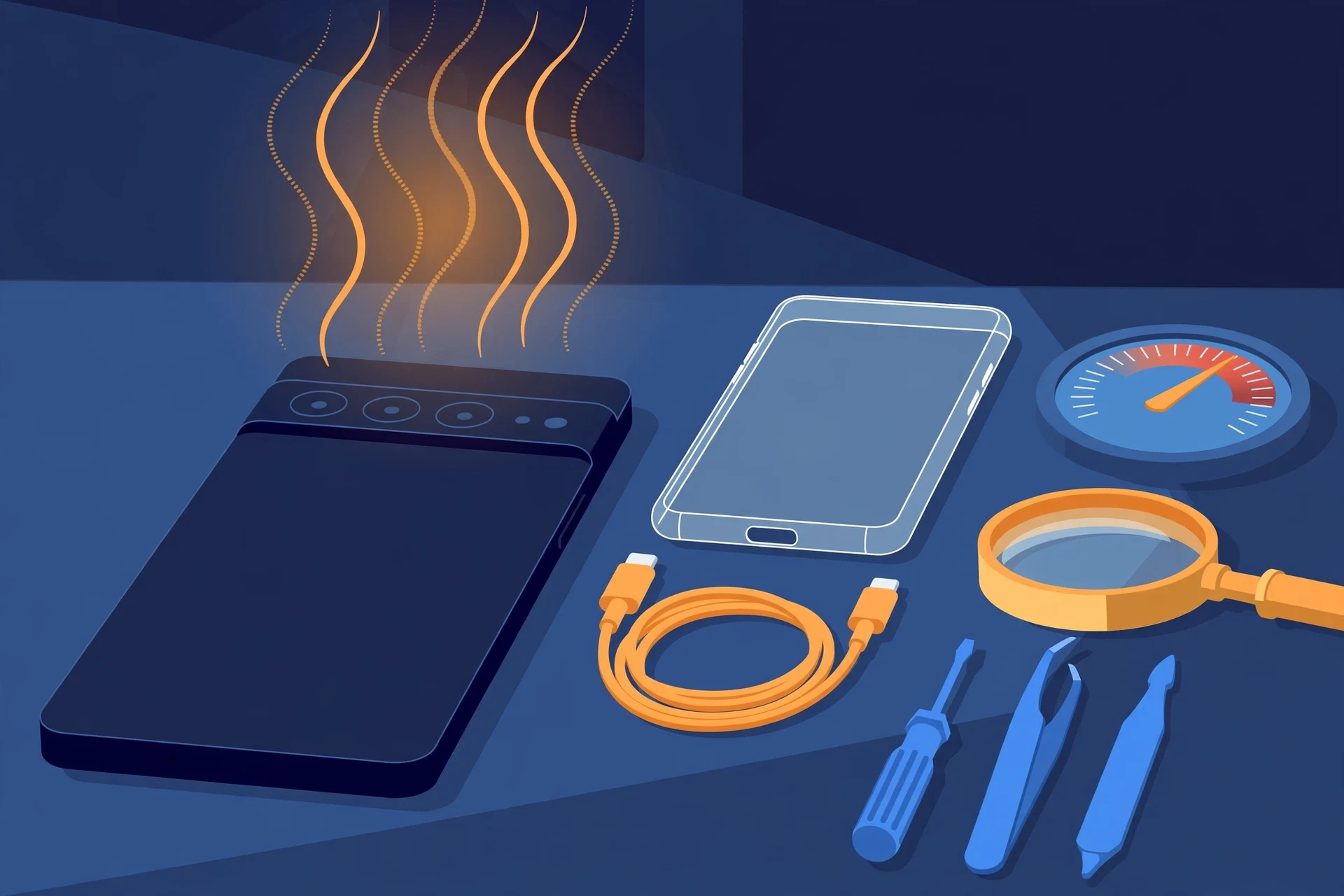
Prepared by FixUpPhone Editorial. Documentation checked October 15, 2026. Google specifications, service terms and coverage terms are distinguished from FixUpPhone’s assessed process. No hands-on repair, case history, customer experience, measured test result or fixed FixUpPhone price is claimed. The artwork is an original illustration. Google is not affiliated with FixUpPhone.
- Google Store US — Pixel 10 Pro Technical Specs (polished spacecraft-grade aluminum frame; Victus 2 front and back; IP68; 4,870 mAh typical / 4,707 mAh minimum; 30W charging with the 55%-in-30-minutes claim; Pixelsnap up to 15W; “24+ hour” battery life and up-to-100-hour Extreme Battery Saver; a temperature sensor in the sensors list; US eSIM-only; seven years of OS, security and Pixel Drop updates; no operating-temperature range listed)
- Google Store — Pixel 10 Pro Temperature Sensor and App (the infrared sensor beside the camera and the Thermometer app measure external objects and body temperature)
- Google Store US — Pixel Care+ (plan prices $13/mo or $239 for two years; with Loss and Theft $15/mo or $279; deductibles $0 screen including back glass, $0 battery below 80% health, $0 post-warranty malfunctions, $99 other damage, $149 loss and theft; enrolment within 60 days; Loss and Theft not available in New York)
- Google Support — Find an authorized repair partner for your Pixel phone (authorised walk-in network of 700+ uBreakiFix locations and Google stores; mail-in 7–10 business days; 90-day repair warranty under Google’s Service & Repair Program terms)
- iFixit — Google Pixel 10 Pro Battery, Genuine (genuine battery part, model GLE28, listed at $49.99 on the US store when checked in October 2026 — a part-only price, not a repair price)
- GSMArena — Google Pixel 10 Pro full specifications (specification corroboration)
- FixUpPhone — Phone Repair Services and Mail-In Phone Repair, checked October 15, 2026
- FixUpPhone — Locations, checked October 15, 2026
For corrections or device help, contact FixUpPhone.