Samsung Galaxy Z Fold 7 Not Charging: Troubleshooting Checklist & Repair Options
There is no published charging price for the Galaxy Z Fold 7 — Samsung lists no port or battery fee for this model, and FixUpPhone quotes only after diagnosis. That gap is usually good news: most “not charging” foldables are not broken at all. This checklist works the causes in the right order — charger and cable isolation, the wet-port warning, a safe look inside the port, and the wireless cross-check that separates a port fault from a battery fault — then covers the hardware signs that genuinely need a repair and what each route can and cannot quote you.
ϟ Quick Expert Summary
Work the checklist before you budget for a repair. Swap in a known-good 25W-class adapter and cable, and give a deeply drained phone at least 30 minutes before judging it. Never charge a wet port — let it dry on its own. Look inside the port with a torch: compacted lint is the classic find, and it needs a safe clean, not a part. Then cross-check wirelessly — this model charges at 15W and is Qi2 Ready, but it has no built-in magnets, so alignment runs through a magnetic case. If wireless works and wired does not, the fault sits in the cable-or-port path. Samsung publishes no port or battery price for this model, so any figure you are quoted before a diagnosis is a guess.
Source-based editorial guidance, not a FixUpPhone price quote, hands-on repair report or technician case history.
✓ Work the Checklist When
- You have only tried one cable or one adapter so far
- The phone charges slowly, or only at a certain angle
- Wireless charging works but wired charging does not
- The plug no longer sits flush in the port
× Stop and Get Help When
- The port smells burnt, or the plug or pins look scorched
- The phone is hot, swelling, or the frame is lifting — never charge it
- The port is wet — never force a wired charge
- A defect appears inside your own warranty year — claim first
25W
Wired charging ceiling
15W
Wireless, Qi2 Ready via case
4,400 mAh
Dual-cell battery, typical
Quote
FixUp price after diagnosis
Check first.
Pay for the right fix.
Chargers, moisture, lint and real port damage — separated.
① Key Specifications
| Connector | USB-C |
|---|---|
| USB and video | USB 3.2 speeds; Samsung DeX supported |
| Wired charging | 25W maximum (USB Power Delivery class); about 50% in around 30 minutes. Charger sold separately — none is included in the US box |
| Wireless charging | 15W, Qi2 Ready — no built-in magnets, so magnetic alignment requires a magnetic case |
| Reverse wireless | Wireless PowerShare, 4.5W |
| Battery | 4,400 mAh typical (4,272 mAh rated), two cells; not user-removable |
| Battery-life claim | Samsung’s comparison figure is 24 hours of video playback — a lab estimate; actual battery life varies |
| Construction | Advanced Armor Aluminum frame; Gorilla Glass Ceramic 2 cover screen; Gorilla Glass Victus 2 back. The inner display’s surface is a factory-applied plastic protector over the folding panel — never treat it like the cover glass |
| Resistance | IP48: protection against solid particles larger than 1 mm, and submersion in up to 5 feet of fresh water for up to 30 minutes when new. It is not a dust-tight or waterproof rating |
| US launch price | From $1,999.99 (256GB), July 25, 2025 |
GSMArena full specifications · Samsung US product page
The single USB-C port carries charging, data and DeX. That is why a faulty port can appear as a charging problem, a data problem — or both.
② FixUpPhone Expert Analysis
Practical troubleshooting and repair-cost analysis based on Samsung’s published specifications, service terms and coverage structure, plus FixUpPhone’s published service information.
Start with the symptom — and your purchase date
“Not charging” covers several different faults, and the checklist below separates them. One framing note before you start: the standard warranty runs for one year from your own purchase date. This model went on sale in the US on July 25, 2025, so launch buyers are now outside that year, while a recent buyer may still be inside theirs. A charging fault that is a defect is a warranty claim inside that year; damage, liquid and wear are not defects, whoever you bought the phone from.
Rung one: isolate the charger, the cable and the socket
More charging complaints end at the cable than at the phone. Test with a known-good USB-C cable and a known-good adapter of the 25W class — ideally a set that charges another device properly — and try a second wall socket. Remember that no charger came in the US box, so the adapter in your drawer may be an old low-power one: this phone’s wired ceiling is 25W, and on a weaker adapter it will charge slowly without anything being broken. Judged against the right yardstick, a healthy phone reaches about 50% in around 30 minutes on a suitable adapter. And if the battery has run completely flat, leave it on the known-good charger for at least 30 minutes before concluding anything — a deeply drained phone can sit dark for a while before it responds.
Rung two: never charge a wet port
If the phone has been near water, stop. Moisture in the port means the port dries first: unplug, leave the phone somewhere ventilated, and let it dry on its own. Do not use a heat gun or a hair dryer, and do not blast compressed air at the port or hinge area — heat damages seals and screens, and forced air can drive moisture and grit deeper into a foldable. The IP48 rating is narrower than it sounds: the “4” only keeps out solid particles larger than 1 mm, and the water figure is a new-phone laboratory test (up to 5 feet of fresh water for up to 30 minutes). Liquid damage is not covered by the standard warranty, and corrosion can make a port fail weeks after the wetting — tell any repairer about liquid exposure up front.
Rung three: look inside the port — and clean safely, or not at all
With the phone off, shine a torch into the port. Compacted pocket lint is the classic find: it packs behind the connector, stops the plug seating fully, and produces the “charges only at an angle” symptom. On a foldable, check the hinge area for grit at the same time — fine dust and sand get past the IP48 “4” rating by design, and debris around the fold is a reason to be gentle, not forceful. If you clean the port yourself, use only a soft, non-metal tool and a light touch. Never use metal picks, pins or SIM tools: bent or shorted pins turn a free clean into a real repair. No liquids, and no compressed air. If the plug still will not seat, stop — a professional clean under magnification is the next step, not more force.
Rung four: the wireless cross-check
This model charges wirelessly at 15W and is Qi2 Ready — but it has no built-in magnets, so magnetic snap alignment only happens through a magnetic case. Set the phone on a known-good wireless charger, in its magnetic case if you use one, and centre it carefully: on this model, a wireless “failure” is very often an alignment or case problem, not a dead coil. If wireless charging works and wired does not, the battery and charging system are broadly healthy and the fault sits in the cable-or-port path. If neither works, think beyond the port — battery or charging circuit — and book a diagnosis. One drain note: Wireless PowerShare (4.5W reverse charging) is for topping up accessories, not a way to charge the phone; if it has been left on, switch it off while you diagnose, because it only drains the battery you are trying to fill.
Rung five: heat, settings and software
A phone that pauses or slows charging when it is hot is protecting itself — that behaviour is a feature, not a fault. Let it cool away from direct sun and try again before treating heat-paused charging as a failure. Then work the software basics: restart the phone, install any pending software update, and check whether a battery-protection or charging-limit setting you enabled is capping the charge. If the fault survives all of that, a factory reset is the last software step — and be honest about its cost: it erases the phone, and a phone that will not charge may not be able to complete a backup first.
Rung six: the hardware signs — and the routes from there
Real port damage has signatures: the plug sits loose or falls out, charging connects and disconnects as the cable moves, or the pins look bent, green with corrosion or scorched. A burnt smell means stop — unplug and do not charge the phone again until it has been assessed. The same red line applies to a hot or swelling phone: on a foldable, a swelling dual-cell battery can stress the folding panel, so never charge it, never mail it, and get in-person help. The battery itself is two cells (4,400 mAh typical, 4,272 mAh rated), so a battery fault is a service job, never a home swap. For the port, iFixit’s teardown notes the USB-C port assembly is comparatively modular — a repairability observation, not a price. Your routes: a defect inside your warranty year goes to Samsung; accidental damage is a Samsung Care+ claim if you hold the plan; and an independent repair is quoted after diagnosis, because Samsung publishes no port or battery price to compare against in advance.
Questions to ask before you approve
- Did you test with a known-good 25W-class charger and cable first?
- Would a professional clean fix it, or does the port need replacement?
- Does wireless charging work? That answer changes the diagnosis.
- What exactly is included in the quote — parts, labour, seals, tax?
- Will wired charging, data transfer and DeX be tested afterwards?
- What warranty covers the part and labour?
- Could warranty or Care+ cover this more cheaply?
③ Pros & Cons: Independent Repair vs Samsung’s Routes
✓ Reasons for an Assessed Independent Repair
- Diagnosis first — you may only need a clean, not a part
- Priced as the diagnosed job, since Samsung publishes no port or battery fee to anchor to
- Keeps a $1,999 phone whose only fault is one connector or cell set
- Available locally in CA or NV, or through mail-in service
× Reasons to Use Samsung Instead
- A defect inside your own warranty year is Samsung’s to fix — claim it first
- Care+ active? Accidental charging damage is a plan claim, not an out-of-pocket repair
- Foldable screen work is mail-in only at Samsung; combined damage may suit one route
- Any opening of the phone breaks the factory seal, whoever does it
Not Charging Repair Cost? Check the Published Prices
Samsung publishes no charging-port or battery price for this model, and no catch-all damage tier — so the honest table is the routes and what each can actually quote. Samsung’s only static US prices for this model are its screen prices, shown for scale and always labelled as screen prices. Samsung inspects the device before confirming any service quote; taxes and fees may apply.
| Your route | Published price | What it means |
|---|---|---|
| Samsung — charging port repair | No published price | Samsung lists no port fee for this model. The price is quoted through its service flow after assessment — anyone quoting a Samsung port figure in advance is guessing. |
| Samsung — battery replacement | No published price | The same position for the dual-cell battery: quoted after assessment. No static US battery price exists for this model. |
| Samsung — defective charging fault, inside your warranty year | Covered | A port or battery that fails as a defect is handled under the one-year warranty, which runs from your purchase date. Damage, liquid and wear are not defects. |
| Samsung Care+ — accidental charging damage | Plan claim | Accidental damage is claimed under the plan; Samsung prints no port claim fee, and its published $29 screen and back-glass claim fees are not charging prices. Battery repairs under the plan are gated on a diagnostics test confirming 79% or less capacity. Plan pricing is reported at $13 per month or $269 for a 24-month term (secondary reporting — Samsung’s own pages print the claim fees, not the per-model plan price). |
| For scale — Samsung’s published screen prices | $449 / $139 / $589 | Inner screen repair $449; outer screen repair $139; inner screen module replacement (screen, frame and battery together) $589. These are screen prices, not charging prices — they show the only static figures Samsung publishes for this model. |
| FixUpPhone — diagnosis and charging repair | Quote after diagnosis | No fixed price is published. A clean, a port repair or a battery finding are different jobs; the quote is confirmed first, and work proceeds only after you approve it. |
| DIY cleaning | Proceed with care | Non-metal tools only, no liquids, no compressed air. If debris will not shift gently, stop — a professional clean is cheaper than a damaged port. |
Check Samsung’s current service routes, Care+ terms and published screen prices
Request a diagnosis and an assessed quote for your exact phone
Samsung positions checked October 16, 2026. Prices and terms can change. No figure above is a FixUpPhone price.
④ Repairability & Common Repair Needs
Lint and debris first
A plug that will not sit flush, or charging that drops when the phone moves, is very often packed lint — with grit around the hinge as the foldable extra. Professional cleaning under magnification clears it without risking the pins, and it is the cheapest outcome on this page.
Worn or damaged pins
Years of insertions, a yanked cable, or corrosion after liquid exposure can bend or pit the contacts. Symptoms: charging only at one angle, accessories connecting and disconnecting, or data and DeX dropping while charging still works. Pin damage is real port damage and points to replacement, not cleaning.
Document the diagnosis
Whoever you use, ask for the finding in writing: clean, port replacement, battery, or a fault elsewhere in the charging path — and keep your own checklist notes with it. A clear record protects you from paying for a port when the battery was the problem, and from paying twice.
Samsung service information · Request a FixUpPhone diagnosis
These are possible causes and service considerations, not claims of a model-wide defect. Back up before any repair where the phone still charges. Never charge a wet, hot or swollen phone, and never mail one; flag liquid exposure, overheating or battery damage in any repair request.
Charging Problems With Your Galaxy Z Fold 7?
Tell FixUpPhone what the phone is doing and choose a local store or a mail-in enquiry.
- No charging by cable, but wireless works
- Plug sits loose or charges only at an angle
- Charging stopped after liquid exposure
- Very slow charging on every adapter you own
- Port looks damaged, corroded or scorched
An online booking is a request; the team confirms the next step with you.
Mail-In Repair Service
Start with the repair request form and choose Mail-In Repair. You pay to ship the phone to FixUpPhone; FixUpPhone pays the return shipping. Do not send the device until the receiving store and shipping instructions have been confirmed — and never mail a hot or swollen phone.
Start Mail-In Repair →Back up first where possible. Say which chargers you tested and whether wireless charging works — it speeds up the diagnosis. Questions: support@fixupphone.com.
Prefer to visit? Find a repair location →Visit a FixUpPhone Store
Lynwood, CA · 3100 E Imperial Hwy, Store M1002, Lynwood, CA 90262 · Every day 11 AM–8 PM · (805) 857-4225
Santa Barbara, CA · 619 A State St, Santa Barbara, CA 93101 · Mon–Fri 11 AM–8 PM; Sat 10 AM–8 PM; Sun 12 PM–7 PM · (805) 857-4226
Las Vegas, NV · 875 S Grand Central Pkwy, Unit TT32, Las Vegas, NV 89106 · Mon–Sat 10 AM–8 PM; Sun 10 AM–7 PM · (818) 482-3605
How It Works
- BookSubmit the model, store or mail-in choice, and symptoms for review.
- DiagnoseThe team rules out chargers and debris, then tests the port, wireless path and battery.
- ApproveReview the finding and confirmed quote before authorising work.
- RepairThe general repair timeframe is 1–7 days, plus shipping time for mail-in.
- Collect or ReturnCollect in store or receive the mail-in return; repairs include a 3-month warranty.
⑤ Should You Repair It?
Follow the checklist to its end. If a cable swap fixes it, the correct spend was the price of a cable. If a clean fixes it, you needed a service, not a part. Only the last rung — a genuinely damaged port or a failed battery — is a repair decision, and there the honest comparison is an assessed quote against the value of a phone that launched from $1,999.99, because Samsung publishes no port or battery figure to compare in advance.
| Diagnosis | Right move | Why |
|---|---|---|
| Worn cable or weak adapter | Replace the accessory | The phone was never faulty. Test before you book anything. |
| Lint or debris in the port | Professional clean | No part required; metal probing at home risks creating real damage. |
| Defect inside your warranty year | Samsung warranty claim | The year runs from your purchase date — a defect is covered, whoever assesses it. |
| Accidental damage, Care+ active | Samsung Care+ claim | The plan exists for exactly this; note Samsung prints no port claim fee, so confirm the claim terms when you file. |
| Port or battery fault, no cover | Assessed independent repair | Compare a job-specific quote with replacement, using the repair-or-replace framework. |
| Hot, swollen or scorched | Stop — in-person help only | A battery-safety case: never charge it, never mail it. |
⑥ Alternatives & Comparison
15W wireless charging through a magnetic case keeps the phone usable while you arrange a diagnosis — a workaround, not a fix.
Explore option →The dedicated port guide covers port symptoms, what a port job involves, and the same published-price position in depth.
Explore option →If the phone charges but will not hold it, the battery guide separates a worn dual-cell pack from a charging fault.
Explore option →⑦ Accessories We Recommend
No charger came in the box, and the adapter is the highest-wear part of the chain. A certified 25W-class USB Power Delivery adapter with a sound cable removes the most common false alarm — and is the only way to see this phone’s full wired speed.
This phone has no built-in magnets, so a Qi2-style magnetic case is what makes 15W wireless charging align properly. It is also your best diagnostic tool: it separates port faults from battery faults in one test.
Fine dust and sand pass this model’s IP48 rating by design, and debris near the fold is a genuine risk. A well-fitting case reduces what reaches the hinge and port — cheap prevention for the most common “faults”.
Check the exact product specifications and compatibility before ordering.
⑧ Frequently Asked Questions
How much does it cost to fix a Galaxy Z Fold 7 that will not charge?
There is no published figure to quote: Samsung lists no charging-port or battery price for this model, so both Samsung and independent shops price the job after assessment. FixUpPhone quotes after diagnosis — and if the cause is a cable, lint or a wet port, no part is needed at all.
Why is my Galaxy Z Fold 7 charging so slowly?
Usually the adapter. This phone’s wired ceiling is 25W, no charger came in the box, and older low-power adapters charge it slowly without anything being broken. On a suitable 25W-class adapter, a healthy phone reaches about 50% in around 30 minutes. It never charges above that ceiling — higher wattage figures belong to other Galaxy models.
Can I charge the phone if the port got wet?
No. Unplug it and let the port dry fully on its own — no heat, no compressed air, nothing inserted. The IP48 rating covers submersion in up to 5 feet of fresh water for up to 30 minutes on a new phone; it is not a promise that a wet port can be charged, and liquid damage is not covered by the standard warranty.
How do I clean the charging port safely?
Phone off, torch on, and only a soft non-metal tool with a light touch. Never metal picks, pins or SIM tools, no liquids, and no compressed air — and be just as gentle around the hinge, where grit collects. If debris will not shift easily, stop and have it cleaned professionally under magnification.
Wireless charging works but wired does not. What does that mean?
The battery and main charging system are probably healthy, and the fault sits in the cable-or-port path. First re-check alignment: this model has no built-in magnets, so wireless runs through a magnetic case, and a misaligned phone can fake a wireless fault too. Then swap the cable once more, and book a port diagnosis if wired charging still fails.
Does the Galaxy Z Fold 7 have built-in magnets for wireless charging?
No. It is Qi2 Ready, which means magnetic snap alignment happens through a magnetic case, not the phone itself. Without that case, expect to centre the phone on the charger by hand — and expect occasional misalignment to look like a charging fault.
Is a charging fault covered by the warranty or Samsung Care+?
A defect is covered by the one-year warranty, which runs from your own purchase date — launch buyers (July 2025) are outside theirs, recent buyers may not be. Accidental damage is a Care+ claim if you hold the plan; Samsung prints no port claim fee, and battery repairs under the plan require a diagnostics test confirming 79% or less capacity. Liquid damage is never a standard-warranty claim.
Can I mail my Galaxy Z Fold 7 to FixUpPhone for a charging repair?
Yes — start a repair request, choose Mail-In Repair, and do not post the phone until the receiving store and instructions are confirmed. You pay inbound shipping and FixUpPhone pays the return. Back up first where the phone still charges, and mention any liquid exposure in your request. Never mail a hot or swollen phone.
Sources & Editorial Notes
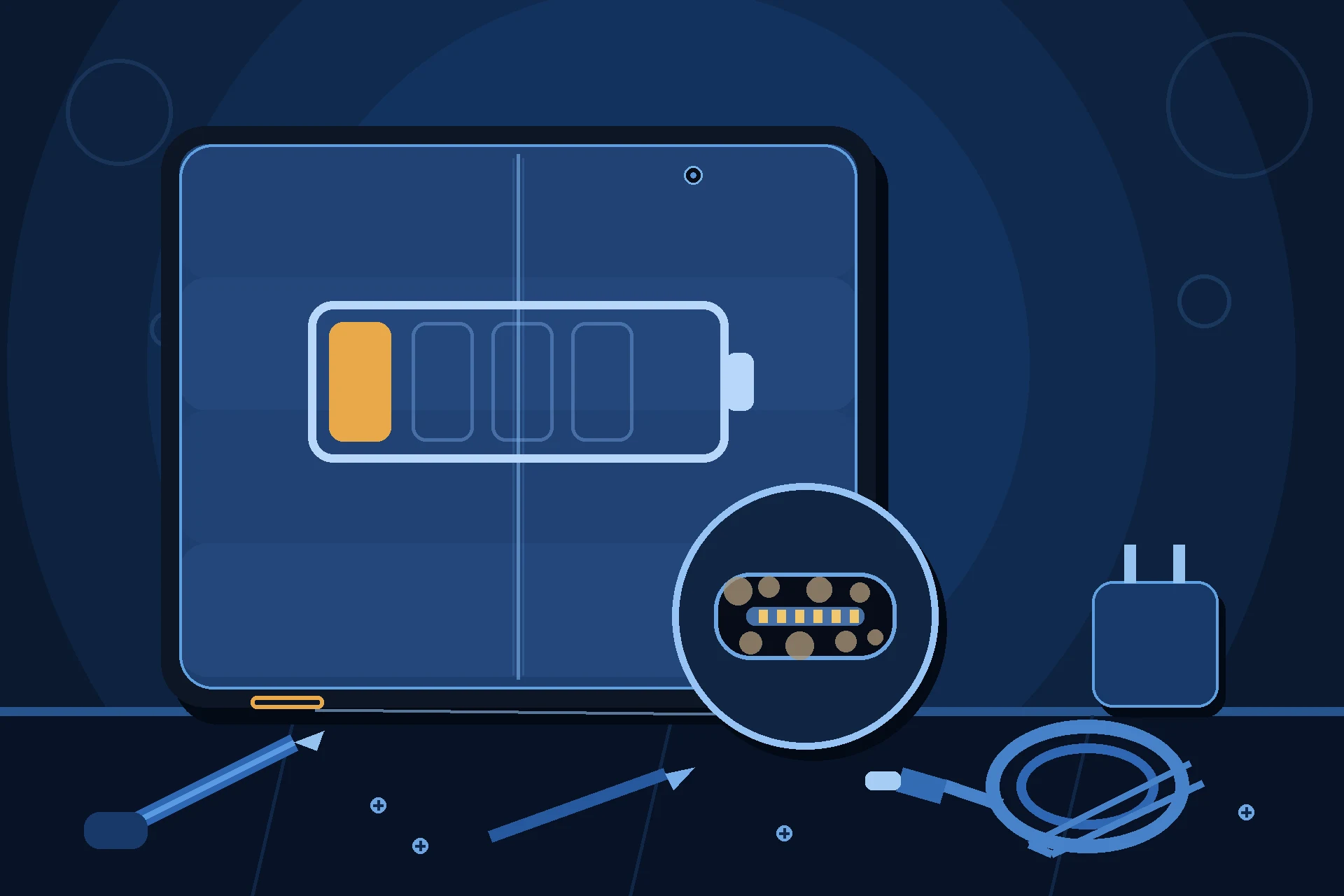
Prepared by FixUpPhone Editorial. Documentation checked October 16, 2026. Samsung specifications, service terms and coverage positions are distinguished from FixUpPhone’s assessed repair process. No hands-on repair, technician case history, customer experience, measured test result or fixed FixUpPhone price is claimed for this model. The featured artwork is an original illustration. Samsung is not affiliated with FixUpPhone; Samsung’s prices and terms are included only as a public reference. Plan pricing for Samsung Care+ is graded as secondary reporting: Samsung’s own pages print the claim fees and mechanics, not the per-model plan price.
- Samsung US — Galaxy Z Fold7 product page (construction, IP48 footnote, in-box contents, charging claims)
- Samsung US Support — Cracked Screen Repair (the only static US prices for this model: inner screen $449, outer screen $139, inner module $589; mail-in terms; 90-day repair warranty)
- Samsung US Support — Samsung Care+ (claim fees and mechanics; battery diagnostics threshold; per-model plan price per secondary tier reporting)
- GSMArena — Samsung Galaxy Z Fold7 full specifications (charging wattages, USB, battery capacities)
- FixUpPhone — Phone Repair Services and Mail-In Phone Repair, checked October 16, 2026
- FixUpPhone — Locations, checked October 16, 2026
For corrections or device help, contact FixUpPhone.