Reviews & Comparisons · iPhone 13
iPhone 13 best screen protectors Review & Buying Guide: Features, Trade-Offs & Value
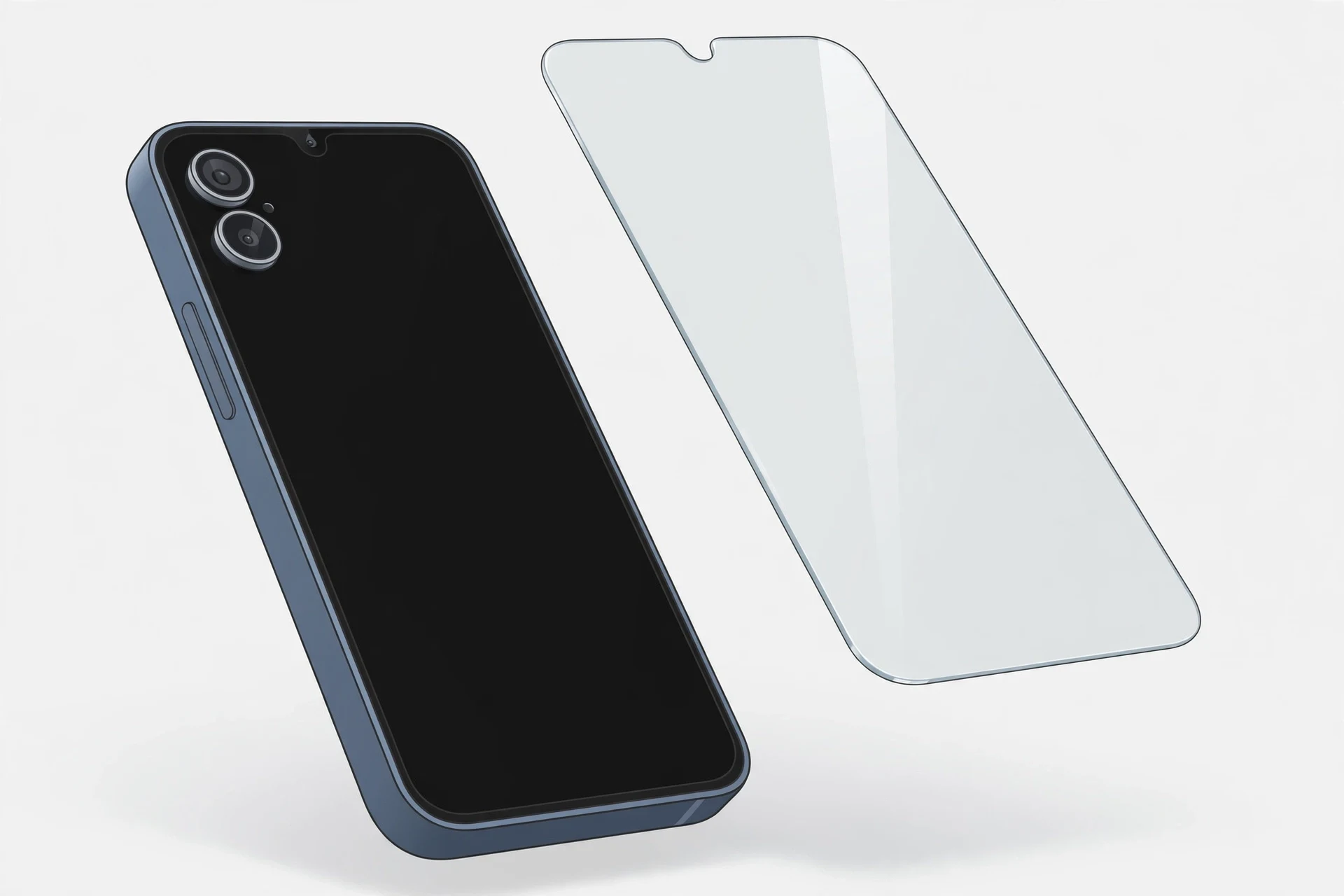
The protector question for this phone is a cut-out question first: a protector must match this model’s 6.1-inch panel and its smaller-notch cut-outs, with an edge that works with your case rather than fighting it — a protector cut for the Pro Max, the mini or any 14/15-series phone is the wrong protector, however similar it looks, and a protector shaped for a Dynamic Island belongs to another generation entirely. No product is named, ranked or priced in this guide, deliberately: protectors are fit-specific, no product was re-checked on its maker’s page with the device selector set to this model and a confirmed US maker list price in this pass. Instead, five use-case categories and a four-point fit test let you judge any protector on the maker’s own page — and the $279 screen fee on Apple’s current line is the reason the choice matters at all.
How we reviewed — methodology & evidence note
This is a desk review: FixUpPhone has not bought, fitted or tested any protector discussed, and nothing here is a hands-on test. The categories and fit test are built from Apple’s published specifications for this model (Apple technical specifications, via the FixUpPhone iPhone 13 research pack, checked 15 October 2026) and Apple’s published US repair fees (current lines with their sourcing caveat, since Apple’s own US page is estimator-only). No product is named, ranked or priced, because no protector was verified for this exact fit on its maker’s page with a confirmed US maker list price in this pass; maker list prices are the only prices that would count, and deal or street prices move daily. Every figure is labelled by origin — manufacturer specification, manufacturer claim or manufacturer fee — and any hardness, drop or clarity figure a maker prints is a manufacturer claim, never a comparable measurement, because makers test differently.
Quick Expert Summary
Verdict: Buy the cut-out, then the category. The only protector worth money for an iPhone 13 is one whose maker page names the iPhone 13 itself, with a smaller-notch top cut-out, edges your case does not lift, and touch that stays clean at the edges — everything else is a reject, however good its marketing. Organise by use case, not by a “best” ranking no one tested: tempered glass, film, privacy, anti-glare or matte, and camera-lens coverage each trade protection against feel, clarity or bulk, and the right trade depends on how you actually use the phone. The stake is concrete: a screen is $279 on Apple’s current line, so a protector that actually stays stuck is worth more than a cheaper one that lifts, bubbles or dulls the display. No product is named or priced here, because none was verified for this fit — the fit test below is how you verify any protector yourself.
Evidence note: fit facts are Apple’s specifications for this model; protection figures are discussed only as a category of manufacturer claim, never as measured results.
Works in a protector buyer’s favour
- The fit test is mechanical: model name, cut-outs, edge, function
- A glass protector takes the scratches the $279 screen would otherwise take
- Case-friendly edges exist — check the protector and case together, not separately
- Use-case categories let you trade clarity against privacy or glare honestly
Watch out for
- Pro Max, mini and 14/15-series protectors do not fit this panel
- A Dynamic Island-shaped cut-out belongs to another generation, not this phone
- Hardness, drop and clarity figures are manufacturer claims, not comparable measurements
- A protector your case lifts will peel — fit protector and case together
① The Phone the Protector Must Fit
Specifications below are Apple’s for this model (manufacturer specifications, Apple technical specifications checked 15 October 2026). Every line here is a fit check, not background.
| Item | What the protector must match |
|---|---|
| Panel | 6.1-inch Super Retina XDR OLED, 2532×1170 at 460 ppi (manufacturer specifications). A protector sized for a 6.7-inch panel or a 5.4-inch mini panel is the wrong size. |
| Top cut-out | The smaller notch housing the TrueDepth camera (manufacturer specifications). The cut-out must clear the notch and the front 12MP ƒ/2.2 camera with no covered sensor — a pill-shaped Dynamic Island cut-out is the wrong shape for this phone, and a notch-shaped cut-out from an older generation may still misalign. |
| Front glass | Ceramic Shield front in Apple’s plain specs wording (manufacturer specifications). The protector sits on this glass; it does not replace its hardness, and no maker figure changes what the panel underneath is. |
| Brightness | 800 nits typical, 1,200 nits peak (HDR) (manufacturer ratings, not lab measurements). A privacy or matte protector costs brightness — check legibility in hand, because this panel has no higher outdoor tier to spend. |
| Display features | No ProMotion, no Always-On display, no Dynamic Island (manufacturer specifications). Do not buy a protector whose selling point is Always-On legibility or Dynamic Island clearance — neither applies to this phone. |
| Rear module (for lens coverage) | Diagonal dual-camera module: 12MP Wide ƒ/1.6 with sensor-shift optical image stabilization, 12MP Ultra Wide ƒ/2.4 (manufacturer specifications). Separate lens protectors must clear both lenses and the flash without stacking against the case lip. |
| Body & case edge | 146.7 × 71.5 × 7.65 mm, 174 g, aluminum design (manufacturer specifications). The protector’s edge must work with your case’s lip: fit protector and case together, not separately. |
The fit red flags. A protector listing that names “iPhone 13 / 13 Pro” together is less of a trap than the equivalent case listing — the two models share the same 6.1-inch panel and notch — but it still deserves a check: confirm the listing names the iPhone 13 itself and the cut-out matches the smaller notch, not a Dynamic Island. Reject on sight: a Dynamic Island cut-out, a 6.7-inch or 5.4-inch size, or a listing that names only a later generation.
② Protector Categories & the Four-Point Fit Test
Organised by use case, never by a hands-on “best” ranking — no protector was tested, and no ranking is asserted. Read each category as a trade-off, then run the fit test on any protector you consider, on the maker’s own page.
Tempered glass
The default choice: a rigid glass sheet that takes scratches and light impacts itself and keeps the screen’s feel closest to bare glass. Trade-off: it adds a hair of thickness, it can chip at an exposed edge, and a glass sheet whose edge your case lifts will peel — check the case combination before you commit. Best for most owners; worst for tight-fitting cases unless the edge is case-friendly.
Film
A thin plastic layer that guards against scratches with almost no added thickness or weight. Trade-off: the least impact protection in this guide, and it shows wear sooner than glass. Best for careful carriers who hate added thickness; worst for anyone who drops phones, where glass earns its thickness.
Privacy
Narrows the viewing angle so neighbours cannot read the screen — for trains, offices and public spaces. Trade-off: it dims the display and narrows the viewing angle for you too, which costs brightness on a panel whose brightness figures (800 nits typical, 1,200 nits peak HDR) are Apple ratings, not lab measurements, with no higher outdoor tier to spare. Check brightness in hand before the return window closes.
Anti-glare / matte
Cuts reflections outdoors and under office lighting, at the cost of a slightly softer image. Trade-off: the matte texture changes the screen’s look and feel, and it can mute the sharpness that the 460 ppi panel exists to deliver. Best for heavy outdoor use; worst for photo and video work where clarity matters most.
Camera-lens coverage
Separate small protectors for the rear lenses, guarding the diagonal dual-camera module’s glass. Trade-off: an extra layer over lenses that can flare in bright light, and a stack that can fight the case lip. If you use one, check flash and both lenses — Wide and Ultra Wide — in photos after fitting, and check the case still seats over it.
The four-point fit test (run on the maker’s page, then in hand)
1. Name: the maker page names the iPhone 13 itself, with the device selector set to it — not a bundle listing, not “13 series”. 2. Cut-outs: the top cut-out clears the smaller notch and the front camera, with no Dynamic Island shape and no covered sensor. 3. Edge: the protector sits flat to all four edges and your case does not lift it — fit protector and case together, not separately. 4. Function: touch responds cleanly at the edges, and photos through the front camera and both rear lenses are clean. Fail any point and the protector is the wrong protector, whatever its category or price.
Pros & Cons of Protecting This Screen
Pros
- A glass protector takes the scratches a $279 screen would otherwise take
- Film adds almost no thickness for careful carriers
- Case-friendly edges exist — check the protector and case together, not separately
- A two-pack covers the first chip — the first install teaches the alignment
Cons
- No protector makes the screen crack-proof
- A protector your case lifts will peel, whatever its category
- Privacy and matte protectors cost brightness on an 800-nit-typical panel
- Hardness, drop and clarity figures are manufacturer claims, not comparable measurements
③ Before You Pay: How to Judge a Protector Without a Price List
No protector price is printed in this guide, deliberately: no product was verified for this exact fit on its maker’s page with a confirmed US maker list price in this pass, maker list prices are the only prices that would count, and deal or street prices move daily. Judge any protector by the fit test in section ② and by these three checks, on the maker’s own page for this exact model:
| Check | What counts | Origin |
|---|---|---|
| Model naming | Maker page names the iPhone 13 itself, device selector set to it | Maker page (verify yourself) |
| Protection wording | Hardness, drop and clarity figures | Manufacturer claims only — never comparable measurements |
| Repair stakes | Screen $279 (current line); back glass $169 is a separate line, not a bundle | Manufacturer fees, current lines with sourcing caveat |
Value, honestly stated. The value of a protector for this phone is the repair it prevents, and the repair is priced: a screen at $279 on Apple’s current line. A protector that stays stuck, clears the smaller notch and survives your case is worth more than a cheaper one that lifts, bubbles or dulls the display — but no protector makes the screen crack-proof, and no maker claim in this guide should be read as a guarantee. Buy from a seller with a return policy that lets you run the four-point fit test in hand, including with your case fitted, and return a protector that fails any point. A two-pack is often the honest value buy: the first install teaches you the alignment, and the spare covers the first chip.
④ Repairs, Warranty & What It Means for You
Apple’s published US fees for this model are the stakes the protector is guarding — headline the current lines; launch figures are history where noted:
| Repair | Apple US fee (current) | With AppleCare+ |
|---|---|---|
| Battery | $89 (revised from $69 at launch, 1 Mar 2023) | $0 under 80% health |
| Screen | $279 (unchanged from launch) | $29 |
| Back glass | $169 (current line only — no separate line existed at launch) | $29 |
| Screen + back glass | No combined out-of-warranty line — priced as separate lines ($279 + $169) | $58 combined incident |
| Rear camera | No US dollar fee found — frame through other damage or an estimator quote | $99 via other damage |
| Other damage | $479 (revised from $449 at launch) | $99 |
Fees: Apple US published prices. Apple’s own US page is estimator-only (no static per-model figure readable), so the current lines rest on the named AASP/aggregator reproductions of Apple’s current schedule recorded in the FixUpPhone iPhone 13 research pack (checked 15 October 2026). They are this model’s fees, not the 14/15’s: the battery here is $89, not $99. No port-only, speaker-only, microphone-only or button-only service fee exists — such damage falls under “other damage” ($479). Never use the UK £369 back-glass figure, any unsourced “$229” back-glass claim, or UK £ figures as US figures.
The warranty reality
Apple’s standard warranty runs one year from original purchase. This model was released on 24 September 2021 and discontinued on 9 September 2024, so a launch-cohort phone is well past its year, and any unit with cover today holds it through AppleCare+ or a later purchase date. A protector does not extend that warranty, and a protector fitted over an already-cracked screen hides damage without fixing it: if the screen is already cracked, the repair guides for this model — screen replacement cost and back glass repair cost — set out the options before you spend on protection for a phone that already needs work. Liquid damage is excluded from Apple’s standard warranty at any age.
FixUp’s role: check before you commit, repair if you buy
Bring the phone — protected or not — to FixUp for an assessment: screen condition, touch response, cameras and damage can be checked, and any repair is quoted after assessment; we do not publish repair prices in advance. Repairs take 1–7 days and carry a 3-month warranty. Booking is a request our team confirms, not an instant confirmation.
- Lynwood: 3100 E Imperial Hwy, Store M1002, Lynwood, CA 90262 — daily 11 AM–8 PM — (805) 857-4225
- Santa Barbara: 619 A State St, Santa Barbara, CA 93101 — Mon–Fri 11 AM–8 PM, Sat 10 AM–8 PM, Sun 12 PM–7 PM — (805) 857-4226
- Las Vegas: 875 S Grand Central Pkwy, Unit TT32, Las Vegas, NV 89106 — Mon–Sat 10 AM–8 PM, Sun 10 AM–7 PM — (818) 482-3605
Mail-in works nationwide: how mail-in repair works. The customer pays inbound shipping and FixUp pays return shipping; back up first, confirm our instructions before shipping, and never mail a hot or swollen phone. Start from book a repair or contact the team (support@fixupphone.com).
⑤ The Decision
Buy the category that matches how you use the phone — tempered glass for most owners, film for careful carriers who hate thickness, privacy for public spaces, matte for heavy outdoor use, lens coverage only if you accept the flare and case-lip trade-offs — but only after the protector passes the four-point fit test for this exact model, fitted together with your case. Pay more only for a fit that is verified on the maker’s page and a return policy that lets you test it in hand, including with the case fitted; do not pay more for a hardness or drop number, because makers test differently and the numbers do not compare. Walk away from any protector that names another model, carries a Dynamic Island cut-out, or lifts under your case — it was built for another phone or another combination. Pair the protector with the companion cases guide: iPhone 13 best cases covers the back glass and the diagonal camera module the protector alone cannot protect.
⑥ Alternatives Worth Considering
A case first. If the budget covers one item only, the case guards the back glass and the camera module as well as adding a front lip. Our companion iPhone 13 best cases guide carries the fit criteria: the diagonal dual-camera opening, the Ring/Silent switch cutout and the Lightning opening for this model.
Going bare, knowingly. Some owners prefer the phone’s own Ceramic Shield front feel. That is a legitimate choice, but price it honestly: a screen at $279 on Apple’s current line, with nothing in between. If you go bare, a careful carry habit and a case for the risky days are the remaining protection.
Repair instead of a new protector. If the screen is already cracked, a protector hides the damage without fixing it and can make touch response worse over a fractured panel. The repair guides for this model — screen replacement cost and back glass repair cost — set out the options before you spend on protection for a phone that already needs work.
Accessories to Budget From Day One
Budget for the protector and the case together, not one or the other: the protector guards the front glass, the case guards the back glass and the camera module, and the lip heights of the two must work together rather than fight. Check the combination in hand — protector fitted, case fitted, touch tested at the edges, photos checked through the front camera and both rear lenses — before the return window closes. Check magnetic alignment too if your case is magnetic: this model’s MagSafe ceiling is up to 15W (manufacturer claim), and Qi2 at up to 15W applies only with iOS 17.2 or later. No product is named or priced here; judge any accessory by the fit test in section ② and the maker’s own page for this exact model.
Everything in our accessories shop is listed with its fit stated; whichever protector you choose, confirm it names the iPhone 13 itself.
Frequently Asked Questions
Will an iPhone 13 Pro screen protector fit my iPhone 13?
Usually the panel size matches — both are 6.1-inch phones with the smaller notch — but do not assume it: confirm the listing names the iPhone 13 itself and the cut-out matches the smaller notch, not a Dynamic Island. The case rule is stricter than the protector rule here, because the camera cutouts differ; for protectors, the panel and the notch are the checks that matter.
What should I check first when a protector arrives?
Run the four-point fit test: the maker page names the iPhone 13 itself; the top cut-out clears the smaller notch and the front camera; the protector sits flat to all four edges and your case does not lift it; and touch responds cleanly at the edges. Fit protector and case together, not separately, and return a protector that fails any point inside the return window.
Does a privacy protector dim the screen too much?
It dims it by design, and on this phone the cost is real: the panel is 800 nits typical and 1,200 nits peak (HDR) by Apple’s ratings, with no higher outdoor tier to spare. Check brightness in hand — outdoors, not just indoors — before the return window closes, and expect the viewing angle to narrow for you as well as for neighbours.
Are hardness ratings comparable between protector brands?
No. Makers test differently, so a hardness, drop or clarity figure from one brand does not compare with another’s. Treat every such figure as a manufacturer claim, and judge a protector by its fit, its edge behaviour with your case and its return policy, not by its biggest number.
Should I fit a protector over an already-cracked screen?
No — a protector hides the damage without fixing it, and it can make touch response worse over a fractured panel. Get the screen assessed first: our iPhone 13 screen replacement cost guide sets out the options, and a protector goes on the repaired glass, not over the crack.
Do I still need a case if I have a screen protector?
Yes, for the rest of the phone. A protector guards the front glass only; it does nothing for the back glass ($169 on Apple’s current line) or the diagonal camera module’s lenses. The companion iPhone 13 best cases guide covers the case side, and the two must be fitted together so their edges do not fight.
Is a two-pack worth it?
Often, yes — and honestly so. The first install teaches you the alignment, and glass chips at an exposed edge sooner than most owners expect. A spare in the drawer is cheaper than a second order and a second wait, and it means the phone is never left bare while a replacement ships.
Can FixUp fit a protector or check one for me?
Yes — bring the phone and the protector to any of our three stores and we can check the fit, the edge behaviour with your case and the touch response as part of an assessment. Any repair work is quoted after assessment; repairs take 1–7 days and carry a 3-month warranty.
Specs, fees and marketplace figures are attributed and dated inline.
Desk review only — we do not claim hands-on use we did not do.
Lynwood · Santa Barbara · Las Vegas, plus nationwide mail-in.
1–7 day repairs, 3-month warranty, quoted after assessment.
Sources & Editorial Notes
- Apple — iPhone 13 technical specifications and US repair fees, via the FixUpPhone iPhone 13 research pack, checked 15 October 2026 (current lines with the AASP/aggregator-reproduction caveat, since Apple’s own US page is estimator-only; launch figures September 2021; battery revised 1 March 2023).
- Maker-page check (2 November 2026): no protector was named or priced, because no product was verified for this exact iPhone 13 fit with a confirmed US maker list price in this pass. Belkin’s own support pages confirm UltraGlass fit for iPhone 13 (shared 13 / 13 Pro SKUs, e.g. OVA078zz for iPhone 13 / 13 Pro / 14, with a “2x stronger than tempered glass” manufacturer claim) and Belkin CA lists the UltraGlass Treated protector for iPhone 14 and iPhone 13 at CAD $49.99 — but no US maker list price was confirmed in this pass, so the criteria-only fallback applies, as in the Block 11 accessory pair. No Belkin figure is printed in the article body.
- FixUpPhone — service terms, stores and mail-in rules: repairs, locations, mail-in repair.
Editorial note: this guide is a desk review and a criteria guide: no protector was bought, fitted or tested, no product is named, ranked or priced, and no maker hardness, drop or clarity figure is printed as a measurement. Apple fees are the manufacturer’s published figures, headlined as current lines with their sourcing caveat where the current schedule rests on reproductions.