Reviews & Comparisons · iPhone 13
iPhone 13 best cases Review & Buying Guide: Features, Trade-Offs & Value
The case question for this phone is a fit question first: a case must name the iPhone 13 itself, clear its diagonal dual-camera module, and handle its Ring/Silent switch — 13 Pro, mini, Pro Max and 14/15-series cases do not fit this body, and a case built around an Action button or Camera Control was built for another phone entirely. No product is named, ranked or priced in this guide, deliberately: cases are fit-specific, no product was re-checked on its maker’s page with the device selector set to this model and a diagonal-module cutout confirmed, and no product was priced from a confirmed maker list price in this pass. Instead, five use-case categories and a four-point fit test let you judge any case on the maker’s own page — and the $279 screen and $169 back-glass fees on Apple’s current lines are the reason the choice matters at all.
How we reviewed — methodology & evidence note
This is a desk review: FixUpPhone has not bought, fitted or drop-tested any case discussed, and nothing here is a hands-on test. The categories and fit test are built from Apple’s published specifications for this model (Apple technical specifications, via the FixUpPhone iPhone 13 research pack, checked 15 October 2026) and Apple’s published US repair fees (current lines with their sourcing caveat, since Apple’s own US page is estimator-only). No product is named, ranked or priced, because no case was verified for this exact fit on its maker’s page with the device selector set to this model in this pass; maker list prices are the only prices that would count, and deal or street prices move daily. Every figure is labelled by origin — manufacturer specification, manufacturer claim, manufacturer fee or our calculation — and any drop, strength or magnetic-hold figure a maker prints is a manufacturer claim, never a comparable measurement, because makers test differently.
Quick Expert Summary
Verdict: Buy the fit, then the category. The only case worth money for an iPhone 13 is one whose maker page names the iPhone 13 itself, with a diagonal dual-camera opening, a Ring/Silent switch cutout and a Lightning opening — everything else is a reject, however good its marketing. Organise by use case, not by a “best” ranking no one tested: everyday slim, clear magnetic, rugged drop-first, wallet or stand, and minimal grip each trade protection against bulk, and the right trade depends on how you actually carry the phone. The stakes are concrete: a screen is $279 and back glass is $169 on Apple’s current lines, with no combined screen-plus-back fee, so a case that actually stays on the phone is worth more than a prettier one that comes off. No product is named or priced here, because none was verified for this fit — the fit test below is how you verify any case yourself.
Evidence note: fit facts are Apple’s specifications for this model; protection figures are discussed only as a category of manufacturer claim, never as measured results.
Works in a case buyer’s favour
- The fit test is mechanical: model name, camera opening, switch cutout, port opening
- MagSafe up to 15W gives magnetic cases and chargers a real standard to meet
- A good case protects both priced panels — screen $279 and back glass $169 on current lines
- Use-case categories let you trade bulk against protection honestly
Watch out for
- 13 Pro, mini, Pro Max and 14/15-series cases do not fit this body
- A case built for an Action button or Camera Control was built for another phone
- Drop heights and “military-grade” wording are manufacturer claims, not comparable measurements
- Clear cases discolour; rugged cases hide the finish and add weight
① The Phone the Case Must Fit
Specifications below are Apple’s for this model (manufacturer specifications, Apple technical specifications checked 15 October 2026). Every line here is a fit check, not background.
| Item | What the case must match |
|---|---|
| Body | 146.7 × 71.5 × 7.65 mm, 174 g, aluminum design with a Glass back (manufacturer specifications). A case sized for the 204 g Pro, the mini or any 6.7-inch body is the wrong size. |
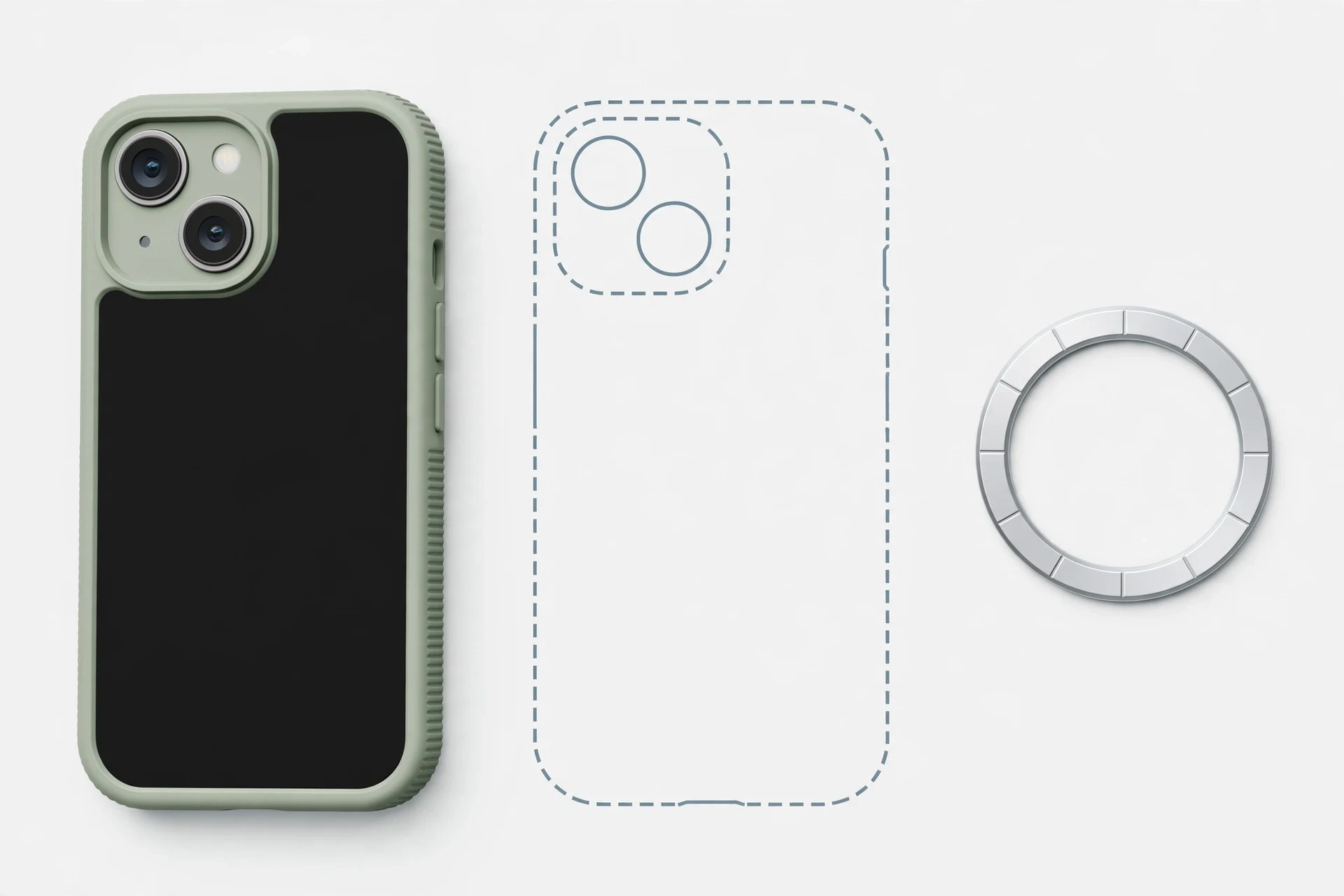
| Camera opening | A diagonal dual-camera module: 12MP Wide ƒ/1.6 with sensor-shift optical image stabilization and 12MP Ultra Wide ƒ/2.4 (manufacturer specifications). The opening must clear the whole diagonal module with a raised lip, not a triple-camera square — the square opening belongs to the 13 Pro, whose camera cutout differs. |
| Buttons | Ring/Silent switch present; NO Action button, NO Camera Control (manufacturer specifications). The case needs a switch cutout you can flick blind, and any Action-button cover or Camera Control cutout proves it was built for another phone. |
| Port | Lightning connector (manufacturer specifications). The bottom opening must clear a Lightning plug, not a USB-C plug — a USB-C-era fit is the wrong fit even if the rest looks right. |
| Display & front | 6.1-inch Super Retina XDR OLED, 2532×1170 at 460 ppi, with the smaller notch — no Dynamic Island, no ProMotion, no Always-On display (manufacturer specifications). The front lip must protect the glass without covering the notch area or the screen edge. |
| Charging | MagSafe up to 15W (manufacturer claim); Qi up to 7.5W at launch; Qi2 up to 15W only with iOS 17.2 or later (December 2023), never a launch feature and never 25W. A magnetic case must hold alignment at this ceiling — test it with your own charger, not the maker’s claim. |
| Finishes | (PRODUCT)RED, Starlight, Midnight, Blue or Pink at launch; Green added 8 March 2022 (manufacturer specifications). A clear case shows the finish; an opaque case hides it — choose knowingly. |
The fit red flags. A case listing that names “iPhone 13 / 13 Pro” together should be treated with suspicion for this phone: the two models share a 6.1-inch body class but their camera cutouts differ, and a single opening cannot be cut for both the diagonal dual module and the triple square module. The same applies to any “13 series” bundle listing that does not let you select the iPhone 13 itself. Reject on sight: a square triple-camera opening, an Action-button cover, a Camera Control cutout, a USB-C bottom opening, or a body sized for the Pro Max or the mini.
② Case Categories & the Four-Point Fit Test
Organised by use case, never by a hands-on “best” ranking — no case was tested, and no ranking is asserted. Read each category as a trade-off, then run the fit test on any case you consider, on the maker’s own page.
Everyday slim
The lowest-bulk option: a thin shell that guards against scratches and light knocks and keeps the phone pocketable. Trade-off: the least drop protection in this guide, and a thin lip may not clear the camera module’s height — check the lip against the diagonal module, not the maker’s rendering. Best for careful carriers who value the phone’s own 174 g feel; worst for anyone who drops phones on hard floors.
Clear magnetic
Shows the finish — (PRODUCT)RED, Starlight, Midnight, Blue, Pink or Green — while adding a magnetic ring for MagSafe accessories and charging. Trade-off: clear materials discolour with time, and the magnetic question is practical, not claimed: does your MagSafe charger still hold and charge at up to 15W (manufacturer claim) through the case? Test it yourself; a maker’s magnetic-hold figure is a manufacturer claim, not a measurement you can compare across brands.
Rugged drop-first
Thicker bumpers, corner reinforcement and a deeper lip around screen and camera module, for the highest protection in this guide. Trade-off: bulk and weight on a phone chosen partly for its 6.1-inch size, and a deeper case can interfere with the Ring/Silent switch if its cutout is shallow — flick the switch through the case before you commit. Treat any drop-height or “military-grade” wording as a manufacturer claim: makers test differently, so the numbers do not compare, and no figure is printed here for any product.
Wallet / stand
Carries cards or props the phone up for video, replacing a second item in the pocket. Trade-off: added thickness, a cover over the screen that must not press the notch area, and magnetic wallet attachments that can weaken MagSafe hold if stacked with a magnetic case. Check card capacity against what you actually carry, and check that the stand holds the phone at the angle you watch at.
Minimal grip
Thin, textured sides for grip without bulk — the middle path between slim and rugged. Trade-off: grip texture wears, and a grippy case that still leaves the camera module proud of the lip protects the back but not the lenses. Run the lip check in the fit test below regardless of category.
The four-point fit test (run on the maker’s page, then in hand)
1. Name: the maker page names the iPhone 13 itself, with the device selector set to it — not a bundle listing, not “13 series”, and not a shared “13 / 13 Pro” listing, since the Pro’s camera cutout differs. 2. Camera: the opening clears the whole diagonal dual-camera module with a raised lip, and the flash is uncovered. 3. Controls and port: the Ring/Silent switch flicks freely through its cutout, all buttons press cleanly, and the Lightning opening fits your cable and adapter. 4. Charging: your MagSafe charger holds and charges through the case, and the case does not block the notch area or the screen edge. Fail any point and the case is the wrong case, whatever its category or price.
Pros & Cons of Casing This Phone
Pros
- Protects both priced panels — screen $279 and back glass $169 on current lines
- A raised lip protects the diagonal camera module’s lenses
- Magnetic cases keep MagSafe at up to 15W usable without removing the case
- Clear cases show the (PRODUCT)RED, Starlight, Midnight, Blue, Pink or Green finish
Cons
- Any case adds bulk to a 6.1-inch phone chosen for its size
- A wrong-fit case — 13 Pro, mini, Pro Max, 14/15-series — protects nothing
- Drop and magnetic claims are manufacturer claims, not comparable measurements
- Clear cases discolour; rugged cases hide the finish and add weight
③ Before You Pay: How to Judge a Case Without a Price List
No case price is printed in this guide, deliberately: no product was verified for this exact fit on its maker’s page in this pass, maker list prices are the only prices that would count, and deal or street prices move daily. Judge any case by the fit test in section ② and by these three checks, on the maker’s own page for this exact model:
| Check | What counts | Origin |
|---|---|---|
| Model naming | Maker page names the iPhone 13 itself, device selector set to it | Maker page (verify yourself) |
| Protection wording | Drop heights, “military-grade” wording, magnetic-hold figures | Manufacturer claims only — never comparable measurements |
| Repair stakes | Screen $279, back glass $169, no combined screen-plus-back fee (current lines) | Manufacturer fees, current lines with sourcing caveat |
Value, honestly stated. The value of a case for this phone is the repair it prevents, and the repairs are priced: a screen at $279 and a back glass at $169 on Apple’s current lines, with no combined fee if both go — two separate lines, $448 together (our calculation), not a discounted bundle. A case that stays on the phone, clears the diagonal camera module and keeps MagSafe working is worth more than a cheaper case that comes off, blocks the switch or weakens magnetic hold — but no case makes the phone drop-proof, and no maker claim in this guide should be read as a guarantee. Buy from a seller with a return policy that lets you run the four-point fit test in hand, and return a case that fails any point.
④ Repairs, Warranty & What It Means for You
Apple’s published US fees for this model are the stakes the case is protecting — headline the current lines; launch figures are history where noted:
| Repair | Apple US fee (current) | With AppleCare+ |
|---|---|---|
| Battery | $89 (revised from $69 at launch, 1 Mar 2023) | $0 under 80% health |
| Screen | $279 (unchanged from launch) | $29 |
| Back glass | $169 (current line only — no separate line existed at launch) | $29 |
| Screen + back glass | No combined out-of-warranty line — priced as separate lines ($279 + $169) | $58 combined incident |
| Rear camera | No US dollar fee found — frame through other damage or an estimator quote | $99 via other damage |
| Other damage | $479 (revised from $449 at launch) | $99 |
Fees: Apple US published prices. Apple’s own US page is estimator-only (no static per-model figure readable), so the current lines rest on the named AASP/aggregator reproductions of Apple’s current schedule recorded in the FixUpPhone iPhone 13 research pack (checked 15 October 2026). They are this model’s fees, not the 14/15’s: the battery here is $89, not $99. No port-only, speaker-only, microphone-only or button-only service fee exists — such damage falls under “other damage” ($479). Never use the UK £369 back-glass figure, any unsourced “$229” back-glass claim, or UK £ figures as US figures.
The warranty reality
Apple’s standard warranty runs one year from original purchase. This model was released on 24 September 2021 and discontinued on 9 September 2024, so a launch-cohort phone is well past its year, and any unit with cover today holds it through AppleCare+ or a later purchase date. A case does not extend that warranty, and a case that traps heat or moisture against a damaged phone does not help it either: if the phone already has a swollen battery — a lifting screen, a bulging back — do not case it and carry on; treat it as a safety issue, do not charge it, and do not ship it anywhere on your own initiative. Liquid damage is excluded from Apple’s standard warranty at any age.
FixUp’s role: check before you commit, repair if you buy
Bring the phone — cased or not — to FixUp for an assessment: screen originality, back-glass condition, cameras, charging and damage can be checked, and any repair is quoted after assessment; we do not publish repair prices in advance. Repairs take 1–7 days and carry a 3-month warranty. Booking is a request our team confirms, not an instant confirmation.
- Lynwood: 3100 E Imperial Hwy, Store M1002, Lynwood, CA 90262 — daily 11 AM–8 PM — (805) 857-4225
- Santa Barbara: 619 A State St, Santa Barbara, CA 93101 — Mon–Fri 11 AM–8 PM, Sat 10 AM–8 PM, Sun 12 PM–7 PM — (805) 857-4226
- Las Vegas: 875 S Grand Central Pkwy, Unit TT32, Las Vegas, NV 89106 — Mon–Sat 10 AM–8 PM, Sun 10 AM–7 PM — (818) 482-3605
Mail-in works nationwide: how mail-in repair works. The customer pays inbound shipping and FixUp pays return shipping; back up first, confirm our instructions before shipping, and never mail a hot or swollen phone. Start from book a repair or contact the team (support@fixupphone.com).
⑤ The Decision
Buy the category that matches how you carry the phone — slim for careful pocket carry, rugged for hard floors, clear magnetic if you use MagSafe daily, wallet or stand if it replaces something else you carry — but only after the case passes the four-point fit test for this exact model. Pay more only for a fit that is verified on the maker’s page and a return policy that lets you test it in hand; do not pay more for a drop-height number, because makers test differently and the numbers do not compare. Walk away from any case that names another model, shares a listing with the 13 Pro, carries an Action-button or Camera Control feature, or uses a USB-C opening — it was built for another phone. Pair the case with the companion protector guide: iPhone 13 best screen protectors covers the front glass the case lip alone cannot fully protect.
⑥ Alternatives Worth Considering
A screen protector first. If the budget covers one item only, the front glass is the panel you touch and the one a case lip protects least at the edges. Our companion iPhone 13 best screen protectors guide carries the fit criteria: the 6.1-inch panel and its smaller-notch cut-outs for this model.
Going caseless, knowingly. Some owners prefer the phone’s own aluminum and glass feel. That is a legitimate choice, but price it honestly: a screen at $279 and a back glass at $169 on Apple’s current lines, with no case in between and no combined fee if both go. If you go caseless, a protector and a careful carry habit are the remaining protection.
Repair instead of a new case. If the phone is already cracked, a case hides the damage without fixing it. The repair guides for this model — back glass repair cost, screen replacement cost and water damage repair cost — set out the options before you spend on protection for a phone that already needs work.
Accessories to Budget From Day One
Budget for the case and the protector together, not one or the other: the case guards the back glass and the camera module, the protector guards the front glass, and the lip heights of the two must work together rather than fight. Check magnetic alignment against this model’s MagSafe ceiling of up to 15W (manufacturer claim), and remember Qi2 at up to 15W applies only with iOS 17.2 or later. A Lightning cable that fits through the case’s bottom opening matters more than it sounds — a case that forces you to remove it to charge will come off, and a case that is off protects nothing. No product is named or priced here; judge any accessory by the fit test in section ② and the maker’s own page for this exact model.
Everything in our accessories shop is listed with its fit stated; whichever case you choose, confirm it names the iPhone 13 itself.
Frequently Asked Questions
Will an iPhone 13 Pro case fit my iPhone 13?
No — not properly. The two models share a 6.1-inch body class, but their camera cutouts differ: the iPhone 13 has a diagonal dual-camera module, while the 13 Pro has a triple-camera square module. A case cut for the Pro will not seat the iPhone 13’s module correctly, and a shared “13 / 13 Pro” listing should be treated with suspicion. Buy a case whose maker page names the iPhone 13 itself.
What should I check first when a case arrives?
Run the four-point fit test: the maker page names the iPhone 13 itself; the opening clears the whole diagonal dual-camera module with a raised lip; the Ring/Silent switch flicks freely and all buttons press cleanly; the Lightning opening fits your cable; and your MagSafe charger holds and charges through the case at up to 15W (manufacturer claim). Fail any point and the case is the wrong case — return it inside the return window.
Do magnetic cases still work with MagSafe on this phone?
Yes, if the magnetic ring is aligned and strong enough — test it with your own charger rather than trusting a maker’s magnetic-hold figure, which is a manufacturer claim. The phone’s MagSafe ceiling is up to 15W (manufacturer claim), and Qi2 at up to 15W applies only with iOS 17.2 or later, never as a launch feature. A case that weakens the magnetic hold weakens the charging you actually get.
Are drop-height ratings comparable between case brands?
No. Makers test differently — different surfaces, different drop counts, different pass criteria — so a drop-height or “military-grade” figure from one brand does not compare with another’s. Treat every such figure as a manufacturer claim, and judge a case by its fit, its lip heights and its return policy, not by its biggest number.
Does a case protect the screen as well as the back?
Only partly. A raised front lip guards the glass against flat drops, but it protects the edges least, and it does nothing for a face-down drop onto a pointed object. That is why the case and a screen protector are budgeted together: the companion iPhone 13 best screen protectors guide covers the front glass the case lip alone cannot fully protect.
Will a case interfere with the Ring/Silent switch?
It should not, if it is cut for this phone: this model keeps the Ring/Silent switch, and a correct case has a cutout you can flick blind. A shallow cutout on a deep rugged case is the common failure — flick the switch through the case before you commit, and return a case that fights it. Any case with an Action-button cover was built for another phone.
Is a clear case a good way to show the finish?
Yes, with one trade-off: clear materials discolour with time, especially with sun and pocket wear. If the finish matters to you — (PRODUCT)RED, Starlight, Midnight, Blue, Pink or Green — a clear magnetic case shows it while keeping MagSafe usable, but expect the clarity to fade over months, not years.
Can FixUp fit a case or check one for me?
Yes — bring the phone and the case to any of our three stores and we can check the fit, the lip heights and the charging alignment as part of an assessment. Any repair work is quoted after assessment; repairs take 1–7 days and carry a 3-month warranty.
Specs, fees and marketplace figures are attributed and dated inline.
Desk review only — we do not claim hands-on use we did not do.
Lynwood · Santa Barbara · Las Vegas, plus nationwide mail-in.
1–7 day repairs, 3-month warranty, quoted after assessment.
Sources & Editorial Notes
- Apple — iPhone 13 technical specifications and US repair fees, via the FixUpPhone iPhone 13 research pack, checked 15 October 2026 (current lines with the AASP/aggregator-reproduction caveat, since Apple’s own US page is estimator-only; launch figures September 2021; battery revised 1 March 2023).
- Maker-page check (2 November 2026): no case was named or priced, because no product was verified for this exact iPhone 13 fit — diagonal dual-camera cutout, device selector set to this model — with a confirmed maker list price in this pass. Spigen’s collection listings show iPhone 13 Series cases (Ultra Hybrid and Ultra Hybrid Mag Fit) but no dedicated iPhone 13 product page with the cutout confirmed was isolated in this pass, so the criteria-only fallback applies, as in the Block 11 accessory pair.
- FixUpPhone — service terms, stores and mail-in rules: repairs, locations, mail-in repair.
Editorial note: this guide is a desk review and a criteria guide: no case was bought, fitted or drop-tested, no product is named, ranked or priced, and no maker drop, strength or magnetic-hold figure is printed as a measurement. Apple fees are the manufacturer’s published figures, headlined as current lines with their sourcing caveat where the current schedule rests on reproductions.