Reviews & Comparisons · iPhone 15
iPhone 15 best cases Review & Buying Guide: Features, Trade-Offs & Value
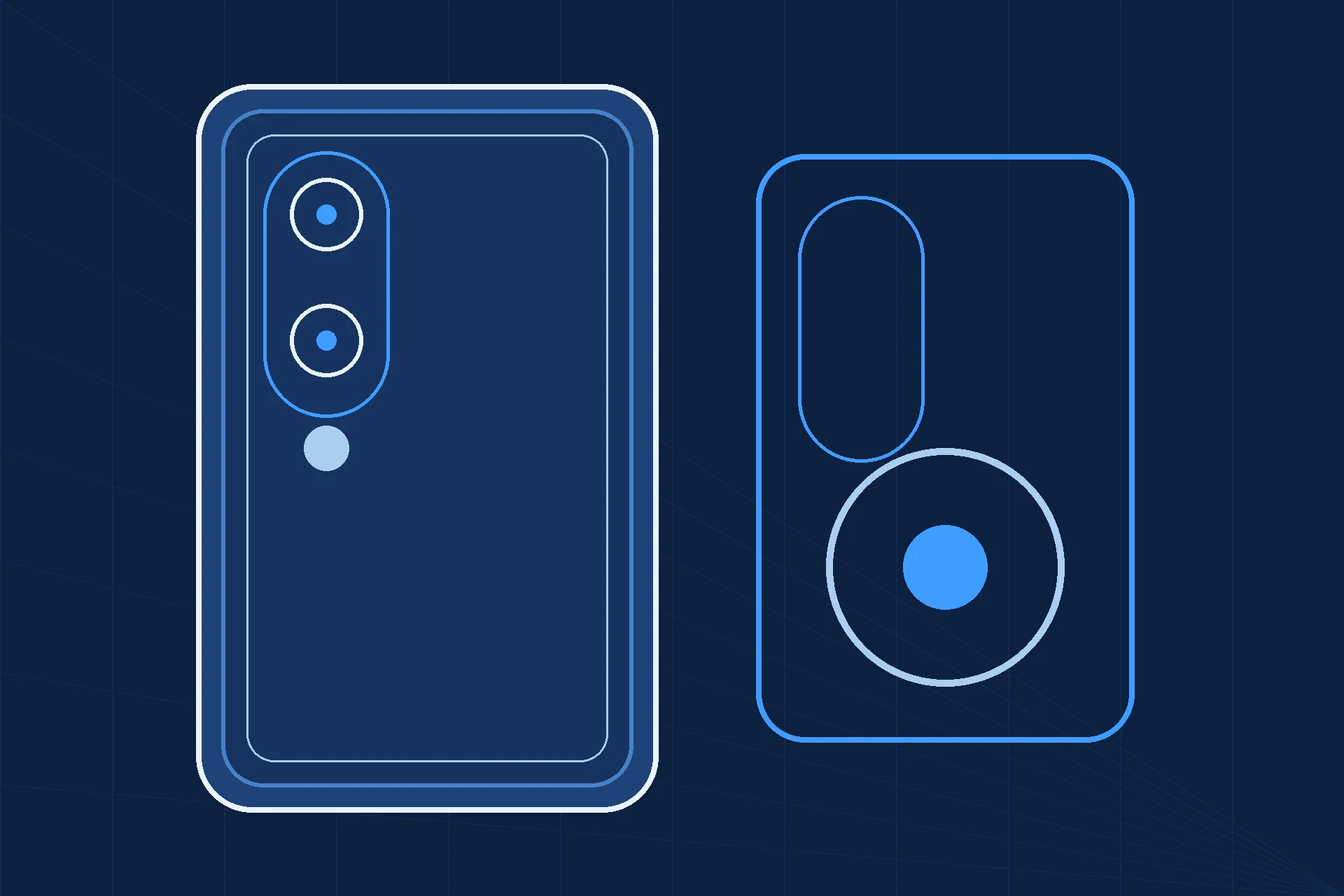
The case question for this phone is a fit question first and a protection question second — and it is stricter than it looks, in the opposite direction from the Pro models. The iPhone 15 is a 6.1-inch aluminum phone that retains the Ring/Silent switch, with no Action button and no Camera Control, and a dual-camera pill module; a case built around an Action-button cover or a Camera Control cutout was built for a Pro or a 16-series phone, and a case built for the 15 Pro, the 15 Pro Max, a Plus model or any 16-series phone does not fit this body. This guide names no products and prints no prices: it is a criteria guide, organised by use case, so you can judge any case on the maker’s own page with the iPhone 15 version selected. Every protection figure a maker quotes — drop heights, military-grade claims, magnetic-hold figures — is that maker’s claim, not a comparable measurement, and this guide treats it that way throughout.
How we reviewed — methodology & evidence note
This is a desk review: FixUpPhone has not bought, fitted or drop-tested any case discussed, and nothing here is a hands-on test or a ranked “best” list. No product pack exists for this model, and no product is named or priced in this guide — that is a deliberate choice under the production brief’s criteria-only option, not an oversight: cases are fit-specific, and a product checked for the 15 Pro, the 15 Pro Max, a Plus model or any 16-series phone is not checked for this one. The criteria below are built from Apple’s published specifications for this model (Apple technical specifications, via the FixUpPhone iPhone 15 research pack, checked October 2026) and Apple’s published US repair fees at launch (September 2023, no post-launch revision found as of October 2026), which price what a case is defending. Where this guide discusses maker protection claims, it describes them as a category of claim to evaluate — drop heights, military-grade wording and magnetic-hold figures are manufacturer claims, never comparable lab results, and no such figure is printed for any product here.
Quick Expert Summary
Verdict: Buy the case by fit, then by use case, then by claim — in that order, and never in reverse. Fit is binary on this phone: the case must name the iPhone 15 itself, match its 147.6 × 71.6 × 7.80 mm body and 6.1-inch panel, clear the dual-camera pill module, and handle the Ring/Silent switch with a proper opening. An Action-button cover means the case was built for a Pro model; a Camera Control cutout or cover means it was built for the 16 series. Either is a reject, however attractive the price. Once fit is settled, the use case decides the construction: slim everyday, clear magnetic, rugged drop-first, wallet or stand — each with a different trade-off in bulk, grip and charging. Protection claims come last, because makers measure them differently and no cross-brand comparison is possible from claim figures alone. A case is cheap insurance against the $279 screen fee and $169 back-glass fee at launch (manufacturer fees) — but only the right case, fitted to this exact body.
Evidence note: no product names or prices appear in this guide (criteria-only, per the production brief); specifications and fees are Apple’s for this model.
What a good case for this phone does
- Names the iPhone 15 itself — not the 15 Pro, 15 Pro Max, Plus or any 16-series model
- Clears the dual-camera pill module and handles the Ring/Silent switch correctly
- Keeps magnetic alignment strong against this model’s MagSafe ceiling of up to 15W
- Raises a lip above screen and camera glass without covering the pill module’s lenses
Watch out for
- An Action-button cover (Pro design) or a Camera Control feature (16-series design)
- A case sold for a smaller or larger body — 15 Pro, 15 Pro Max, Plus and 16-series cases do not fit
- Drop-height or military-grade figures treated as comparable across brands — they are maker claims
- A thick case that traps heat or muffles the speaker
① What a Case Must Do for This Phone
Specifications below are Apple’s for this model (manufacturer specifications, checked October 2026). A case maker can add protection; it cannot change what the phone is, and any case that contradicts this table is built for a different phone.
| Item | The fit fact a case must match |
|---|---|
| Body | 147.6 × 71.6 × 7.80 mm, 171 g, aluminum design (manufacturer specifications). A case for a 6.7-inch, 6.9-inch or any other body size does not fit, whatever the listing title says. |
| Display | 6.1-inch Super Retina XDR OLED, 2556×1179 at 460 ppi, Dynamic Island (manufacturer specifications). Apple rates brightness at 1,000 nits typical, 1,600 nits peak (HDR) and 2,000 nits peak (outdoor) — Apple ratings, not lab measurements. There is no ProMotion and no Always-On on this model, and Apple states no minimum brightness. The case lip must clear the panel edge without covering the display. |
| Buttons | Side button, Volume Up, Volume Down, and the Ring/Silent switch — this model retains the switch (manufacturer specifications). No Action button and no Camera Control button on this model: a case advertising an Action-button cover was built for a Pro model, and a case advertising a Camera Control cover or cutout was built for the 16 series. |
| Cameras | Dual-camera pill module: 48MP Main (26mm, ƒ/1.6) and 12MP Ultra Wide (13mm, ƒ/2.4, no autofocus, no macro) (manufacturer specifications). The 2x option is a main-sensor crop, not a separate lens, and digital zoom runs to 10x. There is no LiDAR. The module opening must clear both lenses and the flash without vignetting either. |
| Charging | MagSafe up to 15W, Qi2 up to 15W, Qi up to 7.5W (manufacturer claims); wired up to 50% in around 30 minutes with a 20W adapter or higher (manufacturer claim); USB-C, USB 2 up to 480Mb/s, DisplayPort out supported (manufacturer specifications). Magnetic cases must preserve the MagSafe hold at this 15W ceiling — not the 16 series’ higher figure — and Apple gives no separate MagSafe time-to-50% claim for this model. |
| Build & finishes | Ceramic Shield front in Apple’s plain specs wording, color-infused glass back (manufacturer specifications). Finishes: Black, Blue, Green, Yellow, Pink. The back is the $169 launch-fee panel a case defends; the front is the $279 launch-fee panel. |
| What it is not | Not titanium (that is Pro-only this generation), and no titanium-named finish exists on this model; not a 1TB-tier phone (storage is 128GB / 256GB / 512GB) — both are listing-copy errors that betray a case listing assembled from another model’s text. |
The fit test, in one paragraph. Before reading a single protection claim, confirm four things on the maker’s own page with the device selector set to iPhone 15: the model name in full, the 6.1-inch Pro Max-free body, the dual-camera pill module opening, and the Ring/Silent switch handling (an opening that lets the switch move, not an Action-button cover and not a Camera Control feature). If any of the four is missing or wrong, the case is not for this phone. Everything after that is a trade-off, not a fit question.
② The Cases, By Use Case
No ranking is offered here, deliberately: without hands-on testing, a “best” order would be invented. Each category below states what the design should do for this phone, what it trades away, and what to verify on the maker’s page before buying.
Everyday slim: the case you forget you are carrying
A thin single-layer shell that preserves the phone’s 7.80 mm profile and aluminum feel while adding grip and a raised lip. Verify the lip height over both the screen and the camera module, and that the Ring/Silent switch remains easy to flick — a slim case that buries the switch fails its one job. Trade-off: the least drop protection of any category; a maker’s drop claim on a slim shell deserves the most scepticism, since thin walls leave the least material to absorb an impact. Judge it as scratch and minor-bump cover, not as drop insurance.
Clear magnetic: show the finish, keep the magnets
A transparent case for owners who want the Black, Blue, Green, Yellow or Pink finish visible, with built-in magnets for MagSafe accessories and charging. Verify two things the product page must state for this model: magnetic alignment that preserves the up-to-15W MagSafe ceiling (manufacturer claim), and anti-yellowing treatment described in the maker’s own terms — clear cases discolour, and the question is how the maker addresses it, not whether it happens. Trade-off: clear shells show scratches and scuffs sooner than opaque ones, and a thick magnetic ring can add bulk at the centre of the back.
Rugged drop-first: bulk in exchange for margin
A dual-layer or reinforced design with corner protection and port covers, aimed at owners who drop phones rather than owners who worry about dropping them. Verify the maker’s drop claim in its own words — height, surface and test standard, if any is stated — and remember that one maker’s figure cannot be compared with another’s: there is no shared test behind the numbers. Check that the added bulk does not intrude into the pill module’s field of view or muffle the speaker, and that the USB-C opening still admits a standard cable. Trade-off: weight and pocket bulk on a phone that weighs 171 g, and a grip that can fight pocket retrieval.
Wallet and stand: the case that replaces something else
A folio, card-slot or kickstand design for owners who want to carry fewer objects. Verify the card capacity the maker states, whether cards interfere with MagSafe charging or magnetic hold (they often do — test charging with cards loaded before relying on it), and whether a stand holds the 6.1-inch phone’s weight at a usable angle without creeping shut. Trade-off: every added function adds thickness and a new failure point — a stand hinge, a folio flap — and a folio cover can slow the Ring/Silent switch and volume keys if its edge is stiff.
Minimal grip: the case for owners who dislike cases
An ultra-thin or open-edge design whose only job is grip and scratch cover, for owners who accept the risk to the glass. Verify the edge coverage honestly: an open-edge case leaves the screen rim and the back glass edge exposed, which is exactly where the $279 screen and $169 back-glass launch fees live. Trade-off: the least protection on offer, chosen knowingly — pair it with a screen protector (see the companion protectors guide) rather than pretending it covers the glass.
Pros & Cons of Buying by Criteria
Pros
- Fit errors are caught before purchase: the four-point fit test rejects wrong-model cases outright
- Use-case categories match the case to the owner’s actual risk, not to a reviewer’s ranking
- Maker claims are kept in their place — labelled claims, never comparable measurements
- A right case defends the $279 screen and $169 back-glass launch fees for a fraction of either
Cons
- No named shortlist: the buyer must still verify each candidate on the maker’s own page
- No price guidance is printed here, so value comparisons need the buyer’s own price check
- Drop claims cannot be compared across brands — the strongest-sounding claim may be the weakest test
- A case cannot restore water resistance or cover liquid damage, which Apple’s warranty excludes at any age
③ Prices & Buying Advice
No case price is printed in this guide, because no product was verified on its maker’s own page with the iPhone 15 version selected for naming here. That discipline is the point: a price attached to an unverified fit would be worse than no price. When you price a candidate yourself, use these rules. First, compare only cases verified for this exact model — a cheaper case for the 15 Pro is not a bargain, it is a misfit. Second, compare like with like inside a category: a slim shell against a rugged dual-layer case is not a price comparison, it is a different purchase. Third, treat magnetic strength and drop figures as maker claims to read, not as numbers to rank — a higher claimed figure from one maker does not beat a lower claimed figure from another, because the tests behind them are not shared. Fourth, budget the case against the fees it defends: the screen at $279 and the back glass at $169 (manufacturer fees, launch figures) are the costs of going without one. Buy from a seller with a return window long enough to fit the case, test the Ring/Silent switch, check the camera opening against both pill-module lenses, and confirm MagSafe charging — and return a case that fails any of those, whatever its claims said.
④ The Repair Angle: What a Case Is Really Worth
Apple’s published US fees for this model at launch price the panels a case defends:
| Repair | Apple US fee | With AppleCare+ |
|---|---|---|
| Battery | $99 | $0 under 80% health |
| Screen | $279 | $29 |
| Back glass | $169 | $29 |
| Screen + back glass | $399 | $58 |
| Rear camera | $169 | $99 |
| Other damage | $549 | $99 |
Fees: Apple US published prices at launch (September 2023); no post-launch revision was found for this model as of October 2026, and Apple’s interactive repair estimator page (support.apple.com/iphone/repair, checked 30 October 2026) renders per-model fees through an interactive selector with no static figure readable in its text, so these are headlined as launch figures, not verified-current ones. They are this model’s fees — the screen is $279, not the 15 Pro’s $329 or the 15 Pro Max’s $379, and other damage is $549. No port-only, speaker-only, microphone-only or button-only service fee exists — such damage falls under “other damage” ($549).
If the case wasn’t enough
A case reduces the odds; it does not remove them. If the screen or back glass cracks despite the case, the fee table above is the negotiation backdrop, and the related guides below route to the model’s repair-cost coverage: iPhone 15 screen replacement cost, iPhone 15 back glass repair cost and iPhone 15 water damage repair cost. A damaged camera module after a drop is a rear-camera matter at $169 at launch. And one honesty note: no case restores the IP68 lab rating once the phone has been opened or damaged — the rating applies when new, resistance is not permanent, and liquid damage is never covered by Apple’s warranty.
FixUp’s role: repair if the case fails
Bring a damaged phone to FixUp for an assessment: battery health, screen originality, cameras, charging and damage can be checked, and any repair is quoted after assessment; we do not publish repair prices in advance. Repairs take 1–7 days and carry a 3-month warranty. Booking is a request our team confirms, not an instant confirmation.
- Lynwood: 3100 E Imperial Hwy, Store M1002, Lynwood, CA 90262 — daily 11 AM–8 PM — (805) 857-4225
- Santa Barbara: 619 A State St, Santa Barbara, CA 93101 — Mon–Fri 11 AM–8 PM, Sat 10 AM–8 PM, Sun 12 PM–7 PM — (805) 857-4226
- Las Vegas: 875 S Grand Central Pkwy, Unit TT32, Las Vegas, NV 89106 — Mon–Sat 10 AM–8 PM, Sun 10 AM–7 PM — (818) 482-3605
Mail-in works nationwide: how mail-in repair works. The customer pays inbound shipping and FixUp pays return shipping; back up first, confirm our instructions before shipping, and never mail a hot or swollen phone. Start from book a repair or contact the team (support@fixupphone.com).
⑤ The Decision
Choose everyday slim if the phone mostly lives in a pocket or bag and you value the aluminum feel — and accept that it is scratch cover, not drop insurance. Choose clear magnetic if showing the finish matters and you use MagSafe daily — and verify the magnetic hold and the maker’s anti-yellowing terms on its own page. Choose rugged drop-first if drops are a pattern, not a fear — and check the pill module’s field of view and USB-C opening after fitting, not before. Choose wallet or stand if it replaces a second object you actually carry — and test charging with cards loaded. Choose minimal grip only knowingly, paired with a screen protector. In every category, the same gate applies first: the case must name the iPhone 15, clear the dual-camera pill module, and handle the Ring/Silent switch. A case that fails the gate is not a cheaper option; it is the wrong product.
⑥ Alternatives Worth Considering
No case, with a protector and care. Some owners accept the glass risk and protect only the screen — the companion protectors guide covers that choice honestly, including what a protector cannot do for the back glass. The $169 back-glass launch fee is the cost that choice carries.
AppleCare+ instead of — or as well as — a case. Cover changes the maths: with AppleCare+, the screen fee is $29 and back glass $29 (manufacturer fees), which makes a minimal case a rational choice rather than a reckless one. Cover and case are complements, not substitutes; the case prevents the claim, the cover prices it.
A second, cheap case for rough days. One slim case for daily use and one rugged case for travel or work is often cheaper in total than a single premium case that compromises on both — provided both pass the same four-point fit test for this exact model.
Complete the Setup
Two companions complete the protection story, and both are fit questions in their own right. A screen protector must match this model’s 6.1-inch panel and its Dynamic Island cut-outs — the companion iPhone 15 best screen protectors guide in this series sets out the criteria, and 15 Pro sheets do not fit this panel. And charging: buy to this model’s ceilings, MagSafe up to 15W and Qi2 up to 15W (manufacturer claims), not to a successor’s higher figures, and remember wired charging reaches up to 50% in around 30 minutes with a 20W adapter or higher (manufacturer claim). A case that weakens magnetic hold costs charging speed twice over: slower MagSafe and a phone that slips off the charger.
Everything in our accessories shop is listed with its fit stated; whichever case you choose, confirm it names the iPhone 15 itself.
Frequently Asked Questions
Do iPhone 15 Pro or 15 Pro Max cases fit the iPhone 15?
No. The iPhone 15 is a 6.1-inch body (147.6 × 71.6 × 7.80 mm) with a dual-camera pill module, while the Pro models are different bodies with different camera modules and an Action button. A case must name the iPhone 15 itself; a 15 Pro, 15 Pro Max, Plus or 16-series case will not fit, however similar the listing looks.
What button should a case for this phone handle?
The Ring/Silent switch. This model retains the switch, so a case with an Action-button cover was built for a Pro model, and a case with a Camera Control cover or cutout was built for the 16 series. Either is the wrong case for the iPhone 15.
Why does this guide name no cases or prices?
Because no product pack exists for this model and no product was verified on its maker’s own page with the iPhone 15 version selected for naming here. Naming unverified products or attaching prices to unverified fits would be worse than giving you the criteria: the four-point fit test and the use-case categories let you judge any case on the maker’s own page.
Can I compare drop-protection figures between brands?
Not reliably. Drop heights, military-grade wording and similar figures are manufacturer claims, measured on tests the makers do not share. Read them as each maker’s own claim about its own case, and judge construction — layers, corners, lip height — alongside them, never by the number alone.
Does a magnetic case slow MagSafe charging on this phone?
It can, if it weakens the magnetic hold or adds too much distance between phone and charger. This model’s MagSafe ceiling is up to 15W (manufacturer claim). Verify magnetic alignment on the maker’s page for this exact model, and test charging after fitting before relying on it overnight.
Will a case protect both cameras in the pill module?
Only if its module opening clears both lenses and the flash without intruding into either lens’s field of view. After fitting, shoot with the Main and Ultra Wide cameras and check the corners for vignetting or flare from the case edge — a case that degrades either camera has failed, whatever its protection claims say.
What does a case cost against a repair?
That is the right comparison, and it favours the case: Apple’s launch fees for this model are $279 for the screen and $169 for the back glass (manufacturer fees), with a combined $399. No case price is printed here (see above), but any verified case costs a fraction of either fee — the question is fit, not whether protection pays.
Can FixUp fit or check a case for my iPhone 15?
Yes — bring the phone and the case to any of our three stores and the team can check the fit, the Ring/Silent switch action, the camera opening and MagSafe charging with you, or book a repair check online if the phone itself needs attention. Any repair work is quoted after assessment; repairs take 1–7 days and carry a 3-month warranty.
Specs and fees are attributed and dated inline.
Desk review only — we do not claim hands-on use we did not do.
Lynwood · Santa Barbara · Las Vegas, plus nationwide mail-in.
1–7 day repairs, 3-month warranty, quoted after assessment.
Sources & Editorial Notes
- Apple — iPhone 15 technical specifications and US repair fees at launch, via the FixUpPhone iPhone 15 research pack, checked October 2026 (launch figures September 2023; no post-launch revision found; estimator re-check attempted 30 October 2026 — per-model fees render through an interactive selector with no static figure readable in the page text).
- FixUpPhone — service terms, stores and mail-in rules: repairs, locations, mail-in repair.
Editorial note: this guide is a desk review and a criteria guide. No product is named, ranked or priced, because no product was verified on its maker’s own page with the iPhone 15 version selected for naming here; maker protection figures are described as a category of manufacturer claim, and no such figure is printed for any product. No hands-on testing, ownership experience or customer stories are claimed anywhere in this article.