Samsung Galaxy S24 Ultra · Camera Diagnosis Guide
Samsung Galaxy S24 Ultra Camera Not Focusing: Causes & Fixes
A Samsung Galaxy S24 Ultra camera not focusing is usually grease, not a dead camera. The main lens is a 200MP unit with optical stabilisation and multi-directional phase-detection autofocus, helped by a laser autofocus sensor — and all that precision sits behind glass that lives against fingers and pockets. A fingerprint film can leave it hunting: sharp for a frame, soft again, sharp again. Start with a proper clean. Isolate which of the four rear lenses actually hunts — the 12MP ultra-wide, the 200MP main, the 3x and 5x telephoto and periscope fail differently — and rule out distance and low light honestly, because some “focus faults” are physics. Then work the free software ladder before anyone talks about parts.
Two things before you spend anything. Money: Samsung publishes no camera repair price for this model — the only static Samsung US figure anywhere near it is a $259 front-screen price, not a camera price — so any number quoted without an inspection deserves suspicion. Timing: this phone launched in January 2024, so launch buyers are past Samsung’s one-year warranty, and Care+ enrolment closed long ago.
Quick Expert Summary
This summary follows the guide’s own checks: clean the lenses, test each zoom step, remove covers, then split software from hardware with Safe Mode.
✓ Usually software or surface
- Grease or a fingerprint film on a lens
- A case lip, lens protector or add-on lens
- Too close for the main lens, or too dark
- A stale app cache or third-party app conflict
× Points to hardware
- One lens never locks, at any distance or light
- Clicking or grinding while the camera focuses
- Focus failed right after a drop
- Focus works cold, fails warm
Best next step: clean all four rear lenses and the laser autofocus window, remove the case, and test 0.5x, 1x, 3x, 5x and the front camera one at a time in good light. The pattern tells you whether you need settings or a workshop — problems that survive it are worth a professional diagnosis, which is free to request.
Galaxy S24 Ultra Camera at a Glance
Four lenses, four different focus systems. The 200MP main, 12MP ultra-wide, 10MP 3x and 50MP 5x periscope each focus separately, and the laser autofocus sensor beside them needs a clean window.
① Key Specifications
Samsung Galaxy S24 Ultra Camera & Key Specifications
| Main camera | 200MP, ƒ/1.7, OIS, multi-directional PDAF |
|---|---|
| Ultra-wide camera | 12MP, ƒ/2.2, Dual Pixel PDAF — autofocus present; the macro-capable lens (13mm per databases) |
| Periscope telephoto | 50MP, ƒ/3.4, 5x optical zoom, OIS, PDAF (111mm equivalent per spec databases) |
| Telephoto | 10MP, ƒ/2.4, 3x optical zoom, OIS, PDAF (67mm equivalent per spec databases) |
| Front camera | 12MP, ƒ/2.2 (26mm equivalent per spec databases) |
| Focus & zoom | Laser AF sensor; zoom steps 0.5x / 1x / 3x / 5x; 10x is an “optical quality” crop; 100x Space Zoom is digital |
| Processor | Snapdragon 8 Gen 3 for Galaxy |
| Display | 6.8″ Dynamic AMOLED 2X, 3120 × 1440 (per spec databases), 1–120Hz adaptive, 2,600 nits peak |
| Size, battery & charging | 233 g; 162.3 × 79 × 8.6 mm; 5,000 mAh typical (4,855 rated); 45W wired, Super Fast Charging 2.0 — up to ~65% in around 30 minutes; 15W wireless, Fast Wireless Charging 2.0, no built-in magnets; 4.5W reverse |
| Memory & SIM | 12GB RAM; 256GB / 512GB / 1TB; no microSD; US model: physical nano-SIM tray plus eSIM |
| Connectivity | USB-C 3.2, DisplayPort 1.2, DeX; Wi-Fi 7; Bluetooth 5.3; UWB |
| S Pen | Built in — Bluetooth, with Air Actions and a remote shutter; charges in its silo |
| Frame & glass | Titanium frame; first-generation Gorilla Armor front; Victus 2 back |
| Water resistance | IP68 lab rating (up to 1.5 m freshwater, 30 minutes, controlled conditions); liquid damage is not warranty-covered |
| US prices & release | Launch list prices $1,299.99 / $1,419.99 / $1,659.99 are the prices of record — Samsung US no longer sells this model new; announced January 17, 2024, US availability January 31, 2024; Android 14 / One UI 6.1 at launch |
Specifications checked against Samsung’s launch materials and support pages for this model, October 15, 2026. Focal lengths marked “per spec databases” are database figures, with that attribution.
② FixUpPhone Expert Analysis
Why a Galaxy S24 Ultra Camera Hunts — and How to Tell Software From Hardware
Grease first — the two-symptom signature
The most common cause costs nothing: a film of skin oil across a lens. The tell is two symptoms together — the image looks soft or hazy and the focus hunts, pulsing instead of settling. Autofocus reads contrast, and grease destroys contrast before the light reaches the sensor, so the motor keeps searching for an edge the film has smeared away. Wipe every rear lens with a clean, dry microfibre cloth — all four, plus the small dark laser autofocus window beside them — then retest in good light before touching a setting.
Isolate the lens — the 0.5x / 1x / 3x / 5x ladder
“The camera won’t focus” is four possible faults wearing one coat. Open the stock Camera app in daylight, frame something detailed, and work through the zoom steps one at a time: 0.5x (ultra-wide), 1x (main), 3x (telephoto), 5x (periscope). At each step, tap the subject: does it lock, hunt briefly then settle, or never settle? Finish with the front camera, and note the pattern. All lenses soft usually means grease, light or software. Exactly one step soft points at that lens’s focus motor or stabiliser — the distinction a quote is built on, because a technician replaces a module, not “the camera”.
Distance reality — and the close-up lens this model actually has
Every lens has a closest focusing distance, and inside it no setting will help. The main 200MP lens cannot lock onto a subject a few centimetres away — the preview pulses because the subject is out of range, not because anything is broken. On this model, close work belongs to the ultra-wide: its autofocus is present and it is the macro-capable lens, so switch to 0.5x for documents and small objects. The telephoto and periscope need the opposite — distance: test at arm’s length or more for the main, across the room for 3x and 5x. A lens that fails at its proper distance, in good light, has earned the next steps.
Covers, protectors and the Laser AF window
Before software, strip the accessories. A case lip close to a lens, a stick-on lens protector, an add-on lens clipped over the cameras, or a magnetic mount plate near the camera corner can all disturb focusing: protectors add a reflective surface, add-on lenses change the optics, magnets bias a stabilised lens’s floating element. Case off, protector peeled, magnetic accessories detached — then repeat the zoom ladder, and check the laser autofocus window while the back is bare: a fingerprint or case edge over it misleads the main camera’s focusing.
Honest limits — light, and the digital end of the zoom
Two situations look like faults and are not. Low light starves autofocus of contrast: in a dim room every lens hunts longer, and the periscope struggles most. And at the far end of the zoom, sharpness is computational: 10x is an optical-quality crop and everything beyond it, out to 100x Space Zoom, is digital enlargement, which no focus motor can make truly crisp. A painted-looking 30x frame is the zoom’s design limit, not a failure.
The free software ladder: restart, cache, update, Safe Mode
With clean lenses, no covers and the right distances, software is next — all free. Restart the phone. If the Camera app misbehaves, clear its cache; back up your photos first, then clear the app’s data too if the cache changes nothing (that resets your camera settings). If focus fails in one app but works in the stock Camera app, the fault lives in that app. Update the phone’s software. Then the decisive split — Safe Mode, which disables third-party apps: focus working there but not normally means a downloaded app is interfering — remove recent suspects, not hardware. One more test: rest the phone down and fire the shutter with the S Pen’s remote shutter instead of tapping the screen — sharp frames that way mean your tap was moving it.
The OIS rattle — what normal sounds like
Shake a Galaxy S24 Ultra gently and the camera area may produce a faint rattle. That sound alone is not a diagnosis. The main, 3x and 5x lenses are optically stabilised — their elements float on a suspension, so they can move against handshake — and a free-floating element can be audible while the stabiliser is unpowered. Treat sound as evidence only in company: a rattle plus focus that still locks is a characteristic; clicking or grinding while the camera is actively focusing, or a rattle that arrived with a drop and a focus fault, is part of a hardware picture.
Hardware signs, and the timeline that matters
What remains after the ladder is short and specific. One lens never locks — at any distance, in any light, in Safe Mode. Focus-motor noise: clicking, buzzing or grinding synchronised with the hunting. A start date: the fault began with a drop, a cracked lens or back glass, liquid exposure, or overheating. Temperature pattern: focuses cold, fails warm. Any of those means a module-level repair priced by diagnosis — the companion Samsung Galaxy S24 Ultra camera repair cost guide covers how those quotes are built. And remember: launch buyers are outside Samsung’s one-year warranty, and Care+ can no longer be bought for this model.
Evidence basis: camera specifications, zoom steps and warranty timing verified against Samsung’s published materials (see Sources). FixUpPhone publishes no hands-on focus test for this phone and claims none — the ladder above is the test.
③ Pros & Cons
Galaxy S24 Ultra Camera System: Strengths & Limits
Pros
- Four genuinely separate lenses — a fault can be isolated to one module, not the whole system.
- An ultra-wide that actually focuses — autofocus and macro ability give close-up work a proper home.
- Laser AF assistance — a dedicated distance sensor backs up the main camera.
- Most causes are free — grease, covers, distance and app conflicts explain most complaints.
- A diagnosis-led repair route — FixUpPhone quotes per module after assessment, with a 3-month warranty.
Cons
- No published Samsung camera price — no official figure to compare quotes against.
- Launch buyers are out of warranty — the one-year term ended around January 2025.
- Stabilised lenses are delicate — the floating elements that steady shots are what drops damage.
- Digital zoom disappoints by design — beyond the optical steps, softness is the limit, not a fault.
$ Published Prices
What a Focus Repair Can Cost — the Published Figures, Honestly Framed
Read this section carefully, because its main fact is an absence: Samsung does not publish a camera repair price for the Galaxy S24 Ultra — no per-lens list, no module price, nothing. The full fee treatment is in the Samsung Galaxy S24 Ultra camera repair cost guide; the table keeps every figure labelled so nothing can be mistaken for a camera fee.
| Route | Published position | What it means for a focus fault |
|---|---|---|
| Samsung camera / focus repair | Not published — no Samsung camera price exists for this model | Priced only through Samsung’s service flow after assessment; a fixed “Samsung camera price” from a list is invented |
| Samsung front screen (context only) | $259 suggested for front-screen-only repair; Screen Module Replacement is listed without a published price | A screen price — this model’s one static Samsung figure; never read as a camera price |
| Samsung Care+ (existing holders) | $29 cracked-screen and $29 back-glass claim fees standard; $0 / $0 with Theft & Loss; battery repair subject to a diagnostics test at 79% capacity or less | Screen and back-glass fees only — not camera fees; enrolment closed long ago, so this helps only existing holders |
| Samsung service terms | Genuine parts, certified technicians; 90-day repair warranty; mail-in estimate 5–7 business days, pricing shown only inside a digital service request | Budget the turnaround on the manufacturer route |
| Samsung warranty | One-year limited warranty from purchase; launch buyers have been out of term since about January 2025 | Most readers face a paid repair, not a claim |
| FixUpPhone camera diagnosis & repair | Quote after assessment — no FixUp price is published; repairs typically 1–7 days with a 3-month warranty | The faulty module is identified first, then priced; you approve the quote before work |
Because there is no list price, the fault pattern is your protection: which step hunts, in what light, after which event separates a fair module quote from a guess.
④ Repairability & Common Repair Needs
What a Focus Repair Actually Involves
Module-level replacement
Each rear lens is its own module with its own focus motor, and a confirmed fault is usually resolved by replacing that module — which is why the per-lens diagnosis matters: replacing the 5x periscope for a fault in the main lens fixes nothing.
Laser AF & alignment
The laser autofocus sensor works with the main camera, so a repair must leave its window and alignment undisturbed, and focus must be verified across all four lenses afterwards — fixing 1x while 5x still hunts moves the complaint.
Lens glass lives in the back panel
The lens rings sit in the Gorilla Glass Victus 2 back, so a fall that cracks a lens ring often marks the back glass too — and cracked lens glass is sharp. If one drop started both, expect both in one assessment.
Before any repair: back up your photo library — a camera fault is the reminder to do it — and note any liquid, heat or battery history for the technician; never mail a hot or swollen phone.
✚ Repair With FixUpPhone
Camera Diagnosis & Repair at FixUpPhone
Bring or send the phone when the ladder points inside:
- One zoom step never focuses while the others are sharp
- Focus hunting with clicking, buzzing or grinding
- Focus failed after a drop, cracked lens or back glass
- Soft focus on every lens that cleaning and Safe Mode did not fix
- Focus works cold and fails as the phone warms up
- A camera app that crashes on opening
Mail-in repair, nationwide
Start with the mail-in phone repair page or a repair request: you pay inbound shipping, FixUpPhone pays the return, and do not ship until instructions are confirmed. Back up first — photos especially. Flag any liquid, heat or battery damage before shipping, and never mail in a hot or swollen phone.
Visit a store
- Lynwood — 3100 E Imperial Hwy, Store M1002, Lynwood, CA 90262 · Open every day 11 AM–8 PM · (805) 857-4225
- Santa Barbara — 619 A State St, Santa Barbara, CA 93101 · Mon–Fri 11 AM–8 PM, Sat 10 AM–8 PM, Sun 12 PM–7 PM · (805) 857-4226
- Las Vegas — 875 S Grand Central Pkwy, Unit TT32, Las Vegas, NV 89106 · Mon–Sat 10 AM–8 PM, Sun 10 AM–7 PM · (818) 482-3605
More on the locations page; questions route through the contact page.
How It Works
- Request: book online or visit a store — a booking is a request the team confirms, not a confirmed slot.
- Assessment: per-lens focus behaviour is tested and the faulty module identified first.
- Quote: you receive and approve the quote before work begins.
- Repair & return: typical repair time is 1–7 days under a 3-month repair warranty; mail-in returns are paid by FixUpPhone.
⑤ Should You Repair or Replace It?
Repair the Lens, or Replace the Phone?
A single faulty focus module on an otherwise healthy flagship is one of the clearest repair cases there is: the phone around it — titanium frame, 6.8″ display, S Pen — has years of use left, and the repair replaces a module, not the device. Replacement enters the conversation when the fault is not alone — a phone that also needs a screen, back glass and battery is a different calculation, and the repair-or-replace guide works through that maths. What never makes sense is paying before the free ladder has run.
| Your situation | Sensible route |
|---|---|
| All lenses soft, or hazy images with hunting | Clean every lens and the Laser AF window first — the grease signature, free |
| Only close-ups fail | Use the 0.5x ultra-wide — this model’s autofocusing macro lens; no repair needed |
| One zoom step hunts; the rest are sharp | Professional diagnosis — a module-level quote after assessment |
| Fault began with a drop; lens or back glass cracked | Assessment for module and glass together; treat cracked lens glass as sharp |
| Focus fails only in one app | Fix or replace the app — the working stock app clears the hardware |
| You already hold Samsung Care+ | Ask Samsung what your plan covers; the published $29 / $0 claim fees are for screens and back glass, not cameras |
⑥ Alternatives & Comparison
Your Options Side by Side
The software reset path
Cache clear, software update, Safe Mode, and — last resort — a factory reset after a full backup. Cost: nothing but time. It resolves app conflicts and stale-data faults; it cannot fix a dead focus motor, so whatever survives it is real.
FixUpPhone diagnosis & repair
A per-module assessment first, then a quote you approve, with repairs typically in 1–7 days and a 3-month warranty, in three stores or by mail-in — the route built for an out-of-warranty phone with no manufacturer camera price to anchor on.
A newer model instead
If the assessment grows — focus module plus screen plus battery — compare the total against moving on, and check the trade-in route. If the same fall cracked the display, the screen replacement cost guide prices that side, including the $259 published figure.
⑦ Accessories We Recommend
Accessories That Help — and One to Fit Carefully
A lens protector — fitted with its eyes open
Stick-on protectors guard the rings, but a protector is also a classic cause of this exact fault: reflections, flare and dulled contrast. Fit a quality piece on a freshly cleaned lens, retest focus straight after, and be ready to peel it off if the hunting starts there.
A case that respects the lenses
A raised lip protects the lens rings from scratches, but it must not creep over the Laser AF window or crowd a lens edge. Check the cut-outs against the bare phone — and suspect the case if focus trouble starts when it arrives.
A proper 45W USB-C charger
Focus testing, Safe Mode and a photo backup all eat battery; a charger delivering this phone’s 45W Super Fast Charging 2.0 keeps the ladder moving.
Browse cases, protectors and chargers in the FixUpPhone shop.
⑧ FAQ
Frequently Asked Questions
Why does my Galaxy S24 Ultra camera keep hunting instead of locking focus?
Work the causes in order: grease on a lens (look for haze alongside the hunting), a case or lens protector interfering, the subject too close or too dimly lit, then software. Clean everything including the Laser AF window, remove accessories, test each zoom step in good light. Hunting that survives all that, on one lens, in Safe Mode too, points at that lens’s focus motor or stabiliser.
Why is only one zoom level blurry — 5x, say — while the others are sharp?
Because each zoom step is a different lens with its own focus mechanism, a fault confined to one step localises the problem to that module — the 5x periscope in your example, whose small ƒ/3.4 aperture also makes it first to struggle in low light, so retest in daylight before concluding.
Does the ultra-wide camera focus up close on this model?
Yes — this is where this model differs from some relatives. The 12MP ultra-wide has Dual Pixel autofocus and is the macro-capable lens, so close-ups belong at 0.5x. Failure at 0.5x in good light with a clean lens is a genuine fault pattern; failure only at 1x means you were inside the main lens’s minimum distance.
Can a case or lens protector really stop the camera focusing?
Yes. A protector adds a reflective surface that dulls contrast — what autofocus reads — and a case lip or magnetic mount can crowd a lens or the Laser AF window. Run the ladder with the phone bare: if focus returns, the accessory was the repair.
What does Samsung charge to fix a camera that will not focus?
Samsung publishes no camera price for this model — camera work is priced inside its service flow after assessment. The only static Samsung US price is the $259 suggested front-screen price; Screen Module Replacement is listed without a published price. FixUpPhone likewise quotes after diagnosis, repairs typically 1–7 days under a 3-month warranty.
Is the faint rattle from the camera area normal?
Usually, yes. The stabilised lenses float on a suspension, and an unpowered floating element can be faintly audible when the phone is shaken gently. Sound becomes evidence in company: clicking or grinding while the camera is actively focusing, or a rattle that arrived with a drop and a focus fault. A rattle alone justifies no repair.
Will a factory reset fix a focus fault?
Only if the fault is software — and cheaper steps answer that first: restart, clear the Camera app’s cache, update the software, and test in Safe Mode, which isolates third-party apps without erasing anything. A reset cannot move a failed focus motor. If you do reset, back up first — photos above all.
Is my Galaxy S24 Ultra still under warranty?
For launch buyers, no: the phone went on sale on January 31, 2024 under a one-year warranty, so that term ended around January 2025 — your date runs from your purchase. Care+ enrolment closed long ago too, so it helps only existing holders, and its claim fees cover screens and back glass, not cameras.
Sources & Editorial Notes
- Samsung Global Newsroom, Galaxy S24 series launch article — release timing, camera specifications, S Pen, launch prices: news.samsung.com (checked October 15, 2026).
- Samsung US support, Cracked Screen Repair — the $259 suggested front-screen price, Screen Module Replacement listed without a price, and the absence of any published camera price: samsung.com (checked October 15, 2026).
- Samsung US support, Samsung Care+ — claim fees for screens and back glass, Theft & Loss terms, battery diagnostics threshold, enrolment windows: samsung.com (checked October 15, 2026).
- GSMArena, Samsung Galaxy S24 Ultra full specifications — source of the focal-length figures attributed to spec databases: gsmarena.com (checked October 15, 2026).
- FixUpPhone service, store and mail-in pages — repair terms (1–7 days, 3-month warranty, quote after assessment), store addresses, hours and phones: fixupphone.com/locations (checked October 15, 2026).
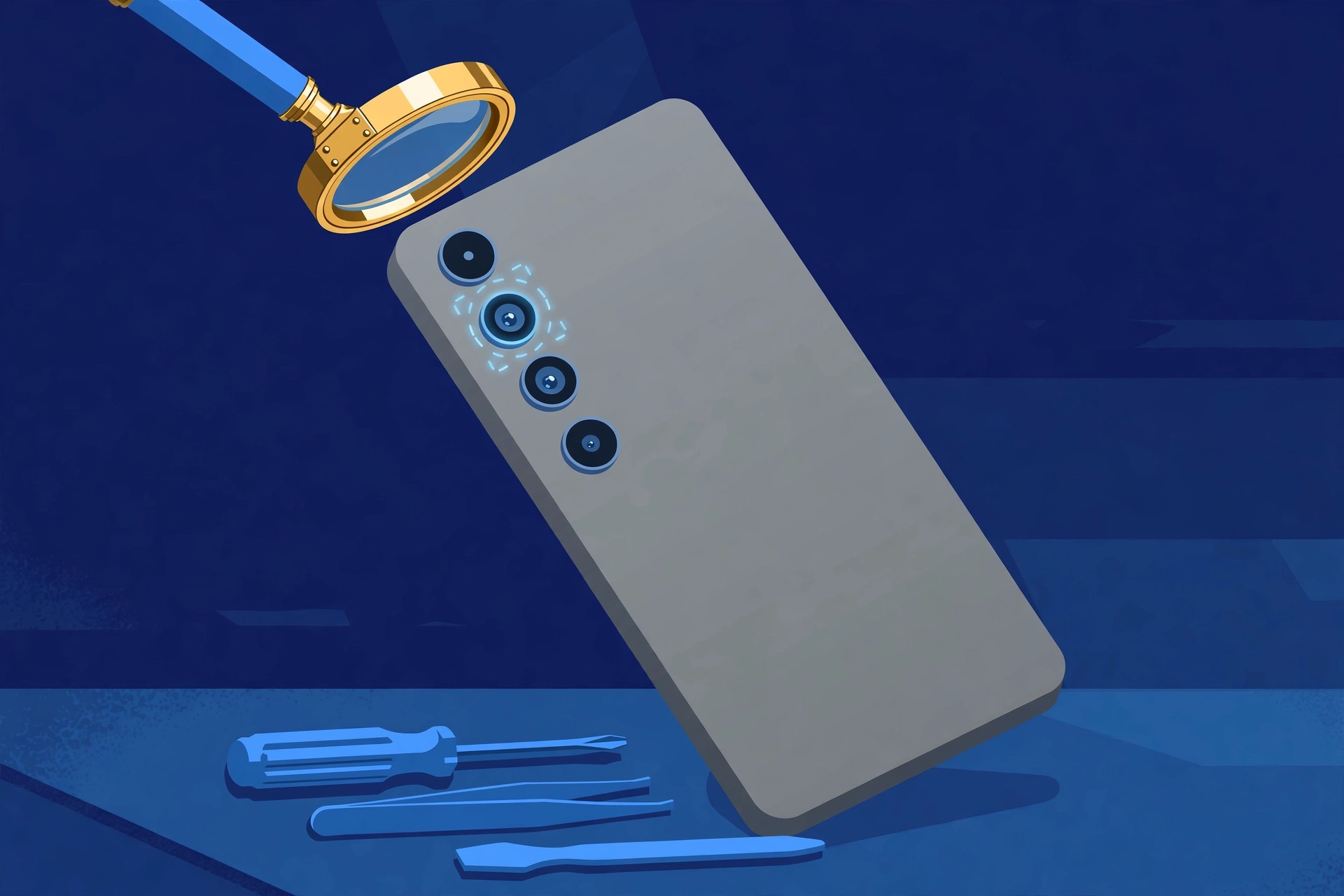
Editorial notes: this guide invents no Samsung camera price because none is published, and reports no hands-on focus test because none was performed — the per-lens ladder is a reader-run test, not a result. The hero and banner are original illustrations, not photographs or camera samples. The hardware signs listed justify a professional diagnosis, not a guaranteed failed part.