Samsung Galaxy S24 Ultra Battery Replacement Cost: When Is It Worth It?
Samsung does not publish a battery replacement price for the Galaxy S24 Ultra in the United States — and neither does FixUpPhone. Out of warranty, Samsung quotes battery service through its service flow after assessment; if you already hold Samsung Care+, battery repairs are included when a diagnostic confirms 79% capacity or less. A launch-day unit has run nearly three years of daily charging since January 2024, so wear is the expected suspect — but prove the battery before you pay.
ϟ Quick Expert Summary
Start with the evidence. On sale since January 2024, a launch-day Galaxy S24 Ultra has run well over two and a half years of daily charging: its 5,000 mAh battery may genuinely have faded, though fast drain can still be an app, a setting or weak signal. If you hold Samsung Care+, a diagnostic at 79% capacity or less makes the repair included. Without cover, there is no published US battery price — Samsung quotes after assessment, and FixUpPhone likewise quotes after testing; launch buyers are also outside the one-year warranty, which expired around January 2025. The exception to every calculation: a swollen battery. Stop using the phone, do not charge it, and never put it in the mail.
Source-based editorial guidance, not a FixUpPhone price quote, hands-on repair report or technician case history.
✓ Replacement Makes Sense When
- A battery diagnostic confirms capacity at 79% or less — included under Samsung Care+ if you hold it
- Runtime has collapsed and the usage screens rule out apps, settings and signal
- The phone shuts down unexpectedly or cannot hold a usable charge
- The battery is swollen or the back is lifting — a safety job, not a purchase
× Not Worth Paying When
- The battery still tests healthy — drain that follows software will survive a swap
- You have not checked the per-app battery usage screen yet
- The real fault is charging hardware — a new battery will not fix a damaged port
- You bought the phone recently — your own warranty year may still run, so check before paying
5,000 mAh
Typical capacity (rated 4,855 mAh)
30 hours
Video playback, Samsung spec sheet
79% or less
Care+ battery diagnostic threshold
Quote
FixUp price after assessment
Prove the battery first.
Spend only when it counts.
Diagnostics, cover checks and honest replacement maths.
① Key Specifications
| Battery | 5,000 mAh typical (rated 4,855 mAh, per Samsung’s footnote); not user-removable |
|---|---|
| Video playback | Up to 30 hours (Samsung’s published spec-sheet figure, from a controlled test) |
| Audio playback | Up to 95 hours (Samsung’s published spec-sheet figure) |
| Internet use | Up to 27 hours (LTE) / up to 28 hours (Wi-Fi), per Samsung’s spec sheet |
| Fast charge (wired) | 45W Super Fast Charging 2.0 — up to 65% in around 30 minutes (Samsung’s only charge-time claim) |
| Wireless charging | 15W Fast Wireless Charging 2.0; no built-in magnets |
| Reverse wireless charging | 4.5W Wireless PowerShare |
| Display | 6.8-inch Dynamic AMOLED 2X, QHD+ (3120×1440 per spec databases), 1–120Hz adaptive, Vision Booster, 2,600-nit peak; no ProScaler and no Privacy Display on this model |
| Chip | Snapdragon 8 Gen 3 for Galaxy (the Ultra is Snapdragon-only in every region) |
| Build | Titanium frame; Corning Gorilla Armor front (first generation); Corning Gorilla Glass Victus 2 back |
| Cameras | 200MP main ƒ/1.7; 12MP ultra-wide ƒ/2.2 with autofocus; 50MP 5x periscope ƒ/3.4; 10MP 3x ƒ/2.4; Laser AF; 12MP front ƒ/2.2 |
| Memory | 12GB RAM with 256GB, 512GB or 1TB (UFS 4.0); no microSD slot |
| S Pen | Built in — Bluetooth pen with Air Actions; charges in its silo (the last Ultra with the Bluetooth S Pen) |
| Connectivity | USB-C (USB 3.2, DisplayPort 1.2, DeX); Wi-Fi 7 tri-band; Bluetooth 5.3; UWB; IP68 (1.5 m/30 min, lab conditions); physical nano-SIM tray + eSIM (US model) |
| Software | Android 14 / One UI 6.1 at launch; seven generations of OS upgrades and seven years of security updates promised |
| Size & weight | 162.3 × 79 × 8.6 mm; 233 g (US model) |
| US launch prices | $1,299.99 / $1,419.99 / $1,659.99 at launch (January 2024); Samsung US no longer sells this model new |
| Release date | January 31, 2024 (US availability) |
Samsung Galaxy S24 Ultra product page
These playback figures are controlled spec-sheet tests, not promises for your unit — real runtime depends on signal, apps, brightness and battery condition. Samsung publishes no mixed-use or talk-time figure.
② FixUpPhone Expert Analysis
Practical battery-service analysis based on Samsung’s published specifications, service terms and coverage terms, plus FixUpPhone’s published service information.
First, the honest context: this battery has real miles on it
A launch-day Galaxy S24 Ultra has been charged daily since January 31, 2024 — well over two and a half years — and capacity fades gradually with every cycle, so on this model wear is the expected case, not the exception. A cell can also be heat- or liquid-damaged, or swollen. Samsung publishes no cycle-life rating for this model, so wear is measured by a diagnostic, not a calendar — but software, settings and signal still come first: they are free to rule out.
The evidence to gather before anyone quotes
Start in Settings → Battery and device care, which shows battery usage by app since the last full charge. Apply any pending update, restart, and re-check — drain that survives both earns a service diagnostic, which measures the battery’s actual condition and decides your Care+ position: included at 79% capacity or less.
How Samsung prices a battery: there is no list price
Unlike its screen pricing, Samsung US publishes no fixed battery fee for this model: battery service is quoted through Samsung’s service flow — a walk-in assessment at an authorised service centre, or the figure shown when you create a digital service request. Samsung’s Screen Module Replacement tier (screen, frame and battery together) likewise shows a dash in its table — no published price — so even that bundled route is quoted, not listed. The only static US price for this phone is the $259 front-screen repair; any website quoting a precise Samsung battery price is quoting something Samsung has not published. FixUpPhone works the same way: battery tested first, then quoted.
The Samsung Care+ route — for readers who already hold it
If you hold Samsung Care+, battery trouble is where it earns its keep: battery repairs are included in its unlimited repairs when diagnostics confirm capacity of 79% or less, and the same plan prices cracked screen and back glass claims at $29 each (or $0 each with Care+ with Theft and Loss). Care+ covers accidental damage — drops and spills — that the standard warranty never covers. Enrolment was at purchase or within 60 days at standard pricing (purchase possible within one year, at different pricing after day 60); for a January 2024 phone those windows have long closed — this route is for existing plan holders only.
The warranty year has closed for launch buyers
Every Galaxy S24 Ultra carries Samsung’s standard 1-year limited warranty, running from each buyer’s own purchase date. Launch buyers’ year expired around January 2025, so for them a battery failure now — even a defect — is a paid repair or a Care+ claim. If you bought later (remaining stock or refurbished), your own year may still be live: check it first, because a defect inside it is Samsung’s cost. Wear, accidental and liquid damage were never warranty items.
When replacement really is worth it
Three findings justify a swap. First, a diagnostic at or below the 79% line — measurable wear or a failing cell. Second, behaviour pointing at the cell once software is ruled out: shutdowns at 20–30% remaining, or percentages falling in steps. Third, physical damage — swelling, heat damage, or a battery compromised by liquid. Never worth it: a swap bought on suspicion, with a healthy diagnostic — you pay to open a sealed phone and the drain comes home unchanged.
Swelling: stop, do not charge, do not mail it
A swollen battery ends the shopping conversation and starts a safety one. If the back panel is lifting or bowing, the phone no longer sits flat, it feels unusually hot, or you notice hissing or a chemical smell, stop using it and stop charging it — wired and wireless alike. Do not press the panel back down, do not puncture anything, and never put it in the post. Get in-person advice first, keep it cool and away from anything flammable, flag the damage in your FixUpPhone request, and let the repairer say how they want it brought in. For the same reason, a battery swap on this sealed phone is a service job, not a casual home fix.
Questions to ask before you approve
- Did you run a battery diagnostic, and what capacity did it show?
- Is the fault the battery itself — or charging hardware, software or signal?
- Will the replacement be a genuine Samsung battery, and is that written on the quote?
- Is the total final, including labour, seals, tax and diagnostics?
- Is a new seal fitted when the phone is closed?
- What warranty covers the part and labour?
- Could this be covered by Samsung Care+ or my remaining warranty instead?
③ Pros & Cons: Replacing vs Waiting
✓ Reasons to Replace
- Included under Samsung Care+, if you hold it, when diagnostics show 79% capacity or less
- Restores runtime and stops shutdowns when the cell is genuinely at fault
- Protects a phone that launched at $1,299.99 with years of software support ahead of it
- Removes a genuine safety risk when a battery is swollen or heat-damaged
× Reasons to Wait
- A healthy battery gains almost nothing from a swap
- App, settings or signal drain returns unchanged after a replacement
- Launch buyers are outside the warranty year, so the cost lands on you or Care+
- Opening the phone breaks the factory seal, like any repair
Battery Replacement Cost? Check the Published Prices
Samsung publishes no US battery price for this model, so the honest table is the routes and what each charges — or does not publish. Suggested prices may vary by region or store and exclude taxes and fees.
| Your route | Published price | What it means |
|---|---|---|
| Samsung — battery, with Samsung Care+ | Included | Battery repairs are part of Care+’s unlimited repairs when a diagnostic confirms 79% battery capacity or less. |
| Samsung — battery, defective under warranty | Covered, in term | A battery that fails through a defect is handled under the one-year warranty while your own year runs (launch buyers’ year expired around January 2025). Wear and accidental damage are not defects. |
| Samsung — battery, out of warranty | Quoted after diagnosis | Samsung US publishes no battery price; the figure comes from its service flow after assessment. Samsung’s mail-in turnaround is estimated at 5 to 7 business days; repairs carry a 90-day warranty. |
| Samsung — front screen, for reference | $259 | The only static US repair price Samsung publishes for this phone — a front-screen-only repair, subject to inspection conditions. Shown for the pricing structure; it is not a battery figure. |
| FixUpPhone — in store or mail-in | Quote after assessment | No fixed price is published; the battery is tested and work proceeds only after you approve the quote. General repair time is 1–7 days; repairs carry a 3-month warranty. |
| DIY self-service | Proceed with care | Only for genuinely experienced repairers: strong adhesives, fragile connectors and a puncture risk if the old cell is mishandled. Never handle a swollen cell at home. |
Check Samsung’s Care+ terms, the battery diagnostic rule and its published repair prices
Request a battery test and an assessed quote for your exact phone
Samsung terms and prices checked October 15, 2026; prices and terms can change. No Samsung figure above is a FixUpPhone price.
④ Repairability & Common Repair Needs
Gather the evidence first
Note the pattern over a few days — which apps lead the usage screen, and whether the phone warms up idle. That record separates a worn battery from a software problem, and it is the most useful thing you can hand a technician.
Charging problems may not be the battery
Slow or intermittent charging can point to the cable, the adapter, debris in the USB-C port or the charging circuit rather than the cell. Test with a known-good 45W adapter first.
Seals and records
Reaching the battery means opening the phone, so ask whether a new seal is fitted when it is closed — a repaired phone cannot honestly be treated as keeping its factory IP68 rating. Keep the quote and repair record with the phone’s history.
Samsung repair services and published prices · Request a FixUpPhone battery assessment
These are possible causes and service considerations, not claims of a model-wide defect. Back up before any repair — a phone going in for service may be wiped. Stop using and stop charging a swollen, overheating or damaged battery — swelling, lifting glass, hissing, a chemical smell or unusual heat all mean in-person help, never mail. Liquid damage is not covered by Samsung’s warranty.
Battery Problems With Your Galaxy S24 Ultra?
Tell FixUpPhone what the phone is doing and choose a local store or a mail-in enquiry.
- Battery draining much faster than when new
- Unexpected shutdowns or percentage jumps
- Slow or intermittent charging
- Phone running hot while idle
- Swelling or a lifting back panel — flag this before anything else
An online booking is a request; the team confirms the next step with you.
Mail-In Repair Service
Start with the repair request form and choose Mail-In Repair. You pay to ship the phone to FixUpPhone; FixUpPhone pays the return shipping. Do not send the device until the receiving store and shipping instructions have been confirmed — and never mail a swollen or damaged battery; flag heat or battery damage in your request first.
Start Mail-In Repair →Back up first where possible and describe the symptoms in your request.
Prefer to visit? Find a repair location →Visit a FixUpPhone Store
Lynwood, CA — battery replacement · 3100 E Imperial Hwy, Store M1002, Lynwood, CA 90262 · Every day 11 AM–8 PM · (805) 857-4225
Santa Barbara, CA — battery replacement · 619 A State St, Santa Barbara, CA 93101 · Mon–Fri 11 AM–8 PM; Sat 10 AM–8 PM; Sun 12 PM–7 PM · (805) 857-4226
Las Vegas, NV — battery replacement · 875 S Grand Central Pkwy, Unit TT32, Las Vegas, NV 89106 · Mon–Sat 10 AM–8 PM; Sun 10 AM–7 PM · (818) 482-3605
How It Works
- BookSubmit the model, store or mail-in choice, and symptoms for review.
- AssessThe team tests the battery and checks whether the fault sits elsewhere.
- ApproveReview the findings and confirmed quote before authorising work.
- RepairThe general repair timeframe is 1–7 days, plus shipping time for mail-in.
- Collect or ReturnCollect in store or receive the mail-in return; repairs include a 3-month warranty.
⑤ Should You Replace the Battery?
Work through three checks in order: cover, evidence (shutdowns, step-drops, a degraded diagnostic), and the maths — on a phone that launched at $1,299.99 with seven generations of OS upgrades promised, replacing one worn part beats replacing the phone.
| Your situation | Cost of the fix | Usual conclusion |
|---|---|---|
| Samsung Care+ held, diagnostic at 79% or less | Included under Care+ | Claim it. There is nothing to compare. |
| Battery failed through a defect, still inside your own warranty year | Covered by warranty | Use the warranty route before paying anyone; later buyers should check their date. |
| Battery worn, damaged or swollen, no cover | Assessed quote (Samsung or FixUpPhone) | Replace. The phone’s value dwarfs a single-part repair — and swelling is a safety issue. |
| Fast drain, battery tests healthy, no shutdowns | Often $0 — settings and apps | Diagnose first. A new battery will not fix a software or signal problem. |
| Battery plus screen or further damage | Combined written quote | Compare the total with replacement using the repair-or-replace framework. |
On a healthy diagnostic, the correct spend is $0 and a settings check.
Request a trade-in assessment →⑥ Alternatives & Comparison
At 79% capacity or less on Samsung’s diagnostic, battery repair is included in the plan. If you hold Care+, check that route before paying anyone.
Explore option →Check the battery usage screen, update the software, restart, and restrict the runaway app before spending anything.
Explore option →Screen damage is the one repair Samsung prices publicly for this phone — $259 for a front-screen repair, subject to inspection.
Explore option →⑦ Accessories We Recommend
Samsung’s fast-charge claim — up to 65% in around 30 minutes — needs a 45W Super Fast Charging 2.0 adapter and a suitable cable. A weak old adapter is a common cause of “slow charging” complaints that are not faults.
This phone charges wirelessly at 15W with no built-in magnets, so a pad with a raised lip or guide ring keeps it centred; a magnetic-ring case is an accessory choice, not a phone feature.
Keep a known-good spare so you can rule out a worn cable before booking a repair.
Check the exact product specifications and compatibility before ordering.
⑧ Frequently Asked Questions
How much does it cost to replace a Samsung Galaxy S24 Ultra battery?
Samsung US publishes no battery price for this model — out of warranty, the figure is quoted through its service flow after diagnosis. If you hold Samsung Care+, battery repairs are included when diagnostics confirm 79% capacity or less. FixUpPhone also quotes after assessment.
Is battery replacement covered by Samsung Care+?
Yes, for plan holders — battery repairs are included in Care+’s unlimited repairs when a diagnostic confirms 79% capacity or less. The plan also covers accidental damage such as drops and spills, which the standard warranty does not. For this January 2024 model, this applies if you already hold the plan.
How do I check my Galaxy S24 Ultra’s battery health?
Open Settings → Battery and device care to see per-app usage; a service diagnostic measures the battery’s condition directly — the figure Samsung Care+ uses against its 79% line, and the one worth having in writing before you pay for anything.
How long should a Galaxy S24 Ultra battery last before it wears out?
Wear is gradual, depends on charge cycles and heat, and Samsung publishes no cycle-life rating for this model — so there is no honest “replace at X cycles” number. What is measurable is capacity: a diagnostic at 79% or less is the point Samsung itself treats as a failed battery under Care+.
What are the signs a battery really needs replacing?
A diagnostic showing capacity at 79% or less, collapsed runtime, unexpected shutdowns, percentages that fall in steps — and, most urgently, swelling that lifts or bows the back panel, or a phone that no longer sits flat. Swelling is a safety issue, not a shopping decision.
My battery is swollen. What should I do?
Stop using the phone and stop charging it — wired or wireless. Do not press the panel back down, do not puncture it, and never put it in the post. Keep it somewhere cool, away from anything flammable, and get in-person advice — tell the repairer about the swelling when you book.
How long does a FixUpPhone battery repair take?
FixUpPhone’s general repair time is 1–7 days, depending on the work and parts availability. Mail-in repairs add shipping time in both directions. Your confirmed timescale comes with your assessment and quote.
Can I mail my Galaxy S24 Ultra to FixUpPhone for a battery replacement?
Yes — start a repair request and choose Mail-In Repair, back up first, and do not post the phone until the receiving store and instructions are confirmed. You pay inbound shipping; FixUpPhone pays the return. Exception: never mail a swollen or damaged battery — flag it and get in-person advice instead.
Sources & Editorial Notes
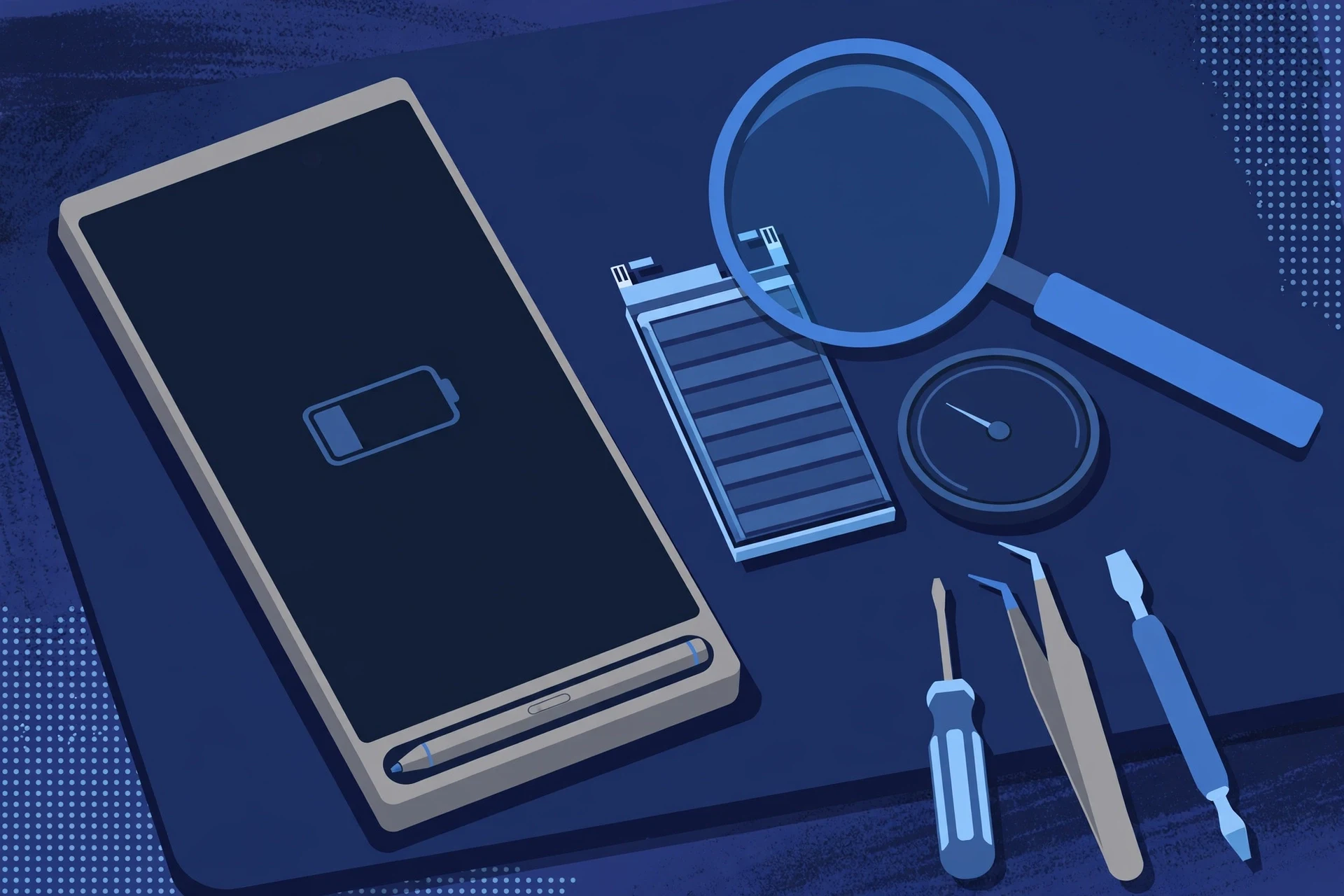
Prepared by FixUpPhone Editorial. Documentation checked October 15, 2026. Samsung specifications, service terms and coverage terms are distinguished from FixUpPhone’s assessed repair process. No hands-on repair, technician case history, customer experience, measured test result or fixed FixUpPhone price is claimed for this model. The featured artwork is an original illustration. Samsung is not affiliated with FixUpPhone.
- Samsung — Galaxy S24 Ultra product page (battery capacity and rated footnote; charging specifications)
- Samsung Support — Samsung Care+ (battery repairs included subject to the 79% capacity diagnostic; $29 cracked screen and back glass claims on the standard plan; $0 with Theft and Loss; lost or stolen replacement deductible $99–$199 depending on device)
- Samsung Support — Cracked Screen Repair (front-screen price $259 for this model; module tier unpriced; no published battery price; 90-day repair warranty; mail-in turnaround)
- GSMArena — Galaxy S24 Ultra full specifications (3120×1440 resolution, camera details, USB 3.2 / DisplayPort, SIM details)
- FixUpPhone — Phone Repair Services and Mail-In Phone Repair, checked October 15, 2026
- FixUpPhone — Locations, checked October 15, 2026
For corrections or device help, contact FixUpPhone.