iPhone 16 Pro Max Black Screen: Safe Fixes & When It Is the Display
A black screen on an iPhone 16 Pro Max does not automatically mean a dead phone or a new display. The phone may be alive behind the dark screen — ringing, vibrating, showing up in Find My — with only the display frozen or failed. Or it may be a deeply drained two-year-old battery, a software crash, drop damage, liquid, or a protective shutdown after overheating. This guide starts with one triage question — is it alive or not?
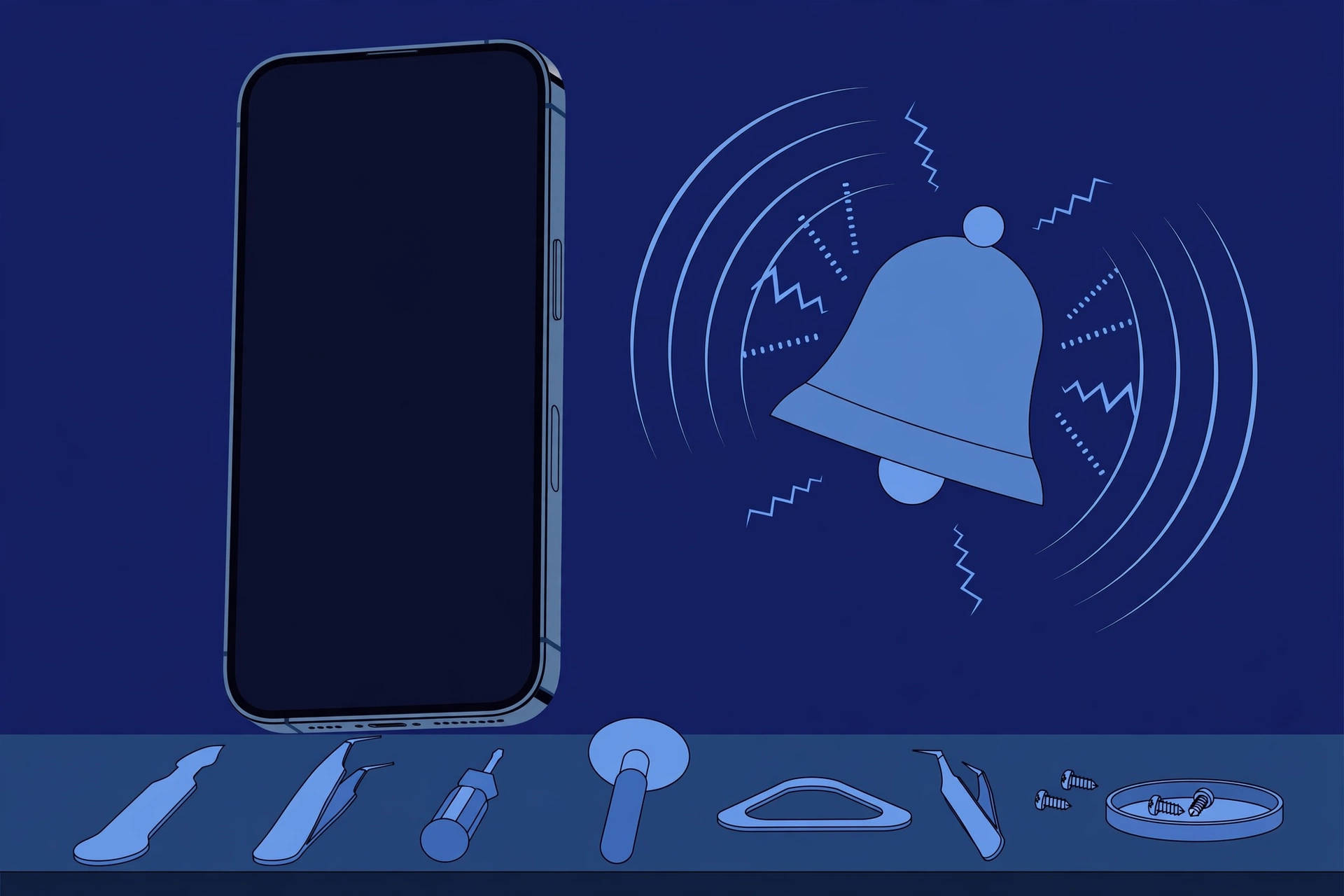
ϟ Quick Expert Summary
Start with the alive-or-not test, not parts. Call the phone, flip the silent switch, check Find My: if it rings, vibrates or shows a location, the phone is alive and the fault sits in the display path. If there is nothing at all, treat it as a power problem. Then charge it for at least 30 minutes with a known-good cable and adapter — a two-year-old battery can run so deeply flat the phone ignores its buttons — and force a restart. If it is hot, the screen or back is lifting, or you smell anything chemical, stop: do not charge it or post it — get in-person help.
Source-based editorial guidance, not a FixUpPhone price quote, hands-on repair report or technician case history.
✓ Work Through the Safe Fixes When
- The phone rings, vibrates, plays alarms or appears in Find My
- The screen went black after the battery ran very low
- It froze during or after an app, call or update
- There is no heat, swelling or chemical smell
× Stop and Seek Help When
- The phone is hot, the back or screen is lifting, or you smell chemicals
- The black screen followed a hard drop onto the display
- It was submerged or shows signs of liquid inside
- Nothing responds after charging and a force restart
6.9″ OLED
2868×1320 Super Retina XDR
$379
Apple screen fee, if display
33 hrs
Video playback, rated battery
Quote
FixUp price after diagnosis
Alive or dead?
Find out first.
Signs of life, charge, restart — in that order.
① Key Specifications
| Display | 6.9-inch Super Retina XDR OLED, 2868×1320 at 460 ppi, ProMotion 120Hz, Always-On |
|---|---|
| Front glass | Latest-generation Ceramic Shield |
| Frame | Titanium design (grade 5 titanium) |
| Battery life (rated) | Video playback up to 33 hours; streamed up to 29 hours |
| Fast charge (USB-C) | Up to 50% in around 30 minutes with a 20W adapter or higher |
| Wireless charging | MagSafe up to 25W; Qi2 up to 15W |
| Water and dust resistance | IP68 laboratory rating when new |
| US starting price | $1,199 for 256GB |
| Release date | September 20, 2024 |
Apple’s iPhone 16 Pro announcement, as reported by MacRumors
A working phone with a dead picture, and a dead phone with a perfect display, look identical from outside — hence checks before parts.
② FixUpPhone Expert Analysis
Practical troubleshooting based on Apple’s published specifications, service fees and coverage terms, plus FixUpPhone’s published service information.
First question: is the phone alive behind the screen?
Everything branches from this. Call the phone: does it ring or vibrate? Flip the ring/silent switch and feel for the vibration. Check whether an alarm sounds, or whether the phone appears in Find My. Any of those means the phone is running and the fault is in the display path — panel, connection or software. If there is nothing at all, treat it as a power problem until proven otherwise: the fixes and prices are completely different.
Step one: charge it properly for at least 30 minutes
Launched in September 2024, this phone’s battery has up to two years of cycles behind it. A worn battery that runs deeply flat can sit black for a long while and ignore every button until it has taken on charge. Use a known-good cable and adapter, plug into a wall socket, and leave it alone for at least 30 minutes. A healthy unit can reach around 50% in roughly 30 minutes on a 20W adapter or higher — so if an hour changes nothing, power alone is not the story.
Step two: force a restart with Apple’s sequence
If the screen is still black after charging, force a restart: quickly press and release volume up, quickly press and release volume down, then press and hold the side button — keep holding, past the black screen, until the Apple logo appears — then release. A frozen system is one of the most common causes of a black screen on an otherwise alive phone, and this resolves it without touching your data. If the logo appears, let the phone finish starting, then consider what crashed it — a recent update or a new app. One more free check: in a dark room, look for a faint Always-On glow — this display dims to 1 nit, and a screen at minimum brightness can look dead in bright light.
Step three: the computer test — and Update before Restore
Still black? Connect the phone to a computer with a known-good cable — Finder on a Mac, or the Apple Devices app on Windows. If the computer recognises it, the phone is powered and running, the fault is narrowed to the display path, and you can back up before anything riskier. If offered Update or Restore, choose Update first: it reinstalls iOS while keeping your data. Restore erases the phone, so it is the last software step, taken only when a backup exists. If it sees nothing, try a second cable and port.
The drop that “only” broke the display
If the screen went black at the moment of a drop, suspect the display hardware even when the glass looks perfect. The front is Apple’s latest-generation Ceramic Shield, which protects the surface glass — but the OLED panel beneath can fail internally from impact and go dark with no visible mark.
Liquid and heat change the plan completely
A black screen after liquid exposure is not a troubleshooting exercise. IP68 is a laboratory rating on a new device; resistance is not permanent, and Apple’s warranty does not cover liquid damage. Do not charge a possibly wet phone by cable; let it dry and get it assessed promptly — corrosion keeps working while you wait. Heat is the other hard stop: iPhones shut down outside their 0° to 35° C operating range, and a screen that returns once the phone cools may have been that protection working. Cool it at room temperature — never in a fridge.
Swollen battery: the one presentation you must not “fix”
If the dark screen is also lifting at an edge or the back glass is pushing out, suspect a swollen battery displacing the display. Stop there: do not charge it, do not press the screen down, do not put it in the post. A swollen battery is a safety issue needing in-person handling.
Questions to ask before you approve
- Did the phone show any signs of life — sounds, vibration, Find My, computer connection?
- Is the diagnosis the display, the battery, or something deeper?
- What exactly is included in the quote — parts, labour, seals, tax?
- Will my data still be on the phone after the repair?
- What warranty covers the part and labour?
- Is there any sign of liquid damage or battery swelling?
- Could AppleCare+ cover this more cheaply at the $29 screen fee?
③ Pros & Cons: Troubleshooting First vs Going Straight to Repair
✓ Reasons to Work the Safe Fixes First
- A drained or crashed phone costs nothing but half an hour on a charger
- A force restart fixes a frozen display, data untouched
- The alive-or-not test tells you which repair you actually need
- A computer backup protects your data before deeper steps
× Reasons to Stop Troubleshooting and Get Help
- Heat, swelling or a chemical smell means a possible battery hazard
- Liquid inside the phone gets worse with time, not better
- Repeated restores cannot fix damaged hardware — and erase data
- On a two-year-old phone, a dying battery mimics several other faults
Black Screen? Check the Published Prices If Hardware Is the Cause
If the safe fixes point to hardware, the likely parts are the display or the battery — both carry published Apple prices. Apple inspects the device before confirming its final fee; tax may be added and shipping may apply. Authorised providers set their own fees.
| If the cause is… | Published price | What it means |
|---|---|---|
| Apple — display replacement | $379 | Apple’s out-of-warranty screen fee for this model — about 32% of its $1,199 starting price. |
| Apple — display, with AppleCare+ | $29 | The AppleCare+ service fee for screen damage. If your plan is active, check this route first. |
| Apple — battery replacement | $119 | Apple’s out-of-warranty battery fee, if the battery rather than the display is at fault. With AppleCare+, a battery below 80% capacity is replaced at no additional charge. |
| Apple — other damage | $749 / $99 | Faults beyond screen and battery fall into Apple’s “other damage” tier: $749, or $99 with AppleCare+. |
| Apple — defective under warranty | Covered | A defect is handled under warranty terms; accidental and liquid damage are not defects. Launch-day phones passed the one-year mark in September 2025, so check your own coverage dates. |
| FixUpPhone — diagnosis and repair | Quote after diagnosis | No fixed price is published for this model. The cause is confirmed first; work proceeds only after you approve the quote. |
Check Apple’s current iPhone repair terms, fees and coverage routes
Request a diagnosis and an assessed quote for your exact phone
Apple fees checked October 15, 2026. Prices and terms can change. None of Apple’s figures is a FixUpPhone price, and no independent price is implied by the comparison.
④ Repairability & Common Repair Needs
The display is a sealed assembly
The OLED panel, touch layer and Ceramic Shield front are serviced as one display assembly, reached by opening the phone. That is why “the glass is fine” does not rule out a screen replacement: a panel that failed internally is replaced as the same unit. After any opening, a new seal should be fitted, and the factory IP68 rating cannot be re-certified.
Alive vs dead decides the job
A phone that rings with a black screen needs the display path checked; one with no signs of life needs its power path checked — battery first on a phone of this age. A wrong assumption is how people pay for a screen when the battery was the fault, so get the finding in writing.
Document what you tried
Note how long you charged it and with what, whether the force restart showed a logo, whether a computer recognised it, and what happened just before — a drop, liquid, heat, an update. That timeline shortens diagnosis.
Apple service and repair information · Request a FixUpPhone diagnosis
Possible causes and service considerations, not claims of a model-wide defect. Back up before any repair where the phone allows it. If the phone is hot, swollen or smells chemical, do not charge it or arrange mail-in shipment — take it for in-person help, and tell the repairer about any drop, liquid or heat.
Black Screen on Your iPhone 16 Pro Max?
Tell FixUpPhone what the phone is doing and choose a store or mail-in.
- Screen black, but the phone rings or vibrates
- No response at all after charging
- Screen died after a drop, even without cracks
- Black screen after liquid exposure
- Screen or back lifting — flag this before anything else
An online booking is a request; the team confirms the next step with you.
Mail-In Repair Service
Start with the repair request form and choose Mail-In Repair. You pay to ship the phone to FixUpPhone; FixUpPhone pays the return shipping. Do not send the device until the receiving store and instructions have been confirmed. If the phone is hot, swollen or smells chemical, do not mail it — contact the team for in-person options.
Start Mail-In Repair →Back up first where possible, and describe the signs of life you found.
Prefer to visit? Find a repair location →Visit a FixUpPhone Store
Lynwood, CA — screen repair · 3100 E Imperial Hwy, Store M1002 · Every day 11 AM–8 PM · (805) 857-4225
Santa Barbara, CA — screen repair · 619 A State St · Mon–Fri 11 AM–8 PM; Sat 10 AM–8 PM; Sun 12 PM–7 PM · (805) 857-4226
Las Vegas, NV — screen repair · 875 S Grand Central Pkwy, Unit TT32 · Mon–Sat 10 AM–8 PM; Sun 10 AM–7 PM · (818) 482-3605
How It Works
- BookSubmit the model, store or mail-in choice, and symptoms for review.
- DiagnoseThe team checks for signs of life, then tests the display, battery and power path.
- ApproveReview the finding and confirmed quote before authorising work.
- RepairThe general repair timeframe is 1–7 days, plus shipping time for mail-in.
- Collect or ReturnCollect in store or receive the mail-in return; repairs include a 3-month warranty.
⑤ Should You Repair It, Restore It, or Replace It?
On a two-year-old flagship, a black screen is rarely a replacement conversation — but it is often a battery conversation.
| Diagnosis | Right move | Why |
|---|---|---|
| Deeply drained battery | Charge 30+ minutes, then force restart | A worn, deeply discharged battery can make the phone look dead until it takes on charge. |
| Frozen system / software crash | Force restart; Update, then Restore only if it persists | The restart and Update cost no data; a Restore does. |
| Display damaged, AppleCare+ active | Apple at the $29 screen fee | The plan already covers screen damage at that fee. |
| Display damaged, no cover | Compare Apple’s $379 with an assessed quote | At about 32% of the phone’s starting price, a display repair usually beats replacing a flagship. |
| Battery worn or failed | Apple’s $119 battery, or an assessed quote | On a 2024 phone this is a routine, comparatively cheap fix. |
| Black screen plus other major damage | Combined written quote | Use the repair-or-replace framework on the total, not on one line. |
Replacement only enters the picture when the combined repair total approaches what the phone is worth to keep.
Request a trade-in assessment →⑥ Alternatives & Comparison
Every published screen price and repair route for this model.
Explore option →If the phone dies rather than just going dark, the battery guide covers the $119 question and the 80% rule.
Explore option →A lit display that ignores touch is a different fault with its own ladder.
Explore option →⑦ Accessories We Recommend
Most display damage starts with a drop. Raised lips absorb the flat impacts that kill OLED panels even when the glass survives.
The “dead phone” that was only a failed cable is a classic — a certified cable removes the most common false alarm.
MagSafe charging at up to 25W is a second way to power this phone — and a diagnostic tool: if it charges wirelessly but not by cable, the fault sits in the cable or port path.
Check specifications and compatibility before ordering.
⑧ Frequently Asked Questions
Why is my iPhone 16 Pro Max screen black but the phone still rings?
If it rings, vibrates or appears in Find My, the phone is alive and the fault sits in the display path — a frozen system or a failed panel. Force a restart first. If the sounds continue but the screen never lights, the display needs diagnosis: $379 at Apple, or $29 with AppleCare+.
How do I force restart an iPhone 16 Pro Max with a black screen?
Quickly press and release volume up, quickly press and release volume down, then press and hold the side button until the Apple logo appears — keep holding through the black screen. Charge for 30 minutes first if the battery may be deeply drained.
How long should I charge a black-screen iPhone 16 Pro Max before trying again?
At least 30 minutes on a known-good cable and wall adapter — longer if the battery was run completely flat. If an hour changes nothing, power alone is not the story.
The screen went black after a drop, but the glass is not cracked. Can the display still be broken?
Yes. The Ceramic Shield front protects the surface glass, but the OLED panel underneath can fail internally from impact and go dark with no visible crack. Flickering or lines before it died are typical signs. That is a display repair: $379 at Apple, or $29 with AppleCare+.
Will updating or restoring my iPhone fix a black screen — and will I lose my data?
An Update reinstalls iOS and keeps your data; a Restore erases the phone. Try Update first from a computer, and only Restore when a backup exists. If a clean Restore does not bring the screen back, the cause is hardware.
How much does it cost to fix an iPhone 16 Pro Max black screen?
It depends on the cause, which is why diagnosis comes first. A failed display is $379 at Apple, or $29 with AppleCare+. A battery fault is $119 — or no additional charge with AppleCare+ below 80% capacity. Deeper faults fall into Apple’s $749 “other damage” tier ($99 with AppleCare+). FixUpPhone quotes after diagnosis.
My phone’s screen is lifting, or it feels hot and smells strange. What should I do?
Stop. Do not charge it, press the screen down, or put it in the post. A lifting screen plus heat or a chemical smell points to a swollen, damaged battery. Keep it away from anything flammable and take it for in-person help.
Can I mail my iPhone 16 Pro Max to FixUpPhone for a black screen repair?
Yes, normally — start a repair request, choose Mail-In Repair, and do not post the phone until the receiving store and instructions are confirmed. You pay inbound shipping; FixUpPhone pays the return. The exception: never mail a phone that is hot, swollen or smells chemical.
Sources & Editorial Notes
Prepared by FixUpPhone Editorial. Documentation checked October 15, 2026. Apple specifications, fees and terms are distinguished from FixUpPhone’s assessed repair process. No hands-on repair, case history, customer experience, test result or fixed FixUpPhone price is claimed for this model. The steps are general guidance, not a guarantee of recovery without repair. The artwork is an original illustration. Apple is not affiliated with FixUpPhone.
- MacRumors, September 9, 2024 — Apple announces iPhone 16 Pro and 16 Pro Max (titanium design, latest-generation Ceramic Shield, from $1,199, available September 20, 2024)
- Apple Support — iPhone service and repair (inspection determines the final fee; warranty scope; AppleCare+ terms, including no-charge battery replacement below 80% capacity)
- iClarified, September 2024 — Apple’s US service fee table at launch (screen $379, battery $119, other damage $749; back-glass lines later listed lower, at $159 / $469, in Apple’s September 2025 fee table)
- FixUpPhone — Phone Repair Services and Mail-In Phone Repair, checked October 15, 2026
- FixUpPhone — Locations, checked October 15, 2026
For corrections or device help, contact FixUpPhone.