iPhone 17 Pro Max Water Damage Repair Cost: Practical Guide, Key Considerations & Next Steps
Water damage is the one repair where nobody honest can give you a price before the phone is opened — not Apple, and not FixUpPhone. The iPhone 17 Pro Max is rated IP68, but Apple states water resistance is not permanent and liquid damage is not covered by its warranty; a liquid-damaged phone typically falls into Apple’s $799 “other damage” tier out of warranty, or the $99 AppleCare+ service fee. What matters most is the first hour: power the phone off, do not charge it, skip the rice, and get it assessed before corrosion spreads.
ϟ Quick Expert Summary
Act first, price second. If your iPhone 17 Pro Max has just got wet: power it off and leave it off, unplug everything, and do not charge it — charging a wet phone can corrode the connector pins and turn a recoverable phone into a dead one. Tap it gently, connector down, to clear water from the openings, then leave it somewhere dry with airflow. Skip the rice and the hairdryer; Apple advises against both. Then get it assessed the same day: corrosion starts quickly, and any quote is provisional until the inside is inspected. Success is never guaranteed.
Source-based editorial guidance from Apple’s published guidance — not a FixUpPhone price quote or repair report.
✓ Do This Now
- Power the phone off and leave it off
- Tap gently, connector down, then dry somewhere with airflow
- Back up your data if the phone still works safely
- Book an assessment the same day — time beats price here
× Do Not Do This
- Charge a wet phone, or keep using it “to check it works”
- Put it in rice, or dry it with heat or compressed air
- Assume IP68 means the warranty covers liquid damage — it does not
- Wait a week to see if it gets better
IP68
Up to 6 metres for 30 minutes, in lab tests
$799
Apple “other damage” tier
$99
With AppleCare+, other damage
Quote
FixUp price after assessment
Phone got wet?
Time matters more than price.
Power off, do not charge, and get it assessed.
① Key Specifications
| Water and dust resistance | IP68 (IEC 60529) — up to 6 metres for up to 30 minutes, laboratory conditions |
|---|---|
| Resistance over time | Not permanent — Apple states resistance can decrease with normal wear |
| Warranty position | Liquid damage is not covered by the Apple Limited Warranty |
| Connector | USB-C, with liquid detection that blocks charging when wet |
| Wireless charging | MagSafe and Qi2 up to 25W |
| Display | 6.9-inch Super Retina XDR OLED |
| US starting price | $1,199 for 256GB |
| Release date | September 19, 2025 |
Apple technical specifications
An IP68 rating describes a new phone surviving a controlled test — not a promise that your phone is waterproof today, and not insurance. After over a year of pockets, drops and wear, a damaged or repaired phone can let water in at far shallower depths.
② FixUpPhone Expert Analysis
Safety and repair-cost analysis based on Apple’s published guidance, plus FixUpPhone’s published service information.
The first hour: what to do, in order
Power it off and leave it off, and unplug every cable and accessory. Following Apple’s own guidance: tap the phone gently against your hand with the connector facing down to shake water out of the openings, wipe the outside with a soft, lint-free cloth, and leave it in a dry place with some airflow. If the liquid was something other than plain water — a drink, seawater, pool water — rinse the affected area gently with tap water first, because those residues are more corrosive. Then wait: a wet connector can take many hours, and up to a full day, to dry completely.
Why you must not charge it — and what the alert means
When this phone detects liquid in the USB-C connector, it shows a liquid-detection alert and blocks wired charging and accessories until dry. That is the phone protecting itself: Apple warns that charging with a wet connector can corrode the pins and cause permanent damage. Do not treat the alert as a nuisance: the emergency override exists for emergencies, and using it can finish off a connector that would otherwise have survived. Wireless charging is the safer fallback Apple describes, with the back wiped dry first.
The rice myth, and the heat myth
Apple’s support guidance is unusually blunt: do not put a wet iPhone in a bag of rice — loose particles can get inside and cause further damage, and rice does nothing for liquid already inside. The same guidance rules out the other folk remedies: no external heat, no hairdryer, no compressed air (which can drive liquid deeper), nothing poked into the connector. Honest drying is boring: power off, connector down, dry air, time.
Why time matters: corrosion starts straight away
The drop is not what kills most wet phones — the days afterwards are. Liquid inside attacks metal contacts and board components, and corrosion continues while residue and moisture remain. A phone can seem fine on Monday and start restarting, fogging its cameras or refusing to charge by Friday. “Let’s see how it goes” is the most expensive strategy: the earlier the phone is opened and inspected, the more of it is left to save.
Why there is no fixed water-damage price
Water does not break one part — it travels. One phone needs the board cleaned and nothing replaced; another needs a screen, a battery and a charging assembly. An honest quote therefore has two stages: an assessment to find what the liquid reached, then a confirmed price for the work. Even then, a quote can change once corrosion is cleaned and hidden damage shows itself — which is why any change should be re-confirmed with you first. With liquid damage, no repairer can guarantee success.
Your data comes before the repair
If the phone still works after drying, back it up before anything else — to iCloud or a computer — because a corroding phone can fail without warning. If it no longer powers on, tell the repairer at booking that the data is your priority. No repairer can promise your data back. Recovery depends on what the liquid reached, and sometimes the honest answer is that the phone cannot be saved.
Questions to ask before you approve
- Will you inspect the inside before giving me a firm price?
- If the quote changes after corrosion is cleaned, will you re-confirm first?
- Is my data the priority, and what happens to it if the repair fails?
- Which parts are damaged, and which are you cleaning rather than replacing?
- How quickly can you start — time matters with liquid damage?
- Would AppleCare+ at the $99 fee be the better route for me?
③ Pros & Cons: Assessed Independent Repair vs Apple’s Tier
✓ Reasons for a Fast, Assessed Independent Repair
- Speed is the whole game — assessment today limits corrosion
- Priced on the parts your phone actually needs, not a catch-all tier
- Data can be made the priority from the start
- Available locally in CA or NV, or by mail-in
× Reasons to Use Apple Instead
- AppleCare+ active? Liquid incidents are handled at the $99 fee
- Apple’s tier is a known figure; an assessed quote can change
- Severely corroded boards may be beyond any repairer
- Nobody can guarantee a water-damaged phone survives
Water Damage Repair Cost? Check the Published Prices
Apple publishes no water-damage price as such, so the honest table is Apple’s damage categories plus the assessed route. Liquid damage typically falls into Apple’s “other damage” category for this model; Apple inspects before confirming the final fee; tax may be added and shipping may apply.
| Your route | Published price | What it means |
|---|---|---|
| Apple — liquid damage, no cover | $799 | Out-of-warranty liquid damage is typically handled in Apple’s “other damage” tier for this model — about 67% of the phone’s $1,199 starting price. |
| Apple — liquid damage, with AppleCare+ | $99 | AppleCare+ covers accidental damage, including liquid incidents, at the $99 service fee for other damage. If your plan is active, check this route first. |
| Apple — warranty claim | Not covered | The Apple Limited Warranty does not cover liquid damage, even on an IP68 phone. IP68 is a resistance rating, not a damage guarantee. |
| FixUpPhone — water damage repair | Quote after assessment | No fixed price is published, because the damage varies phone by phone. The phone is inspected first; if the quote changes once corrosion is cleaned, the change is re-confirmed with you before extra paid work. |
| FixUpPhone — if the phone cannot be saved | Assessment first | Sometimes the honest outcome is that repair is not viable. You will be told what was found before being asked to authorise paid work — and data options discussed honestly, without promises. |
| DIY drying (rice, heat, waiting) | Not a repair | Drying is first aid, not a fix — and the shortcuts add risk. Apple advises against rice, heat and compressed air; none removes corrosion already inside. |
Check Apple’s current iPhone repair terms, fees and coverage routes
Request an assessment and a confirmed quote for your exact phone
Apple fees checked October 15, 2026. Prices and terms can change. None of Apple’s figures is a FixUpPhone price.
④ Repairability & Common Repair Needs
Corrosion is the real repair
The visible water leaves; the corrosion stays and spreads. Board-level cleaning and inspection are the core of water-damage work, because a connector that tests fine today can fail as corrosion creeps. Symptoms appearing days later — random restarts, a fogged camera lens, muffled speakers, charging faults — are corrosion announcing itself, and a reason to book even if the phone “recovered”.
One spill, several possible parts
Liquid follows gravity and capillary paths, so one incident can touch the screen, battery, port, speakers and cameras independently. Each is tested and priced on its own findings — hence the separate part guides linked below, rather than one invented “water damage price”.
Seals and the IP68 question
Any repair that opens the phone replaces its seals, and whoever does the work, the original factory IP68 rating cannot honestly be re-certified afterwards — treat a repaired phone as less water-resistant than a new one, and keep it away from water.
Apple guidance: liquid-detection alerts and drying · Request a FixUpPhone assessment
These are possible causes and service considerations, not claims of a model-wide defect. Do not charge a wet phone. Power off before any assessment, tell the repairer what liquid was involved and when, and flag liquid damage before arranging mail-in shipment.
Has Your iPhone 17 Pro Max Been in Water?
Tell FixUpPhone what happened, choose a local store or mail-in — and mention the liquid damage in your request.
- Dropped in a pool, sink, bath or the sea
- Liquid-detection alert that will not clear
- Screen flicker or fog under a camera lens
- Muffled speakers or charging faults after a spill
- Phone will not power on after getting wet
An online booking is a request; the team confirms the next step with you.
Mail-In Repair Service
Start with the repair request form and choose Mail-In Repair. You pay to ship the phone to FixUpPhone; FixUpPhone pays the return shipping. Do not send the device until the receiving store and shipping instructions have been confirmed — and flag the liquid damage in your request. Keep the phone powered off and do not charge it before shipping.
Start Mail-In Repair →Say what the liquid was, when it happened, and whether the phone still powers on. It speeds up the assessment.
Prefer to visit? Find a repair location →Visit a FixUpPhone Store
Lynwood, CA — FixUpPhone store · 3100 E Imperial Hwy, Store M1002 · Every day 11 AM–8 PM · (805) 857-4225
Santa Barbara, CA — FixUpPhone store · 619 A State St · Mon–Fri 11 AM–8 PM; Sat 10 AM–8 PM; Sun 12 PM–7 PM · (805) 857-4226
Las Vegas, NV — FixUpPhone store · 875 S Grand Central Pkwy, Unit TT32 · Mon–Sat 10 AM–8 PM; Sun 10 AM–7 PM · (818) 482-3605
How It Works
- BookSubmit the model, store or mail-in choice, and what liquid was involved and when.
- AssessThe phone is inspected and corrosion checked before any firm price.
- ApproveReview the findings and quote; any change is re-confirmed with you first.
- RepairThe general repair timeframe is 1–7 days, plus shipping time for mail-in.
- Collect or ReturnCollect in store or receive the mail-in return; repairs include a 3-month warranty.
⑤ Should You Repair It?
Start from the clock, not the price: every hour with liquid inside narrows your options, so getting it assessed today is rarely wrong. The money decision comes after inspection — the assessed repair total against Apple’s $799 tier (or $99 with AppleCare+) and the $1,199 cost of the phone new. Weigh any large bill against the uncertainty unique to water damage: even a successful repair cannot promise every trace of corrosion was caught.
| Situation | Right move | Why |
|---|---|---|
| It just happened; phone still works | Power off, dry, back up when safe, same-day assessment | The cheapest outcomes happen before corrosion spreads. |
| Liquid-detection alert only | Do not charge by cable; let it dry fully | The alert may be the whole story. Book if it will not clear or symptoms appear. |
| AppleCare+ is active | Apple at the $99 fee | Liquid incidents are covered as other accidental damage — usually the best value. |
| No cover; phone dead or faulty | Assessed independent repair | Compare a parts-based quote with Apple’s $799 tier once damage is known. |
| Phone dead and the data matters most | Say data is the priority when booking | Recovery may be possible — but no repairer can promise it. |
| Severe corrosion plus other damage | Use the repair-or-replace framework on the total | Judge the combined figure against replacement with the repair-or-replace guide. |
⑥ Alternatives & Comparison
Drops that let water in often break glass too. Screen damage has published prices — $379 at Apple for this model.
Explore option →The port is usually liquid’s first casualty. The charging port guide covers diagnosis and costs.
Explore option →Swelling, heat or sudden shutdowns after liquid exposure are battery red flags — stop using the phone and read the battery guide.
Explore option →⑦ Accessories We Recommend
For the beach, pool or boat, a properly sealed pouch is prevention that actually works — unlike relying on an IP rating. Check its depth rating and test it empty first.
While a wet connector must stay unplugged, wireless charging is Apple’s own suggested fallback — with the back wiped dry first. It is also the safest way to top up a phone whose port is under suspicion.
Water usually gets in after a drop has cracked glass or bent the frame. A case guarding corners and edges protects the seals your water resistance depends on.
Check the exact product specifications and compatibility before ordering.
⑧ Frequently Asked Questions
How much does iPhone 17 Pro Max water damage repair cost?
There is no fixed price — the damage differs in every phone. At Apple, out-of-warranty liquid damage typically falls into the $799 “other damage” tier, or the $99 fee with AppleCare+. FixUpPhone quotes after assessment, and can change once corrosion is inspected, with changes re-confirmed first.
Is water damage covered by Apple’s warranty?
No. Apple states liquid damage is not covered under its warranty, even though the phone is rated IP68. AppleCare+ is the cover that includes liquid incidents, at the $99 other-damage service fee.
My phone is IP68 — how did water get in?
IP68 is a laboratory rating for a new phone — up to 6 metres for up to 30 minutes under IEC 60529. Apple states the resistance is not permanent and can decrease with normal wear — and this model has had over a year of it. Drops, cracks, prior repairs, pressurised water and steam can defeat seals that passed the lab test when new.
Should I put my wet iPhone in rice?
No. Apple specifically advises against it: rice particles can enter the phone and cause further damage, and rice does nothing about liquid already inside. Apple’s method: tap the phone gently, connector down, then leave it in a dry place with airflow — up to a day for a wet connector to dry fully.
Can I charge it just to check whether it still works?
Do not charge a wet phone by cable. Apple warns that charging with a wet connector can corrode the pins and cause permanent damage — the liquid-detection alert exists to stop exactly that. Power it off and leave it off. If you must have power and the back is dry, wireless charging is Apple’s safer fallback.
How quickly do I need to act after the phone gets wet?
The same day. Corrosion begins quickly and spreads while liquid and residue remain inside, and symptoms often appear days after the phone seemed fine. An early assessment gives the best chance of a lasting repair.
Can my photos and data be recovered from a water-damaged phone?
Sometimes — it depends on what the liquid reached. If the phone still works after drying, back it up immediately, before anything else. If it does not power on, tell the repairer the data is your priority when you book. No repairer can promise recovery.
Can I mail my water-damaged iPhone 17 Pro Max to FixUpPhone?
Yes — start a repair request, choose Mail-In Repair, and flag the liquid damage in your message. Keep it powered off, do not charge it, and do not post it until the store and instructions are confirmed. You pay inbound shipping; FixUpPhone pays the return.
Sources & Editorial Notes
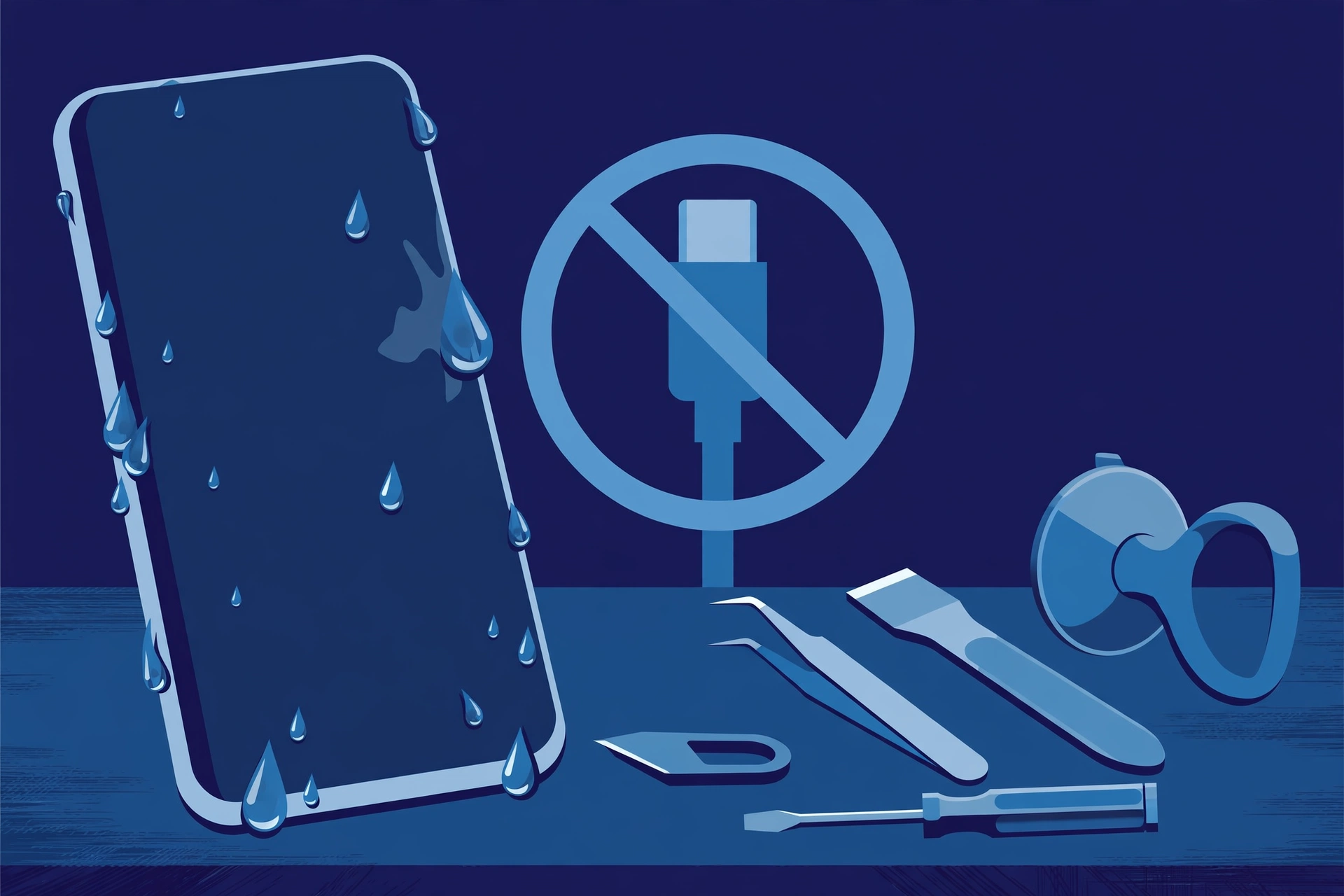
Prepared by FixUpPhone Editorial. Documentation checked October 15, 2026. Apple specifications, terms, guidance and fees are distinguished from FixUpPhone’s assessed repair process. No hands-on repair, technician case history, customer experience, test result, success rate or fixed FixUpPhone price is claimed for this model, and no water-damage outcome is guaranteed. The featured artwork is an original illustration. Apple is not affiliated with FixUpPhone; Apple’s prices and terms are a public reference only.
- Apple — iPhone 17 Pro and iPhone 17 Pro Max technical specifications (IP68 up to 6 metres for up to 30 minutes, IEC 60529; USB-C; MagSafe and Qi2)
- Apple Support — About splash, water and dust resistance of iPhone (resistance is not permanent; liquid damage is not covered under warranty)
- Apple Support — If you see a liquid-detection alert on your iPhone (drying steps; do not charge while wet; no rice, heat, compressed air or objects in the connector)
- Apple Support — iPhone service and repair (inspection determines the final fee; warranty scope; AppleCare+ terms)
- 9to5Mac, September 12, 2025 — Apple’s US service fee table (iPhone 17 Pro Max “other damage” $799; AppleCare+ fee $99)
- FixUpPhone — Phone Repair Services and Mail-In Phone Repair, checked October 15, 2026
- FixUpPhone — Locations, checked October 15, 2026
For corrections or device help, contact FixUpPhone.