iPhone 17 Complete Guide: Specs, Features, Price, Battery Life & What You Should Know
The standard iPhone 17 deserves a different buying conversation from the Pro. This iPhone 17 guide focuses on the everyday benefits of its display and dual-camera system, the limitations that matter before you spend more, and the checks to make if you already own one.
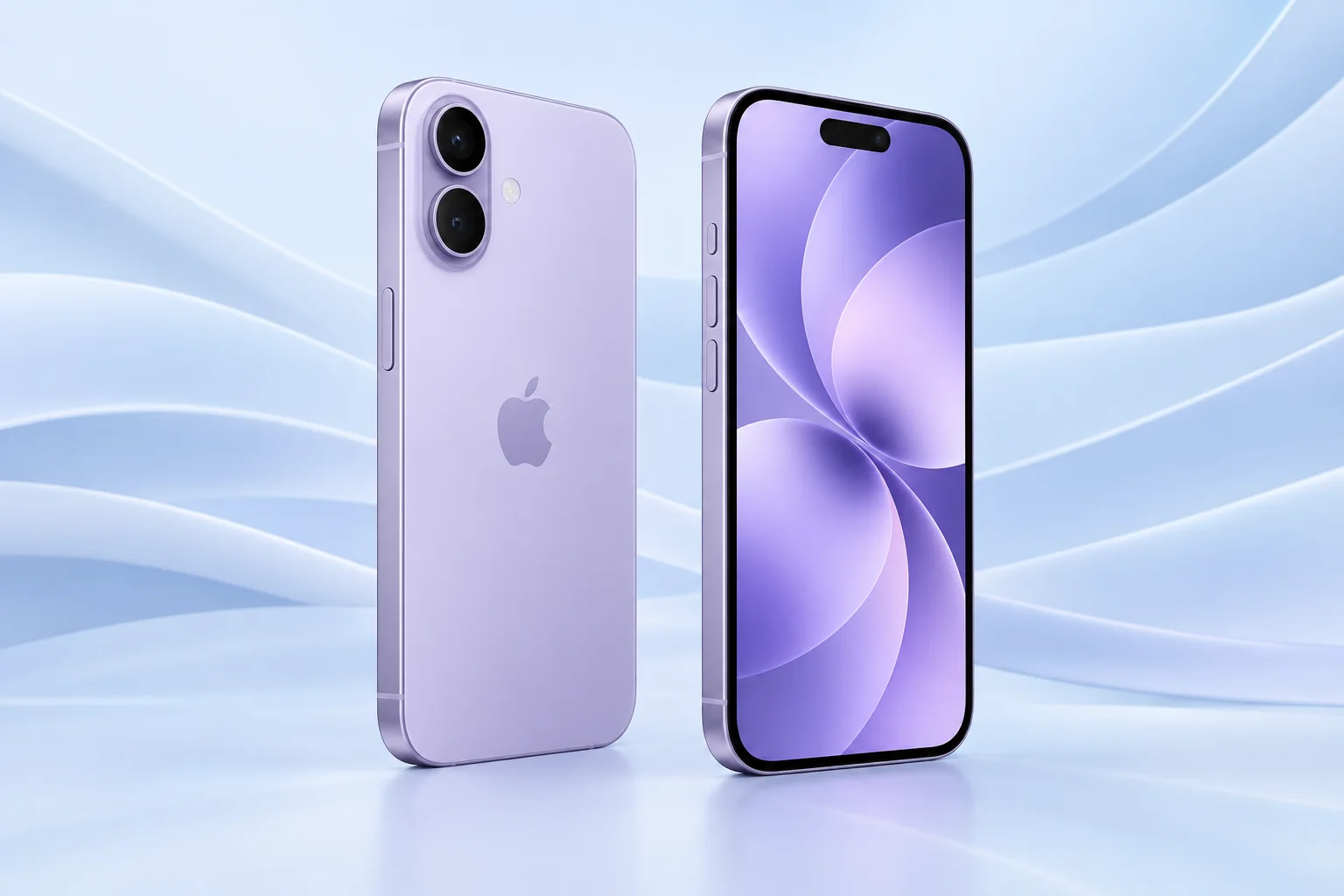
ϟ Quick Expert Summary
For a buyer who wants a modern iPhone without building a professional video workflow, the standard model is a sensible place to start. Choose it for the experience you use every day: reading, family photos, maps and communication. A Pro badge is not a requirement for those jobs. The important question is whether a new phone solves a limitation your current device actually has.
Source-based editorial analysis, not hands-on testing or technician case history.
✓ Best For
- Everyday photography and communication
- Buyers prioritizing a smooth display
- Owners upgrading an older, limited phone
× Not Ideal For
- People needing long-lens photography
- Buyers happy with a recent working iPhone
- Anyone expecting a rugged or waterproof phone
A19
Apple chip
Dual Cameras
Main and ultra wide
30-hour Video
Apple test maximum
256GB Base
Storage choice matters
Know the device.
Choose with confidence.
Camera, battery and repair considerations.
① Key Specifications
| Display | 6.3-inch OLED; adaptive up to 120Hz |
|---|---|
| Chip | A19 |
| Storage | 256GB / 512GB |
| Rear cameras | 48MP main + 48MP ultra wide |
| Front camera | 18MP Center Stage |
| Zoom note | 2x optical-quality crop; no separate telephoto lens |
| Video playback | Up to 30 hours in Apple testing |
| Charging test | Up to 50% in 20 minutes with 40W+ adapter |
| Connection | USB-C; USB 2 data speeds |
| Build | Aluminum; Ceramic Shield 2 front |
| Weight | 177g |
| Resistance | IP68 laboratory rating; not waterproof |
Manufacturer technical specifications
Battery and charging figures are manufacturer test results, not FixUpPhone measurements. Current software and regional configurations may differ.
② FixUpPhone Expert Analysis
Practical ownership analysis based on the cited documentation.
Build quality & durability
The standard model is worth handling with the case you intend to use. A phone that feels manageable without accessories may become awkward with a bulky wallet or grip. Inspect the camera surrounds and corners after a fall even if the screen still works; cosmetic-looking damage can affect the fit of a replacement case. Material labels alone cannot predict survival in a particular accident.
Screen & display
A smoother screen changes how scrolling and animations feel, but it cannot fix small text or an uncomfortable grip. Try your normal font size in a shop and open an app you use frequently. If you are coming from an older standard iPhone, compare the screen directly rather than assuming only the Pro offers a meaningful display upgrade.
Battery life & charging
The playback figure above describes a controlled Apple test. It is not an estimate for your day of navigation, weak cellular signal, video calls and photography. Before replacing a phone for short runtime, review battery condition and app activity. For this purchase, budget for a compatible charger if you do not already have one, and check both its protocol and the cable rather than buying by wattage alone.
Camera & storage
Think about what you photograph most. Indoor groups and close details are a different task from a performer on a distant stage. The standard model is not a substitute for a dedicated long lens merely because the camera interface offers zoom. Check your current storage use, include downloaded media and leave working space for updates; choose capacity for how you manage files, not just the number of photos you took last week.
Performance & heat
For calls and messages, app reliability and network quality matter more than chasing a benchmark. We have not measured this phone in a FixUpPhone lab. Warmth during initial setup or demanding apps is not, by itself, evidence of a defective model. Repeated shutdowns or temperature alerts should be described precisely to a repair provider, including the app, charging conditions and recent changes.
Water resistance & travel
Treat resistance as a fallback against accidents, not permission to take underwater photographs. Check carrier compatibility and the exact regional model before importing a phone. Confirm your carrier can activate the SIM arrangement of the unit you buy, especially when moving an existing number. A low advertised price can become a poor deal if activation or returns are difficult.
③ Pros & Cons
✓ Reasons to consider
- High-refresh display without choosing Pro
- Useful main and ultra-wide framing
- Base storage suitable for many everyday users
- Published manufacturer service information
× Trade-offs
- No dedicated long telephoto lens
- USB 2 limits large wired transfers
- New accessories may add to total cost
- Glass and battery repairs still require care
Ready to Buy? Check Latest Prices
Do not compare only monthly installments. Record the unlocked total, required trade-in, storage, carrier commitment and return window. For a used unit, deduct the cost of any necessary battery or glass work before deciding it is cheaper. This guide does not display a stale launch price as a current offer; follow the official store link for available configurations.
Check available models and purchase terms
No affiliate links are used. Prices, availability and retailer terms can change; no live offer is implied.
④ Repairability & Common Repair Needs
Documented service routes
Apple’s iPhone 17 repair manual includes procedures for the display, battery, back glass, cameras and USB-C connector. A procedure being published does not mean every repair is suitable for a first-time DIY attempt. Ask whether the quote covers diagnosis, replacement parts, calibration where needed and final functional checks.
Possible symptoms, not a defect list
If touch fails only in one area, record where; if charging cuts out, note whether another known-working cable changes it. Camera blur needs a different assessment from cracked lens glass. These are possible service needs, not evidence of widespread iPhone 17 failures. A careful symptom description helps avoid paying for the wrong repair.
Used-phone and post-repair checks
Before payment, have the seller remove Activation Lock and demonstrate activation. Inspect Parts & Service History, test Face ID, microphones, speakers and each camera view, and make sure the USB-C connection is stable. Ask the repairer to explain any parts warning and whether a supported replacement needs Repair Assistant calibration.
Manufacturer repair and support documentation · Request a repair assessment
These are possible repair needs, not claims of a model-wide defect. Request a written assessment; no repair price, parts grade, turnaround or warranty is guaranteed. Stop charging a visibly damaged or bulging battery and ask for safe handling advice; do not send it through ordinary mail.
Already Have This Device and Need a Repair?
Tell us what happened and choose a local store or a mail-in enquiry.
- Screen or touch concerns
- Battery and charging issues
- Back glass or camera damage
- Liquid-exposure assessment
Background: generated service illustration.
Mail-In Repair Service
Start with the repair request form and choose Mail-In Repair. The team needs to review your device and issue before providing shipping instructions and a repair quote.
Start Mail-In Repair →Request workflow only. Do not ship until the team confirms instructions. The form saves requests; email notifications and appointment scheduling are not yet enabled.
Prefer to visit? Find a repair location →How It Works
- BookSubmit your device and issue for review.
- ShipWait for confirmed packing and shipping instructions.
- Diagnose / RepairReview the assessment and approve the quoted work.
- ReturnAgree the return arrangements with the team.
⑤ Should You Buy It?
Buy when your older phone no longer meets a clear need and you prefer a balanced everyday model. Keep your existing phone if its storage, battery and camera are still sufficient. A battery assessment is often a more useful first step than browsing upgrades when runtime is the only complaint. If you regularly record large video projects or photograph distant subjects, compare a Pro model before deciding the savings are worthwhile.
For a second-hand iPhone 17, request the storage size, battery condition, carrier status, repair history and a written return policy. Try the device while you can still return it. A seller’s description of “excellent condition” is not a substitute for testing touch, cameras, Face ID and charging.
Request a trade-in assessment →⑥ Alternatives & Comparison
Compare the dedicated telephoto system and Pro workflow against your real photo needs.
Explore option →Ask whether a repair addresses the limitation you are trying to solve.
Explore option →Check size, storage and full purchase terms at Apple.
Explore option →⑦ Accessories We Recommend
Choose the iPhone 17 variation; confirm camera and button access before ordering.
Check case clearance and installation instructions. Protection is not a drop guarantee.
Verify its charging protocol, cable and safety information, not just the wattage printed on the box.
Review the exact model variation and confirmed product specifications in the shop.
⑧ Frequently Asked Questions
Does iPhone 17 have a 120Hz display?
Apple lists adaptive ProMotion up to 120Hz. The refresh rate varies with what is on screen; it is not a promise that every app or game runs at 120 frames per second.
Does the 2x option mean it has a telephoto lens?
No separate telephoto camera is listed. The main sensor provides the 2x optical-quality option; that distinction matters when comparing long-distance photography with a Pro model.
Will its battery last 30 hours in daily use?
Not necessarily. That is Apple’s video-playback test maximum. Signal strength, brightness, apps, temperature and battery wear change actual runtime.
Should I choose 256GB or 512GB?
Check your current used storage, the amount of video you retain offline and your backup habits. Leave room for updates. Cloud storage does not replace working space on the device.
Can a charging problem be repaired?
It may be a cable, adapter, software or device fault. Describe the symptoms and request diagnosis before approving a connector or battery replacement.
Can I send this phone to FixUp now?
Choose Mail-In Repair in the request form first. Wait for device eligibility, shipping instructions and an agreed assessment process; do not send a damaged battery through ordinary mail.
Sources & Editorial Notes
Prepared by FixUpPhone Editorial. Documentation checked September 17, 2026. Specifications and manufacturer test claims are distinguished from editorial recommendations. No FixUpPhone hands-on testing, measured benchmarks or technician case histories are claimed. Featured artwork is an original generated illustration. No affiliate links or guaranteed prices are included.
- iPhone 17 specifications
- iPhone 17 repair manual
- Apple Repair Assistant
- Apple Parts and Service History
- Apple temperature guidance
For corrections or device help, contact FixUpPhone.