iPhone 17 Pro Complete Guide: Specs, Features, Battery Life, Repairability & Buying Advice
This iPhone 17 Pro guide explains what the specifications mean for everyday use, what to check before buying, and how to approach a repair without paying for an unnecessary upgrade.
ϟ Quick Expert Summary
The iPhone 17 Pro makes the most sense when a versatile camera system and a smaller Pro-sized phone matter more than the lowest purchase price. Its premium features are less compelling if your current phone already handles your photos, calls and apps comfortably.
Editorial assessment based on manufacturer documentation. FixUpPhone has not supplied hands-on test results for this model.
✓ Best For
- Creators who use multiple focal lengths
- Buyers who prefer the smaller Pro
- Owners replacing a substantially older device
× Not Ideal For
- Buyers seeking the lowest total cost
- People happy with their current Pro
- Anyone expecting drop-proof glass
A19 Pro
Apple Pro chip
Three 48MP Cameras
Main, ultra wide, telephoto
Up to 33 Hours
Apple video playback test
Aluminum Build
Ceramic Shield front/back
Know the device.
Choose with confidence.
Camera, battery and repair considerations.
① Key Specifications
| Display | 6.3-inch OLED; adaptive refresh up to 120Hz |
|---|---|
| Chip | A19 Pro |
| Storage | 256GB / 512GB / 1TB |
| Rear cameras | 48MP main + 48MP ultra wide + 48MP telephoto |
| Front camera | 18MP Center Stage |
| Telephoto | 4x lens; 8x optical-quality crop |
| Video playback | Up to 33 hours in Apple’s test |
| Wired charging | Up to 50% in 20 minutes with 40W+ adapter under test conditions |
| Launch software | iOS 26; installed version varies |
| Build | Aluminum; Ceramic Shield 2 front; Ceramic Shield back |
| Water resistance | IP68 laboratory rating; not waterproof |
| US launch price | $1,099 for 256GB; not a current offer |
Apple technical specifications · Apple launch announcement
RAM and an exact future software-support end date are not listed here because Apple does not specify them in the cited technical sheet.
② FixUpPhone Expert Analysis
The following is buying and ownership analysis, not a report of physical testing.
Build quality & durability
The changed enclosure matters when choosing protection: buy a case explicitly made for iPhone 17 Pro, with access to its controls and camera plateau. A material name alone does not tell you how a phone will survive your particular fall.
Screen & display
A high-refresh display is useful for scrolling and games, but compare text size and one-handed reach in person. A larger screen may serve maps or accessibility needs better than a smaller premium model.
Battery life & charging
Treat Apple’s playback figure as a controlled comparison, not a promise of 33 hours of navigation, camera use or mobile gaming. Plan around your heaviest day. Buying a high-wattage adapter alone does not establish its charging compatibility.
Camera
The key decision is whether you actually use distant subjects, ultra-wide framing or advanced video workflows. Do not confuse the 8x optical-quality crop with a separate 8x lens. Before paying for more storage, consider how often you offload original video files.
Performance & heat management
Apple documents a vapor chamber, but we have no independent FixUpPhone sustained-performance measurements. Warmth during setup, an update or demanding apps can be normal. Repeated temperature warnings deserve investigation; heat may temporarily slow charging or dim the display. Apple temperature guidance.
Water & dust resistance
Water resistance can diminish with wear or damage. Treat the phone as something to protect from liquid rather than a device to deliberately submerge. A cracked enclosure changes the ownership risk even when the display still works.
③ Pros & Cons
✓ Reasons to consider
- Flexible camera focal lengths
- Pro features in the smaller size
- High-refresh display
- Documented repair procedures
× Trade-offs
- Premium purchase cost
- Accessories need exact fit
- Glass damage remains possible
- Advanced video needs storage planning
Ready to Buy? Check Latest Prices
Compare the full unlocked price, storage, condition, seller return terms and carrier requirements. An advertised monthly payment is not the total purchase cost.
Check current models and availability directly
The $1,099 figure above is the 2025 US launch price, not a live quote. Retailer availability and prices can change.
No affiliate links are used in this guide. Additional approved retailers can be added to this comparison later.
④ Repairability & Common Repair Needs
What can be serviced?
Apple publishes model-specific procedures for parts including the display, battery, back glass, cameras and USB-C connector. That documents service pathways; it does not make every repair easy or establish a repairability score. Ask for an assessment of the exact device and part availability. iPhone 17 Pro repair manual.
Symptoms worth checking
Cracked glass, touch problems, unreliable charging, unexpected shutdowns or camera faults can justify a repair assessment. These are possible service needs, not claims of widespread iPhone 17 Pro defects. Note when the symptom began, whether it followed a drop or liquid exposure, and whether it occurs with another known-working cable.
Calibration & repair history
Some replacement parts require Apple’s Repair Assistant to finish calibration. Ask what parts are being fitted and what post-repair checks are included. For a used phone, inspect Settings → General → About → Parts & Service History and ask the seller about any warnings. Repair Assistant · Parts history.
No repair price, turnaround time, parts grade or warranty is guaranteed by this guide. Request a written quote. If the enclosure is bulging or a battery is visibly damaged, stop charging and ask for safe handling guidance; do not put a damaged battery in ordinary mail.
Already Have This Device and Need a Repair?
Tell us what happened and choose a local store or a mail-in enquiry.
- Screen or touch concerns
- Battery and charging issues
- Back glass or camera damage
- Liquid-exposure assessment
Background: generated service illustration.
Mail-In Repair Service
Start with the repair request form and choose Mail-In Repair. The team needs to review your device and issue before providing shipping instructions and a repair quote.
Start Mail-In Repair →Request workflow only. Do not ship until the team confirms instructions. The form saves requests; email notifications and appointment scheduling are not yet enabled.
Prefer to visit? Find a repair location →How It Works
- BookSubmit your device and issue for review.
- ShipWait for confirmed packing and shipping instructions.
- Diagnose / RepairReview the assessment and approve the quoted work.
- ReturnAgree the return arrangements with the team.
⑤ Should You Buy It?
Buy for a need you can name. If your current phone struggles with your actual camera or storage requirements, the Pro may be a sensible upgrade. If the problem is only battery wear or cracked glass, get a repair quote first.
For a used purchase, check Activation Lock is removed, verify carrier compatibility, test cameras and Face ID, inspect physical damage and confirm the seller’s return policy. Ask for the battery condition and any repair records.
Skip or wait when the extra camera features would go unused, the purchase would stretch your budget, or your existing phone works well. Compare the total replacement cost after accessories with the cost of keeping what you own.
Request a trade-in assessment →⑥ Alternatives & Comparison
Start by asking whether a battery or screen repair solves your problem.
Repair options →Compare comfort, screen size and total cost before choosing a larger model.
Apple options ↗A simpler camera setup may be enough for calls, messages and everyday photos.
Compare choices ↗Check the currently listed models directly. We have not inserted unverified competitor prices or unpublished comparison links.
⑦ Accessories We Recommend
Choose the iPhone 17 Pro variation; confirm camera and button access before ordering.
Check case clearance and installation instructions. Protection is not a drop guarantee.
Verify its charging protocol, cable and safety information, not just the wattage printed on the box.
Review the exact model variation and confirmed product specifications in the shop.
⑧ Frequently Asked Questions
Is iPhone 17 Pro made of titanium?
No. Apple lists an aluminum unibody, Ceramic Shield 2 front and Ceramic Shield back for this generation. Do not carry over iPhone 16 Pro material claims.
How long does its battery last?
Apple rates the US model for up to 33 hours of video playback in controlled testing. Your result depends on signal, apps, brightness, temperature and battery condition; it is not 33 hours of mixed use.
Is it worth upgrading from an older Pro?
Compare the features you actually use with the total cost. If your current device meets your needs, repairing wear or damage may make more sense than changing phones.
Can I repair it myself?
A public repair manual is available, but tools, battery safety, adhesives and calibration make this skilled work. Read the complete model-specific procedure before deciding; request professional assessment if you are unsure.
Does it have a real 8x telephoto lens?
The telephoto camera is a 4x lens. Apple’s 8x optical-quality mode uses its sensor rather than a separate 8x lens. The distinction matters when comparing camera systems.
Can I mail my phone to FixUp now?
Begin with a mail-in request. Wait for the team to confirm eligibility, packaging, shipping instructions and costs before sending the device. A submitted request does not confirm a repair appointment.
Sources & Editorial Notes
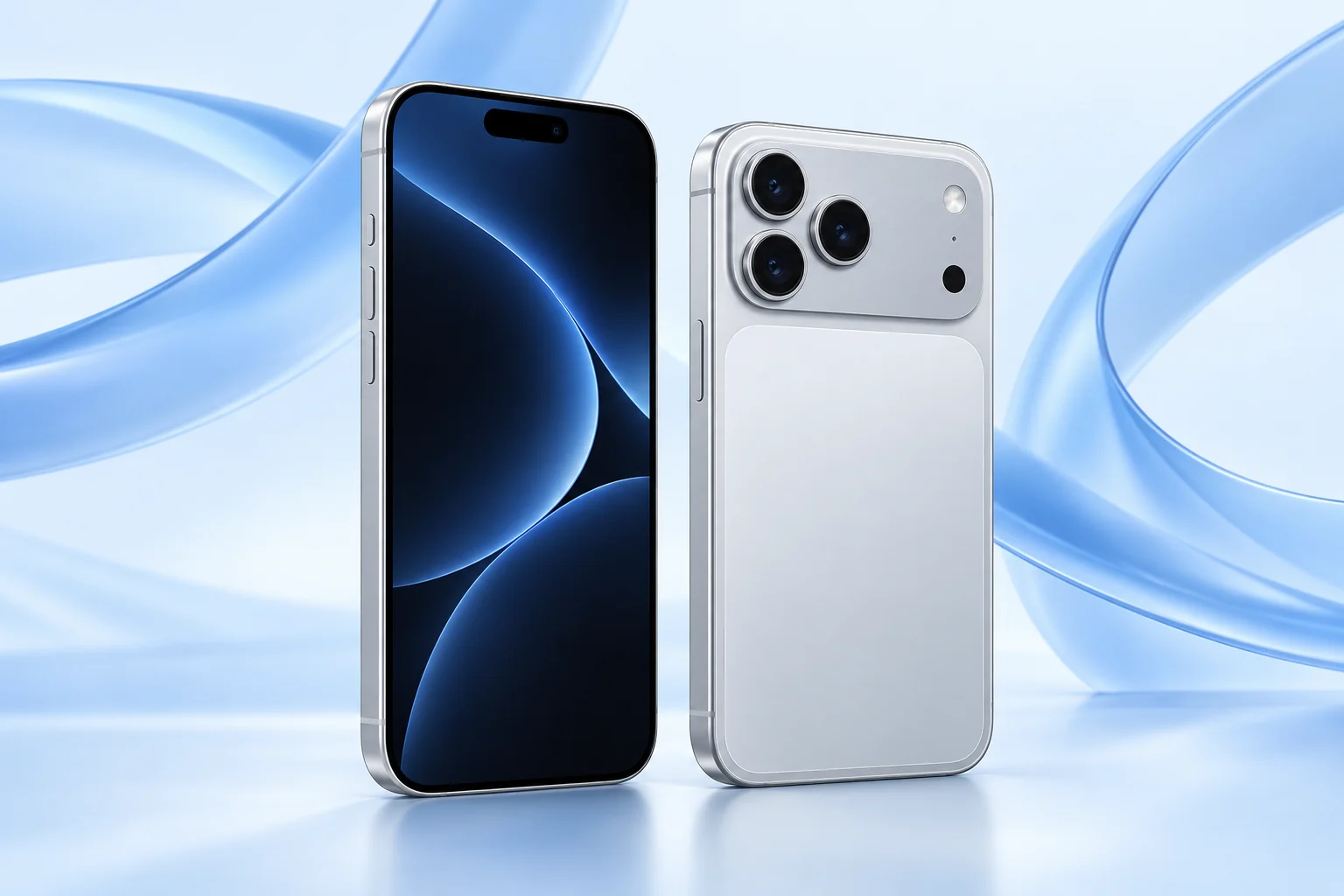
Prepared by FixUpPhone Editorial. Manufacturer specifications and public repair documentation were checked on September 17, 2026. Recommendations are editorial judgments; no physical device testing, measured benchmark results or technician case history is claimed. The featured artwork is an original generated illustration. This article contains no affiliate links and does not guarantee pricing or service availability.
- Apple — iPhone 17 Pro technical specifications
- Apple — 2025 launch announcement and US launch pricing
- Apple — iPhone 17 Pro repair manual
- Apple — Repair Assistant and calibration
- Apple — Parts and Service History
- Apple — Temperature management
- Apple Store — current purchase options
Spotted an error or need help with a device? Contact the FixUpPhone team.