Samsung Galaxy S23 Ultra vs Galaxy S22 Ultra: Which Is the Better Used Buy?
For these used Ultras, regional hardware and remaining software support are as important as the camera specification. A low-priced S22 Ultra needs careful inspection before it can be called good value.
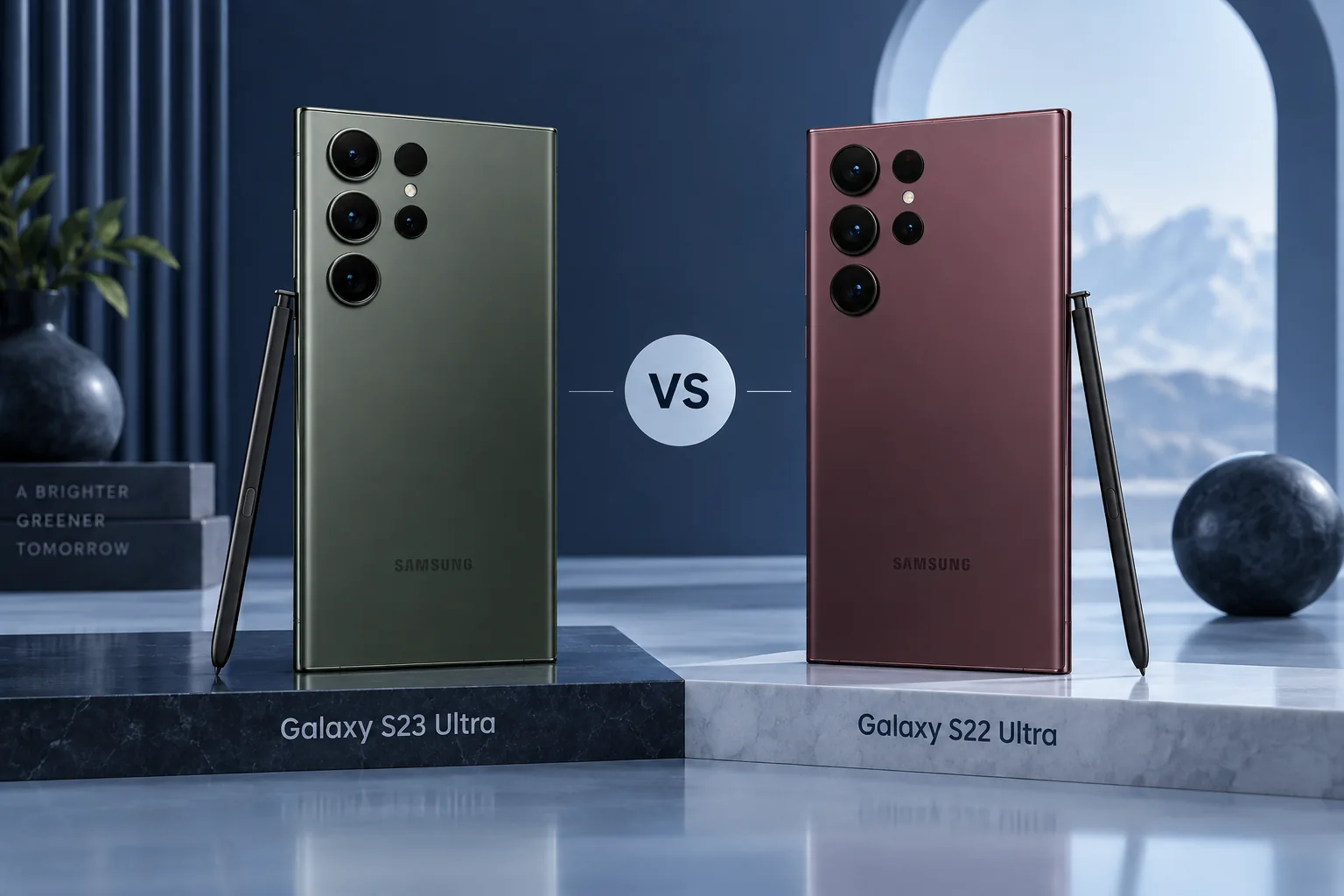
Quick Verdict
Favor S23 Ultra when condition is comparable and the gap is manageable. Consider S22 Ultra only after checking the regional processor, current security status and battery condition against your needs.
How we compare →
Key Differences at a Glance
| Feature | Samsung Galaxy S23 Ultra | Samsung Galaxy S22 Ultra | What matters |
|---|---|---|---|
| Display | 6.8-inch QHD+ AMOLED, up to 120Hz | 6.8-inch QHD+ AMOLED, up to 120Hz | Size and handling |
| Processor | Snapdragon 8 Gen 2 for Galaxy | Snapdragon 8 Gen 1 or Exynos 2200 by region | App and workload needs |
| Rear cameras | 200MP main, 12MP ultra wide; 3x and 10x telephotos | 108MP main, 12MP ultra wide; 3x and 10x telephotos | Capture requirements |
| Battery context | 5,000mAh typical | 5,000mAh typical | Claims, not our tests |
| Connector / data | USB-C | USB-C | Cable and workflow |
| Construction | Integrated S Pen; curved screen edges | Integrated S Pen; curved screen edges | Protection and handling |
Battery and performance claims are manufacturer figures, not FixUpPhone measurements. Current selling prices may differ from launch prices.
Detailed Comparison
Design & Display
Both have 6.8-inch large displays with curved edges and integrated S Pens. Inspect edge damage, screen artifacts and pen input. A cosmetically clean back does not prove the display is original or healthy.
Samsung Galaxy S23 Ultra
- 6.8-inch QHD+ AMOLED, up to 120Hz
- Integrated S Pen; curved screen edges
Samsung Galaxy S22 Ultra
- 6.8-inch QHD+ AMOLED, up to 120Hz
- Integrated S Pen; curved screen edges
Handling & ownership considerations
Both older Ultras need careful curved-screen inspection. Display discoloration, touch issues and an uncertain replacement panel can matter more than small cosmetic marks. Test the actual phone instead of inferring condition from a catalog image or a seller’s premium grade.
Performance
S23 Ultra uses Snapdragon 8 Gen 2 for Galaxy. S22 Ultra can use Snapdragon 8 Gen 1 or Exynos 2200 by region. Match reviews and carrier compatibility to the exact unit rather than a generic model name.
The S22 Ultra’s regional Snapdragon or Exynos configuration deserves explicit checking. A used listing should identify the model code so that carrier support and relevant tests can be matched to it. A low import price can become poor value when service or connectivity differs from expectations.
Camera Comparison
S23 Ultra has a 200MP main versus S22 Ultra’s 108MP; both offer 3x and 10x telephotos. Resolution alone cannot settle image quality. Test focus and all camera modules on the actual used phone.
The main sensor changes from 108MP to 200MP while both phones retain separate 3x and 10x telephotos. A buyer attracted by zoom should test those modules for focus and stability. A high-resolution main camera cannot compensate for a damaged telephoto on the actual used unit.
Battery Life & Charging
Both list 5,000mAh typical capacity, but older batteries can have very different wear. Ask about replacements and test charging. Include service needs in the complete cost.
Both list 5,000mAh typical capacity. Four-year-old inventory can have very different wear and repair histories, so age alone cannot identify the healthier example. Check whether a battery policy or return window covers the problems that may appear after setup.
Software & Features
Check Samsung’s current security-update scope and the exact regional model. Do not assume buying today restarts the support period. If long-term security is essential, compare a newer supported option before committing.
Samsung’s current scope, checked September 18, 2026, places S23 Ultra in the monthly group and S22 Ultra in the quarterly group. Carrier schedules can vary. Quarterly does not mean unsupported, but the distinction is relevant to a security-sensitive work-phone purchase.
Repairability & Ownership
Test the S Pen, USB-C, speakers, biometric functions and screen. Ask for documented repairs and written returns. A damaged curved display can remove the saving from an apparently cheap listing.
For an S22 Ultra owner, separate poor battery behavior from a failing screen or port. More than one fault changes the repair-versus-replace calculation. Get the scope in writing, and back up important information before any service or migration process.
Explore FixUp repair services or request an assessment before deciding.
Price & Value
The S23 Ultra is the stronger default shortlist, but not at any price or condition. A poor S23 is not automatically better than a well-documented S22. Establish total ready-to-use cost and support suitability first.
Our default shortlist favors a sound S23 Ultra, but a damaged S23 is not a better bargain merely because it is newer. Compare both phones at ready-to-use cost, with necessary service included. A limited-use secondary phone and a main work phone also justify different support requirements.
Official links may show current alternatives instead of older inventory. No live-price or used-stock feed is connected. Confirm exact model, storage, condition, region and return terms before ordering.
Pros & Cons: Samsung Galaxy S23 Ultra
Reasons to consider
- Newer Snapdragon platform
- 200MP main camera
Trade-offs
- Still used inventory
- Large curved display needs inspection
Pros & Cons: Samsung Galaxy S22 Ultra
Reasons to consider
- 3x and 10x telephotos
- Integrated S Pen
Trade-offs
- Regional chip differences
- Older support and battery considerations
Who Should Choose Samsung Galaxy S23 Ultra?
- Choose S23 Ultra for its newer platform and a healthy complete offer.
- Newer Snapdragon platform
- 200MP main camera
Who Should Choose Samsung Galaxy S22 Ultra?
- Consider S22 Ultra only when its exact variant, condition and current support fit a limited budget use case.
- 3x and 10x telephotos
- Integrated S Pen
Ready to Buy?
Compare the exact model, storage, condition, return terms and complete price before ordering.
View Buying OptionsNo affiliate tracking links are currently used. Retailer stock and prices are not guaranteed.
Already Own One?
Describe the issue before deciding to replace your phone. Request mail-in or local repair help from FixUp.
Start Mail-In RepairSelect the mail-in optionMail-In Repair: How It Works
Device and issue2. Arrange shipping
Wait for instructions3. Assessment
Approve a quote4. Return
Agree return details
A request is not a confirmed appointment or prepaid shipping label. Confirm service eligibility, parts, cost, turnaround and return arrangements before shipping. Do not mail a swollen or damaged battery; contact the team for safe handling guidance.
Frequently Asked Questions
Which phone fits my needs?
Choose S23 Ultra for its newer platform and a healthy complete offer. Consider S22 Ultra only when its exact variant, condition and current support fit a limited budget use case.
What camera difference should I check?
S23 Ultra has a 200MP main versus S22 Ultra’s 108MP; both offer 3x and 10x telephotos. Resolution alone cannot settle image quality. Test focus and all camera modules on the actual used phone.
What software or feature limitation matters?
Samsung’s current scope, checked September 18, 2026, places S23 Ultra in the monthly group and S22 Ultra in the quarterly group. Carrier schedules can vary. Quarterly does not mean unsupported, but the distinction is relevant to a security-sensitive work-phone purchase.
Should I repair my current phone first?
Test the S Pen, USB-C, speakers, biometric functions and screen. Ask for documented repairs and written returns. A damaged curved display can remove the saving from an apparently cheap listing.
Are these hands-on scores or live affiliate deals?
No. This is source-based editorial analysis with original illustrative artwork. We have not measured these phones and do not publish numerical review scores. Current links are official manufacturer links without affiliate tracking; stock and prices must be checked at the destination.
Sources & Editorial Method
Documentation checked September 18, 2026. We compare published features and explain ownership trade-offs; no physical testing, measured benchmark, technician case history or numerical review rating is claimed. Images are original illustrations. Buying recommendations are editorial judgments, not guarantees of price, stock or repair outcome.
- Samsung Galaxy S23 Ultra specifications
- Samsung Galaxy S22 Ultra specifications
- Samsung: current security-update scope
- Samsung: pen compatibility and remote-function limits
Questions or corrections? Contact FixUpPhone.