Google Pixel 9 Pro Complete Guide: Specs, Battery, Common Issues & Is It Worth Buying?
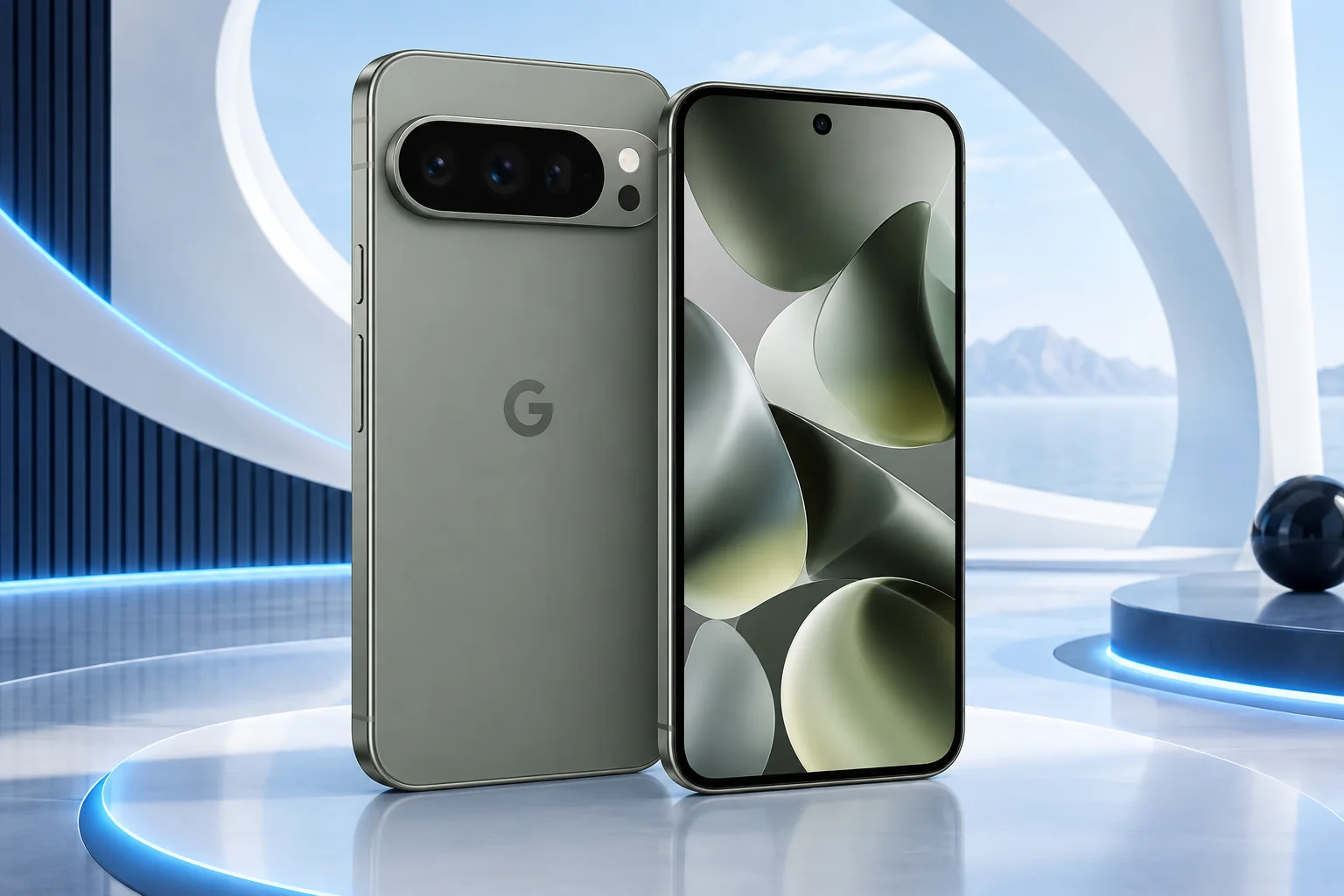
The Pixel 9 Pro offers a smaller Pro format with a triple-camera system. Its value now depends on the particular offer: condition, remaining support, battery behavior and returns matter more than simply comparing its former flagship status with a newer standard model.
ϟ Quick Expert Summary
Pixel 9 Pro is worth evaluating for buyers who want its camera options in a manageable body at a sensible total cost. Existing owners should identify what is actually limiting the phone before upgrading. A battery or display assessment may be more useful than replacing a device that otherwise still meets their needs.
Source-based editorial assessment; no hands-on testing or technician case history is claimed.
✓ Best For
- Smaller Pro-format preferences
- Camera-focused buyers checking condition
- Owners considering a targeted repair
× Not Ideal For
- Assuming every newer feature will arrive
- Unverified used offers
- Buying solely from an old launch-price discount
Smaller Pro
6.3-inch LTPO display
Camera options
Dedicated 5x telephoto
Tensor G4
Google platform
Ownership value
Condition matters
Know the device.
Choose with confidence.
Camera, battery and repair considerations.
① Key Specifications
| Display | 6.3-inch LTPO OLED; 1–120Hz |
|---|---|
| Processor | Google Tensor G4 |
| RAM / storage | 16GB; 128GB / 256GB / 512GB / 1TB |
| Rear cameras | 50MP main; 48MP ultra wide; 48MP 5x telephoto |
| Front camera | 42MP autofocus |
| Battery | 4,700mAh typical |
| Weight | 199g; manufacturing variation applies |
| Wireless charging | Qi; equipment-dependent rate |
Manufacturer technical specifications
Manufacturer battery and charging tests are not FixUpPhone measurements or guarantees of your daily result.
② FixUpPhone Expert Analysis
The following is ownership and buying analysis based on the cited sources.
A previous Pro can still fit a current need
Compare the actual camera functions, display and storage with what you use. If the phone meets those requirements, a newer release does not automatically make it unsuitable. However, the complete cost must reflect condition and potential service. A reliable seller and useful return window can outweigh a small saving from an uncertain source.
Do not confuse Pro with Pro XL
The smaller model and XL differ in size and charging details. Read specifications for the exact name on the offer rather than relying on a review of the other size. Handle the phone with a case if possible. Comfort during long calls, typing and carrying is a practical feature that a specification table cannot decide for you.
Check all camera views
Test the main, wide-angle and telephoto perspectives on ordinary subjects and inspect lens covers under good light. Persistent focus or image problems should be documented rather than dismissed as processing style. We have not performed original Pixel 9 Pro image tests, and no numerical ranking or failure rate is implied by this guide.
Battery wear is separate from software age
Check current battery behavior over your normal routine and review app use when endurance changes. A clean exterior does not prove an unworn battery. If service is needed, add the actual estimate to the purchase price. Repeated shutdowns, unusual physical changes or persistent warnings require assessment instead of a guessed diagnosis.
Count remaining support correctly
Google’s seven-year policy for this generation is measured from first US Google Store availability. Buying old stock or a used device later does not restart the clock. Check current support information and the needs of your essential apps. A long policy is valuable, but it does not guarantee identical access to every feature introduced on newer hardware.
Common issues should become a test plan
For reception trouble, compare networks and locations; for charging trouble, try known-working compatible equipment where safe. For screen concerns, test touch and plain backgrounds. Document repeatable behavior and ask what a repair would address. This approach is more useful than treating unrelated online anecdotes as proof that an entire model is unreliable.
③ Pros & Cons
✓ Reasons to consider
- Pro camera choices in a smaller body
- Adaptive LTPO display
- Multiple storage configurations
- Published long-term support policy
× Trade-offs
- Used battery and repair history vary
- Newer hardware features are not assured
- Charging details differ from XL
- Seller quality affects value
Ready to Buy? Check Latest Prices
Compare the same storage and condition, including any necessary service and the return terms. The Google Store link is for current alternatives and information; it does not claim Pixel 9 Pro remains stocked directly by Google.
Check available models and purchase terms
No affiliate links are used. Prices and stock can change; a current offer is not implied. Additional approved retailers can be added later.
④ Repairability & Common Repair Needs
Battery and port assessment
Describe actual runtime and charging behavior. A written diagnosis should distinguish wear, accessory problems and other faults before parts are authorized.
Display or camera faults
Document persistent artifacts, touch problems or camera focus symptoms. Ask what testing and configuration are included in the proposed repair.
Data preparation
Back up important files, review Repair mode guidance and confirm the provider’s requirements. Do not assume repair can always proceed without a reset.
Manufacturer service guidance · Request a repair assessment
These are diagnostic considerations, not a claim of model-wide defects. No repair price, parts grade, turnaround or warranty is guaranteed. Stop charging a visibly damaged or bulging battery; ask for safe handling advice and do not send it through ordinary mail.
Already Have This Device and Need a Repair?
Tell us what happened and choose a local store or a mail-in enquiry.
- Screen or touch concerns
- Battery and charging issues
- Back glass or camera damage
- Liquid-exposure assessment
Background: generated service illustration.
Mail-In Repair Service
Start with the repair request form and choose Mail-In Repair. The team needs to review your device and issue before providing shipping instructions and a repair quote.
Start Mail-In Repair →Request workflow only. Do not ship until the team confirms instructions. The form saves requests; email notifications and appointment scheduling are not yet enabled.
Prefer to visit? Find a repair location →How It Works
- BookSubmit your device and issue for review.
- ShipWait for confirmed packing and shipping instructions.
- Diagnose / RepairReview the assessment and approve the quoted work.
- ReturnAgree the return arrangements with the team.
⑤ Should You Buy It?
Buy Pixel 9 Pro when a verified-condition offer gives you the camera and display functions you want at a lower realistic cost than alternatives. Keep one you already own if it remains reliable and service is economical. Change phones for an identifiable requirement rather than the fact that a new generation exists.
Verify account removal, activation, local carrier support and storage. Test audio, biometrics, cameras, touch and charging while returns are available. Ask for repair records and keep the seller’s description. Avoid assuming original water resistance after wear, damage or previous work.
Request a trade-in assessment →⑥ Alternatives & Comparison
Compare the next Pro platform.
Explore option →Consider a newer standard model.
Explore option →Larger format with another camera approach.
Explore option →⑦ Accessories We Recommend
Choose the Google Pixel 9 Pro variation; confirm camera and button access before ordering.
Check case clearance and installation instructions. Protection is not a drop guarantee.
Verify its charging protocol, cable and safety information, not just the wattage printed on the box.
Review the exact model variation and confirmed product specifications in the shop.
⑧ Frequently Asked Questions
Is Pixel 9 Pro still worth buying?
It can be, if its features meet your needs and condition, repair costs and seller terms make the complete offer competitive.
Does its support clock restart with a used purchase?
No. Google counts support from the model’s first availability on the US Google Store.
Is the smaller Pro the same as Pro XL?
No. Check the exact size and charging specifications instead of transferring claims between them.
Can poor battery life be repaired?
Possibly, but the cause must be assessed. App use, signal, battery wear and charging faults can require different responses.
Will every future Pixel feature come to it?
Do not assume that. Check Google’s current compatibility requirements for the particular feature.
Sources & Editorial Notes
Prepared by FixUpPhone Editorial. Documentation checked September 17, 2026. Manufacturer specifications and test claims are separated from editorial analysis. No FixUpPhone physical testing, measured benchmarks or technician case history is claimed. The featured artwork is an original generated illustration, not a manufacturer photograph. No affiliate links or guaranteed service prices are included.
- Google Pixel hardware specifications
- Google’s Pixel 9 family announcement
- Google update policy
- Google repair preparation
For corrections or device help, contact FixUpPhone.