iPhone 18 Pro vs Samsung Galaxy S26 Ultra: Complete Flagship Comparison
This flagship comparison crosses both platforms and size classes. The compact iPhone 18 Pro and large Galaxy S26 Ultra can each be excellent fits, but they solve different handling and workflow needs.
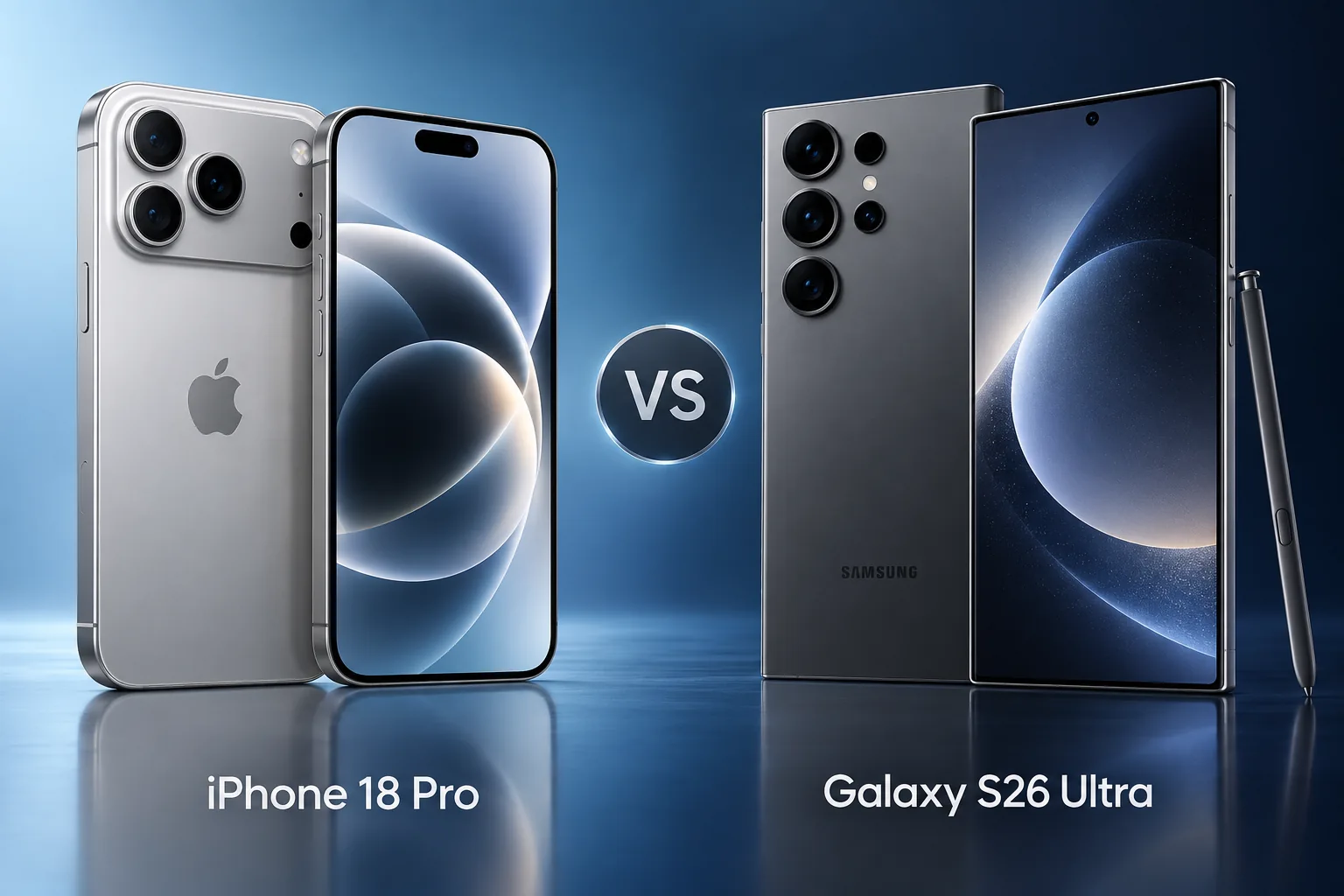
Quick Verdict
Choose the iPhone for a compact Pro experience and established Apple workflows. Choose the Ultra when its large display, S Pen and Android working style are central to your day. A platform switch should justify the changes to accessories, apps and account habits as well as the phone’s purchase price.
How we compare →
Key Differences at a Glance
| Feature | iPhone 18 Pro | Samsung Galaxy S26 Ultra | What matters |
|---|---|---|---|
| Display | 6.3-inch OLED, adaptive up to 120Hz | 6.9-inch QHD+ AMOLED, 1–120Hz | Size and handling |
| Processor | A20 Pro | Snapdragon 8 Elite Gen 5 for Galaxy | App and workload needs |
| Rear cameras | 48MP main, ultra wide and 4x telephoto; variable main aperture | 200MP main, 50MP ultra wide; 3x and 5x telephotos | Capture requirements |
| Battery context | Up to 36 hours video playback (Apple test) | 5,000mAh typical; not a runtime measure | Claims, not our tests |
| Connector / data | USB-C / USB 3 | USB-C | Cable and workflow |
| Construction | Aluminum; 211g | Conventional slab with S Pen | Protection and handling |
Battery and performance claims are manufacturer figures, not FixUpPhone measurements. Current selling prices may differ from launch prices.
Detailed Comparison
Design & Display
The Ultra offers much more viewing area than the compact Pro. That can help with documents, maps and pen input but may be awkward in a small pocket. Handle both with a case and compare one-handed tasks. A display-specification tie would conceal this important physical difference.
iPhone 18 Pro
- 6.3-inch OLED, adaptive up to 120Hz
- Aluminum; 211g
Samsung Galaxy S26 Ultra
- 6.9-inch QHD+ AMOLED, 1–120Hz
- Conventional slab with S Pen
Handling & ownership considerations
Students who annotate documents and business users who take handwritten notes have a concrete reason to investigate the S Pen. Someone who mainly checks messages while walking has a stronger reason to prefer compact handling. Neither profile is well represented by declaring the largest or brightest specification an automatic winner.
Performance
A20 Pro and Snapdragon 8 Elite Gen 5 are different platforms; core counts are not a universal cross-platform benchmark. Check app availability and the behavior of the exact games or professional tools you use. A favorite app’s operating-system version can matter more than a theoretical processor advantage.
Before switching, list any subscription or paid app that matters to your work. Confirm its Android or iOS version provides the required functions, then check whether purchases or files transfer. A processor advantage cannot replace a missing application or a workflow that depends on a different platform.
Camera Comparison
The Ultra includes separate telephoto options alongside its high-resolution main camera; the iPhone offers its own focal-length choices and variable-aperture main control. Neither megapixels nor maximum zoom text proves a camera winner. Compare portraits, moving subjects and distant details separately, preferably using full-resolution samples rather than social-media screenshots.
Samsung lists 3x and 5x optical telephoto choices; the iPhone lists a 4x telephoto and optical-quality crop modes. Those choices favor different framing distances. A useful comparison should include indoor portraits, moving people and distant detail separately rather than reduce all photography to one maximum-zoom number.
Battery Life & Charging
Samsung capacity and Apple’s playback hours describe different things and should not be placed in a numeric race. Look for matched independent endurance testing if battery performance is decisive. Consider the chargers you own and the protocol each phone needs; the same USB-C plug does not mean identical fast-charge support.
For travel, charging compatibility is a practical pre-purchase check. Confirm the adapter protocol, cable capability and local plug requirements for the phone you choose. Do not assume a FixUp accessory supplies a particular fast-charge mode simply because its advertised wattage looks sufficient.
Software & Features
An Apple Watch, Mac workflow or paid iOS app library may make the iPhone easier to adopt. S Pen use and Android customization can make the Ultra more useful. List essential accessories and services before switching, then check which transfer cleanly and which would require replacement or an alternative app.
A trial migration checklist should include messaging history, passwords, authentication apps, photo storage and wearables. Check the manufacturer’s current transfer guidance before committing. Switching can be worthwhile, but it should solve a repeated problem rather than create new work for a feature you rarely use.
Repairability & Ownership
Ask for exact-model service support and a written estimate for any used unit with damage. Water-resistance ratings are not promises that an older or repaired phone remains sealed. Back up data before service and ask about parts availability rather than assuming every flagship repair has the same turnaround.
A used flagship deserves an inspection on its own merits. Test the screen across its surface, each camera view, charging and account removal. For the Ultra, check pen operation if that is part of your reason for buying. Do not let the headline model specifications substitute for checking the actual unit.
Explore FixUp repair services or request an assessment before deciding.
Price & Value
Treat the cost of changing ecosystems as part of the comparison. A discounted handset can still be expensive if it requires replacing a watch or rebuying software. Compare unlocked and carrier-linked offers carefully, and choose the phone that supports the daily work you actually perform.
Our split recommendation is deliberate: the iPhone is the compact Apple-workflow choice, while the Ultra is the large Android workspace choice. Camera preferences or a verified offer may break a tie after those requirements are settled. This article does not have matched camera or endurance tests that would justify a universal winner.
Pros & Cons: iPhone 18 Pro
Reasons to consider
- Compact Pro size
- Fits established Apple workflows
Trade-offs
- Less space for documents
- No integrated S Pen
Pros & Cons: Samsung Galaxy S26 Ultra
Reasons to consider
- Large display and pen input
- Multiple dedicated telephoto choices
Trade-offs
- Much larger to carry
- Switching ecosystems may add cost
Who Should Choose iPhone 18 Pro?
- Choose iPhone 18 Pro when compact handling and Apple integrations outweigh a larger display or pen input.
- Compact Pro size
- Fits established Apple workflows
Who Should Choose Samsung Galaxy S26 Ultra?
- Choose S26 Ultra when a large Android workspace and S Pen are useful enough to justify the size and any switching costs.
- Large display and pen input
- Multiple dedicated telephoto choices
Ready to Buy?
Compare the exact model, storage, condition, return terms and complete price before ordering.
View Buying OptionsNo affiliate tracking links are currently used. Retailer stock and prices are not guaranteed.
Already Own One?
Describe the issue before deciding to replace your phone. Request mail-in or local repair help from FixUp.
Start Mail-In RepairSelect the mail-in optionMail-In Repair: How It Works
Device and issue2. Arrange shipping
Wait for instructions3. Assessment
Approve a quote4. Return
Agree return details
A request is not a confirmed appointment or prepaid shipping label. Confirm service eligibility, parts, cost, turnaround and return arrangements before shipping. Do not mail a swollen or damaged battery; contact the team for safe handling guidance.
Frequently Asked Questions
Should you choose iPhone 18 Pro or Samsung Galaxy S26 Ultra?
Choose the iPhone for a compact Pro experience and established Apple workflows. Choose the Ultra when its large display, S Pen and Android working style are central to your day. A platform switch should justify the changes to accessories, apps and account habits as well as the phone’s purchase price.
What camera difference matters?
The Ultra includes separate telephoto options alongside its high-resolution main camera; the iPhone offers its own focal-length choices and variable-aperture main control. Neither megapixels nor maximum zoom text proves a camera winner. Compare portraits, moving subjects and distant details separately, preferably using full-resolution samples rather than social-media screenshots.
Should you repair your current phone first?
Ask for exact-model service support and a written estimate for any used unit with damage. Water-resistance ratings are not promises that an older or repaired phone remains sealed. Back up data before service and ask about parts availability rather than assuming every flagship repair has the same turnaround.
Does this article contain hands-on tests?
No. This is source-based analysis of manufacturer documentation and ownership considerations. We have not measured performance, endurance or image quality, and we do not assign a numerical review rating.
Are these affiliate offers?
No affiliate tracking links are currently used. Manufacturer buying links do not guarantee availability or a current price. Check the exact model and offer before ordering.
Sources & Editorial Method
Documentation checked September 18, 2026. We compare published features and explain ownership trade-offs; no physical testing, measured benchmark, technician case history or numerical review rating is claimed. Images are original illustrations. Buying recommendations are editorial judgments, not guarantees of price, stock or repair outcome.
Questions or corrections? Contact FixUpPhone.